



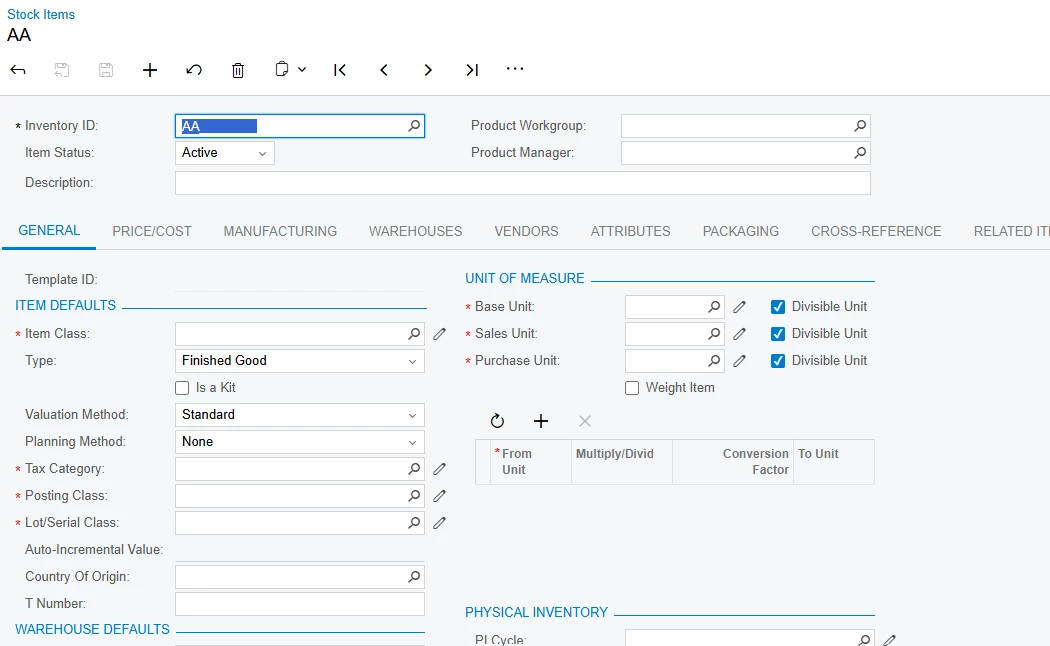
when creating a new Stock Item and typing in the Inventory ID field, Acumatica does not display matching existing Inventory IDs as autocomplete suggestions. This behavior is available in places such as the Sales Order line Inventory ID field.
The requirement is to provide a similar autocomplete/drop-down suggestion list while typing in the Inventory ID field on IN202500. For example, if the user types LAP, the field should suggest existing Inventory IDs such as LAP-001, LAP-002, etc. However, the user must still be able to enter a completely new Inventory ID (for example, LAP-004) and create a new Stock Item. In other words, the suggestions should assist the user but should not require the entered value to already exist.
I would appreciate any guidance on the recommended Acumatica 25R2 approach or customization code for achieving this while preserving the standard InventoryRaw/dimension and Inventory ID creation behavior.
Thanks in advance!



