Answer

Import scenario to mark Shopify sync history items as processed?

  • October 6, 2025
  • 7 replies
  • 59 views

Forum|alt.badge.img

I created a GI that pulls a specific set of sales orders that are ‘Ready to Process’ that I want to regularly clean up by marking ‘Set as Processed’ since these records will never get processed automatically again.

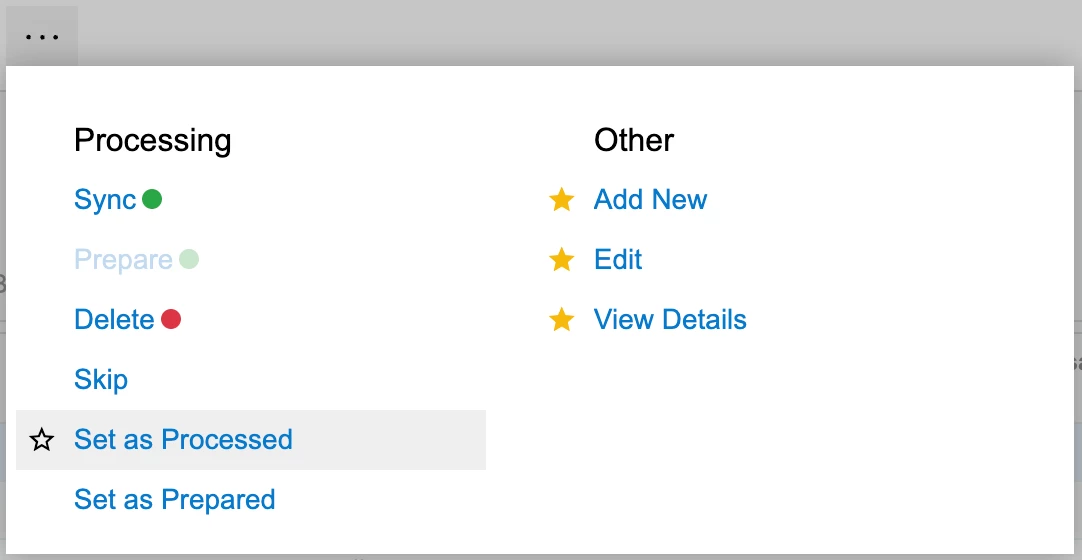
Is it possible to use an import scenario and this GI to mark these prepared Shopify sales orders in the sync history as processed?
 

Best answer by vincea11

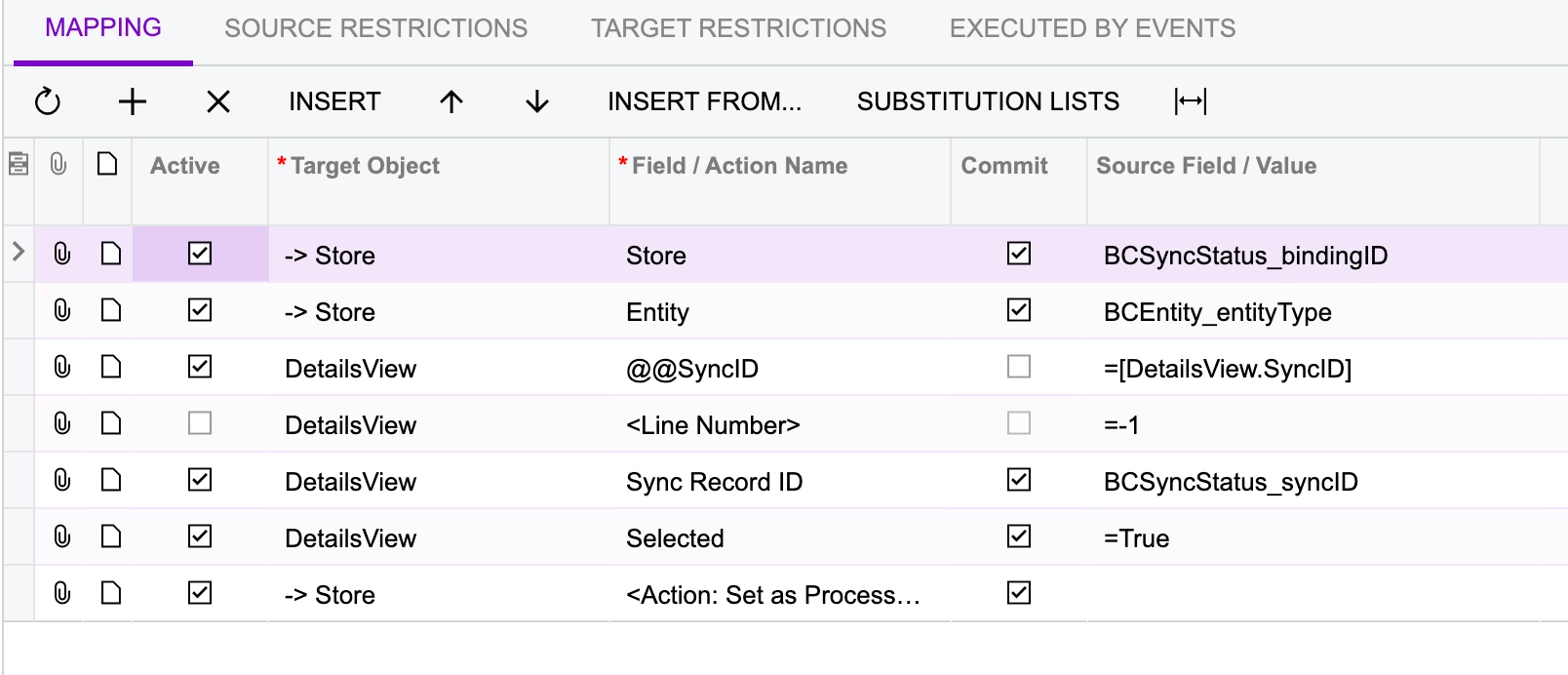
Our VAR helped us solve for this. For anyone needing to set existing records as processed via the sync history, here’s how with an import scenario:


7 replies

Manikanta Dhulipudi
Captain II
Forum|alt.badge.img+15

Hi ​@hammervince 

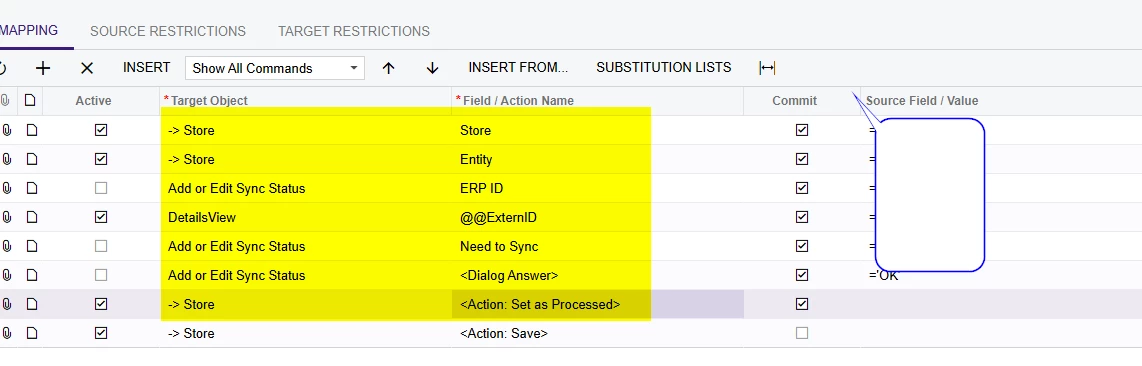
Please use the below import scenario as reference and try.


Forum|alt.badge.img
  • Captain I
  • October 6, 2025

Hi ​@hammervince 

Are you familiar with Business Events? That might be easier rather than an import scenario.


-RJ 


mohammadnawaz51
Jr Varsity I
Forum|alt.badge.img+4

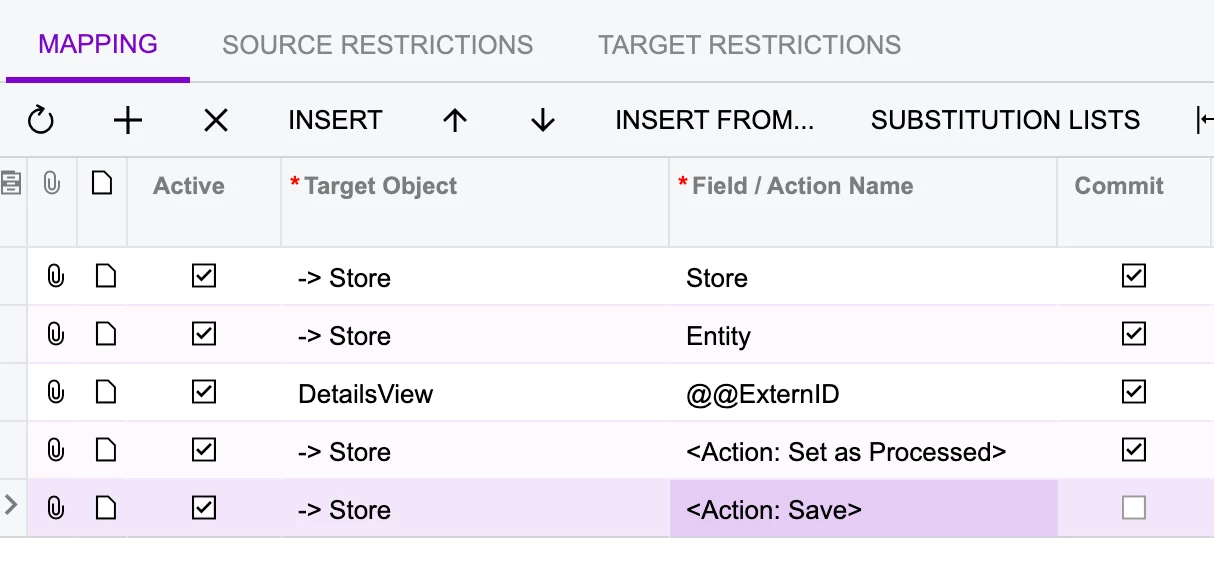
@hammervince Try this


Forum|alt.badge.img
  • Author
  • October 6, 2025

@Manikanta Dhulipudi can you send a screenshot of your scenario?

@rkenna I tried using a business event with an action, but no luck. Do you have an example?

@mohammadnawaz51 I tried this and it did not work, nothing happens to the records:


Manikanta Dhulipudi
Captain II
Forum|alt.badge.img+15

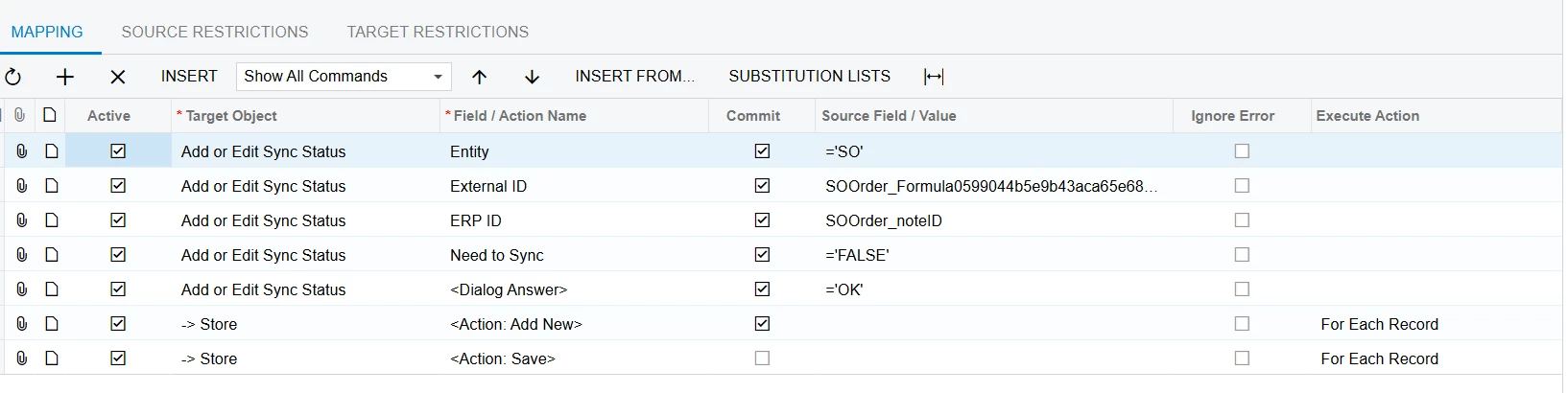
Similar Import mapping.


Forum|alt.badge.img
  • Captain I
  • October 6, 2025

@vincea11 

I would first create a new GI with a condition set to the status being equal to “Ready to Process”. From there, I would create a Business Event off that GI with the action of “Set as Processed” to change the status. That should resolve your issue.


Forum|alt.badge.img
  • Author
  • Answer
  • October 8, 2025

Our VAR helped us solve for this. For anyone needing to set existing records as processed via the sync history, here’s how with an import scenario: