Question

A child stock-item attribute should synchronize to the corresponding Shopify variant metafield.-Not working

  • September 18, 2026
  • 4 replies
  • 42 views

I am working on a Shopify integration involving template items and their child stock items.

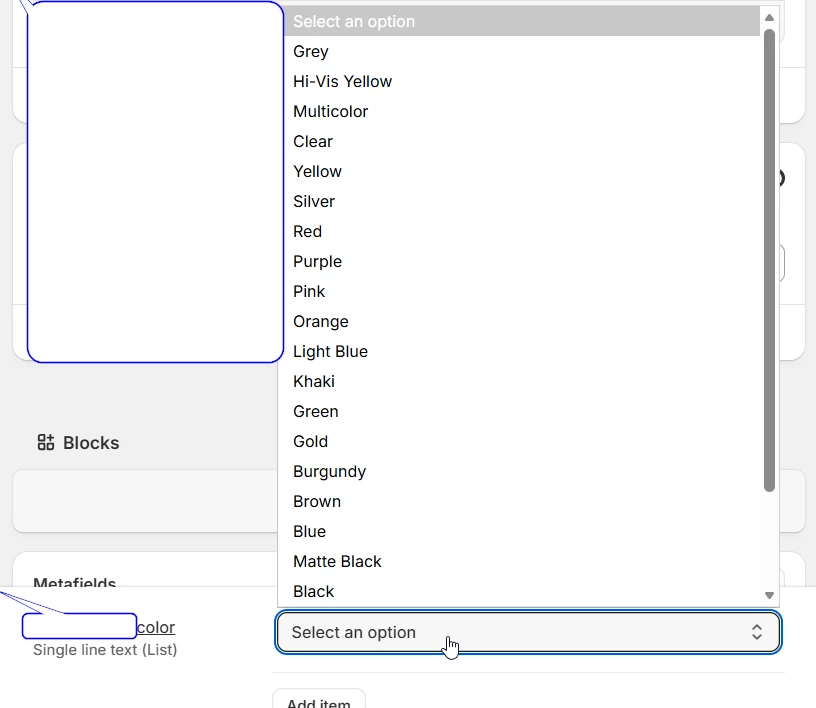
The customer maintains Color and Size as product attributes. In addition, they use a Shopify color metafield for business verification. This metafield is configured as a single-choice text field with a predefined drop-down list, allowing the user to select one color.

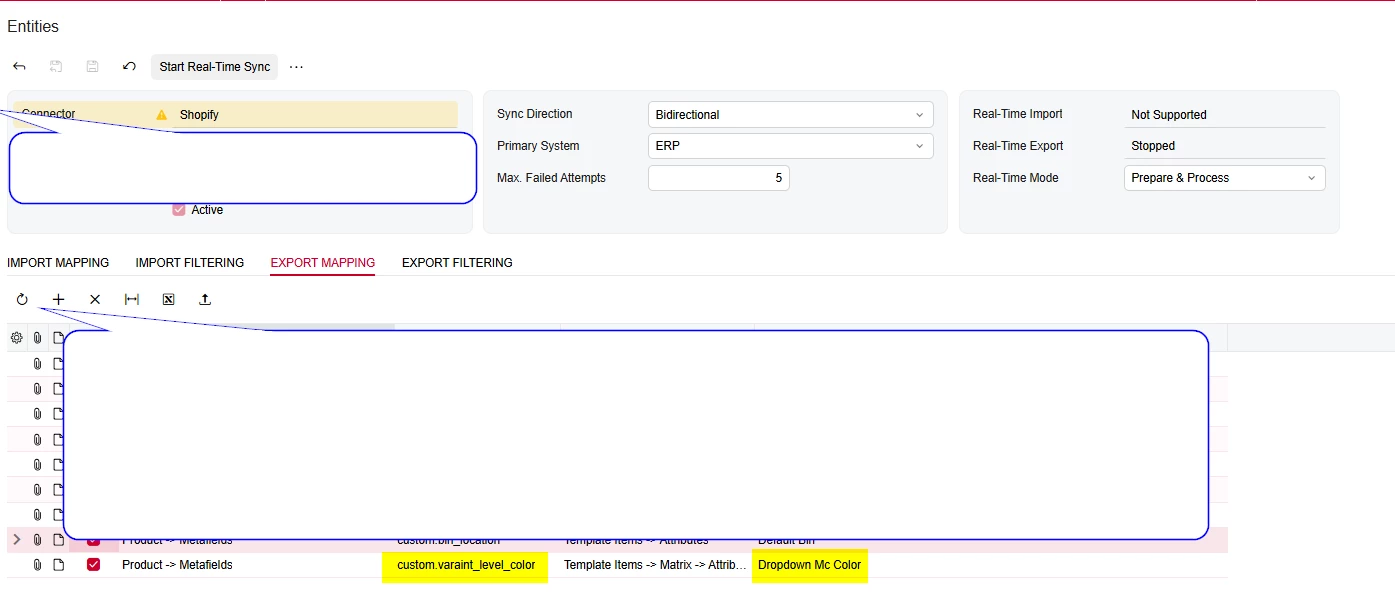
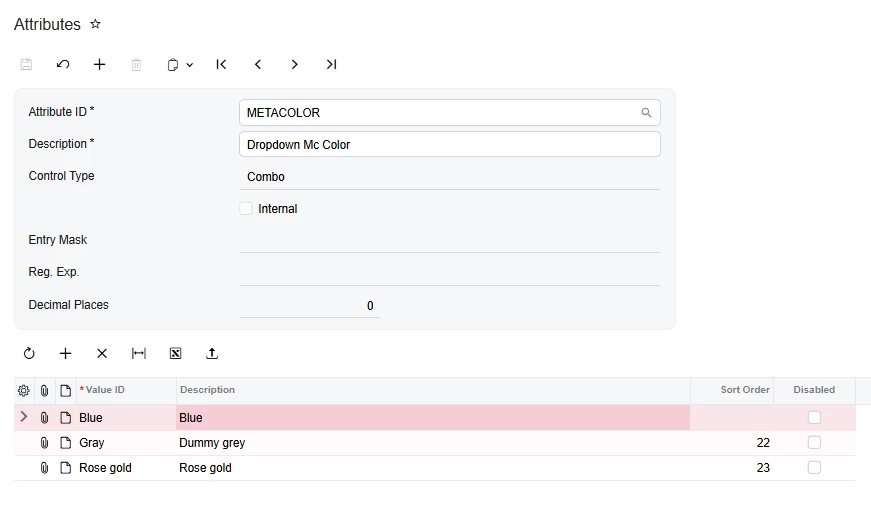
I created a corresponding attribute in Acumatica and tested both Combo and Multi Select Combo control types. I also configured entity mapping to export the attribute value from Acumatica to the Shopify metafield.


4 replies

Forum|alt.badge.img+1
  • Semi-Pro II
  • September 18, 2026

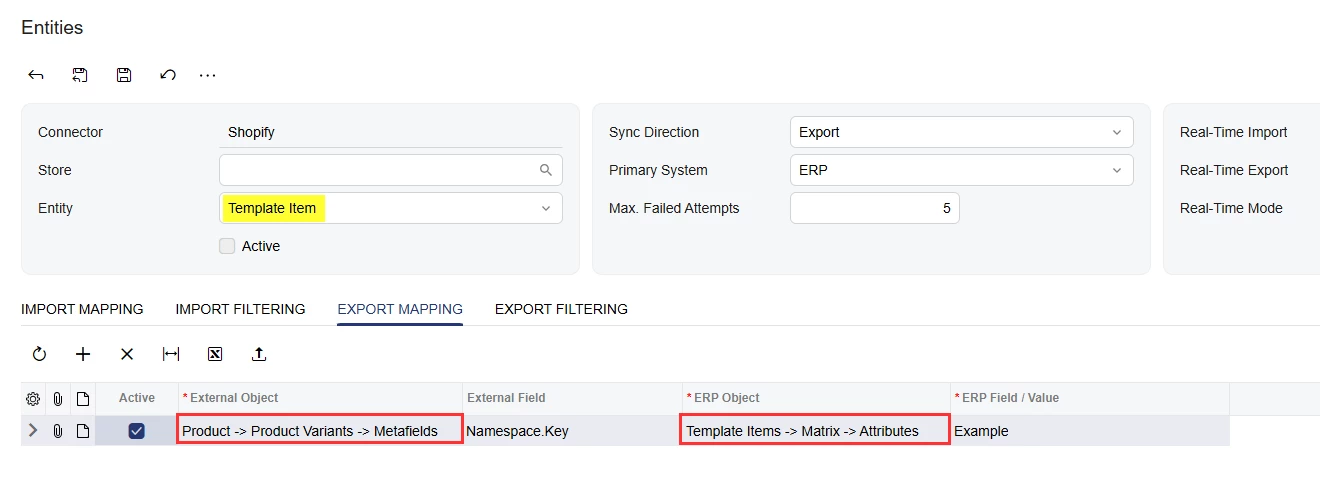
@Adcirruserp this mapping would need to be added to the Template Item entity, and the External Object should be Product → Product Variants → Metafields and the ERP Object should be Template Items → Matrix → Attributes:


Steve Milner
Varsity III
Forum|alt.badge.img+2
  • Varsity III
  • September 18, 2026

@Adcirruserp Michael's mapping is the right one. With Product -> Product Variants -> Metafields as the target and Template Items -> Matrix -> Attributes as the source, the connector matches each matrix item to its Shopify variant by SKU and writes that child item's attribute value to that variant. Your row pointed at Product -> Metafields, which writes to the product and never reaches the variant definition.

One more thing to check once you've switched it. Your Shopify screenshot shows the metafield as Single line text (List). You described it as single choice, but a list definition is a different type. Through the API, Shopify only accepts a JSON array for a list metafield, something like ["Blue"]. The connector reads the type from your Shopify definition and sends the attribute value as plain text. If your client only ever picks one color per variant, set the metafield up as one value rather than a list, and use a plain Combo attribute in Acumatica. Multi Select Combo isn't needed for that.

Also compare the two value lists. You have Gray in Acumatica and Grey in Shopify, and the target field has to be namespace.key spelled exactly as Shopify has it, so custom.varaint_level_color if that typo is in the definition too.

Try it on one template item and look at the variant in Shopify before you resync the rest.


  • Author
  • Freshman I
  • September 19, 2026

@Steve Milner Getting this error.

(field: input.variants.0.metafields.1.value) Value is invalid JSON: unexpected character: 'Blue' at line 1 column 1.


Forum|alt.badge.img+3
  • Captain II
  • September 21, 2026

@Adcirruserp 

The standard entity mapping approach mentioned above is worth trying first. However, if you want to handle this through customization, you can extend SPTemplateItemProcessor.

  • Override MapBucketExport and execute the standard export first.
  • Access the Shopify variants through bucket.Product?.Extern?.Variants.
  • Match the Shopify variant with the corresponding Acumatica matrix/child stock item using the SKU.
  • Read the child item's attribute value from AttributesValues.
  • Update the corresponding variant.VariantMetafields.
  • Since the Shopify metafield is a list type, serialize the value as a JSON array.
public delegate Task MapBucketExportDelegate(SPTemplateItemEntityBucket bucket, IMappedEntity existing, CancellationToken cancellationToken);

[PXOverride]
public async Task MapBucketExport(SPTemplateItemEntityBucket bucket, IMappedEntity existing, CancellationToken cancellationToken, MapBucketExportDelegate baseMethod)
{
await baseMethod(bucket, existing, cancellationToken);

ProductDataGQL external = bucket.Product?.Extern;

if (external?.Variants == null)
return;

foreach (ProductVariantGQL variant in external.Variants)
{
// Match Shopify variant with Acumatica matrix item using SKU.
// Read the corresponding child item attribute from AttributesValues.
// Update the Shopify variant metafield.

string value = JsonConvert.SerializeObject(new[] { attributeValue });

MetafieldGQL metafield = variant.VariantMetafields?.FirstOrDefault(x =>
x.Namespace == "custom" &&
x.Key == "varaint_level_color");

if (metafield != null)
metafield.Value = value;
}
}

Hope this helps!