Solved

Upgrade Version Invalid Column Name 'Branch.OrganizationLocalizationCode'

  • December 19, 2023
  • 6 replies
  • 234 views
  • Translate All

Dear All,

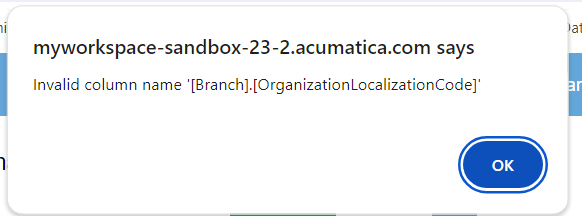
            Upgrade 2023 R2 Version I getting this error while run report, anyone can help to solve this issue
 

Best answer by Manikanta Dhulipudi

hI @sathish80 

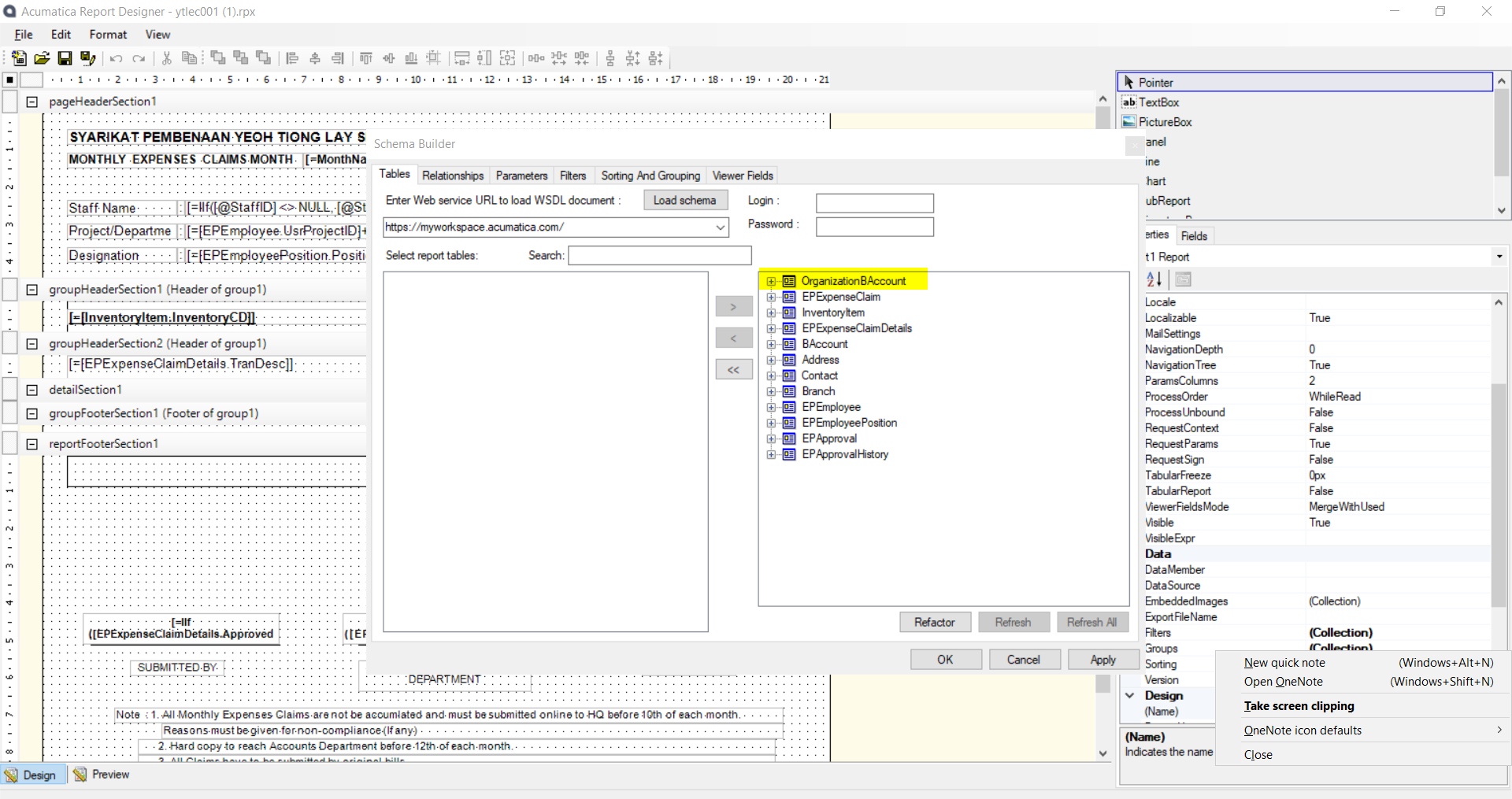
Please move this table to left pane and verify,

review each data field and make sure to delete the data field in report 
 

View original

6 replies

Manikanta Dhulipudi
Captain II
Forum|alt.badge.img+16

Hi @sathish80 


Is this related to report of Gi issue


Please check the relations and conditions to disable the table. Share the report name.


Share report or gi for us to review 

Translate

Naveen Boga
Captain II
Forum|alt.badge.img+20

@sathish80  Do you have any customizations in the report?

Translate

  • Author
  • Freshman I
  • December 19, 2023

Manikanta Dhulipudi
Captain II
Forum|alt.badge.img+16

hI @sathish80 

Please move this table to left pane and verify,

review each data field and make sure to delete the data field in report 


Translate

anahizentella94
Jr Varsity III
Forum|alt.badge.img

Hi

I had the same error on my customizations projects.

I was using DAC PX.SM.PXAccess.Branch to get branch data. I have changed everywhere to PX.Objects.GL.Branch DAC and the error was resolved.

Translate

Forum|alt.badge.img+8
  • Captain II
  • September 25, 2024

@anahizentella94 - thank you for adding your solution here, it solved my issue.

Translate