how can one get the current detailed TB report to display budget columns next to each TB line?
Best answer by nickcerri32
@sebongile28 Were you able to find a solution for this? To me there are two obvious options. Play around with the following and let me know what you came up with.
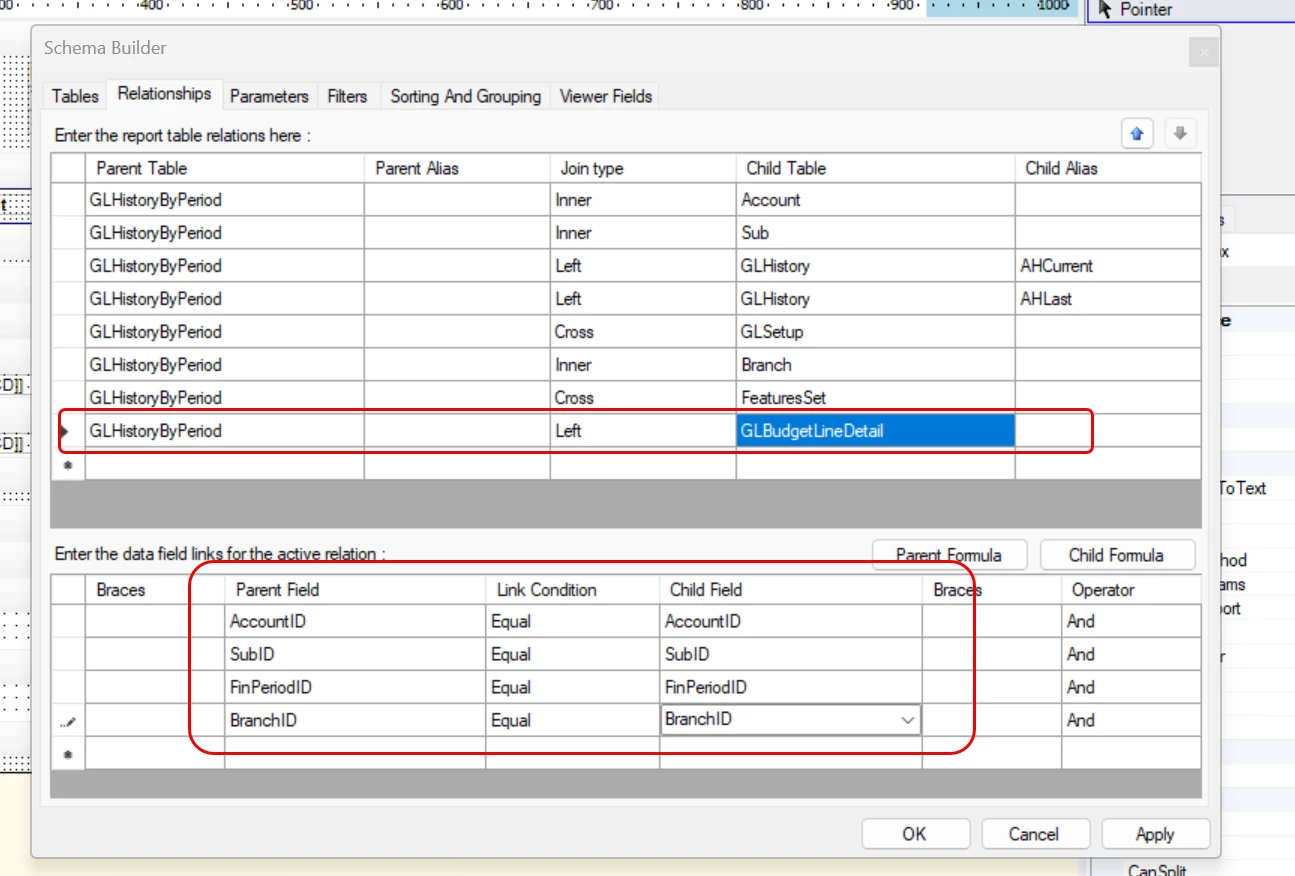
You can try to modify the Trial Balance Detailed (GL632500) and bring in the corresponding budget for each Account (and subaccount, if using those). You’ll want to use the GLBudgetLineDetail DAC with the following join and then bring in the Amount or Released Amount field into the report.
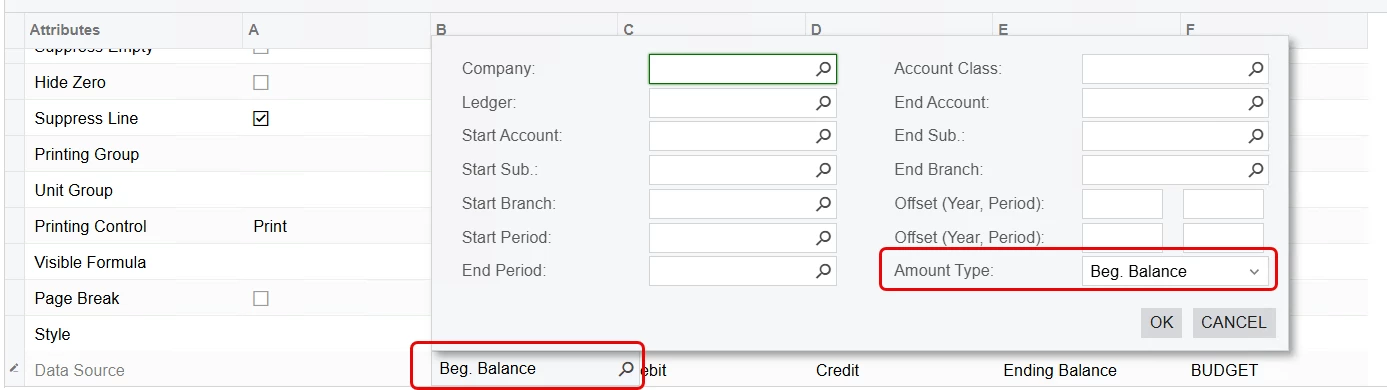
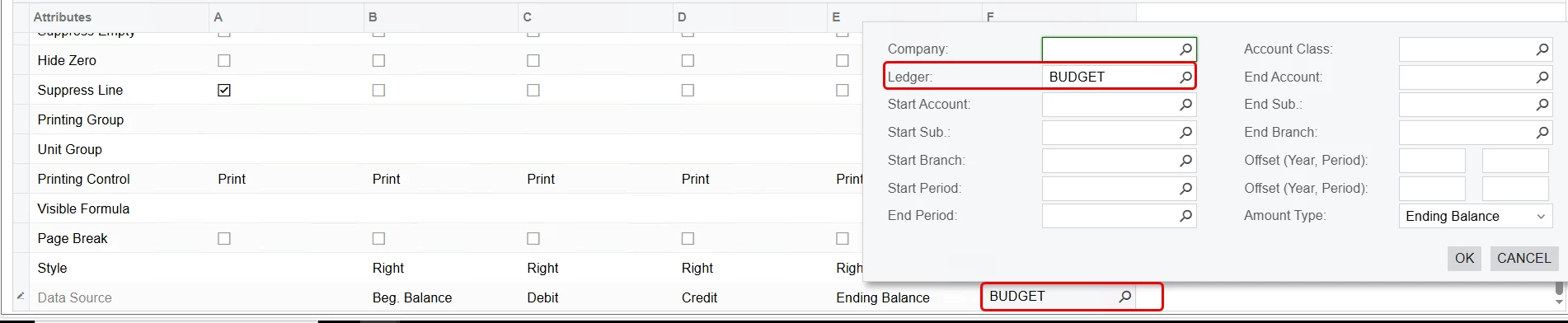
The second option would be to create a Financial Statement for this purpose. You’d configure your row set to pull in all accounts, probably by class, and then your column set would be configured to mimic the Trial Balance column order (Beginning Balance, Debit, Credit, Ending Balance) followed by a column looking at whatever your Budget ledger is.
@sebongile28 Were you able to find a solution for this? To me there are two obvious options. Play around with the following and let me know what you came up with.
You can try to modify the Trial Balance Detailed (GL632500) and bring in the corresponding budget for each Account (and subaccount, if using those). You’ll want to use the GLBudgetLineDetail DAC with the following join and then bring in the Amount or Released Amount field into the report.
The second option would be to create a Financial Statement for this purpose. You’d configure your row set to pull in all accounts, probably by class, and then your column set would be configured to mimic the Trial Balance column order (Beginning Balance, Debit, Credit, Ending Balance) followed by a column looking at whatever your Budget ledger is.