Solved

Statement email notification when using Print Statements

  • April 7, 2022
  • 8 replies
  • 510 views
  • Translate All

Forum|alt.badge.img+1

We have set up a notification for emails, however when we follow this process below, the notification is coming from elsewhere.  Where can I change this notification?

Step 1 - select a customer from the below list and choose “process”:
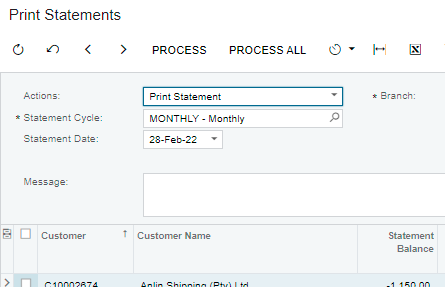


Step 2:  Select “send”

 

A notification now opens up and I want to modify this, but I can’t find where to do it (it isn’t in Notifications).

Acumatica 2021 R2
Build 21.210.0030
Best answer by hkabiri

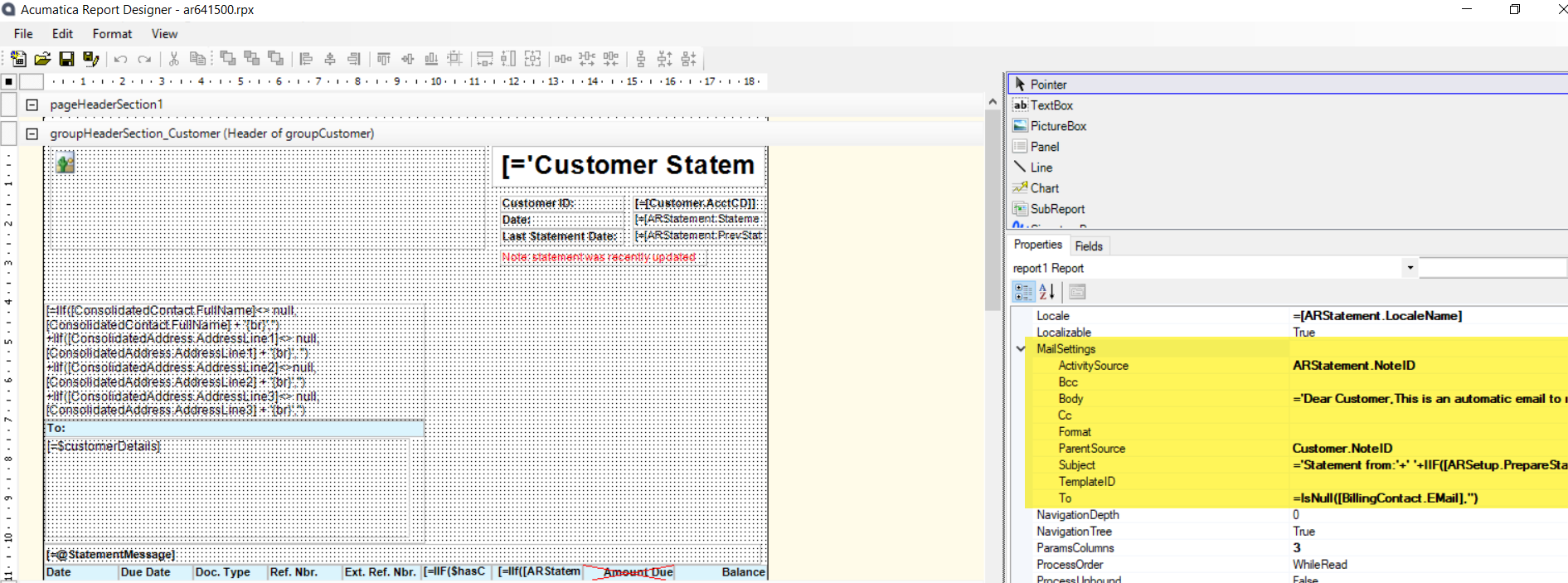
@laura01, @MarciaW  Those notification information which being attached to email activity when you click send on print preview of any Report Designer Report being set from the Report Designer >Mail Settings:


View original

8 replies

Naveen Boga
Captain II
Forum|alt.badge.img+20

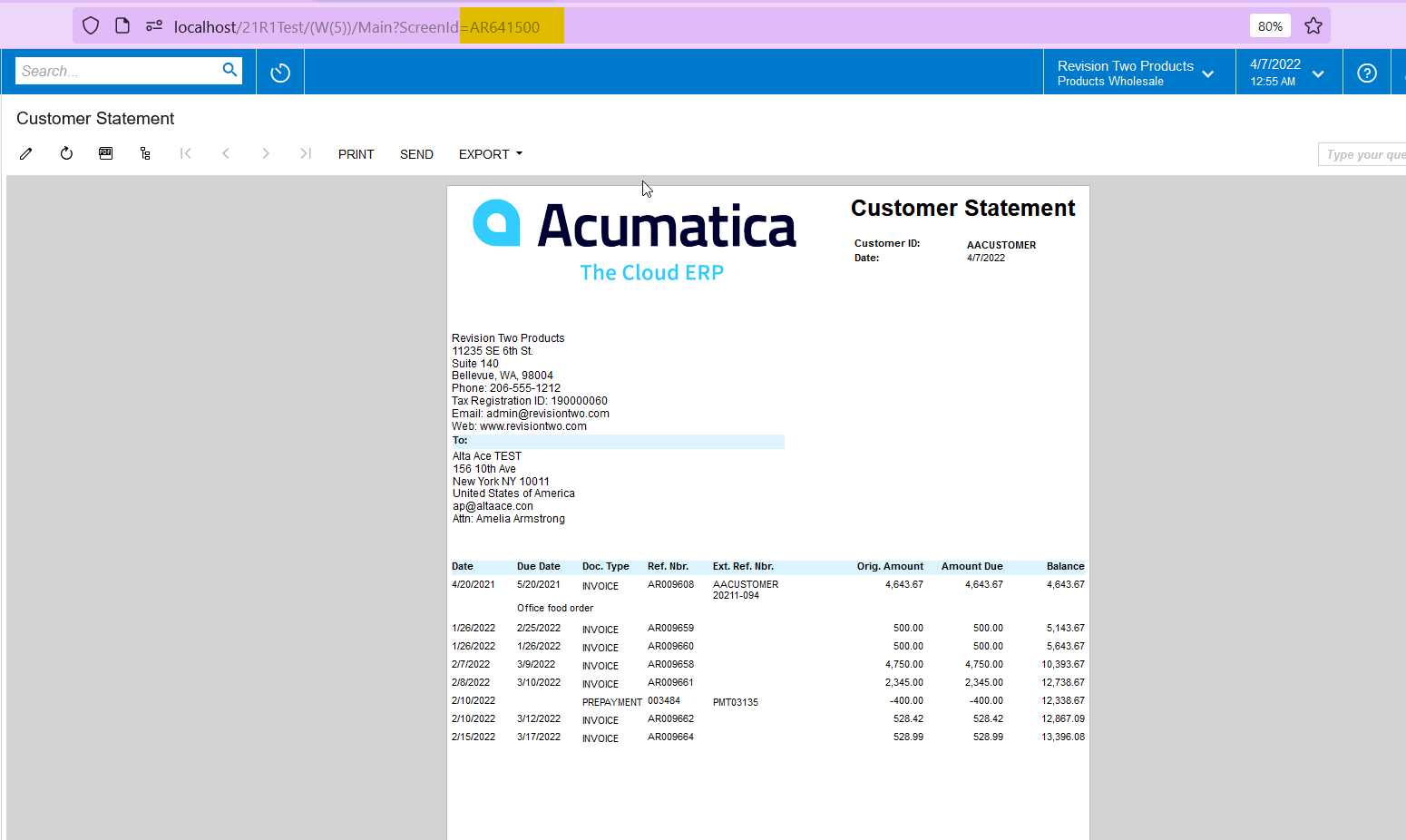
Hi @MarciaW  You might need to modify the below report (AR641500) for the Print Statement option for the customer.

Hope this helps!

Translate

Forum|alt.badge.img+1
  • Author
  • Semi-Pro II
  • April 7, 2022

Thanks Naveen, would this setup be in the Report Designer?

Translate

Naveen Boga
Captain II
Forum|alt.badge.img+20

Yes @MarciaW That is correct!

Translate

Laura03
Captain II
Forum|alt.badge.img+20
  • Captain II
  • April 7, 2022

Are you asking about how to modify the body of the email that opens when you click Send on the AR Statements report? Or the printed statement format itself?

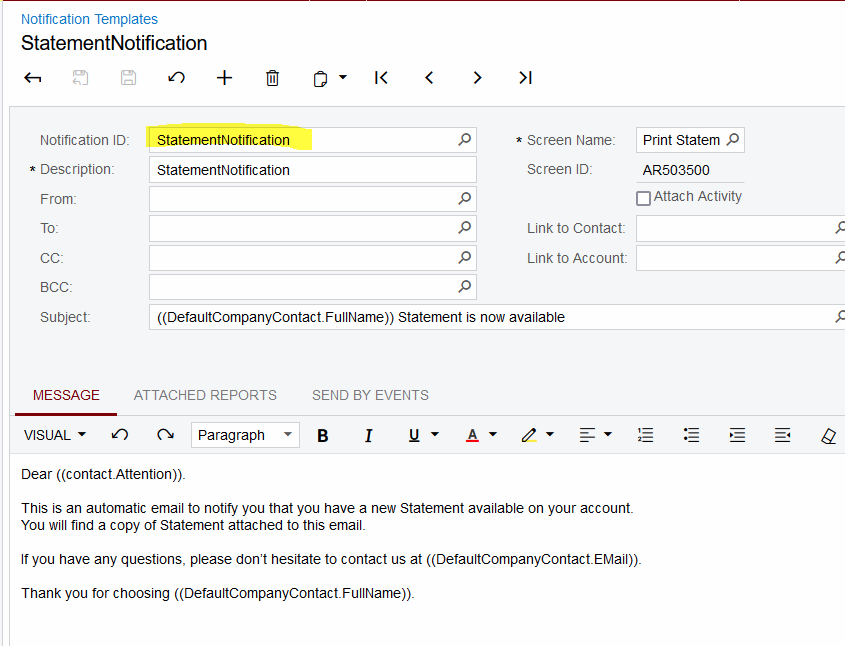
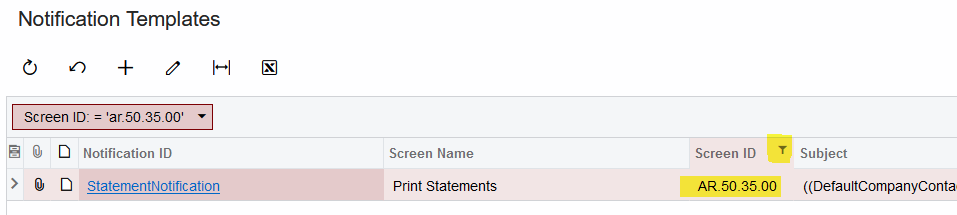
If you want to change the Email, that can be found in Notification Statements.  It’s called “StatementNotification”.


If you want to change the printed Statement itself, Naveen has given the answer above.

Translate

Forum|alt.badge.img+1
  • Author
  • Semi-Pro II
  • April 8, 2022

Are you asking about how to modify the body of the email that opens when you click Send on the AR Statements report? Or the printed statement format itself?

If you want to change the Email, that can be found in Notification Statements.  It’s called “StatementNotification”.


If you want to change the printed Statement itself, Naveen has given the answer above.

Hi Laura

That’s just the problem, the notification isn’t coming from here, that’s what I would have expected too, but it’s a different text altogether.

Translate

Laura03
Captain II
Forum|alt.badge.img+20
  • Captain II
  • April 8, 2022

Are there other notifications in your system that are connected to AR Statements?


I know how to change the look of the statement per customer, but I’m not sure how to change the email body other than above.  Someone with more customizing experience, I hope, will come along after me and assist you. 

Translate

hkabiri
Acumatica Moderator
Forum|alt.badge.img+8
  • Acumatica Support Team
  • Answer
  • April 8, 2022

@laura01, @MarciaW  Those notification information which being attached to email activity when you click send on print preview of any Report Designer Report being set from the Report Designer >Mail Settings:


Translate

Forum|alt.badge.img+1
  • Author
  • Semi-Pro II
  • April 11, 2022

@laura01, @MarciaW  Those notification information which being attached to email activity when you click send on print preview of any Report Designer Report being set from the Report Designer >Mail Settings:


Thank you Sam!

Translate