Solved

Showing all Lot/Serial nbr and Qty from APProdItemSplit

  • August 31, 2026
  • 3 replies
  • 26 views

Forum|alt.badge.img

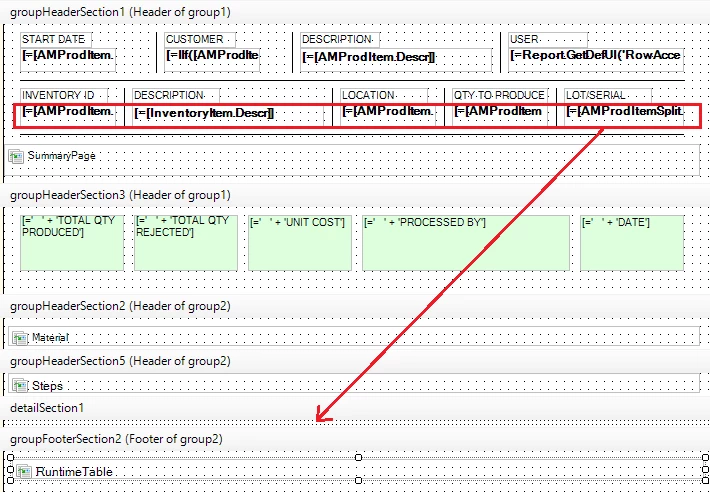
Hi, attached is a customized Production Ticket. Currently, it’s only picking up the first row. How do I show each line with Quantity and Lot/Serial Nbr.? I’ve added those 2 fields in group1 of the already, but that didn’t work. Thanks for your help!
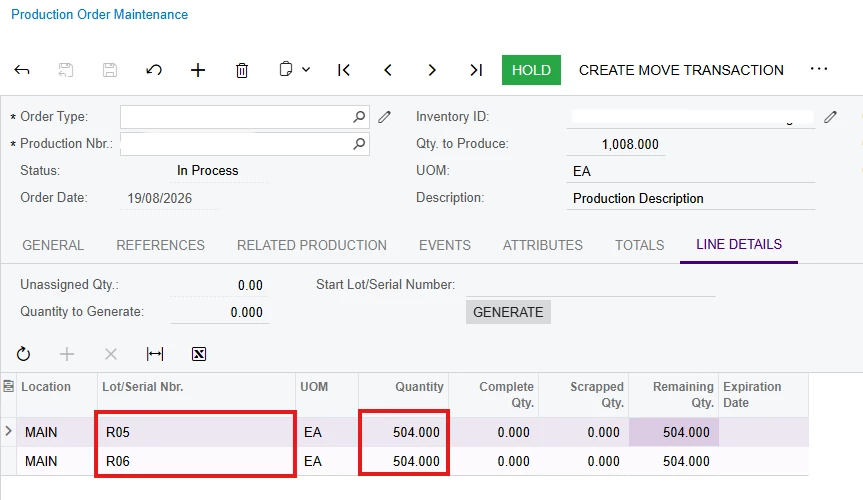

This is the production order in the UI
This is the section when printed where it only pulls first row data

Also, how do I make the RuntimeTable subreport disappear if Operation run time is 0? I tried adding a visible expression in the main report =IIf([AMProdOper.RunUnitTime]<>'0 h 00 m') but it doesn’t work.
Best answer by MarkD

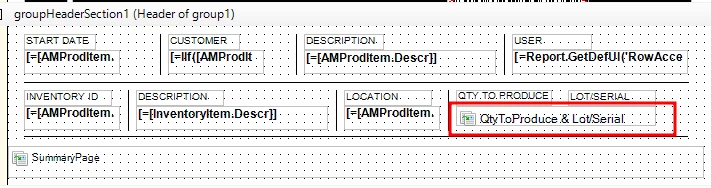
I have it working now. I created a subreport just for that section. Just needs to tidy it up, but it now shows data that I need. I’ve attached the subreport for other’s reference who will be looking into this post.


3 replies

nhatnghetinh
Captain II
Forum|alt.badge.img+13
  • Captain II
  • August 31, 2026

Hi ​@MarkD 

+ Question 1: I see you put the fields in the "group HeaderSection1" area => So only the first line is displayed => please move down to "detailSection1"


+ Question 2: Please try changing the format 'RunUnitTime' to '00:00'.
Visible expression in the main report =[AMProdOper.RunUnitTime]<>'00:00'


Best Regards,

NNT


Forum|alt.badge.img
  • Author
  • Varsity III
  • September 1, 2026

Thanks ​@nhatnghetinh - However, placing it under Details section doesn’t work because it duplicates Inventory ID, Description, Location and everything you place under details section. Also, it will print next to the steps which is not what I want. I’m currently exploring other options, but do you have any other ideas? I’ll wait to hear from others as well who has experienced this.

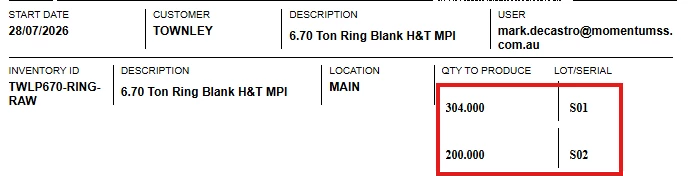
Below is what I am hoping to achieve, returning all Qty and Lot/serial nbrs in production. Thanks


Forum|alt.badge.img
  • Author
  • Varsity III
  • Answer
  • September 1, 2026

I have it working now. I created a subreport just for that section. Just needs to tidy it up, but it now shows data that I need. I’ve attached the subreport for other’s reference who will be looking into this post.