Answer

Report Parameter selector problem after upgrade to 2024R2

  • December 3, 2024
  • 6 replies
  • 236 views

MichaelShirk
Captain II
Forum|alt.badge.img+5

We recently upgraded from 23R2 to 24R2. 
It has been a very smooth process with almost zero issues.

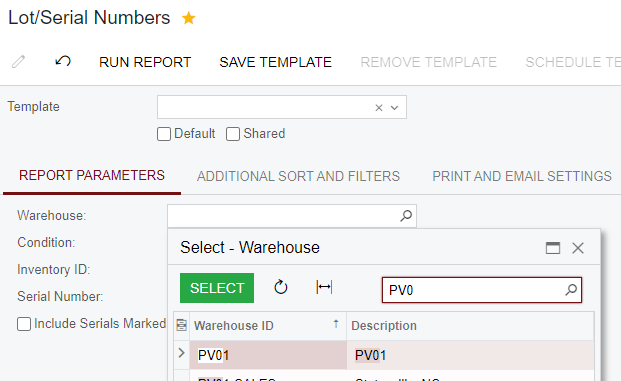
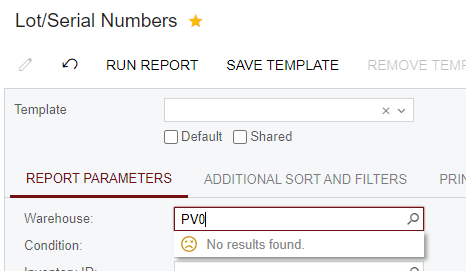
However, users have mentioned that on the Lot/Serial Numbers report, when they start typing the warehouse name (SiteCD) in the report parameter, the value no longer auto-completes.

To select a value, you have to click an extra time to open the selector, which functions as usual.

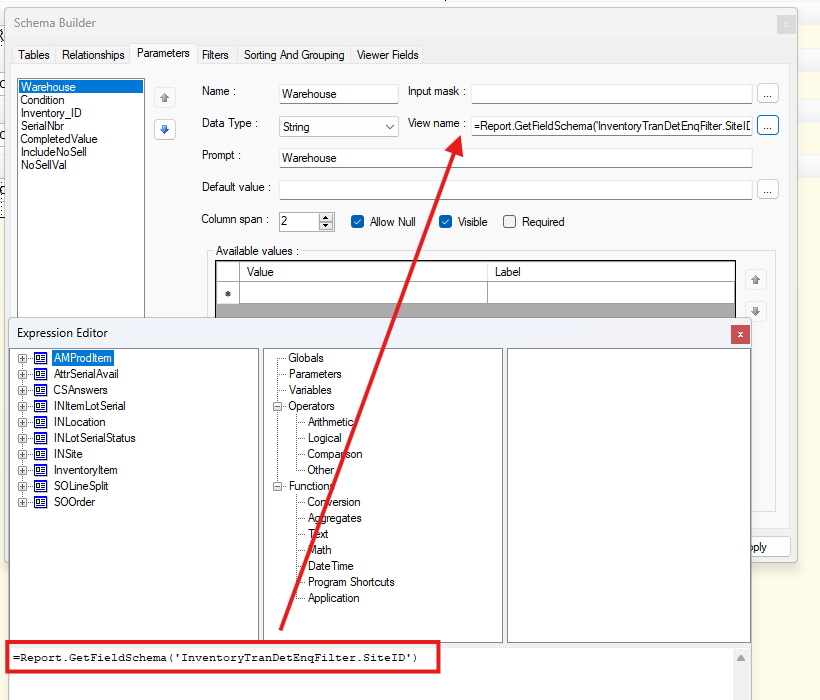
I’ve tried changing the schema field for the parameter in report designer, but it doesn’t make a difference.


Does anyone have any ideas?
 

Best answer by Andy Smith

Support sent us this link to a Known Issue article for this issue:


6 replies

MichaelShirk
Captain II
Forum|alt.badge.img+5
  • Author
  • Captain II
  • December 13, 2024

Anyone have any ideas?


  • Freshman I
  • December 17, 2024

Seeing the same issue. Did you ever figure it out by chance?


  • Freshman I
  • December 17, 2024

I did manage to fix it for a report I was working on - had the same issue but with ProjectID and it started in 24r2.  I am pretty sure this is a bug but I changed the parameter I had in the report that behaved this way after an upgrade from Report.GetFieldSchema('PMReportMetadata.ProjectID') replacing PMReportMetadata.ProjectID with EPActivityApprove.ProjectID

Not the ideal solution, but hoped by pulling in a different selector field it would get me past this hump. It was successful with this field...hoping I can figure out a work around for others.


MichaelShirk
Captain II
Forum|alt.badge.img+5
  • Author
  • Captain II
  • December 18, 2024

Thanks for your comments, I have not found a solution. I will try more different selector schema fields now to see if I can find one that works.


Forum|alt.badge.img
  • Freshman I
  • May 9, 2025

Seeing the same issue on the BOM Summary report. 


Forum|alt.badge.img
  • Varsity II
  • Answer
  • May 9, 2025

Support sent us this link to a Known Issue article for this issue: