Answer

Report Designer [PageOf] not working

  • September 12, 2025
  • 11 replies
  • 98 views

Forum|alt.badge.img

I have a report where I am trying to use the [PageOf] formula, but it only shows “1 of 1” on every page.

From searching the forums, I’ve found the following:

  • [PageOf] must be in the pageFooterSection
  • Page footer ProcessOrder must be set to Always
  • Textbox containing [PageOf] must have ProcessOrder set to WhilePrint

All of these criteria are met with my report, but I am still getting “1 of 1” for every page.

Best answer by sclassing

Thanks so much to ​@Zalman for you help - in working with you we figure out that the footer section had “Reset Page Number” to True.  Changing it to False fixed it.

11 replies

nhatnghetinh
Captain II
Forum|alt.badge.img+11
  • Captain II
  • September 15, 2025

Hi ​@sclassing 

Please attach your .rpx report file?


Best Regards,

NNT


DipakNilkanth
Pro III
Forum|alt.badge.img+13

Hi ​@sclassing,
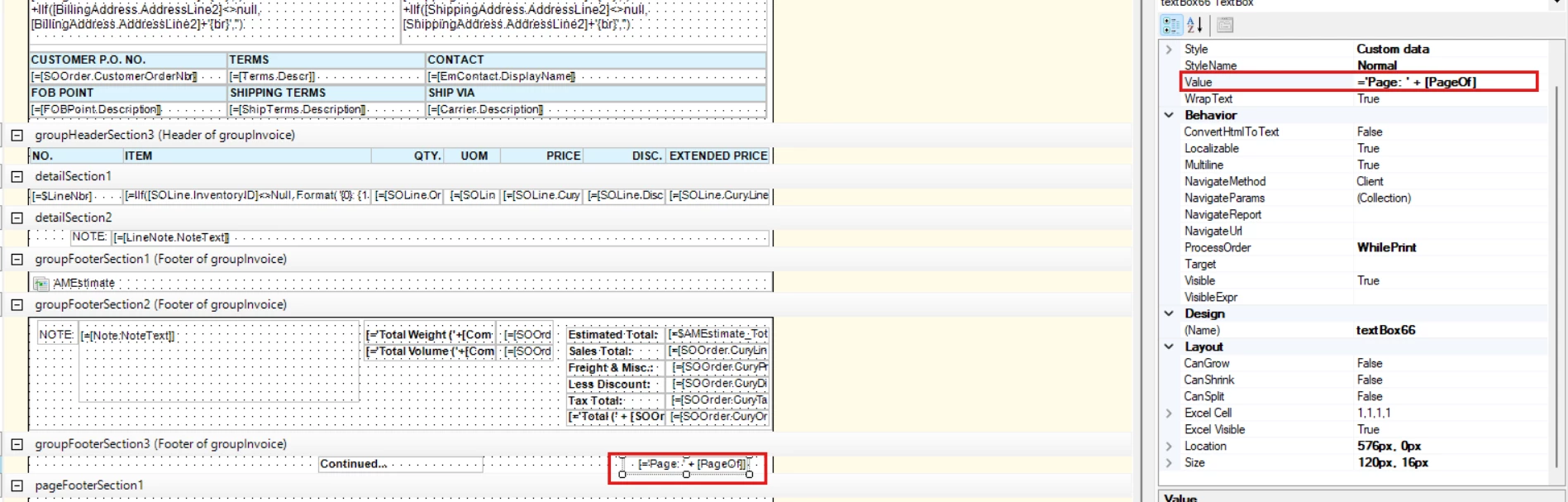
Could you please confirm what is the value(='Page: ' + [PageOf]) you are passing in the field as below.

Page Of


Forum|alt.badge.img
  • Author
  • Freshman II
  • September 15, 2025

@DipakNilkanth Yes, that is exactly the value I have in that field.

@nhatnghetinh My report is attached.


nhatnghetinh
Captain II
Forum|alt.badge.img+11
  • Captain II
  • September 16, 2025

Hi ​@sclassing 

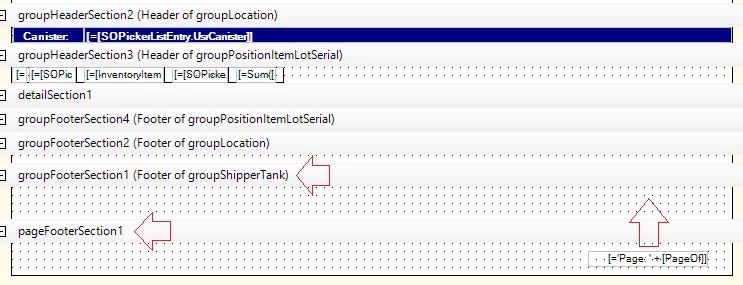
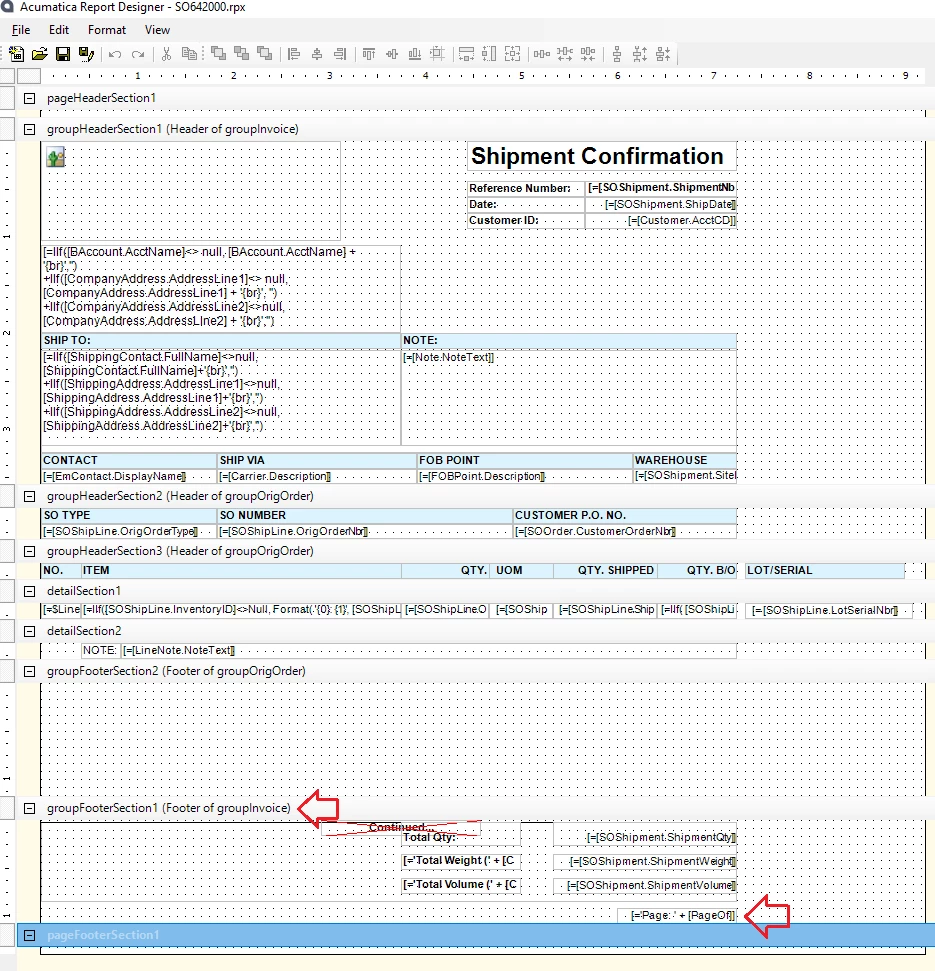
I can't Run your report yet because the report has some DACs created by customization (SSPickingWorksheetTote,...). However, I see you put ‘Page: ' + [PageOf] at “pageFooterSection1”. Try moving PageOf to "groupFooterSection1".


Please refer to the original report (SO64200)


Best Regards,

NNT


Forum|alt.badge.img+1

Be sure that ProcessOrder is set to “Always” on the groupFooterSection1.  Also I usually set the field that way as well.  


Forum|alt.badge.img
  • Author
  • Freshman II
  • September 16, 2025

I moved the @PageOf to group footer and ensure that ProcessOrder for the footer was set to Always.  I also set the field ProcessOrder to Always.  It still prints Page 1 of 1 on every page.  :(


nhatnghetinh
Captain II
Forum|alt.badge.img+11
  • Captain II
  • September 17, 2025

Hi ​@sclassing 

Try changing [PageOf] to [PageCount].


Best Regards,

NNT


Forum|alt.badge.img+1
  • Jr Varsity I
  • September 17, 2025

Hi

From reviewing the attached file, it looks like the detail fields ([SOPickerListEntry.UsrCanister], [InventoryItem.InventoryCD], etc.) are currently placed in a group header section. I recommend moving those fields into DetailSection1 instead.

For the page numbering ([PageOf]), once the fields are in the detail section, you should be able to place it in PageFooterSection1, and it should display correctly.


Forum|alt.badge.img
  • Author
  • Freshman II
  • September 17, 2025

@Zalman I’ll give that a shot.  Thanks!


Forum|alt.badge.img
  • Author
  • Freshman II
  • September 17, 2025

@Zalman I moved the fields as suggested but the report is still displaying 1 of 1 for every page.  :(  I’ve attached my updated report with the changes.


Forum|alt.badge.img
  • Author
  • Freshman II
  • Answer
  • September 18, 2025

Thanks so much to ​@Zalman for you help - in working with you we figure out that the footer section had “Reset Page Number” to True.  Changing it to False fixed it.