

Answer

Report Designer Mailing Settings Embed Image Formula Editor

  • April 21, 2022
  • 1 reply
  • 462 views

Forum|alt.badge.img

Hello Everyone,


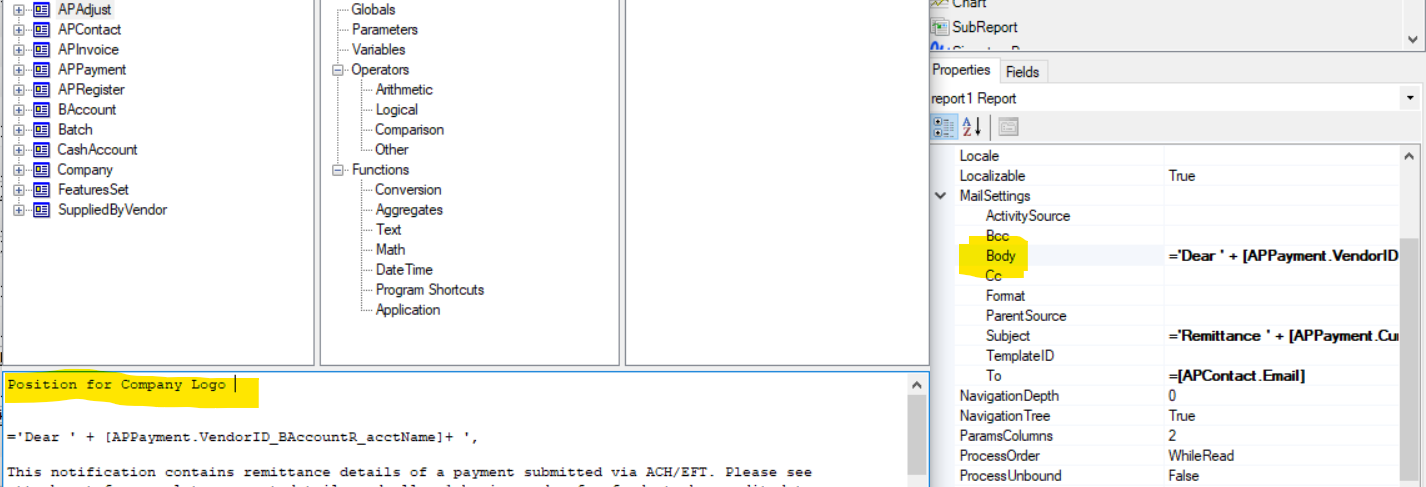
I am trying to create a email template to be used when sending out an email from a payables report. I wanted to embed both the vendor’s name and a logo of our company on the report.


The problem is that I cannot do both on either the notification templates screen or the report designer mail settings body section. If I use notification templates, the vendor account name does not show up as the screen I am using does not appear in the screen selection. Does anyone know if it is possible to embed an image in the formula editor? 


Best answer by pallikasharma11

Hello @podonnell11 

There is a KB article on how to display an image stored in the database in a report made in the Report Designer which might be helpful.


1 reply

Forum|alt.badge.img+2
  • Acumatica Employee
  • Answer
  • May 31, 2023

Hello @podonnell11 

There is a KB article on how to display an image stored in the database in a report made in the Report Designer which might be helpful.
