Answer

Report designer generating duplicate pages

  • October 20, 2023
  • 8 replies
  • 215 views

Forum|alt.badge.img+3

Hello All,

I have been facing an issue where i have created a report of 19 pages but for some of my records the report gets duplicate multiple times. Basically it is based on the number of line items. If there are 2 line items my report pages get duplicated twice. But i sm unable how to resolve this. Attaching the zip file of the report.

Best answer by Harshita

@Harshita Thanks for the update! From the screenshot, I can see that you have the Contact and Address tables..Can you share the joins of these tables.

Hello @ChandraM thank you for your prompt responses. Actually I had divided the pages into different detailSections because of which duplication was occurring. Now when i removed the sections and merged all the content under 1detailSection, the issue is no longer occurring.

Thank you once again.

8 replies

Forum|alt.badge.img+8
  • Semi-Pro I
  • October 20, 2023

Hi @Harshita This issue of duplicate lines occur due to missing join conditions.
The one-to-Many join condition can lead to multiples of the records available on the tables.


Forum|alt.badge.img+3
  • Author
  • Captain II
  • October 20, 2023

Hi @Harshita This issue of duplicate lines occur due to missing join conditions.
The one-to-Many join condition can lead to multiples of the records available on the tables.

Hello @ChandraM thank you for your prompt response,

But at present I am not able to figure out the proper joining condition between POOrder and POLine. As i assume POLine is generating the issue.


Forum|alt.badge.img+8
  • Semi-Pro I
  • October 20, 2023

Hi @Harshita Here is the join between the POOrder and POLine

  1. POOrder.OrderType=POLine.Ordertype
  2. POOrder.OrderNbr=POLine.OrderNbr


Forum|alt.badge.img+3
  • Author
  • Captain II
  • October 20, 2023

Hi @Harshita Here is the join between the POOrder and POLine

  1. POOrder.OrderType=POLine.Ordertype
  2. POOrder.OrderNbr=POLine.OrderNbr


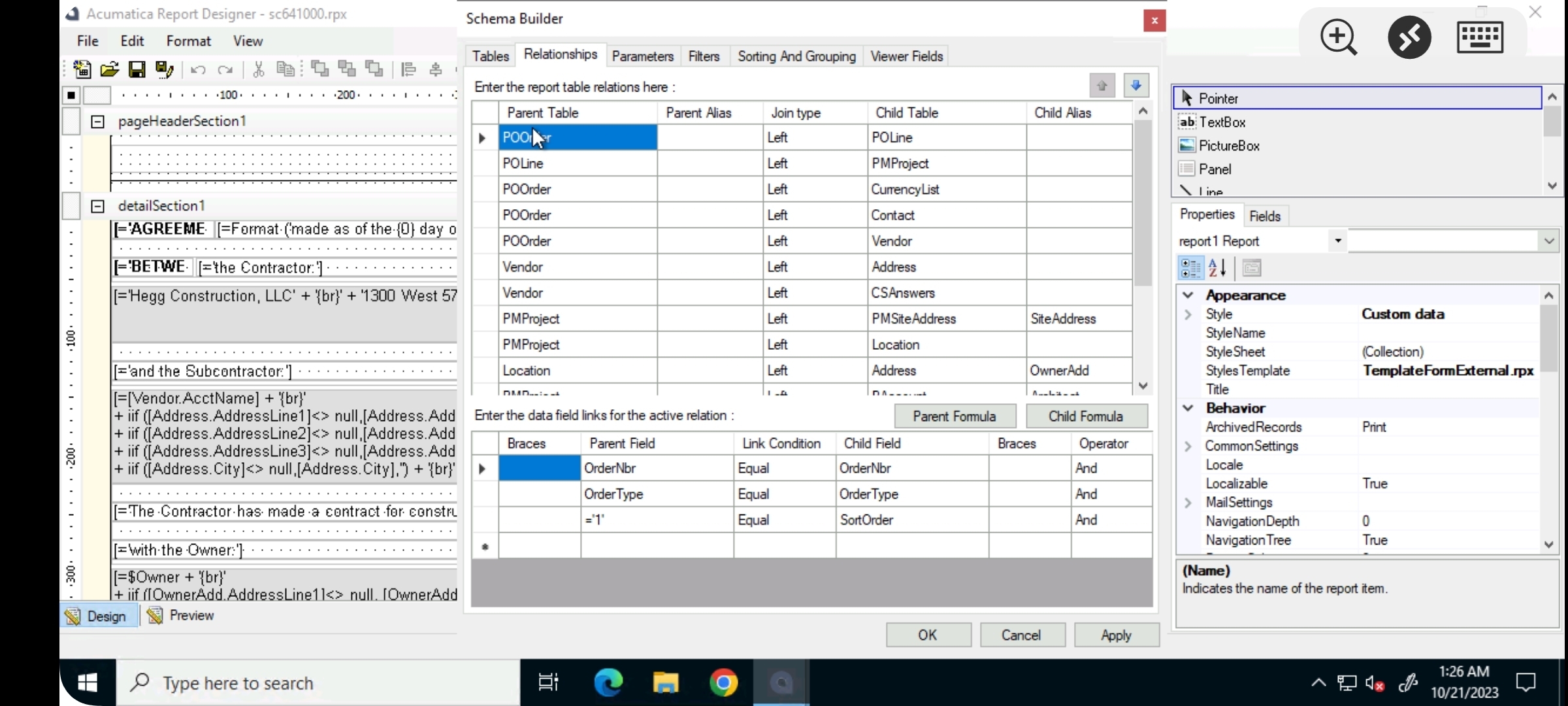
Hello @ChandraM here's the join that has been applied in the report


Forum|alt.badge.img+3
  • Author
  • Captain II
  • October 20, 2023

Hi @Harshita Here is the join between the POOrder and POLine

  1. POOrder.OrderType=POLine.Ordertype
  2. POOrder.OrderNbr=POLine.OrderNbr


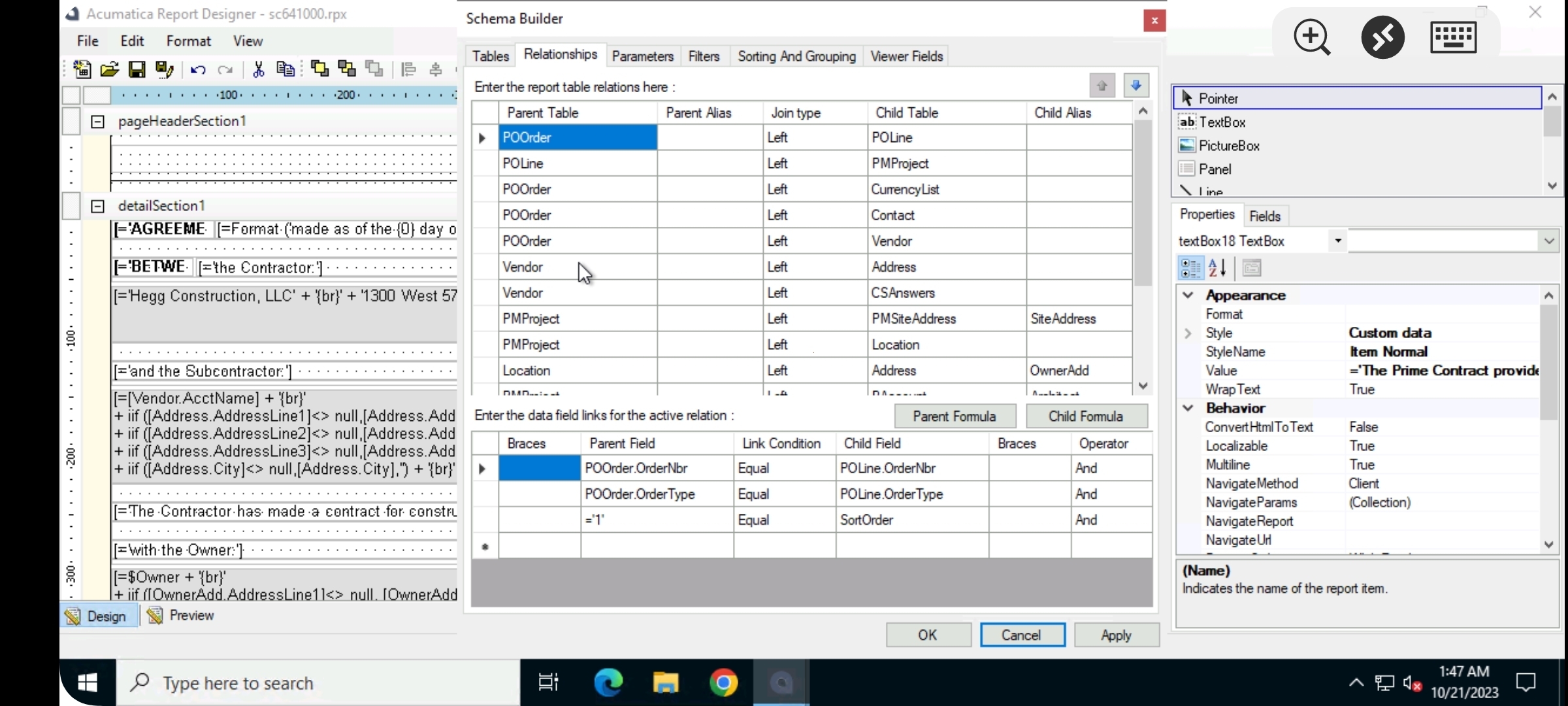
Hello @ChandraM i now tried with the below join but still it duplicates the pages 


Forum|alt.badge.img+3
  • Author
  • Captain II
  • October 21, 2023

Hello @ChandraM ,

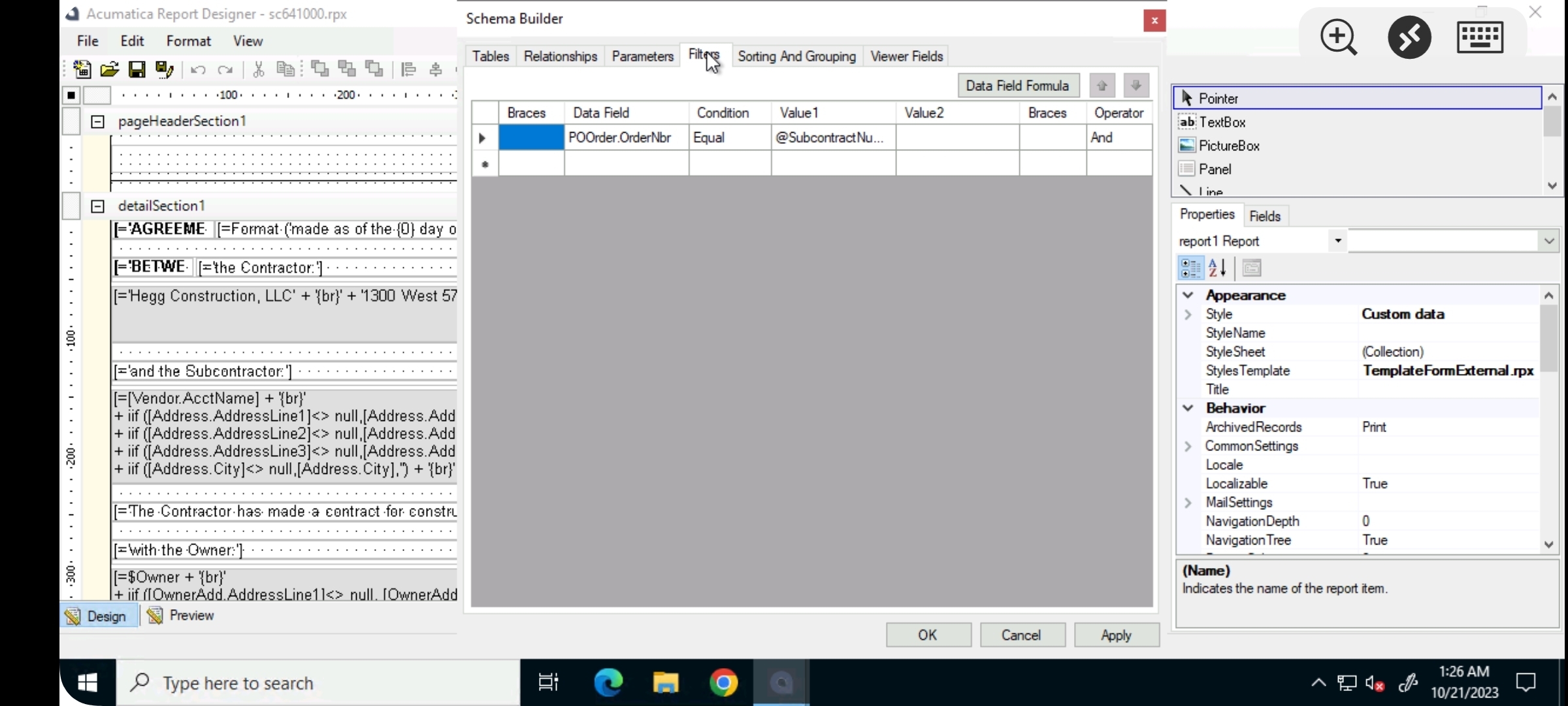
just an update, I tried to import the same report into my demo instance and it completely works fine without any duplications. But it does duplicate the pages in the original instance. There are some customizations developed, I tried to unpublish them too and checked out but its still the duplication remains the same.


Forum|alt.badge.img+8
  • Semi-Pro I
  • October 22, 2023

@Harshita Thanks for the update! From the screenshot, I can see that you have the Contact and Address tables..Can you share the joins of these tables.


Forum|alt.badge.img+3
  • Author
  • Captain II
  • Answer
  • October 23, 2023

@Harshita Thanks for the update! From the screenshot, I can see that you have the Contact and Address tables..Can you share the joins of these tables.

Hello @ChandraM thank you for your prompt responses. Actually I had divided the pages into different detailSections because of which duplication was occurring. Now when i removed the sections and merged all the content under 1detailSection, the issue is no longer occurring.

Thank you once again.