Answer

Report designer does not work after power out

  • February 15, 2022
  • 5 replies
  • 209 views

Hi

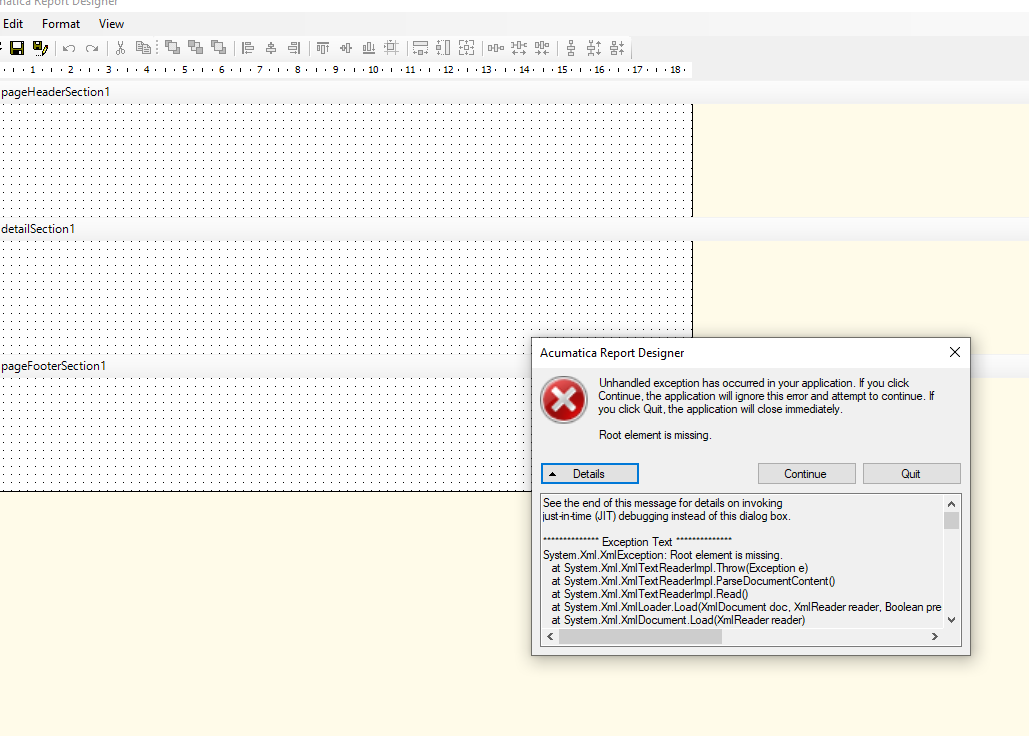
Any idea why my report designer is giving an error after power outage, does not download any report from acumatica and when try to open from server or save to server this is the error

Thanks

Vivian


Best answer by Irina

Hello @vivian46 

Please find the KB article that could help you to resolve the issue


5 replies

Ahmed
Varsity II
Forum|alt.badge.img+1
  • Varsity II
  • February 16, 2022

@vivian46 these kind of “unhandled exceptions” happen sometimes with the Report Designer, especially if left open for too long (maybe due to computer’s memory cache changes). I suggest trying to exit Report Designer and then re-opening. If you are still experiencing it, you may need to reinstall Report Designer.


Forum|alt.badge.img+12
  • Acumatica Support Team
  • February 16, 2022

Hi @vivian46 

Check your reports designer version ( property of reportsdesigner.exe) and the version and build of Acumatica instance from which you are trying to access the reports. As long as Reports designer is of same version or higher version, it works fine.  Reports designer being older version as compared to the instance version can cause error. 

Regards,


Irina
Community Manager
Forum|alt.badge.img+8
  • Acumatica Platform Analyst
  • Answer
  • February 16, 2022

Hello @vivian46 

Please find the KB article that could help you to resolve the issue


  • Author
  • Freshman II
  • February 16, 2022

Thank you Irina!! Deleteing the config.xml solved the problem

Thank youuu


Forum|alt.badge.img+1
  • Semi-Pro II
  • March 21, 2023

Thank you Irina!! Deleteing the config.xml solved the problem

Thank youuu

Hello @vivian46 ,

I know this post is old, perhaps can you share how you were able to solve this? I can’t open what @Irina has shared.

Thanks!