Answer

Report definition: adding new column

  • January 21, 2025
  • 5 replies
  • 81 views

Forum|alt.badge.img


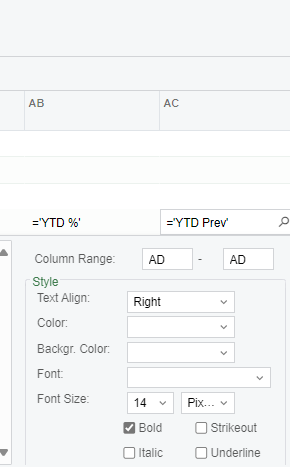
Hi everyone, this might be something really simple but I tried adding a new column (YTD Prev) and it’s only the lines in the headers that are getting cut off. 
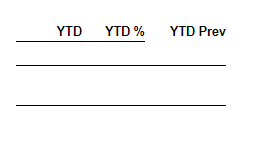
 

What I did is put the next column in the column range but that doesn’t seem to work. Any input would be much appreciated. Thank you. 


Thanks so much in advance. 
Best answer by harshitasethia74

Hey ​@Crisel ,
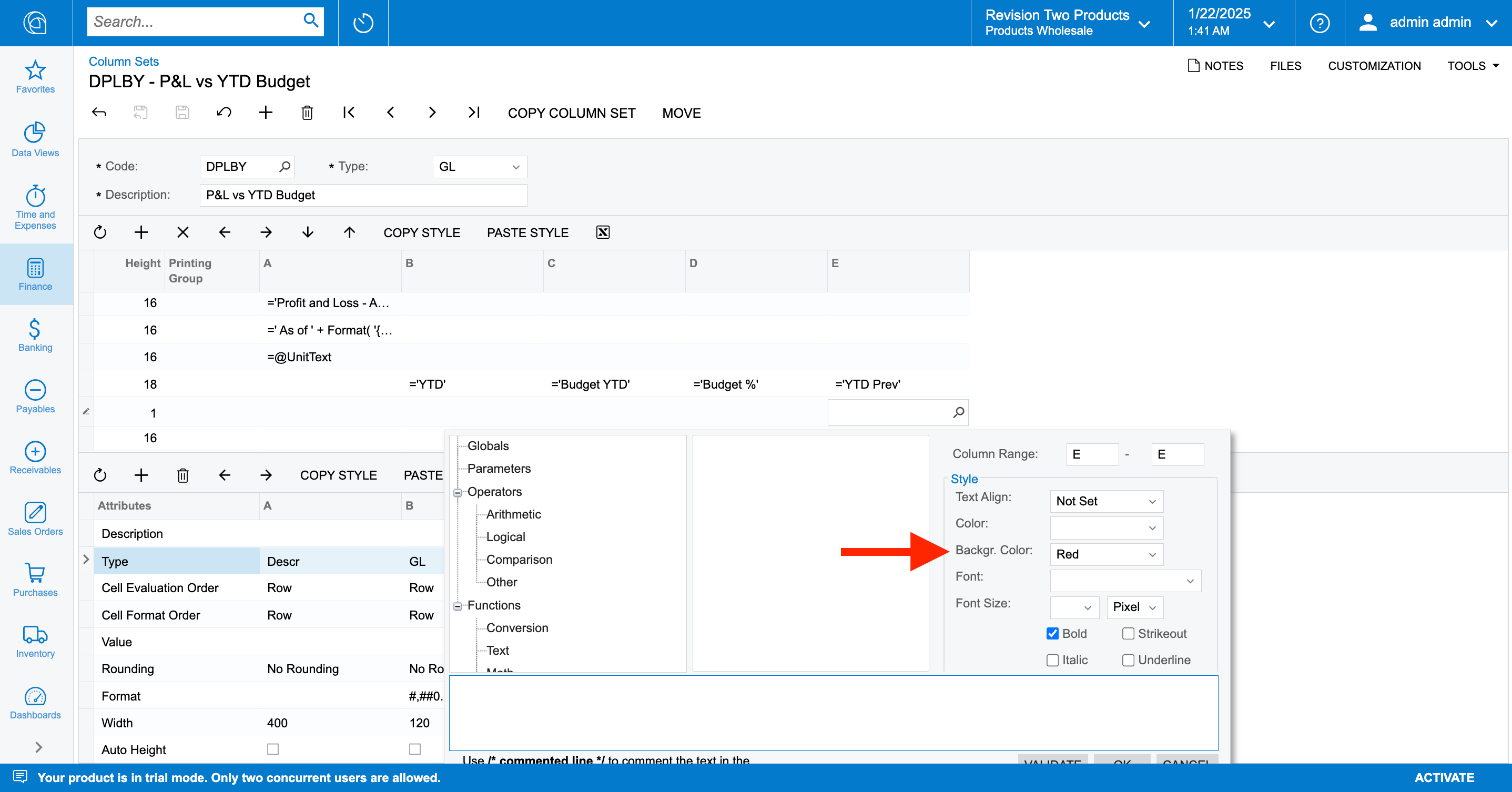
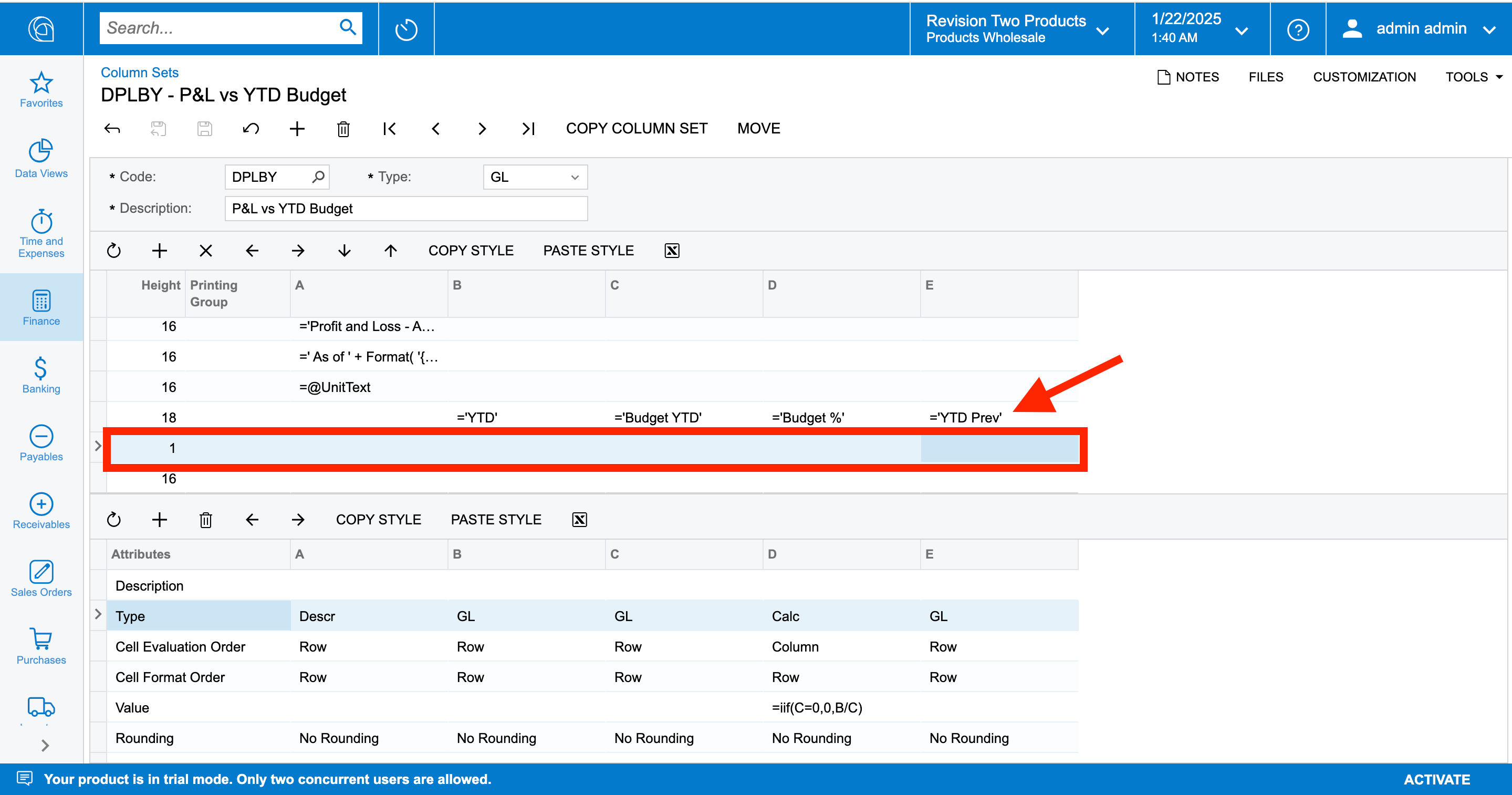
the below line is setup below the row where you have defined “YTD Prev”


As in the above screenshot, i will setup this line in the highlighted row where Height = 1


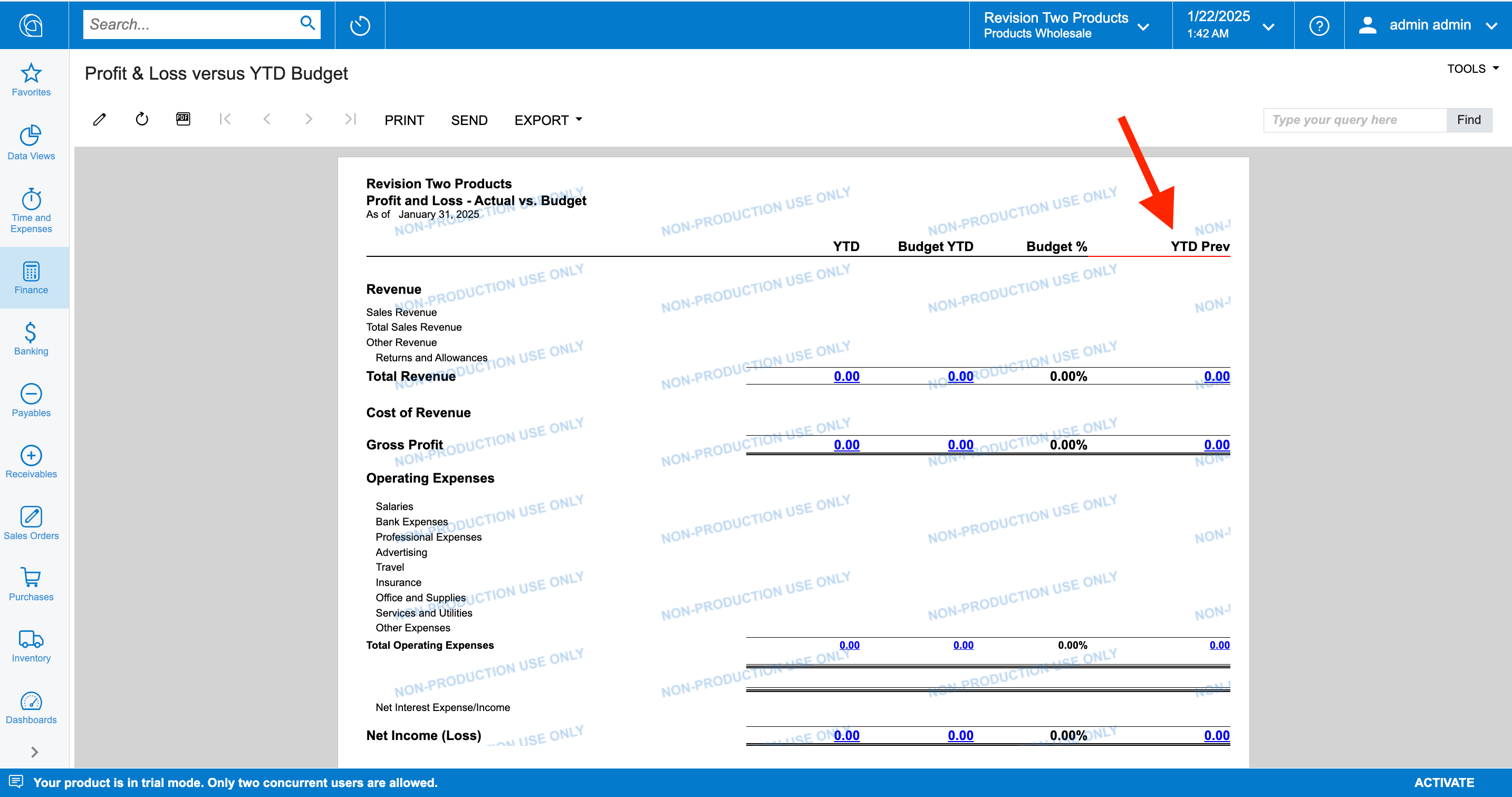
And the result:


5 replies

nhatnghetinh
Captain II
Forum|alt.badge.img+11
  • Captain II
  • January 22, 2025

Hi ​@Crisel 

Please refer to the youtube link below (at 10:00)


Best Regards,

NNT


Forum|alt.badge.img

Hey ​@Crisel ,
the below line is setup below the row where you have defined “YTD Prev”


As in the above screenshot, i will setup this line in the highlighted row where Height = 1


And the result:


Forum|alt.badge.img
  • Author
  • Jr Varsity III
  • January 22, 2025

Hi ​@Crisel 

Please refer to the youtube link below (at 10:00)


Best Regards,

NNT

Thank you for this! 


Forum|alt.badge.img
  • Author
  • Jr Varsity III
  • January 22, 2025

Hey ​@Crisel ,
the below line is setup below the row where you have defined “YTD Prev”


As in the above screenshot, i will setup this line in the highlighted row where Height = 1


And the result:


Thank you so much! I didn’t think of checking this one. I was only looking at the cell YTD Prev itself. 

Thank you for your help. Highly appreciated. 🙌


Forum|alt.badge.img

Hey ​@Crisel ,
the below line is setup below the row where you have defined “YTD Prev”


As in the above screenshot, i will setup this line in the highlighted row where Height = 1


And the result:


Thank you so much! I didn’t think of checking this one. I was only looking at the cell YTD Prev itself. 

Thank you for your help. Highly appreciated. 🙌

Happy to help!!