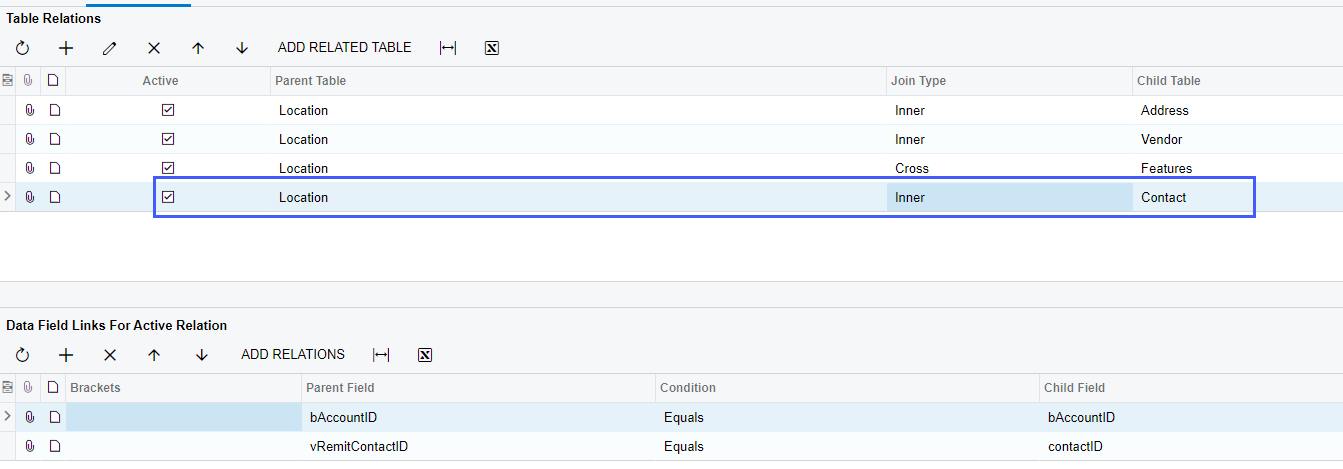
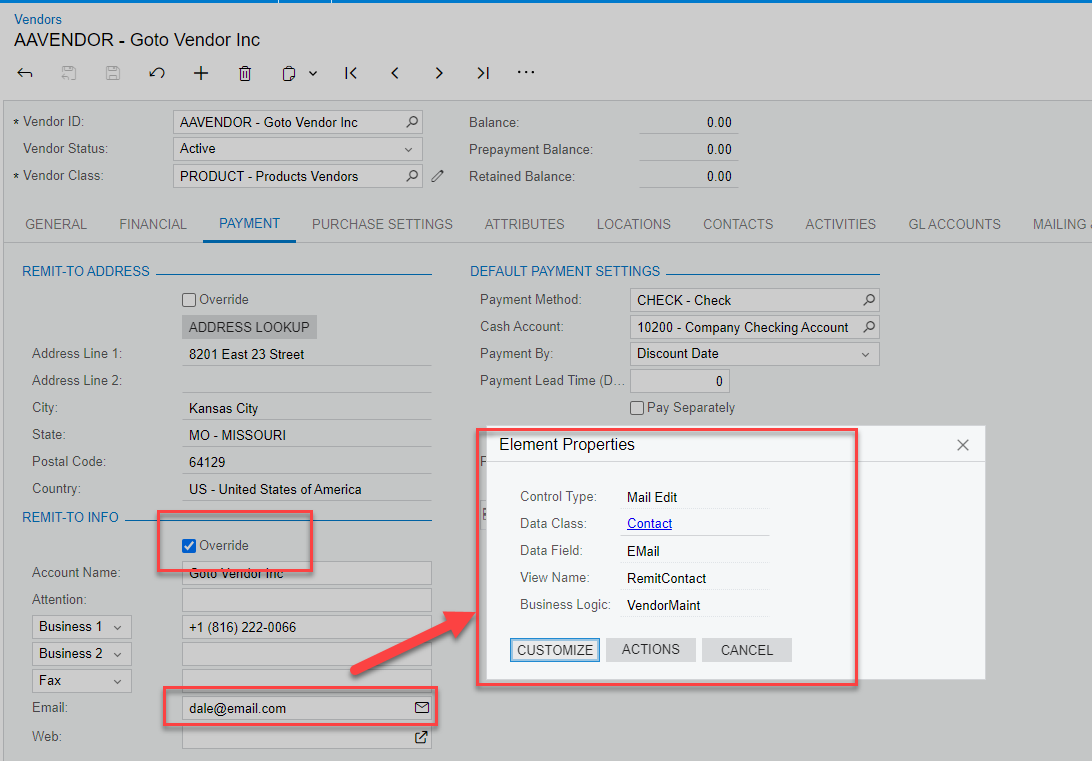
What is the correct GI Relations of Vendor and Contact to see the Remit Contact email shown below ?
(this is 23R1)


 +1
+1What is the correct GI Relations of Vendor and Contact to see the Remit Contact email shown below ?
(this is 23R1)
Best answer by jharris
What is the correct GI Relations of Vendor and Contact to see the Remit Contact email shown below ?
(this is 23R1)
Adding the Contact table to my Vendors GI, I was able to pull the Email using the following join and relation:
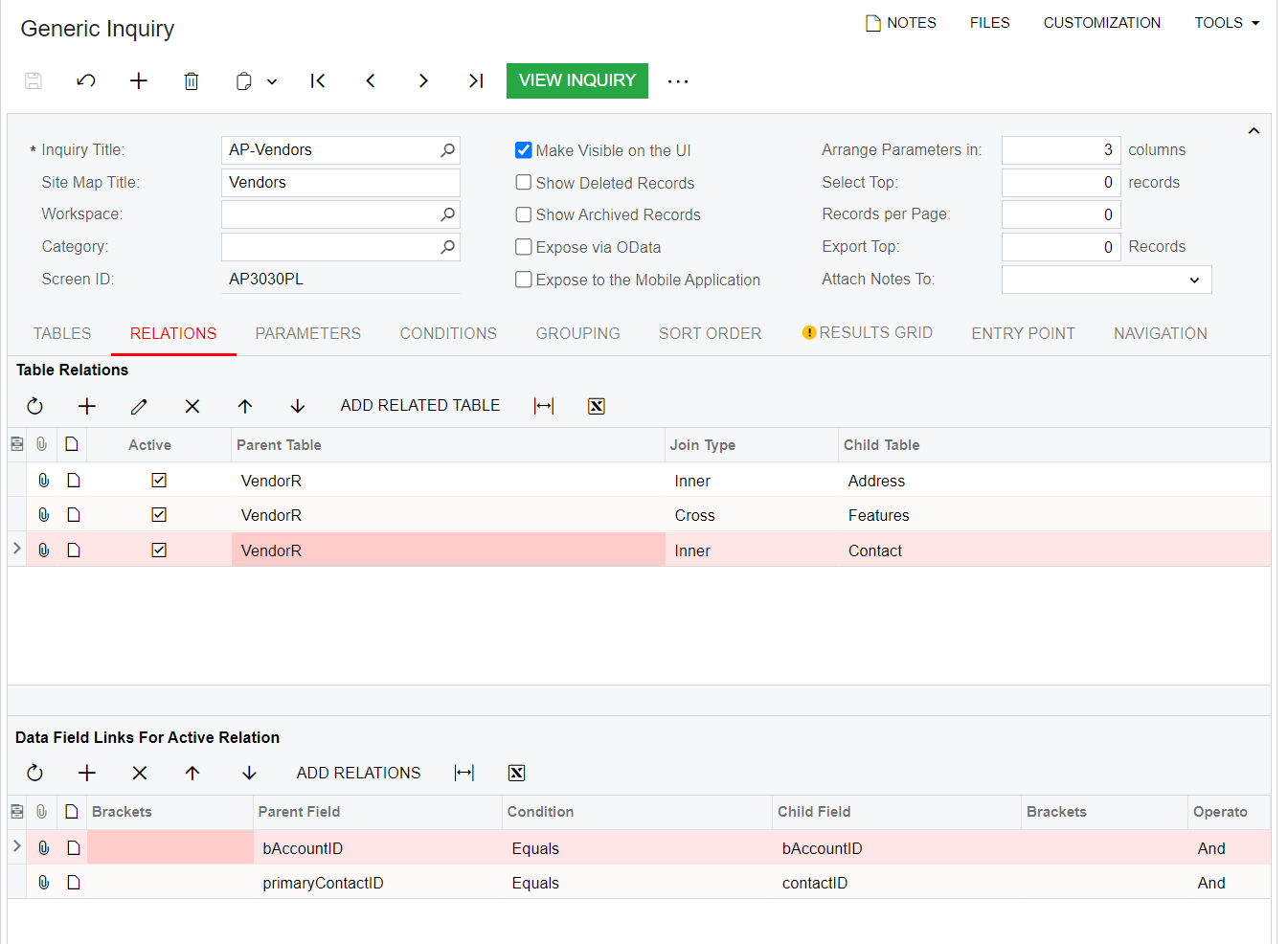
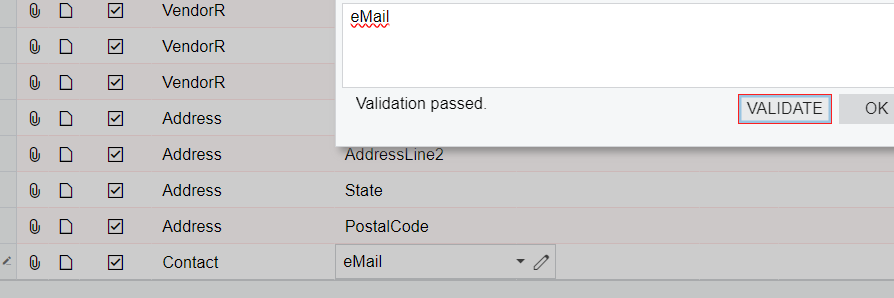
This gave me the ability to add the email field from the Contact Table. However, this is a shared business logic and pulls the email from the vendor details tab. If you don’t override this email, it will likely be the same as the payment tab. I haven’t tested to see if it makes a difference yet on whether you need to use the location table for the payment tab’s email when the override checkbox is selected and a different email is entered.
Enter your E-mail address. We'll send you an e-mail with instructions to reset your password.