Answer

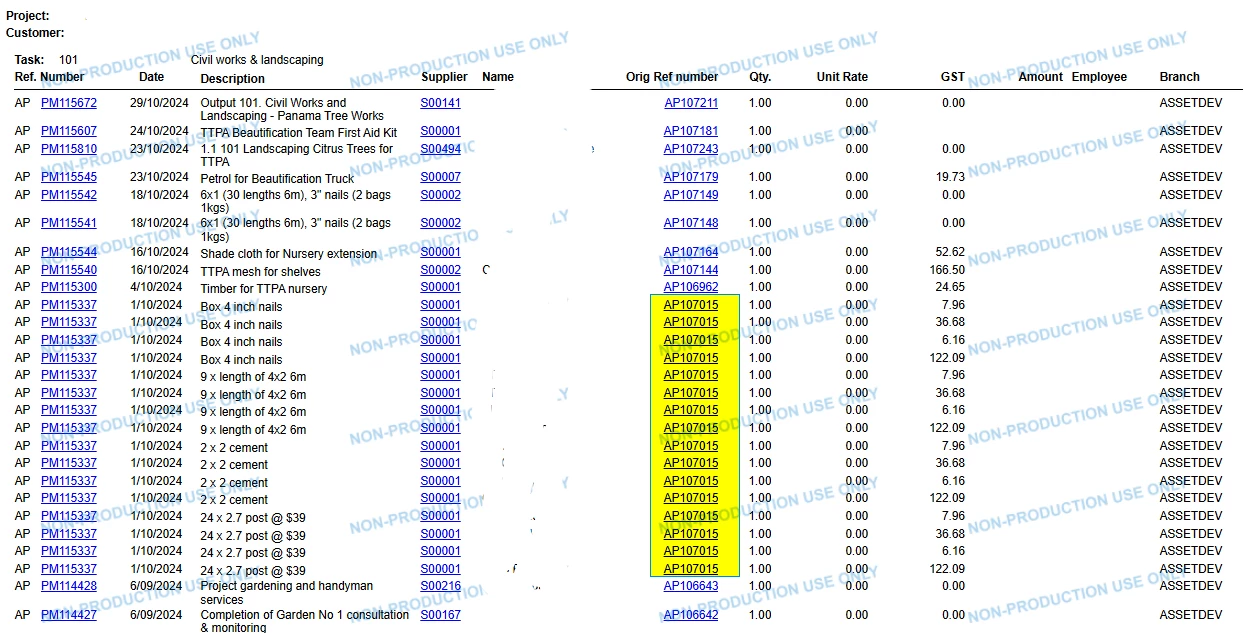
Project transaction register report showing duplicate record when joined APInvoice table with APtran

  • April 29, 2025
  • 15 replies
  • 157 views

Forum|alt.badge.img

Hi,


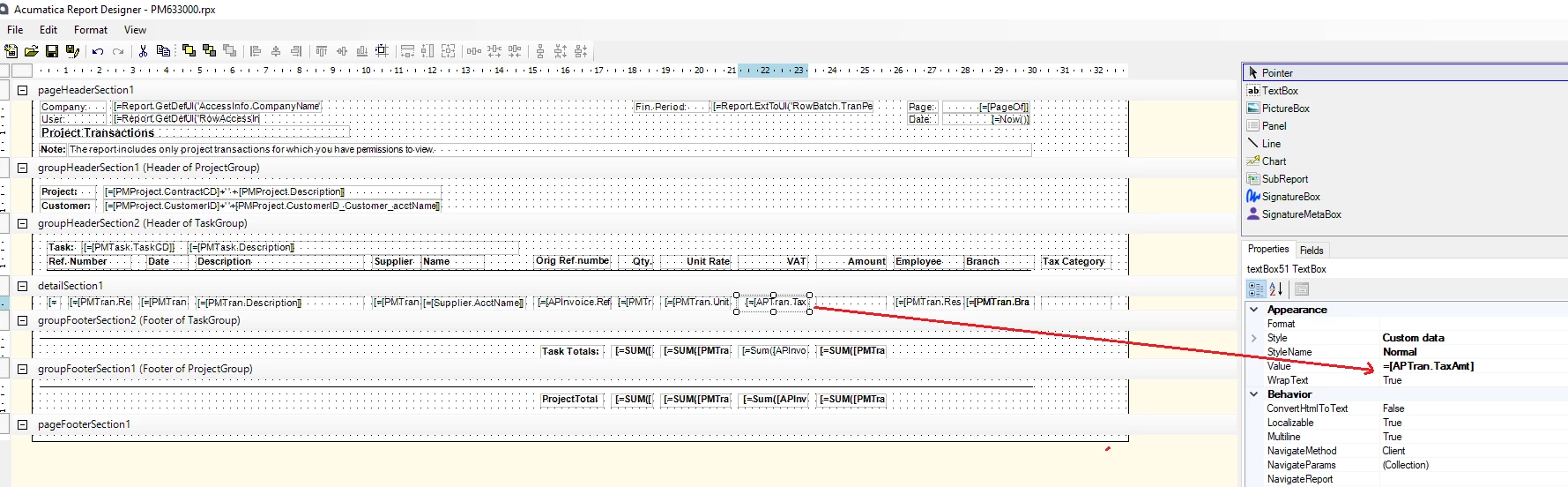
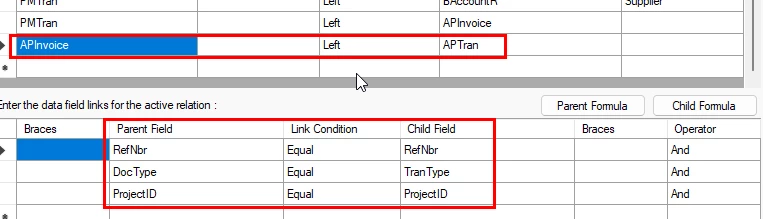
I've joined the APInvoice table with the APTran table to display the line-level tax amounts in the Project Transaction Register report.

However, I’m encountering duplicate records, and I’m unsure which join might be missing or if there’s an additional table that needs to be included to eliminate the duplicates.

I’ve attached project transaction register report for your reference

If anyone has any insights, I would appreciate your help.


Best answer by BenjaminCrisman

@pankaj65 Seems like there must be multiple taxes associated to the lines? Typically whenever there is an inevitable one-to-many type relationship the best option is to use a subreport. Have you already tried this to get the tax details?

15 replies

nhatnghetinh
Captain II
Forum|alt.badge.img+11
  • Captain II
  • April 29, 2025

Hi ​@pankaj65 

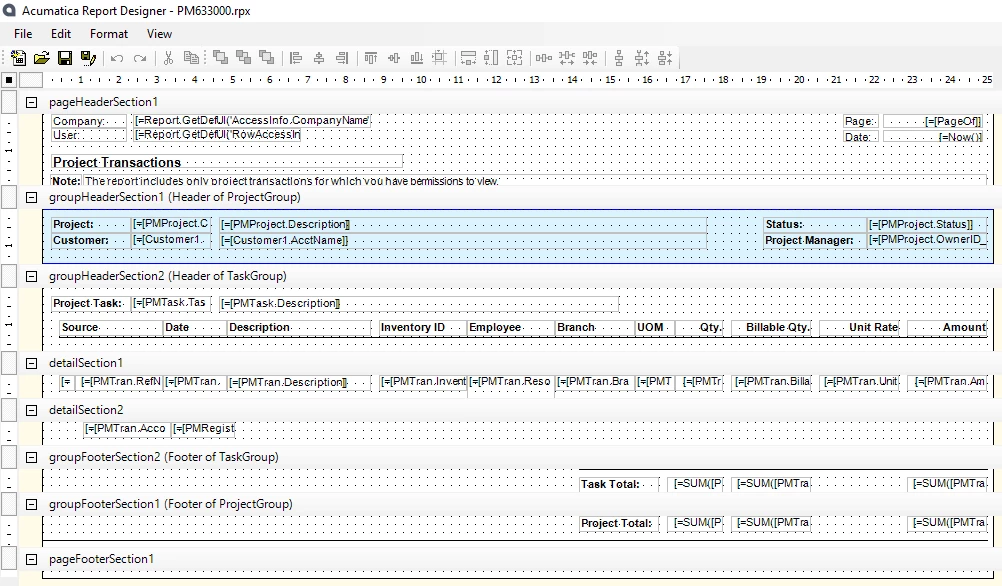
Please check the Report file you attached, it seems to be the standard Report of Acumatica, it is not the same as your screenshot.


Please attach the .rpx file again


Best Regards,

NNT


Forum|alt.badge.img
  • Author
  • Jr Varsity III
  • April 29, 2025

Hi ​@nhatnghetinh 


Thank you. Yes, I’ve used the standard Acumatica report and customized it by adding the GST amount and a couple of other columns.

I’ve attached the .rpx file again for your reference, packaged in a zip file since I’m unable to attach the .rpx file directly.


nhatnghetinh
Captain II
Forum|alt.badge.img+11
  • Captain II
  • April 29, 2025

Hi ​@pankaj65 

I mean you are still sending the standard Acumatica report PM633000 file. Please resend the report file that you have edited and is having duplicate records.


Best Regards,

NNT


Forum|alt.badge.img
  • Author
  • Jr Varsity III
  • April 29, 2025

Hi ​@nhatnghetinh ,


I’m not sending the standard Acumatica report PM633000 file.


I have already attached the customized report file in my previous reply.
Please check and let me know if you’re unable to open it on your end, then i’ll resend it.


Thanks 


nhatnghetinh
Captain II
Forum|alt.badge.img+11
  • Captain II
  • April 29, 2025

Hi ​@pankaj65 

The file you sent is .rps. We cannot open .rps files elsewhere.


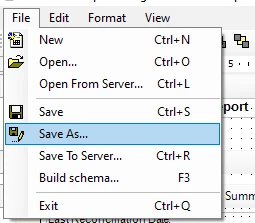
Please send .rpx files by going to File> Save As in Report Designer


Best Regards,

NNT


Forum|alt.badge.img
  • Author
  • Jr Varsity III
  • April 29, 2025

Hi ​@nhatnghetinh,


Please find attached file.


Thanks 


nhatnghetinh
Captain II
Forum|alt.badge.img+11
  • Captain II
  • April 29, 2025

Hi ​@pankaj65 

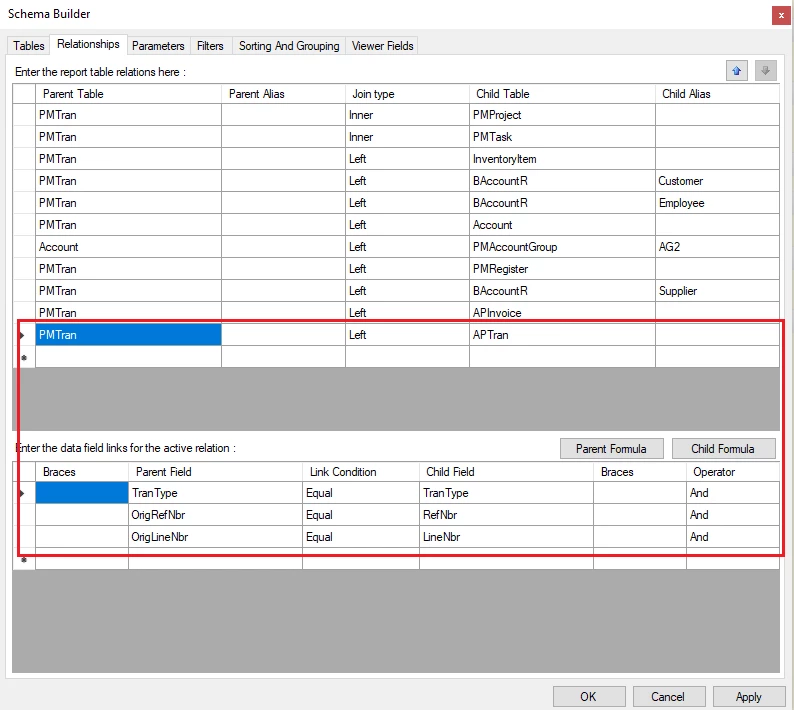
The cause of duplicate record is APInvoice join APTran. I have edited it to PMTran join APTran.


Please check the report I attached.


Best Regards,

NNT


Forum|alt.badge.img
  • Author
  • Jr Varsity III
  • April 29, 2025

Hi NNT,

Thanks for your help.

I've deployed the report to the site, but the GST amount is showing up blank. Is the GST amount displaying correctly on your end?


nhatnghetinh
Captain II
Forum|alt.badge.img+11
  • Captain II
  • April 29, 2025

Hi ​@pankaj65 

The report you attached does not have the GST column, only the VAT column. I only edited the Relationship section (PMTran join APTran) I did not edit the other sections.


Best Regards,

NNT


Forum|alt.badge.img
  • Author
  • Jr Varsity III
  • April 29, 2025

Hi NNT,

Yes that’s correct and this field “APtran.TaxAmt” store line level tax amount and now it’s printing blank. before you made this changes, tax amount was printing, however it was showing duplicate lines.


Thanks


nhatnghetinh
Captain II
Forum|alt.badge.img+11
  • Captain II
  • April 29, 2025

Hi ​@pankaj65 

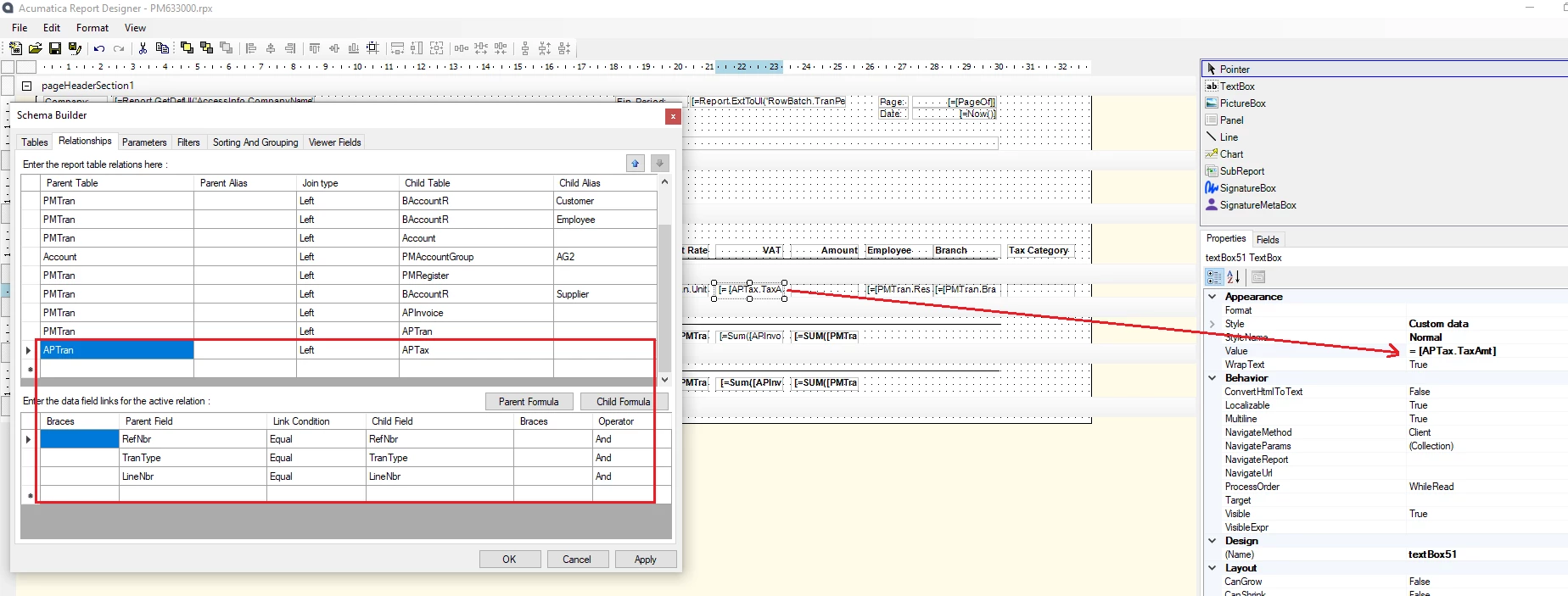
I have just added APTran join APTax
and changed VAT = [APTax.TaxAmt]
Please try again.


Best Regards,

NNT


Forum|alt.badge.img
  • Author
  • Jr Varsity III
  • April 29, 2025

Hi ​@nhatnghetinh ,


No APtax.TaxAmt field didn’t work and it’s not showing any value and printing blank.


Thanks 


nhatnghetinh
Captain II
Forum|alt.badge.img+11
  • Captain II
  • April 29, 2025

Hi ​@pankaj65 

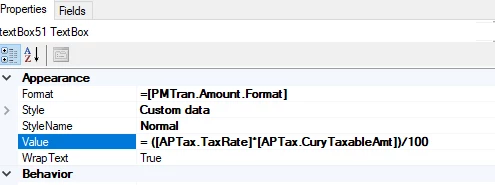
Please try

VAT = ([APTax.TaxRate]*[APTax.CuryTaxableAmt])/100


Best Regards,

NNT


Forum|alt.badge.img
  • Author
  • Jr Varsity III
  • April 29, 2025

Hi ​@nhatnghetinh,


No this formula also didn’t work either and i’ve also tried to print APTax.TaxRate and it’s printing blank.

I guess there is still something wrong with join.

Thanks  


BenjaminCrisman
Acumatica Employee
Forum|alt.badge.img+4
  • Acumatica Support Team
  • Answer
  • April 29, 2025

@pankaj65 Seems like there must be multiple taxes associated to the lines? Typically whenever there is an inevitable one-to-many type relationship the best option is to use a subreport. Have you already tried this to get the tax details?