Answer

Page break after 5 line items

  • May 10, 2024
  • 8 replies
  • 202 views

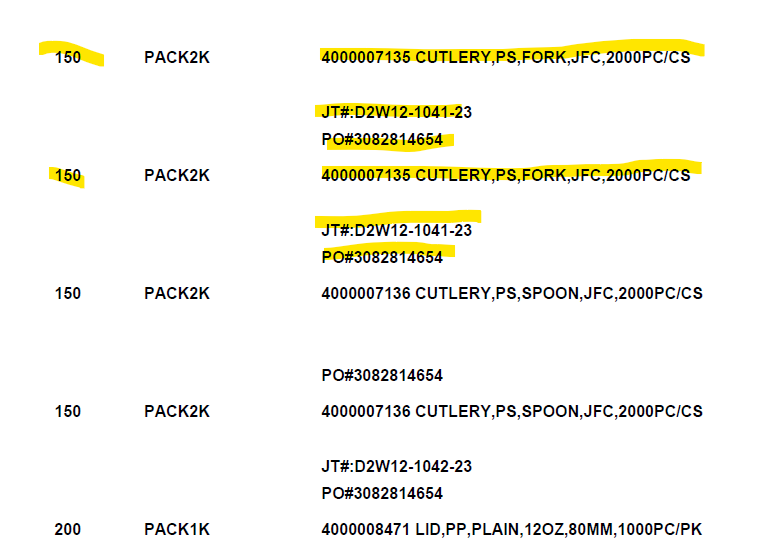
Is there anyone can help me to display 5 line items on the first page of the report then sixth or next line item will display on the next page of the report

Best answer by ejmillar

Create a variable to count the records at the detail level such as:

=$LineNbr+1

Then create a grouping with the following formula: 

=Ceiling($LineNbr/5)

Then you could put a page break on the grouping above.


8 replies

Forum|alt.badge.img+1
  • Semi-Pro II
  • May 10, 2024

The only way I can think about resolving it is making the section size static which could inconsistent results unfortunately


meganfriesen37
Captain II
Forum|alt.badge.img+12

@jhan47 

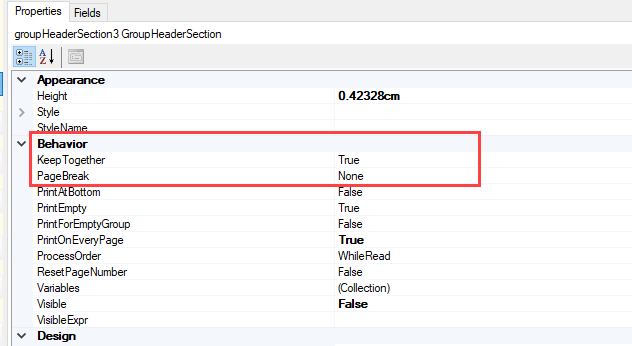
Have you tried different settings for the report sections around the “Keep Together” and “Page Break” options?

I’m not sure which report you’re using and what the exact requirements and set-up is, but this may help.  As far as I know, there’s no way to specify exactly 5 records, then a page break.  But if you have things that need to be split between different record types or groups, the page break option may help.  Keep Together will try to keep everything from that group section on the same page, if it fits, otherwise the section may be split across multiple pages.


  • Author
  • Freshman I
  • May 13, 2024

Thank you so much guys I used the keep together behavior and adjust the printing location so the next line item will print on the next page


  • Author
  • Freshman I
  • May 13, 2024

Hello guys I have a follow-up question can i add the qty of line item if the line item have the same inventory id?


meganfriesen37
Captain II
Forum|alt.badge.img+12

I’m not sure which report this is from and what tables you have, but if you’ve got multiple line records for the same inventory ID, you should be able to get the quantity value as well (usually from a table like POLine or SOLine or something similar)


  • Author
  • Freshman I
  • May 13, 2024

It is came from SOShipment line


ejmillar
Varsity II
Forum|alt.badge.img+1
  • Varsity II
  • Answer
  • May 14, 2024

Create a variable to count the records at the detail level such as:

=$LineNbr+1

Then create a grouping with the following formula: 

=Ceiling($LineNbr/5)

Then you could put a page break on the grouping above.


  • Freshman I
  • May 8, 2025

Hi @everyone,
I am trying to print only one line per page in purchase order report. Whenever I am trying put a page break in the group header section, it’s creating blank space underneath the section. Is there any other way I can do that?