Question

Object reference not set to an instance of an object when trying to filter on date

  • April 14, 2026
  • 11 replies
  • 61 views

dgodsill97
Varsity I
Forum|alt.badge.img+6

I created two subqueries.  One totals the sales booked by order date and the other totals the invoices billed by doc date.  When I add the two subqueries to the main query and try to filter on a date range I get the object reference error.

Booked Query

Invoiced Query

Both are grouping by date, the formula is makes the amount negative if a CM.

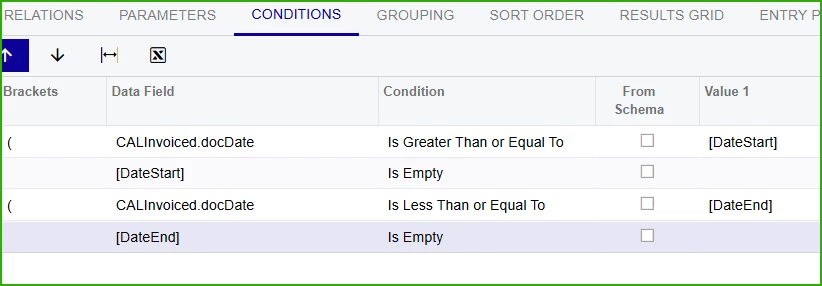
Conditions
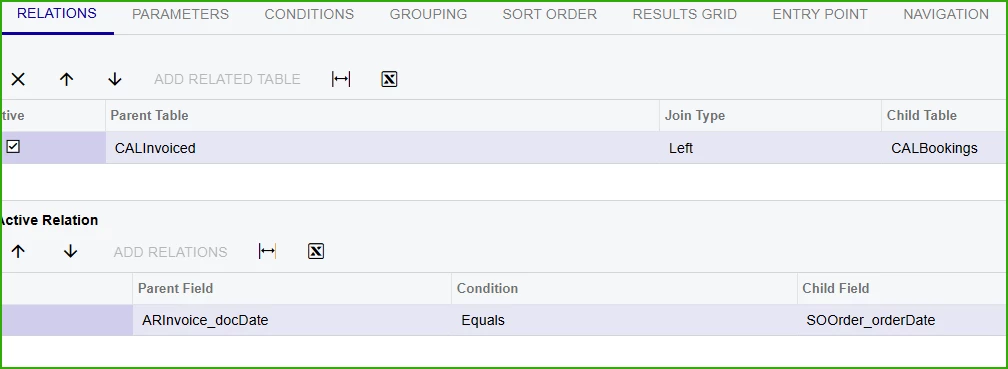
Main left joins invoiced query to booked query by date.

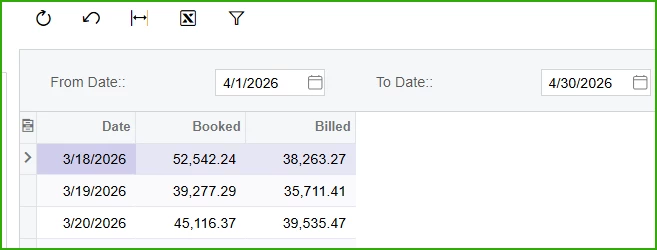
Without the conditions the data is returned
 

11 replies

darylbowman
Captain II
Forum|alt.badge.img+16

Do you have the conditions on the main or on the subs?


dgodsill97
Varsity I
Forum|alt.badge.img+6
  • Author
  • Varsity I
  • April 14, 2026

yes, for bookings, exclude order type behavior of TR and QT and added OrderDate not empty 

Yes, for invoiced, released and docdate not empty

For main, only the date range conditions.


darylbowman
Captain II
Forum|alt.badge.img+16

Can I see your joins?


dgodsill97
Varsity I
Forum|alt.badge.img+6
  • Author
  • Varsity I
  • April 14, 2026

Even when I just had the booking subquery in the main query it blew up on the date conditions.  If I don’t use the date conditions I can add filters like this month, this quarter, YTD using the start and end dates,


darylbowman
Captain II
Forum|alt.badge.img+16

I’m afraid I don’t have any ideas 🤔


dgodsill97
Varsity I
Forum|alt.badge.img+6
  • Author
  • Varsity I
  • April 14, 2026

Thanks for trying.


KrunalDoshi
Varsity III
Forum|alt.badge.img+1
  • Varsity III
  • April 15, 2026

Hi ​@dgodsill97,

Although I have tried and I am getting the same error. It is probably a bug; I am not sure though. Ideally, the names of the columns should match but even after that I am getting the same error. When I checked the trace, it is giving NullReference error, so I have even tried with setting condition for empty Date. But same error.

I would suggest creating a new SQL View and use that, rather than stacking multiple GIs on top of each other. That will be much easier to manage in future.

Hopefully that helps!


dgodsill97
Varsity I
Forum|alt.badge.img+6
  • Author
  • Varsity I
  • April 15, 2026

I appreciate your efforts.  I will enter a support case to see if I get a response other than fixed in xxx version,  Client is on 24R2 and has to upgrade soon. 


KrunalDoshi
Varsity III
Forum|alt.badge.img+1
  • Varsity III
  • April 15, 2026

I appreciate your efforts.  I will enter a support case to see if I get a response other than fixed in xxx version,  Client is on 24R2 and has to upgrade soon. 

Yeah, that will be helpful. I have tried above scenario in my 25R2 demo instance, and it is same behavior. Haven’t tried in 26R1 though.


dgodsill97
Varsity I
Forum|alt.badge.img+6
  • Author
  • Varsity I
  • April 17, 2026

Same behavior in 26R1 (before service pack 1 which I did not test).  Acumatica L2 was able to reproduce the error and is investigating.


dgodsill97
Varsity I
Forum|alt.badge.img+6
  • Author
  • Varsity I
  • April 20, 2026

Acumatica has sent the issue to engineering and provided a workaround,

CALInvoiced.docDate Is Greater Than or Equal To  =IsNull( [DateStart], CDate( '01/01/1900' ) )

And

CALInvoiced.docDate Is Less Than or Equal To =IsNull( [DateEnd], CDate( '01/01/2100' ) )