Solved

Missing "RUN REPORT" Button on a Report

  • October 12, 2026
  • 5 replies
  • 78 views
  • Translate All

nhatnghetinh
Captain II
Forum|alt.badge.img+14

Dear ALL,

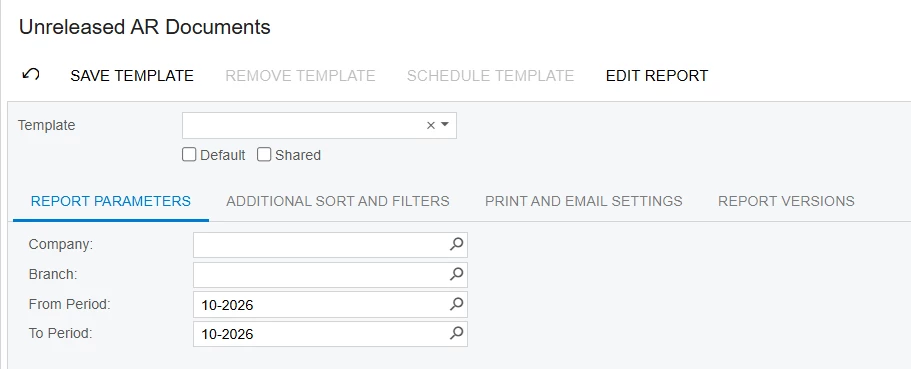
In Acumatica Report Designer, some reports, such as Unreleased AR Documents (AR656100), do not display the "RUN REPORT" button, unlike other reports.

Could you please advise how to make the "RUN REPORT" button appear on this report?


Best Regards,

NNT

Best answer by KrunalDoshi

Hi ​@nhatnghetinh,

I reviewed the AR656100 report in Report Designer and noticed that no joins are currently defined in the report. This may be contributing to the error you are encountering.

As a troubleshooting step, you could try defining the required joins & filters and testing whether the report works as expected.

However, the report appears to have been designed for a specific purpose, with its existing structure and functionality tailored to that requirement. Depending on your needs, modifying the existing report may require additional changes to ensure it continues to work as intended.

Therefore, I would recommend creating a separate report based on your specific requirements. This would allow us to tailor the data sources, joins, and report layout accordingly without affecting the existing report.

Hopefully this helps!

Thanks.

View original

5 replies

Hi ​@nhatnghetinh 

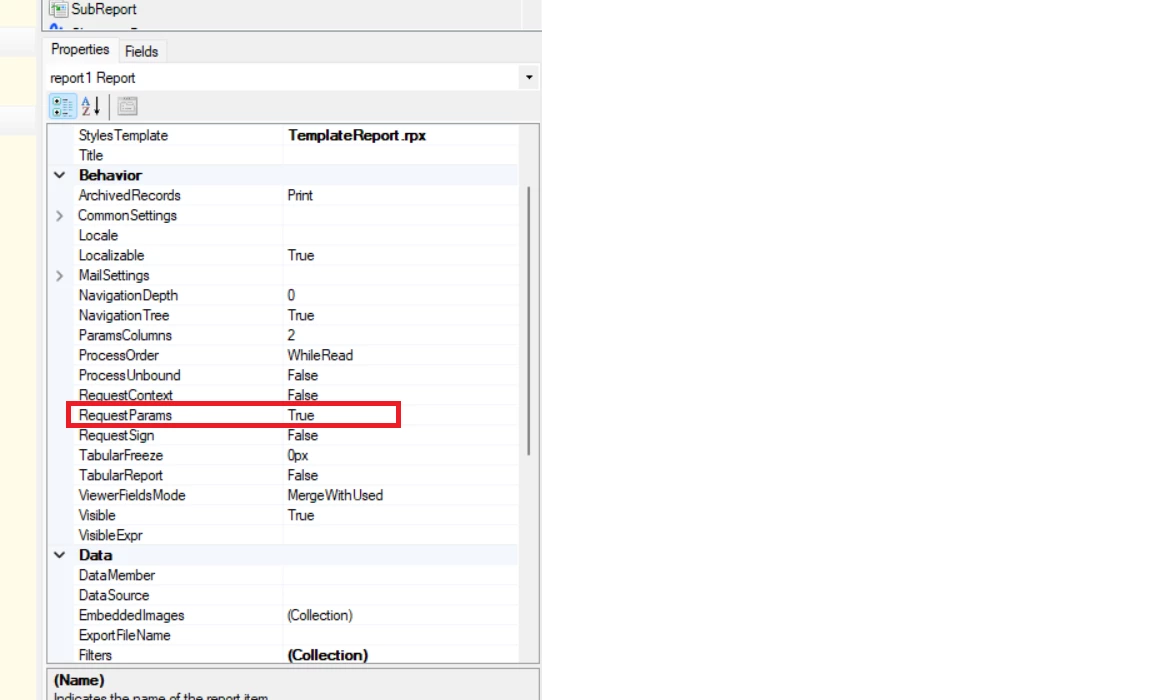
The report's RequestParams property is set to False, so the report skips the parameters page and runs immediately. That's why the Run Report button doesn't appear.

Setup:
1. Open AR656100 in Report Designer.
2. Select the report-level properties 
3. Set RequestParams = True.


4. Save the report.

Hope this will help!

Translate

nhatnghetinh
Captain II
Forum|alt.badge.img+14

Hi ​@divyakurumkar97 

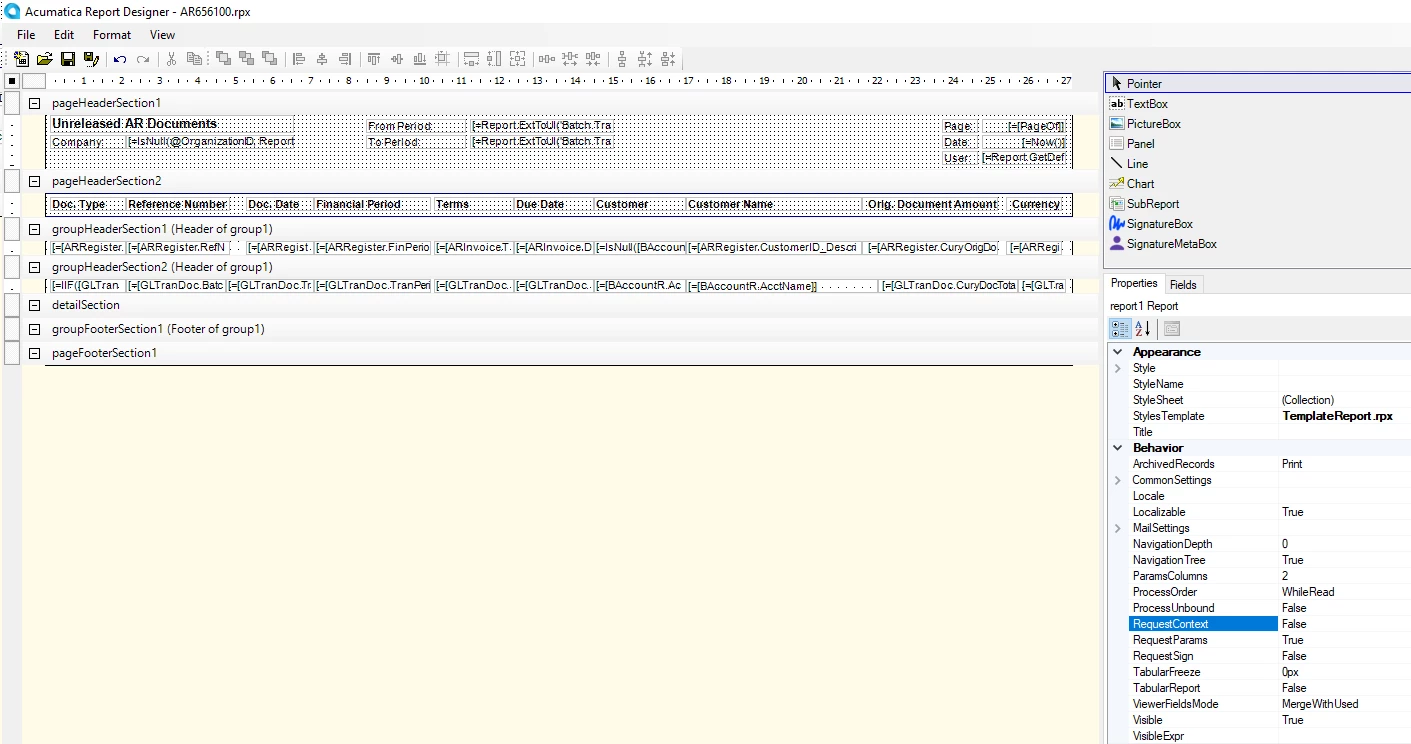
I noticed that in the Report Designer, `RequestParams` was set to `True` and `RequestContext` was also set to `True`.
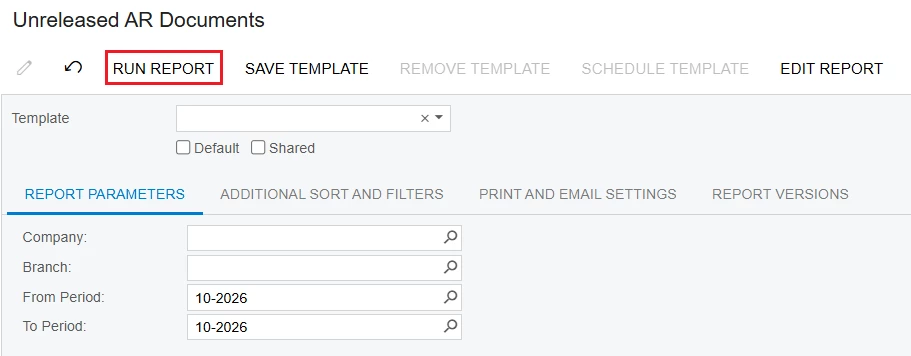
I updated RequestContext = False


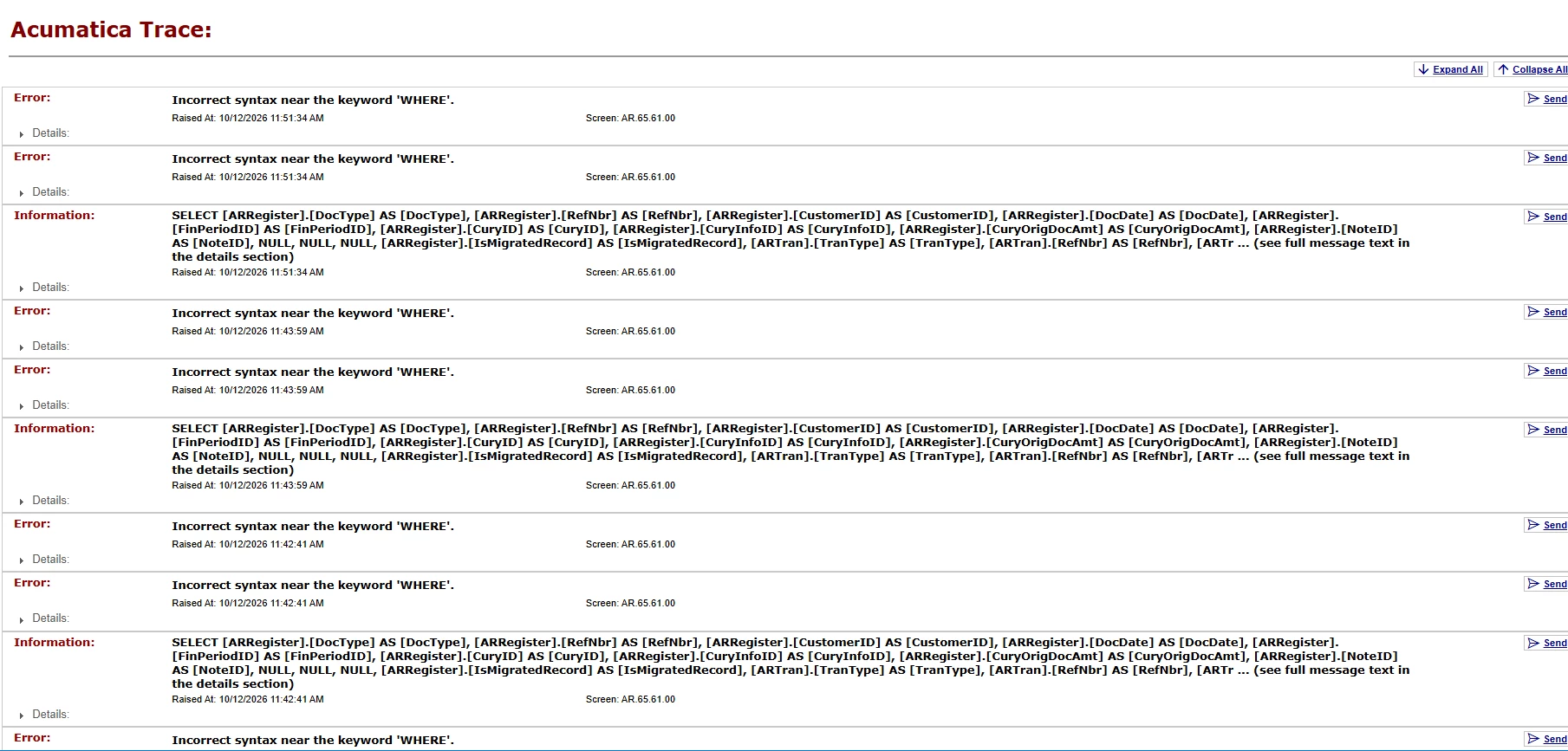
As a result, the "RUN REPORT" button appeared; However, when I click "RUN REPORT", the following error appears.


Best Regards,

NNT

Translate

Laura03
Captain II
Forum|alt.badge.img+20
  • Captain II
  • October 12, 2026

Hello, 

Unreleased AR Documents report is directly connected to AR Close Financial Periods screen.  Is it possible that the AR Closing screen is passing critical information to the report at the time it is run from AR Closing, and this is why the Print Report button was disabled?

Disclaimer: I’m a financial consultant, not a developer. 🙂


Best,


Laura 

Translate

mohammadnawaz51
Varsity I
Forum|alt.badge.img+8

​@nhatnghetinh Check this if it works?


Translate

KrunalDoshi
Pro I
Forum|alt.badge.img+9

Hi ​@nhatnghetinh,

I reviewed the AR656100 report in Report Designer and noticed that no joins are currently defined in the report. This may be contributing to the error you are encountering.

As a troubleshooting step, you could try defining the required joins & filters and testing whether the report works as expected.

However, the report appears to have been designed for a specific purpose, with its existing structure and functionality tailored to that requirement. Depending on your needs, modifying the existing report may require additional changes to ensure it continues to work as intended.

Therefore, I would recommend creating a separate report based on your specific requirements. This would allow us to tailor the data sources, joins, and report layout accordingly without affecting the existing report.

Hopefully this helps!

Thanks.

Translate