Solved

IN-StockItem Generic Inquiry showing old data

  • Jun 18, 2026 10:48 PM UTC
  • 8 replies
  • 121 views
  • Translate All

Forum|alt.badge.img+2

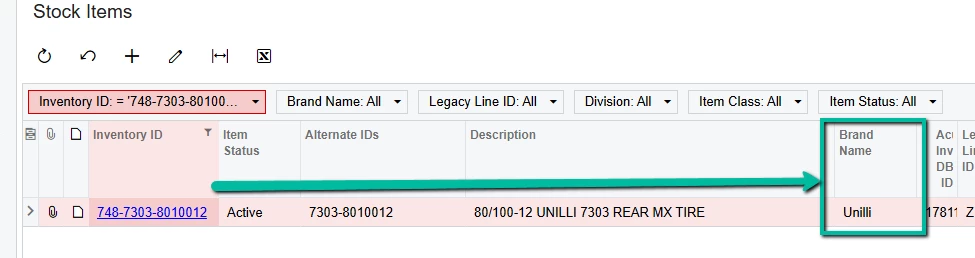
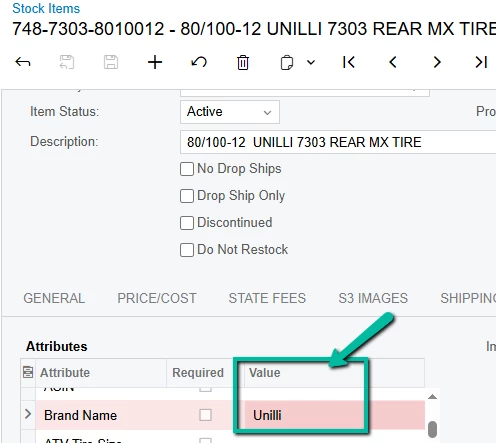
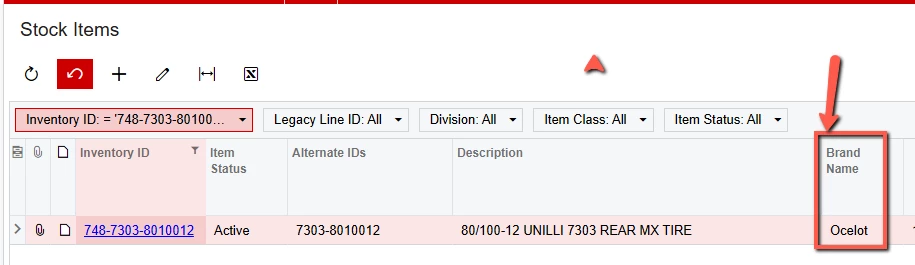
Is there a way to refresh the cache for a particular GI?  I’m noticing that the IN-StockItem GI used in the Stock Item view (IN2025PL screen ID)  is showing an invalid Brand name (doesn’t match the Brand Name attribute on the actual item page):
 

Best answer by Samvel Petrosov

​@bpgraves try this GI.

I added a manual join to the CSAnswer and CSAttributeDetail tables for that A277 Attribute with assumption Attribute ID is A277. 
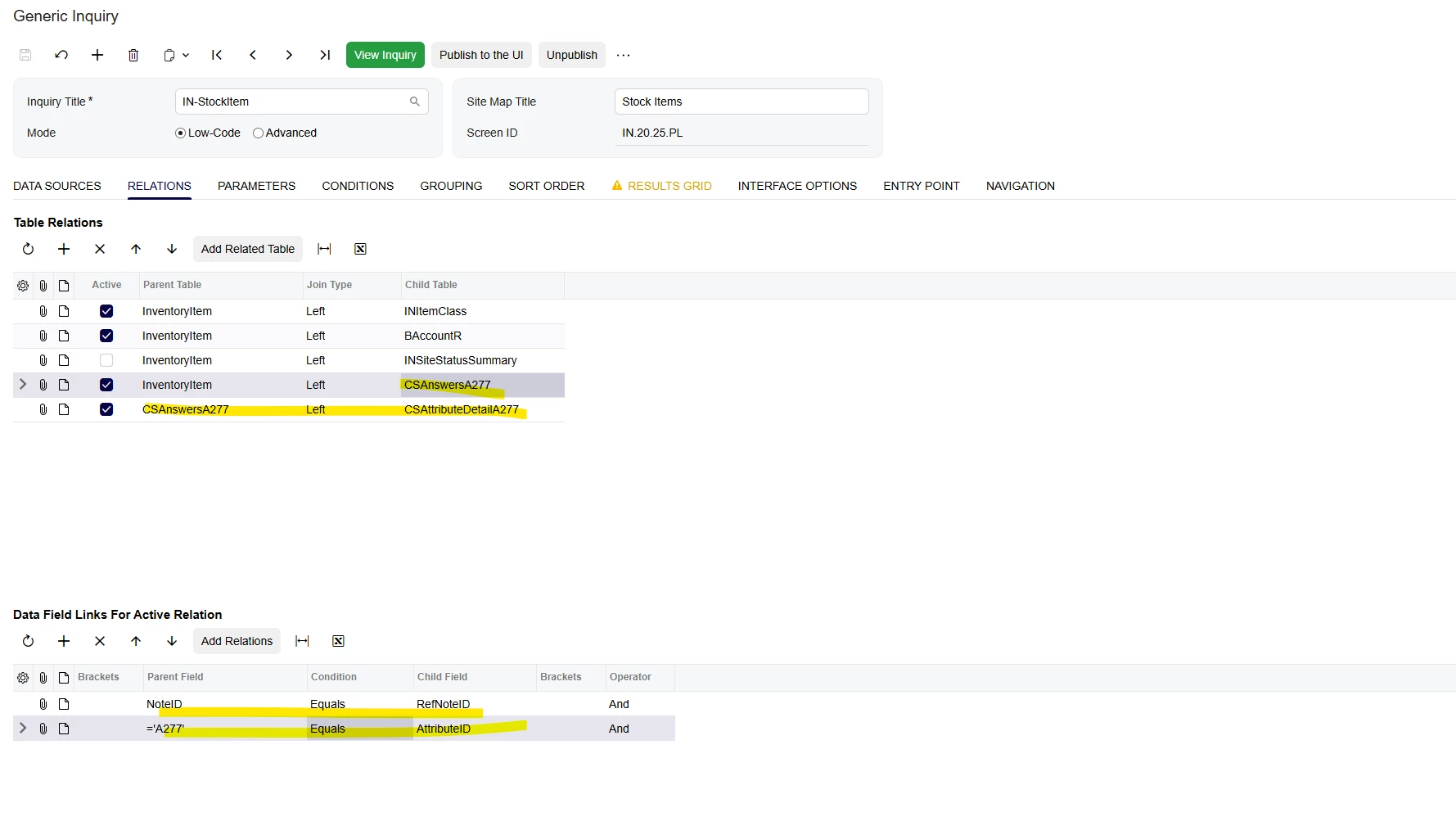


View original

8 replies

Samvel Petrosov
Jr Varsity III
Forum|alt.badge.img+9

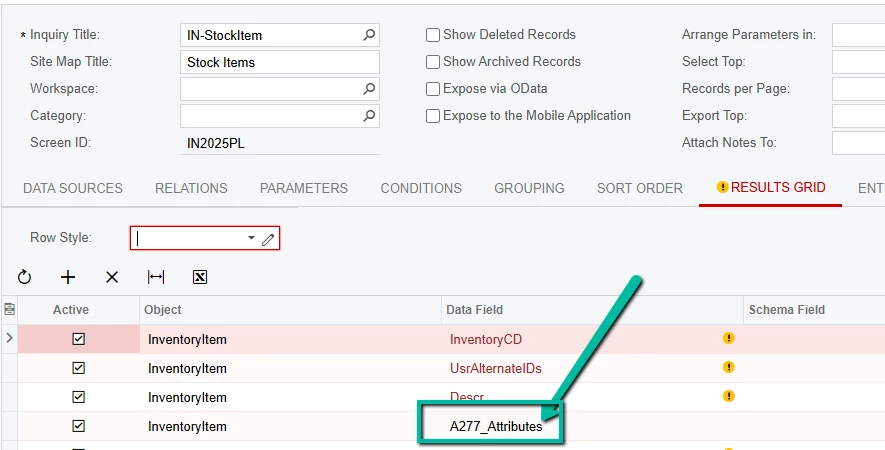
Could you please add screenshots of the Results setting of the GI and also relations tab where the corresponding table is linked?

Translate

Samvel Petrosov
Jr Varsity III
Forum|alt.badge.img+9

Is this attribute a dropdown list?

I had experienced something similar with dropdown types before.

As an option you can try joining the CSAnswers table for that attribute instead and showing the value from there.

Can you export the GI to Excel and upload it here? I will try to take a look when get a chance.

Translate

Forum|alt.badge.img+2
  • Author
  • Semi-Pro III
  • Jun 18, 2026 11:29 PM UTC

Is this attribute a dropdown list?

I had experienced something similar with dropdown types before.

As an option you can try joining the CSAnswers table for that attribute instead and showing the value from there.

Can you export the GI to Excel and upload it here? I will try to take a look when get a chance.

Yes, it is a dropdown list.  I’ve attached an xml output of the GI (no option to export as Excel).

Translate

Samvel Petrosov
Jr Varsity III
Forum|alt.badge.img+9

​@bpgraves try this GI.

I added a manual join to the CSAnswer and CSAttributeDetail tables for that A277 Attribute with assumption Attribute ID is A277. 
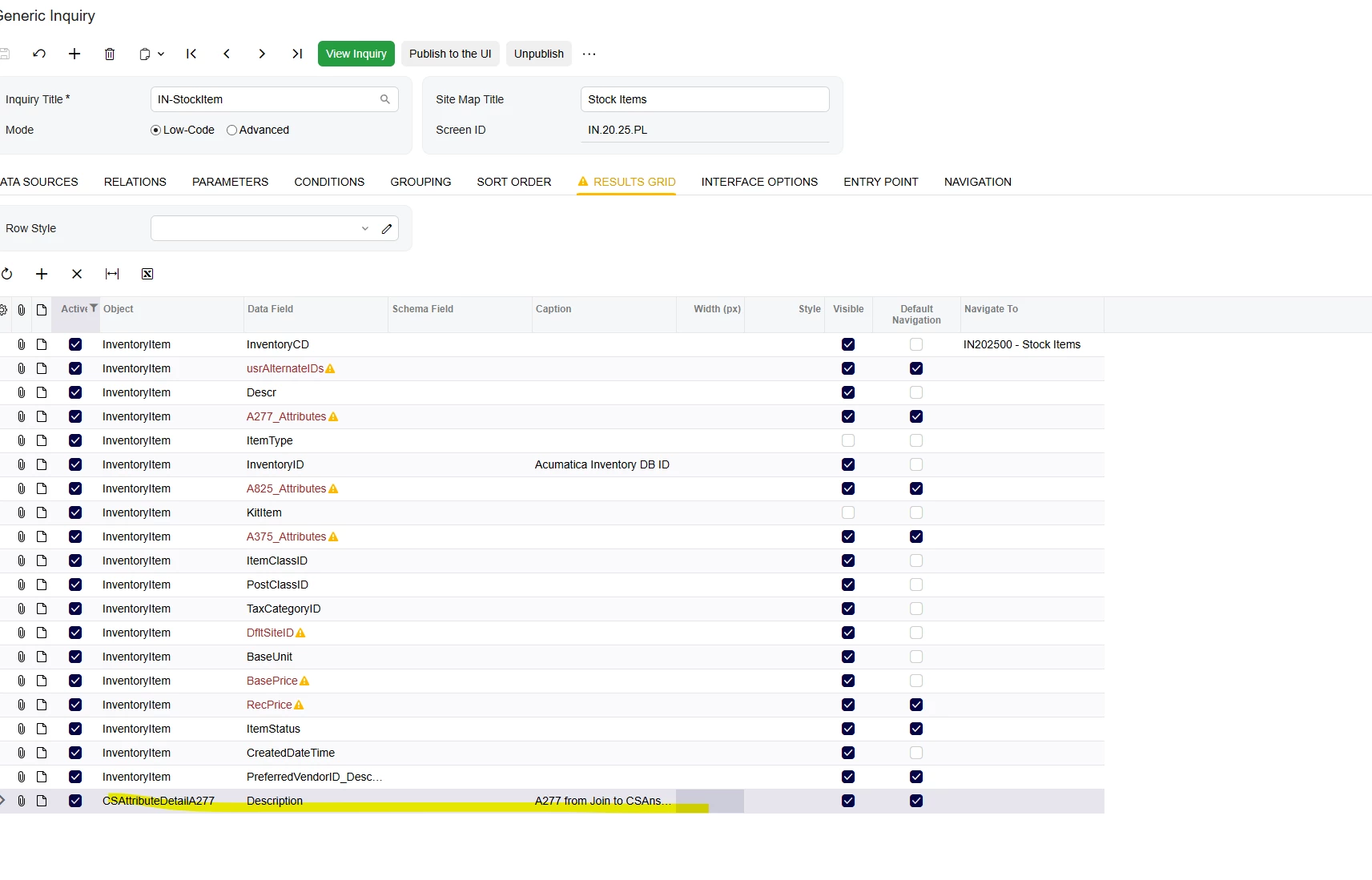


Translate

Forum|alt.badge.img+2
  • Author
  • Semi-Pro III
  • Jun 22, 2026 5:03 PM UTC

There is definitely something being cached because today (without any changes to the GI), the correct Brand Name is finally being shown in the stock item view:


Translate

mohammadnawaz51
Varsity I
Forum|alt.badge.img+8

​@bpgraves It is not data issue.


Did the item class changed in between?

Translate

Forum|alt.badge.img+2
  • Author
  • Semi-Pro III
  • Jun 22, 2026 7:35 PM UTC

​@bpgraves It is not data issue.


Did the item class changed in between?

Not at all.  However, the web site was down for 20 minutes due to maintenance.  There MUST be a way to refresh the cache without doing that.  Any ideas?

Translate

Samvel Petrosov
Jr Varsity III
Forum|alt.badge.img+9

​@bpgraves It is not data issue.


Did the item class changed in between?

Not at all.  However, the web site was down for 20 minutes due to maintenance.  There MUST be a way to refresh the cache without doing that.  Any ideas?

Do you have any customizations working with the attributes or related to this data? 
You can try running the Reset Caches from the Apply Updates page, but usually GI results are not cached, so I don’t think it will really solve this issue. Is your instance self-hosted or SaaS?

Translate