Answer

How to Parse Out a Email from a Contact Id?

  • March 28, 2025
  • 6 replies
  • 64 views

Forum|alt.badge.img

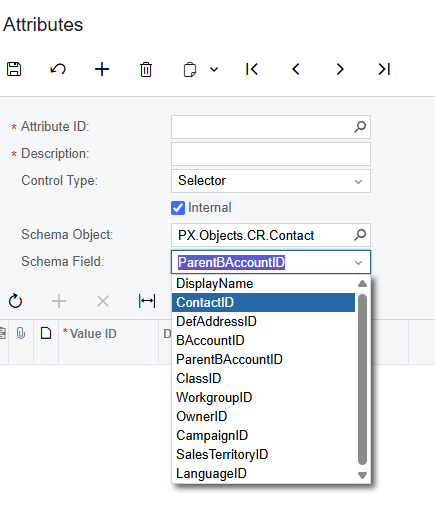
I’m trying to get a contact email from a Sales Order to a email, however, this is bringing in the Contact ID and not the email. I’ve tried to get the email in the box, but only the ID is able to add an attribute. IS there a way to convert the ID into a Email.
 

Best answer by bwhite49

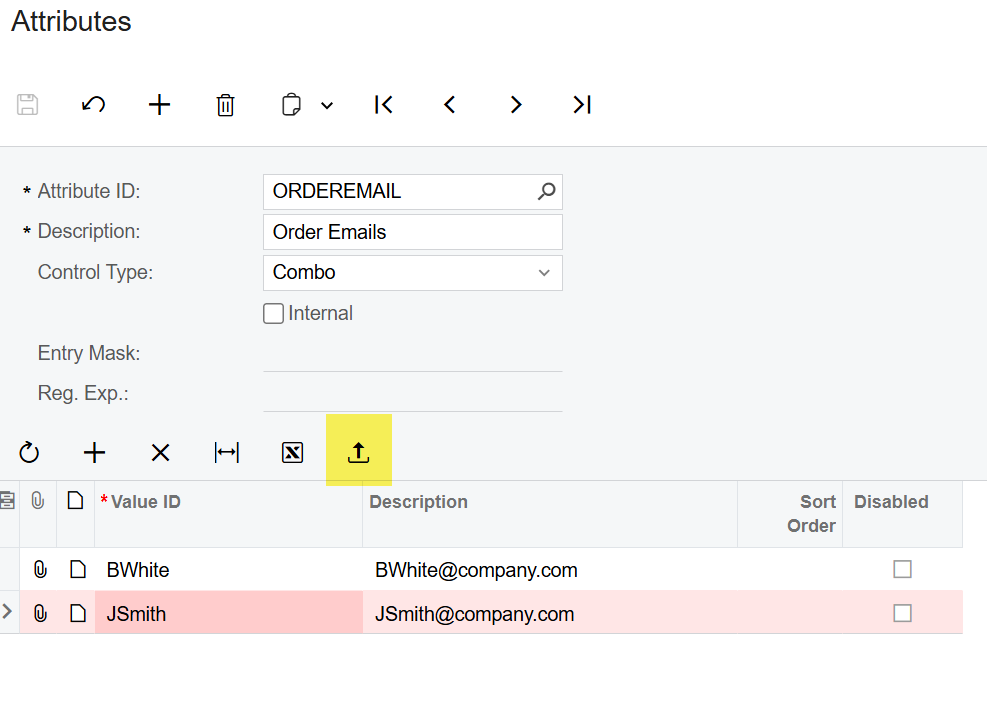
@kkraus if not using a GI, you could import in an email list into a combo attribute and have users select from this drop down.


6 replies

BenjaminCrisman
Acumatica Employee
Forum|alt.badge.img+4
  • Acumatica Support Team
  • March 28, 2025

@kkraus Perhaps a little more context on the email you’re trying to get. Can you show which email you’re trying to get? Is the email address stored as a User Defined Field on the SO?

The contacts should be easily accessible for the template:


Forum|alt.badge.img
  • Author
  • Freshman II
  • March 28, 2025

@kkraus Perhaps a little more context on the email you’re trying to get. Can you show which email you’re trying to get? Is the email address stored as a User Defined Field on the SO?

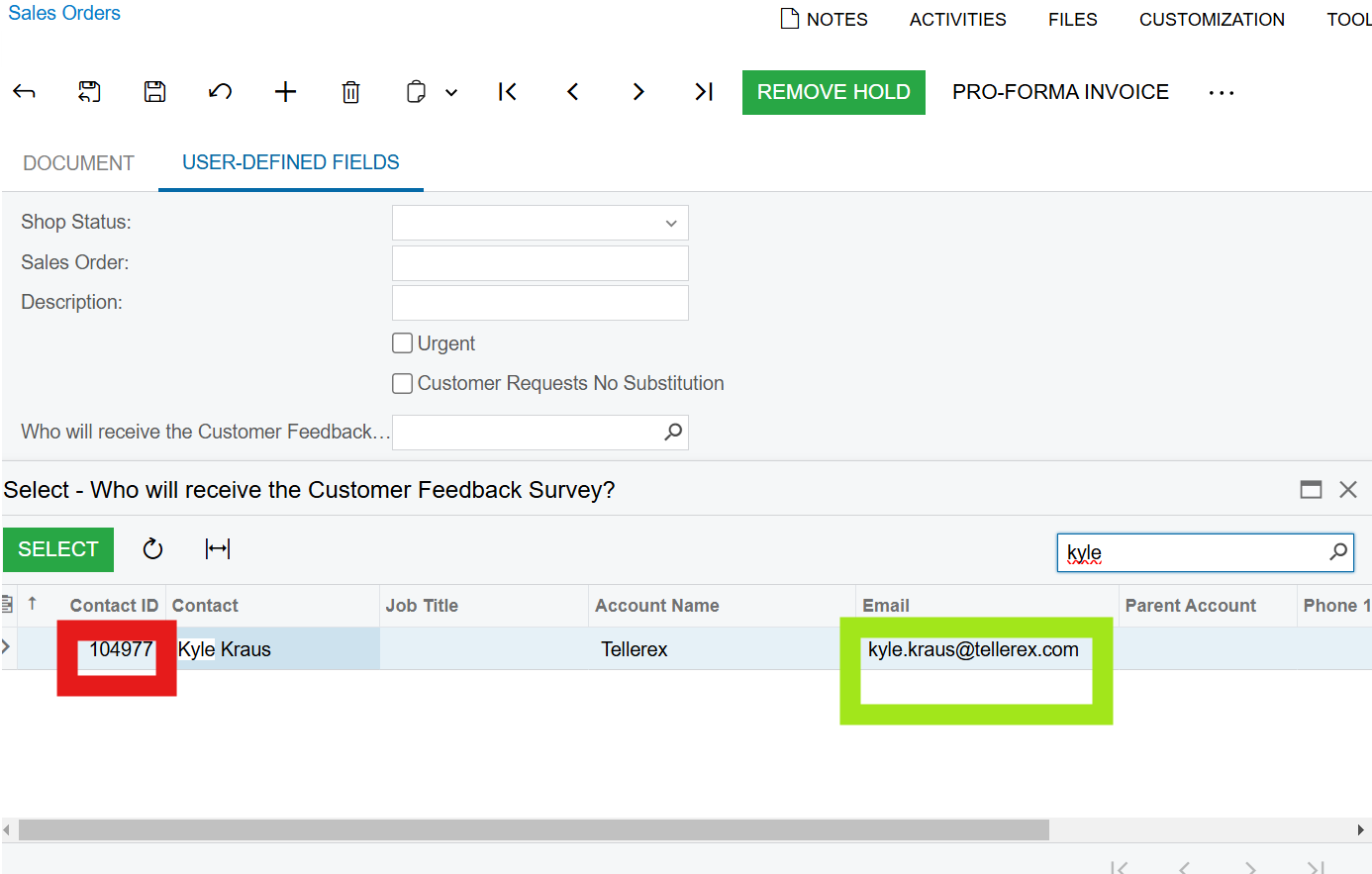
Yes, it is a user defined Field. We want to get the email (green box) but the system returns the Contact ID (red box). We’re bringing in Contact Information and to get the option for emails.


BenjaminCrisman
Acumatica Employee
Forum|alt.badge.img+4
  • Acumatica Support Team
  • March 28, 2025

@kkraus You won’t be able to get that email from there unfortunately. You’d need to have the email be the attribute instead of the contact


bwhite49
Captain II
Forum|alt.badge.img+10
  • Captain II
  • March 28, 2025

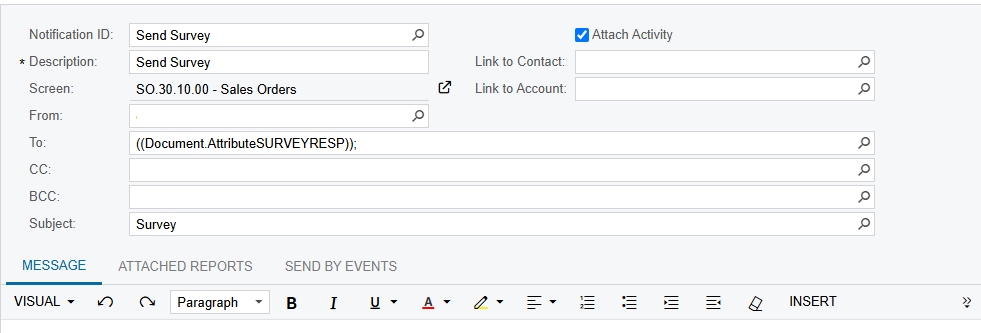
You can change the data source of the “send survey” notification to be a generic inquiry rather than the SO screen. From a generic inquiry, you can send the email from a business event that can be triggered manually, on a schedule, or based off a field value change.

Emails sent from generic inquiries are very flexible. With generic inquires you can use any field in the system to create your email including the contact.email field connected through this attribute. 


Forum|alt.badge.img
  • Author
  • Freshman II
  • March 31, 2025


@kkraus You won’t be able to get that email from there unfortunately. You’d need to have the email be the attribute instead of the contact

I don’t see email as one of the options for the schema field. Would it be coming from a different table?


bwhite49
Captain II
Forum|alt.badge.img+10
  • Captain II
  • Answer
  • March 31, 2025

@kkraus if not using a GI, you could import in an email list into a combo attribute and have users select from this drop down.