Solved

How to filter report by attribute

  • September 30, 2022
  • 18 replies
  • 1493 views
  • Translate All

Forum|alt.badge.img+1

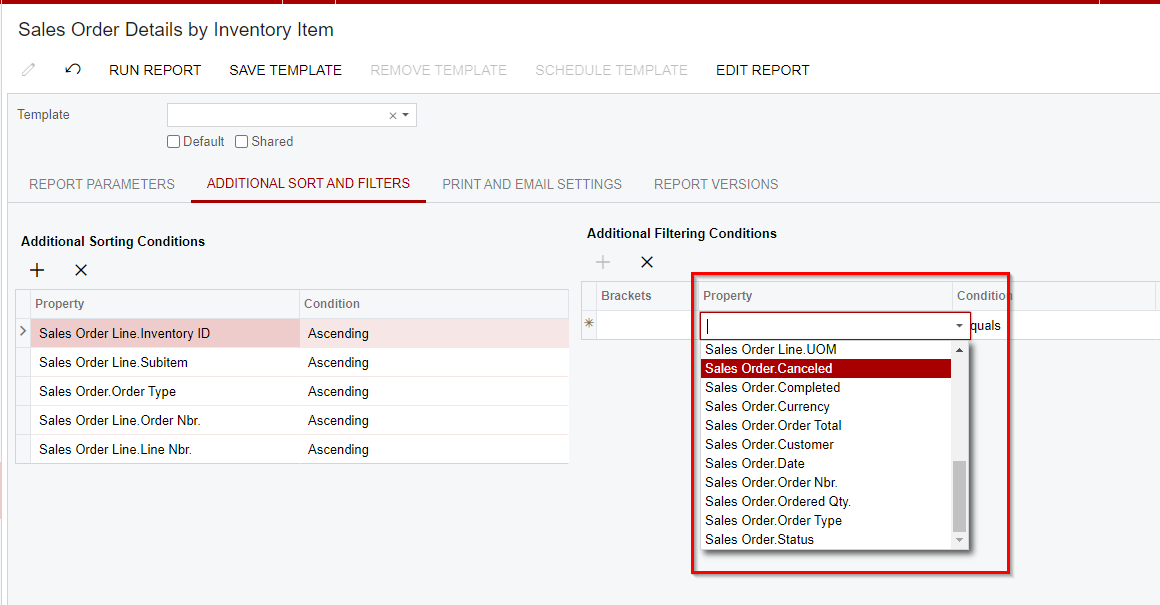
I’ve added a user-defined field to the Sales Order Details by Inventory Item report (SO611500) but I can’t get it to show up in the Additional Filtering Conditions section of the Additional Sort and Filters tab of the report.

I came across this knowledge article:


But the attribute field I’m using is already showing up in Viewer Fields:
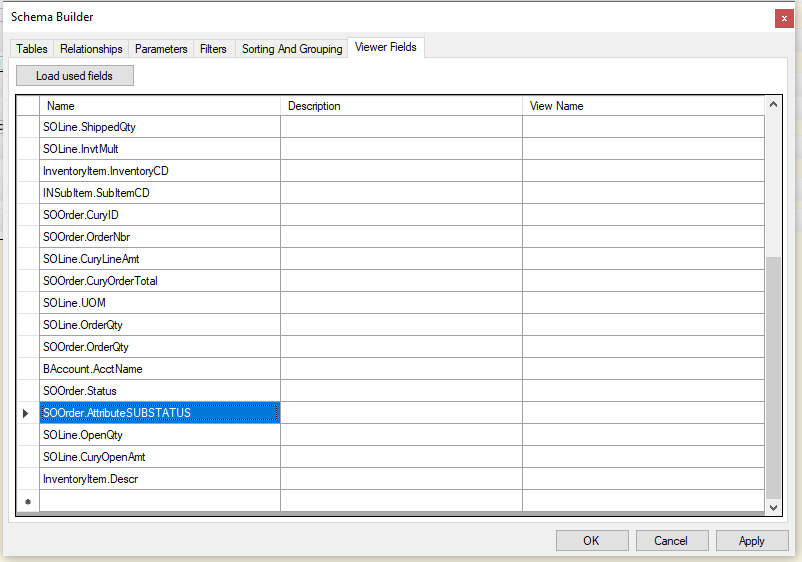
 

Any ideas how to get this field to be visible as an Additional Filtering Conditions?
 

Best answer by BenjaminCrisman

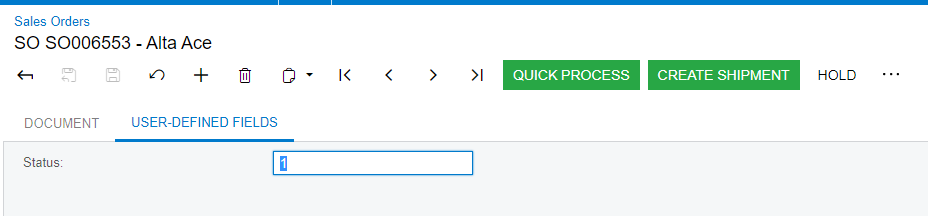
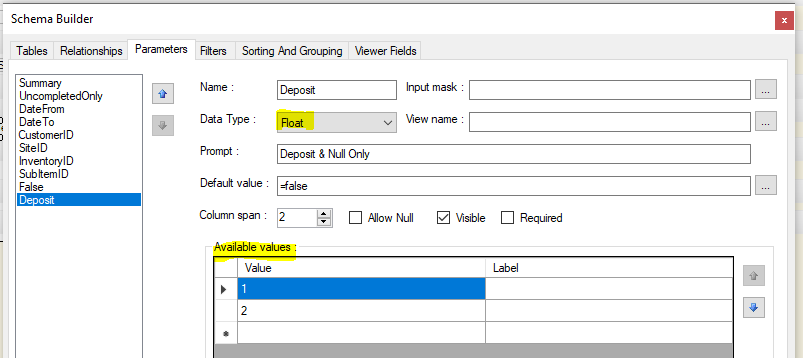
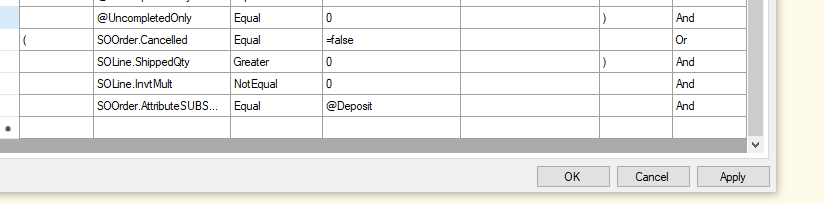
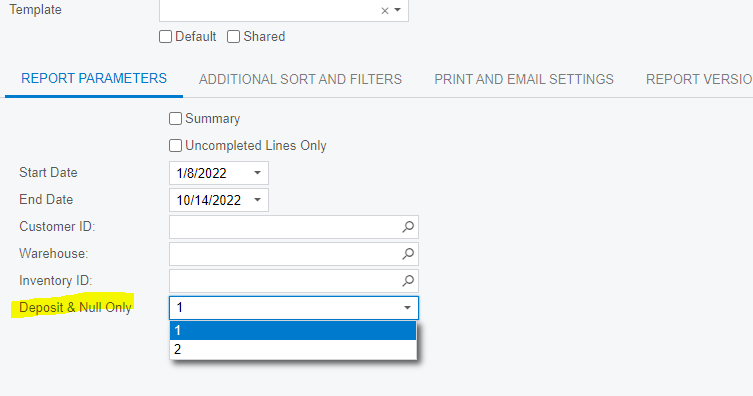
Hi @mikeho! Here’s what I did to be able to filter on the attribute value, there are other ways to do it, but this is what I came up with:

The Attribute on the Sales Order
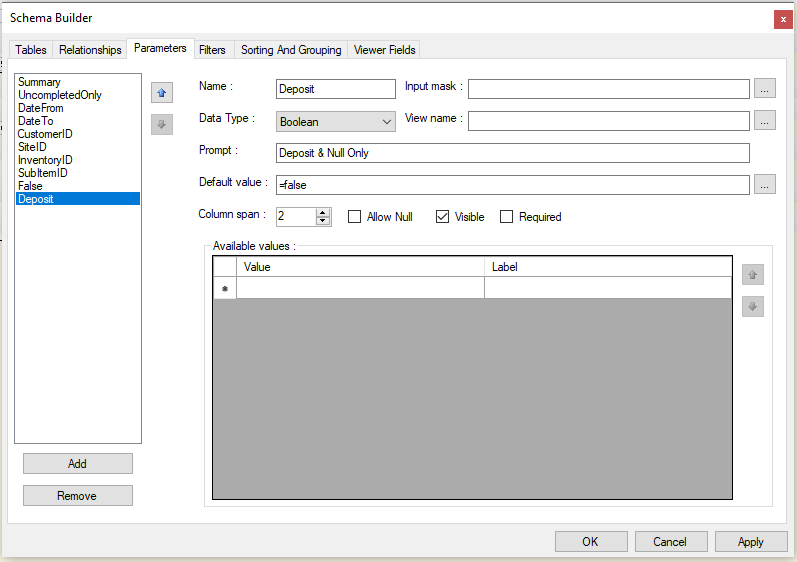
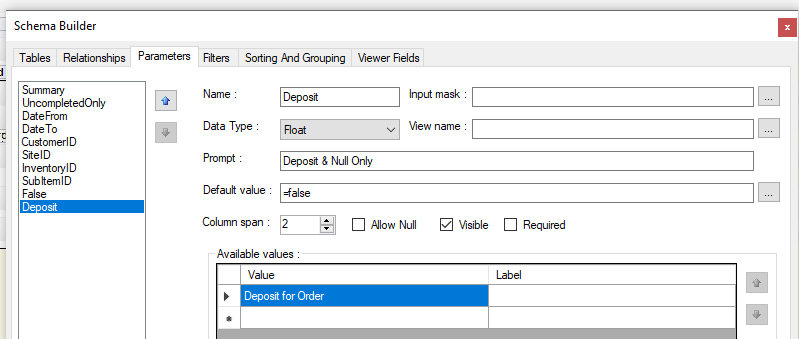
The Parameter
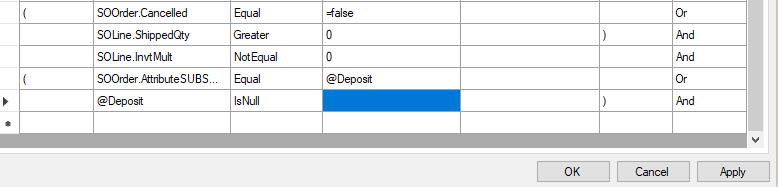
The Filter (you can add the Or IsNull option if needed)


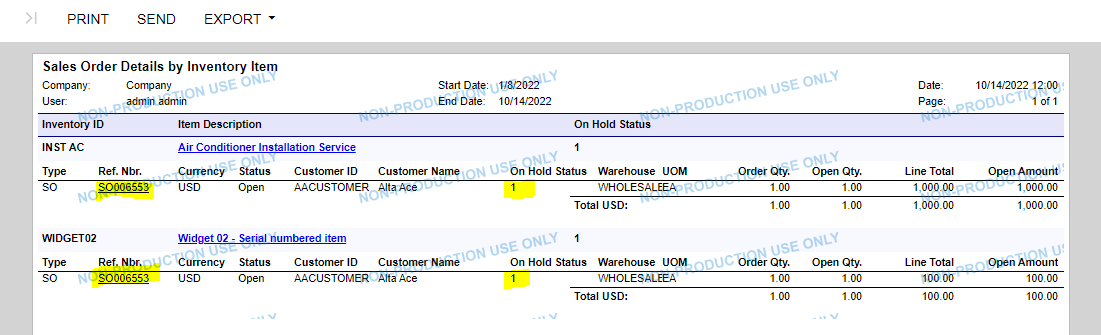
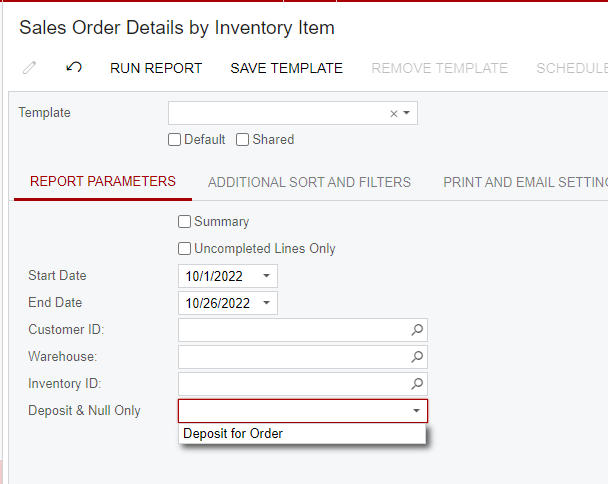
Parameter looks like this before running report
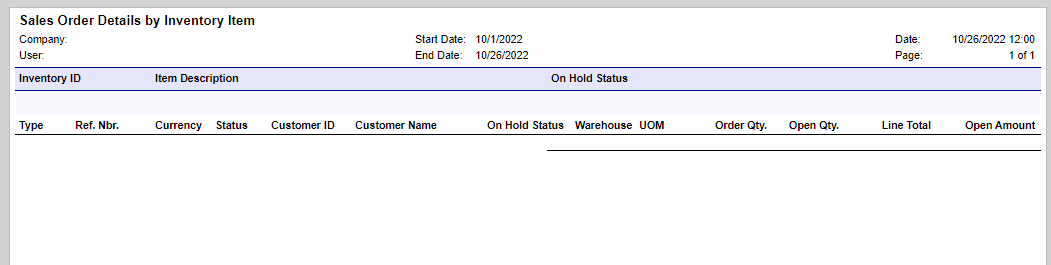
The end result showing the Attribute value and only orders which have this value of 1

Is this close to what you are looking to accomplish?

View original

18 replies

BenjaminCrisman
Acumatica Employee
Forum|alt.badge.img+4

Hi @mikeho ! The Additional Sort and Filters will only work for data which is located in a Detail section of the report, so if the field is placed into a groupfooter or groupheader section then you will not see it to filter on.

Can you share where you are placing the field in the report?

Translate

Forum|alt.badge.img+1
  • Author
  • Semi-Pro III
  • September 30, 2022

Hi @BenjaminCrisman !

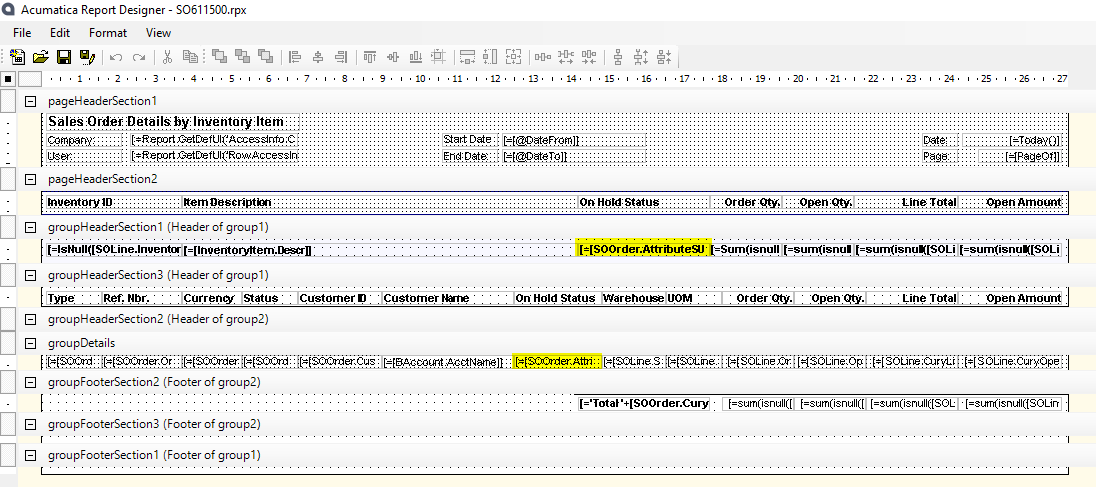
I actually have it in both the groupHeaderSection1 and the groupDetails:


Translate

BenjaminCrisman
Acumatica Employee
Forum|alt.badge.img+4

@mikeho This is why it doesn’t appear then, it won’t appear in grouping sections and because the report is all grouping sections then there is no place to put it for it to show there.

It needs to be in a NON-Grouping section for it to work.

For data in Grouping sections the filter or sorting needs to be applied within Report Designer

Translate

Forum|alt.badge.img+1
  • Author
  • Semi-Pro III
  • September 30, 2022

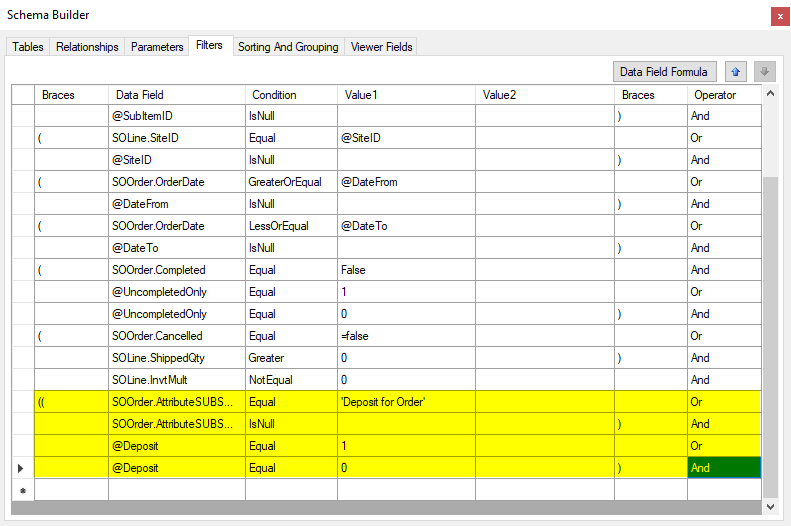
@BenjaminCrisman thanks for the clarification! This being the case, I’m trying to add a parameter to the report to allow the user to check a box to filter by the specific attribute field, however I’m running into issues with this as well. Basically, I need to filter the attribute field to include results that are either null or 1 of the specific options from the drop-down. This was my best guess as to how to get this to work but it’s only returning the null results:


Any suggestions?

Translate

BenjaminCrisman
Acumatica Employee
Forum|alt.badge.img+4

@mikeho I would include some screenshots of the report parameters section also, or upload a .rpx file so I can mess with it to see if I can get it to work, then share the results.

Doesn’t seem like there is quite enough to go off from just that screenshot unfortunately

Translate

Forum|alt.badge.img+1
  • Author
  • Semi-Pro III
  • September 30, 2022

@BenjaminCrisman 

Here’s a screenshot of the parameters section:


How would I share the report .rpx? When I try to attach it doesn’t appear to be a supported format.

Translate

BenjaminCrisman
Acumatica Employee
Forum|alt.badge.img+4

@mikeho While in Report Designer click File > Save As… and attach the .RPX file, the RPS type file is not usably by anyone but the person who opened it and only contains the information to retrieve the report from the database.

Translate

Forum|alt.badge.img+1
  • Author
  • Semi-Pro III
  • October 5, 2022

@BenjaminCrisman I tried attaching the .RPX file here but I’m getting this error message:


Translate

BenjaminCrisman
Acumatica Employee
Forum|alt.badge.img+4

@mikeho I’ll check with the community team on why the .rpx isn’t working, until then try creating zip file and uploading that.

Translate

Forum|alt.badge.img+1
  • Author
  • Semi-Pro III
  • October 5, 2022

@BenjaminCrisman - zip file is attached. Thanks!

Translate

Chris Hackett
Community Manager
Forum|alt.badge.img
  • Acumatica Community Manager
  • October 5, 2022

Hi @BenjaminCrisman and @mikeho below are the supported file types. Anything else would need to be zipped.

What file types are currently supported?

We currently support the following file types:

  • .pdf
  • .zip
  • .xml
  • .txt
  • .csv
  • .doc/docx
  • xls/xlsx
  • .ppt/pptx.
Translate

Forum|alt.badge.img+1
  • Author
  • Semi-Pro III
  • October 13, 2022

Hi @BenjaminCrisman,

Following up on this and hoping you might still be able to help?

Translate

BenjaminCrisman
Acumatica Employee
Forum|alt.badge.img+4

Hi @mikeho! Here’s what I did to be able to filter on the attribute value, there are other ways to do it, but this is what I came up with:

The Attribute on the Sales Order
The Parameter
The Filter (you can add the Or IsNull option if needed)


Parameter looks like this before running report
The end result showing the Attribute value and only orders which have this value of 1

Is this close to what you are looking to accomplish?

Translate

Forum|alt.badge.img+1
  • Author
  • Semi-Pro III
  • October 21, 2022

@BenjaminCrisman - it looks close, but what I really need is for the report to show (from your example) all results that equal ‘1’ or are null.

Translate

BenjaminCrisman
Acumatica Employee
Forum|alt.badge.img+4

@mikeho then for the filter condition just add a bracket to the added condition and include OR @Deposit IsNull

Translate

Forum|alt.badge.img+1
  • Author
  • Semi-Pro III
  • October 26, 2022

@BenjaminCrisman it’s not quite working for me. Here’s what I have based on your suggestions:


Translate

BenjaminCrisman
Acumatica Employee
Forum|alt.badge.img+4

@mikeho Can you show me what the attribute looks like on the screen it appears on?

It seems it isn’t able to recognize the text, so you may need to switch the = @Deposit to something like = Deposit and Null and leave the part of ‘or @Deposit IsNull’

Translate

Forum|alt.badge.img+1
  • Author
  • Semi-Pro III
  • October 28, 2022

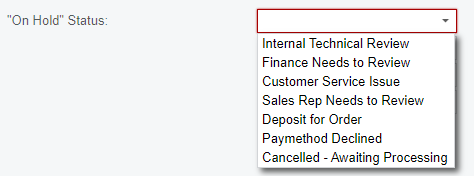
@BenjaminCrisman - here are the various options we have under this attribute:


I need to include all results where this field is either null or where “Deposit for Order” is selected.

Translate