Solved

How to customize Report definition

  • December 22, 2025
  • 5 replies
  • 147 views
  • Translate All

Forum|alt.badge.img

I need to customize the Report definition of Balance Sheet
i.e. Adding custom texts , Changing to custom header 

Is this possible? and How ?

Best answer by Laura03

Hello,

ARM reports have only one header area -- not separate areas to configure Report Header versus Page Header. 


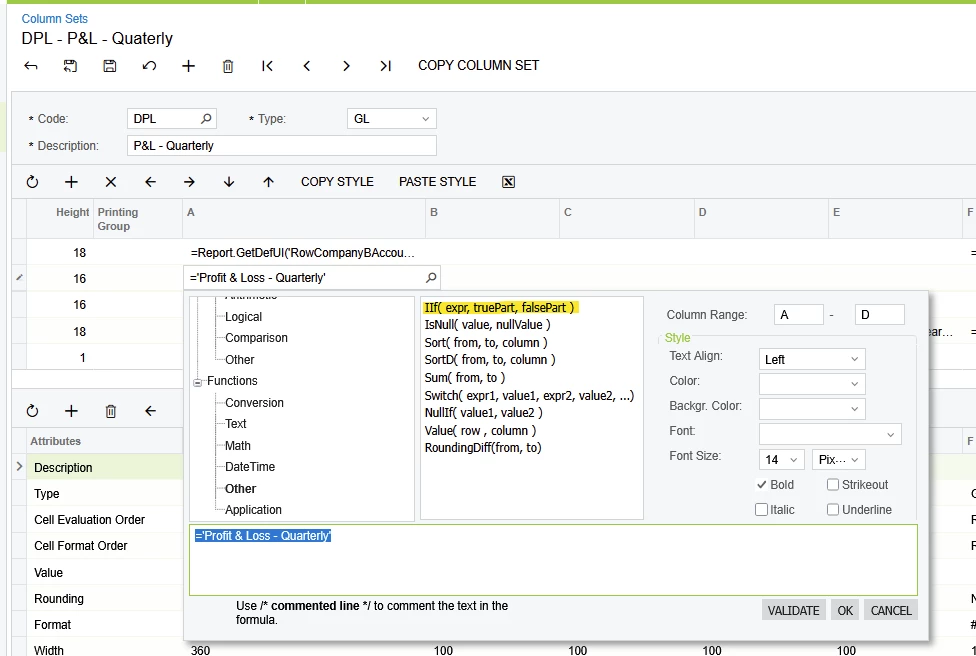
  1. Maybe you can add code (Iif statement) to the Report Name field, to use Page count equal 1 - else ‘ ‘?

IIf(PageCount=1,@ReportDescr,’ ‘)

(I have not tested the above idea for you -  Please try it and let us know.)
  1. If you want only one report header versus every page (printing to Excel?), you may try adjusting the page length or paper size. Changing paper size will cause only one header - it won’t remove only the Report Name from the header.


Good luck!

View original

5 replies

Manikanta Dhulipudi
Captain II
Forum|alt.badge.img+16

​@rashmikamudalinayake10 

Yes You can customize it.

https://www.crestwood.com/blog/getting-started-with-arm-reports-and-row-sets-in-acumatica/

Translate

Forum|alt.badge.img

​@Manikanta Dhulipudi 
I need to display the page number at bottom of each an every page, is this possible?

Translate

Laura03
Captain II
Forum|alt.badge.img+20
  • Captain II
  • December 22, 2025

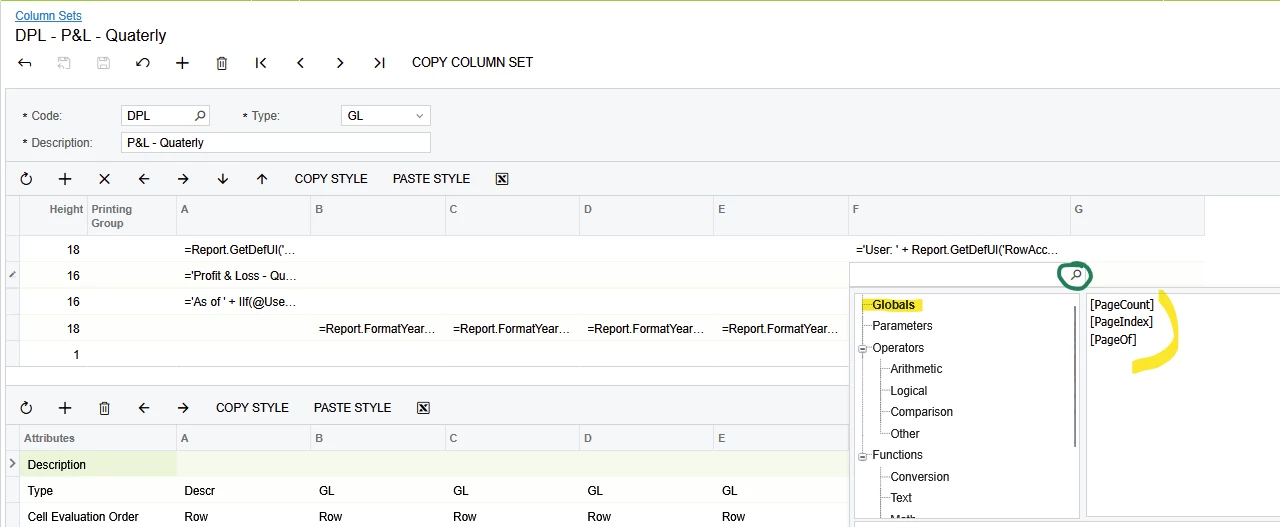
Page numbers may be added in the Header area of each report page using Global formulae:

Laura

Translate

Forum|alt.badge.img

Thanks ​@Laura03 , I got it, I need one more thing. I need to print the report name in the report header section. Currently, it prints on every page as a page header. I tried customizing the XML and overriding it, but it didn’t work.
Is there any possible way to achieve this?


Translate

Laura03
Captain II
Forum|alt.badge.img+20
  • Captain II
  • Answer
  • December 23, 2025

Hello,

ARM reports have only one header area -- not separate areas to configure Report Header versus Page Header. 


  1. Maybe you can add code (Iif statement) to the Report Name field, to use Page count equal 1 - else ‘ ‘?

IIf(PageCount=1,@ReportDescr,’ ‘)

(I have not tested the above idea for you -  Please try it and let us know.)
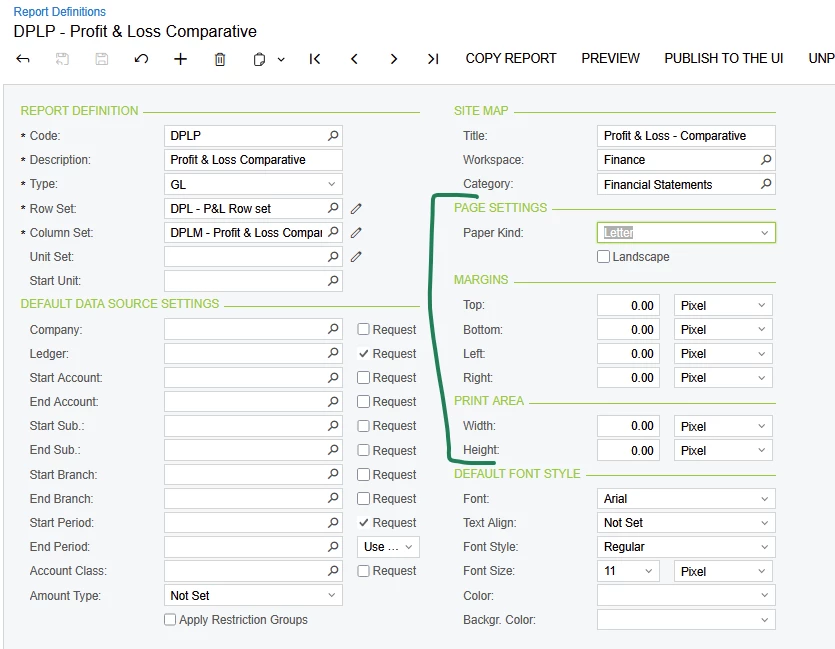
  1. If you want only one report header versus every page (printing to Excel?), you may try adjusting the page length or paper size. Changing paper size will cause only one header - it won’t remove only the Report Name from the header.


Good luck!

Translate