Solved

How to add grand total or sum of all in historical Inventory Balance Report

  • April 16, 2025
  • 12 replies
  • 249 views
  • Translate All

Forum|alt.badge.img+3

HI, 

I am trying to add total of each colum at the end of the report. But report is just populating 0 instead of sum of all values. Can any one give me idea on how to add it? I use variable of total end qty. But its nor working. Even its repeating again and again for every row. I have attached the report 
Best answer by arthia

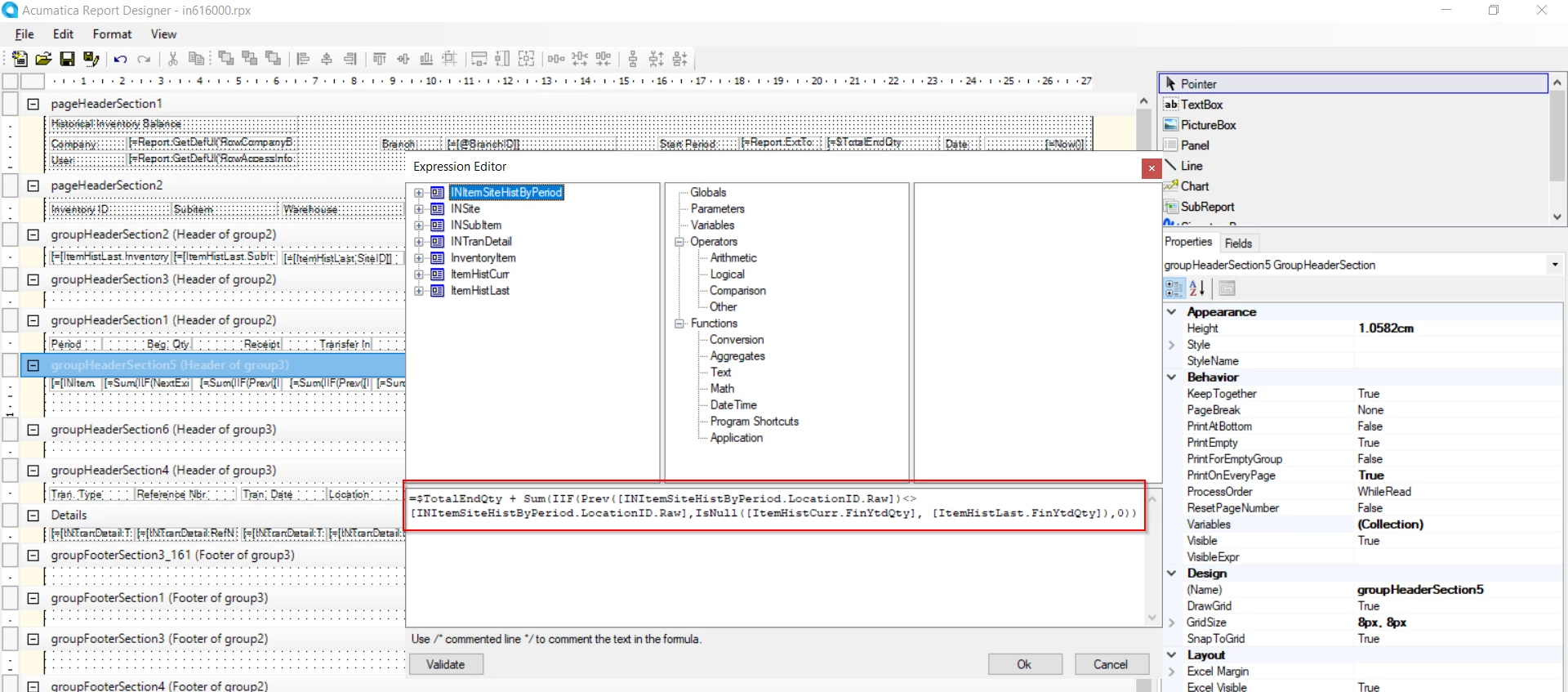
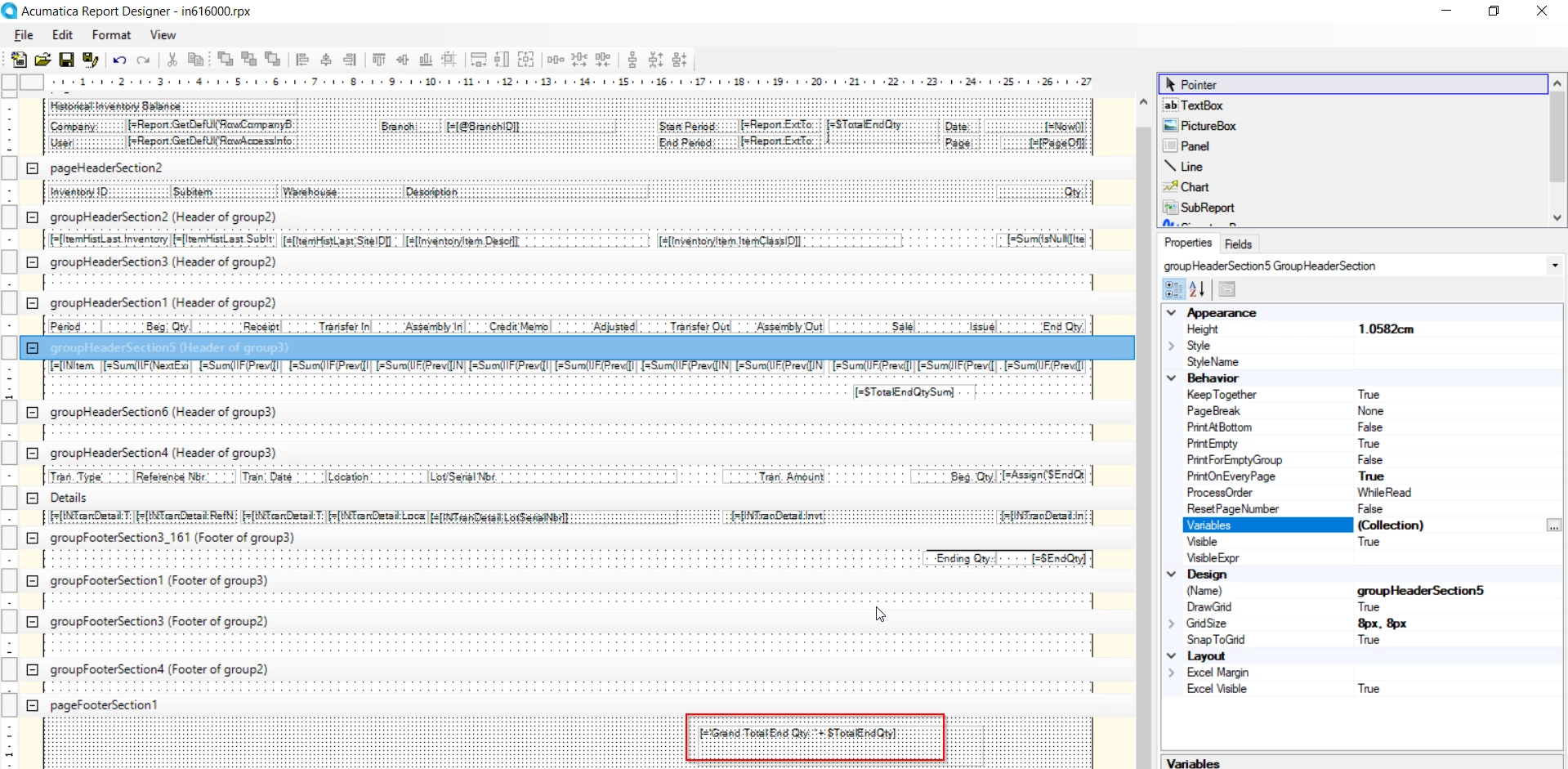
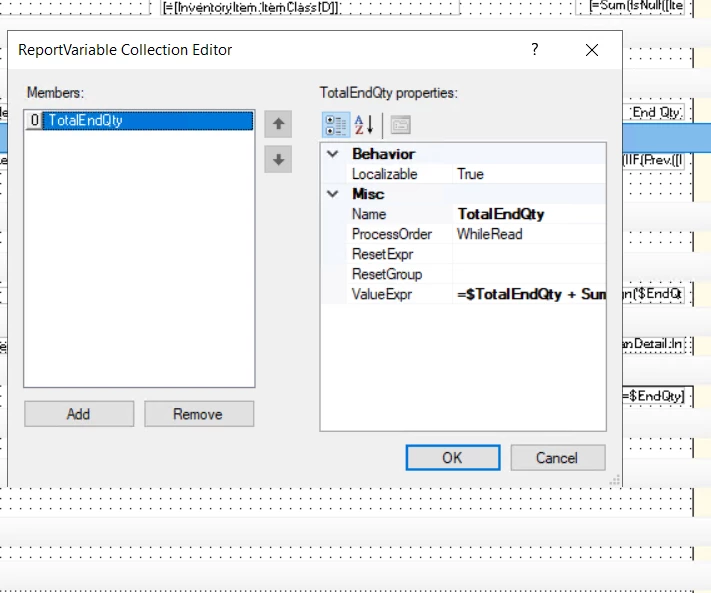
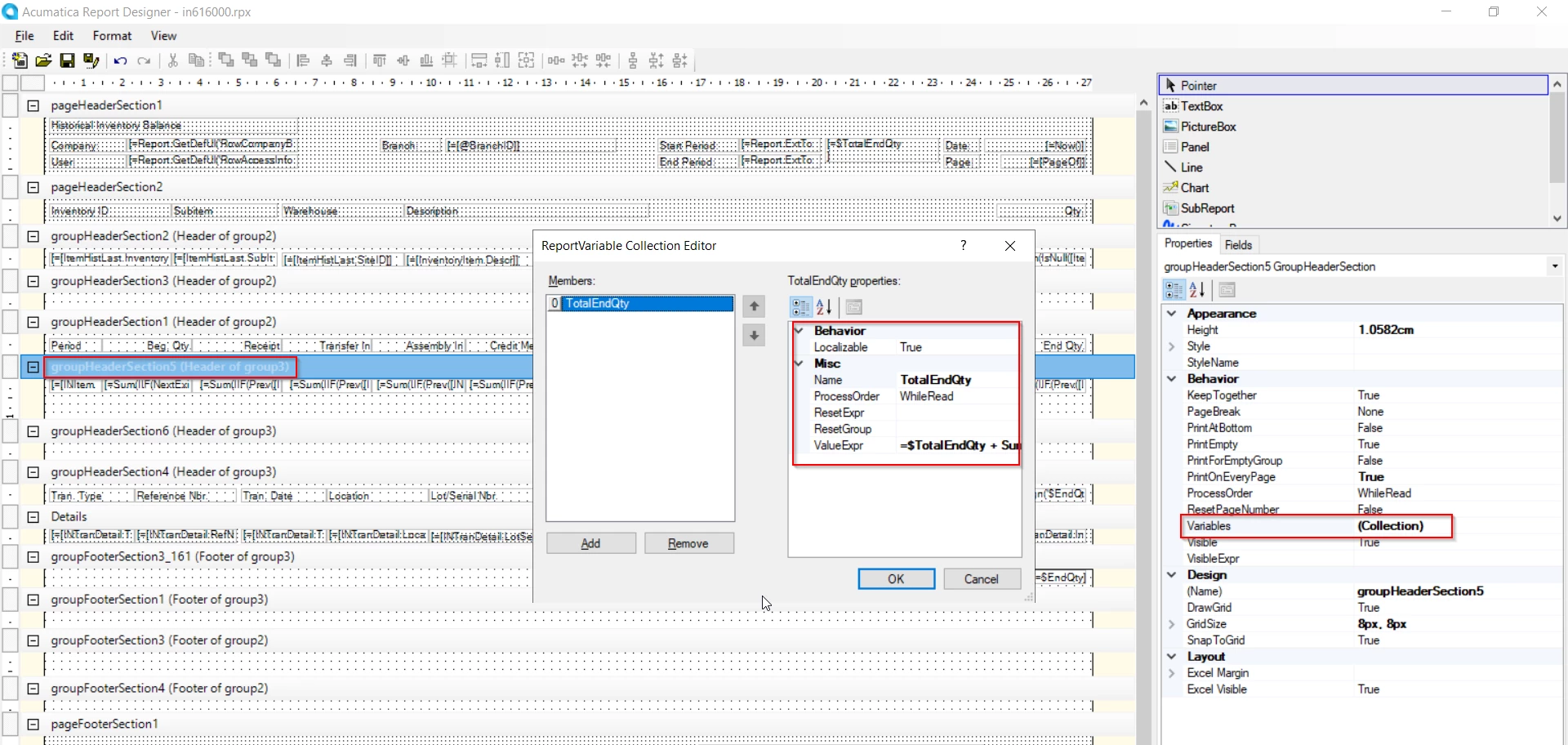
Hi ​@tahayabali , Add variable to sum “End Qty” in group 3 Header

Add the below formula to the variable: 
=$TotalEndQty + Sum(IIF(Prev([INItemSiteHistByPeriod.LocationID.Raw])<>[INItemSiteHistByPeriod.LocationID.Raw],IsNull([ItemHistCurr.FinYtdQty], [ItemHistLast.FinYtdQty]),0))

Bind the variable to the page footer


Shared the modified report

View original

12 replies

Manikanta Dhulipudi
Captain II
Forum|alt.badge.img+16

​@tahayabali 

Did you get a chance to review this?


Translate

Forum|alt.badge.img+3
  • Author
  • Captain I
  • April 16, 2025

​@Manikanta Dhulipudi yes i tried it but failed to populate.

Translate

Forum|alt.badge.img+3
  • Author
  • Captain I
  • April 16, 2025

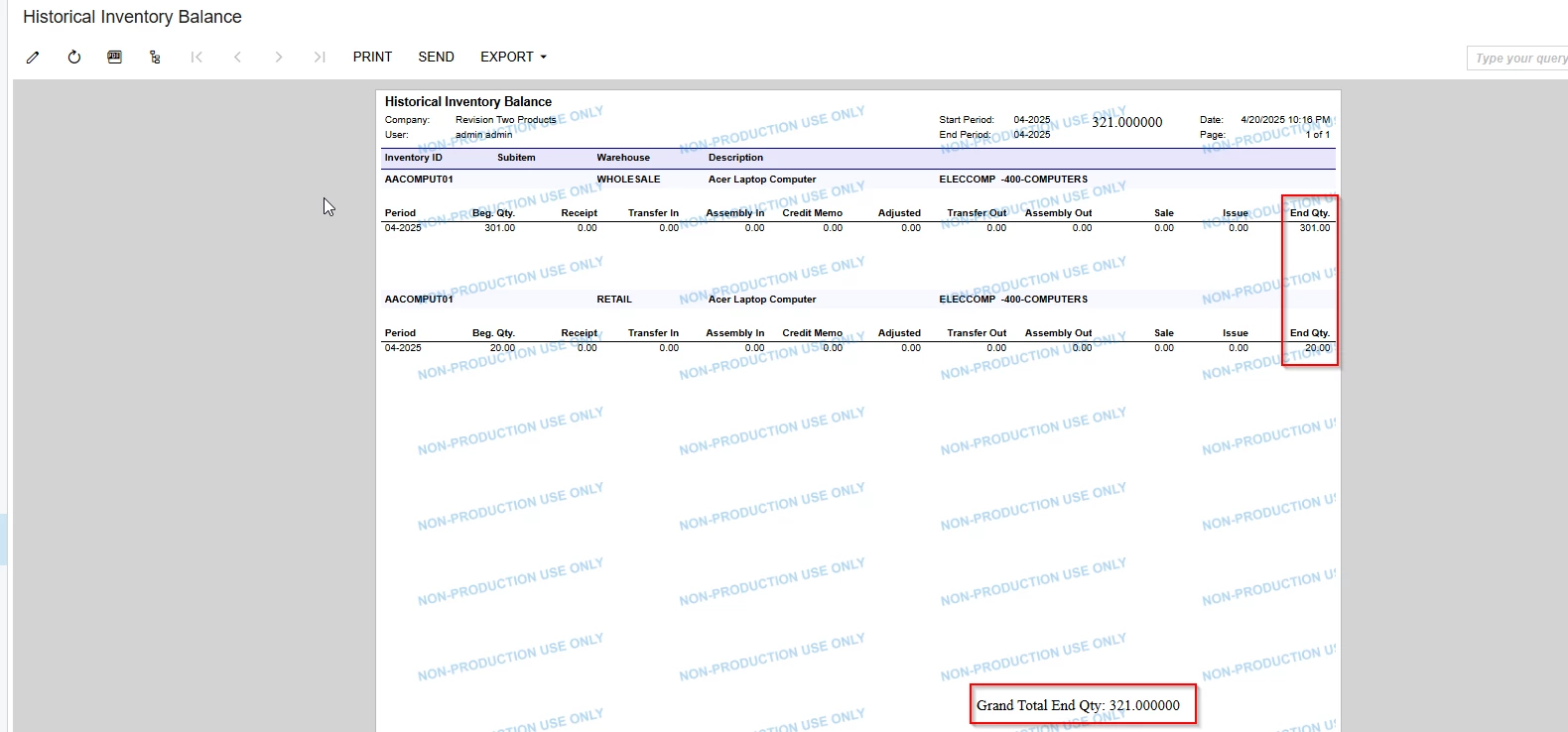
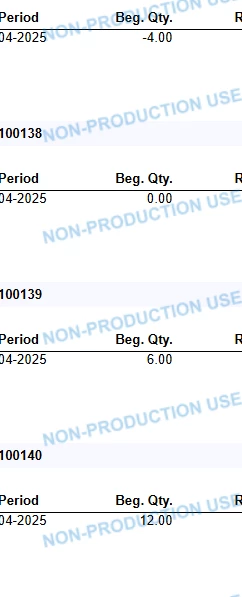
I tried every possible formula to populate the sum of  qty of all rows at the end but it stills shows row 1 result only not all. Below is the quantity 

result :


Translate

Forum|alt.badge.img+4
  • Varsity I
  • April 17, 2025

Hi ​@tahayabali , Could you please share the report in .rpx format to review.
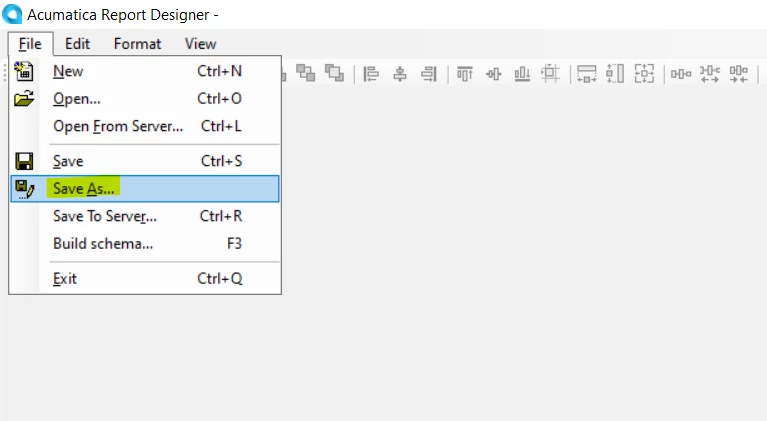
File → Save As
Save the report in your local, zip the report and share.


Translate

Forum|alt.badge.img+3
  • Author
  • Captain I
  • April 17, 2025

​@arthia98 Here is the ZIP file. We ony need to calculate the total of column at the end. For example beg qty. if we have 4000 records so all should be sum at the end .

THanks
 

Translate

Forum|alt.badge.img+4
  • Varsity I
  • April 18, 2025

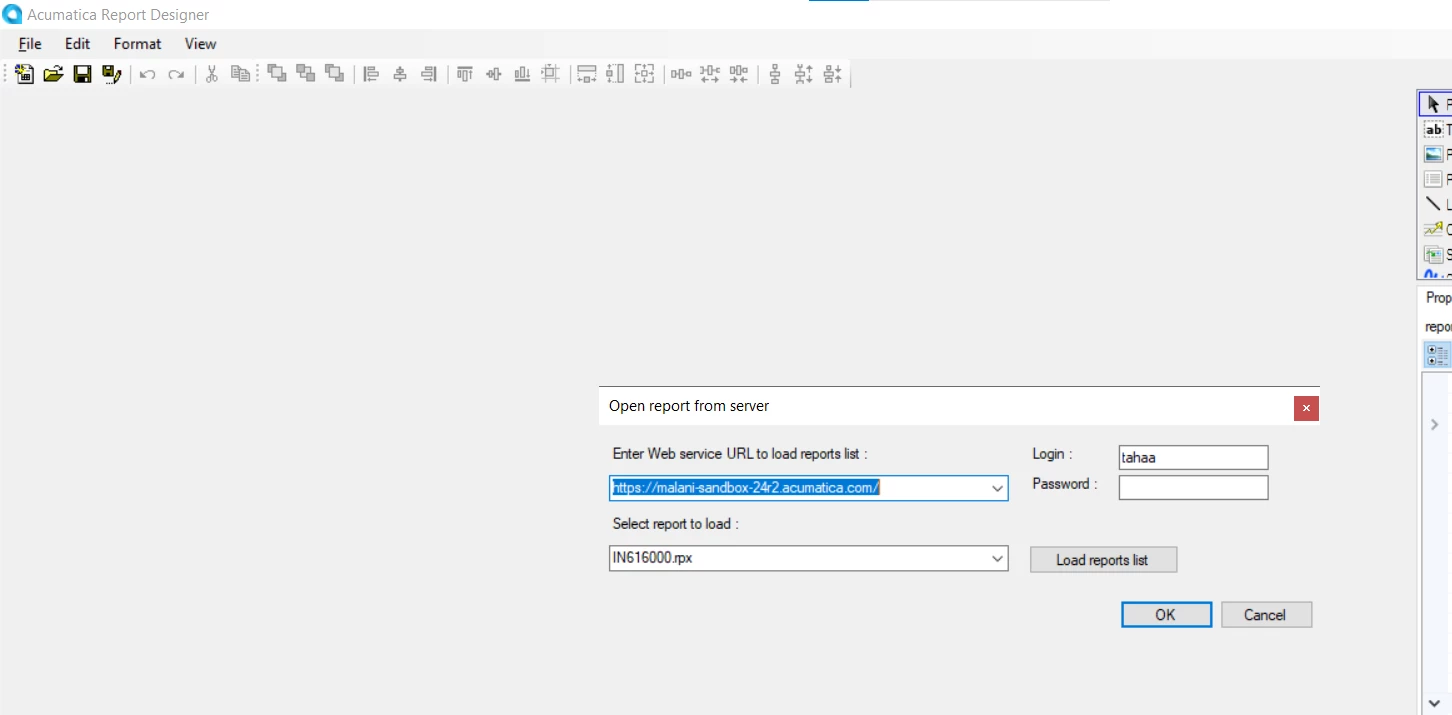
Hi ​@tahayabali , The report shared was .rps format. Please share it in .rpx format

.rps format needs credential to open the report. Follow the steps provided in the last comment and share report in .rpx format.


Translate

Forum|alt.badge.img+3
  • Author
  • Captain I
  • April 19, 2025

​@arthia98 this is rpx.
Are you able to access? 

Translate

Forum|alt.badge.img+4
  • Varsity I
  • Answer
  • April 21, 2025

Hi ​@tahayabali , Add variable to sum “End Qty” in group 3 Header

Add the below formula to the variable: 
=$TotalEndQty + Sum(IIF(Prev([INItemSiteHistByPeriod.LocationID.Raw])<>[INItemSiteHistByPeriod.LocationID.Raw],IsNull([ItemHistCurr.FinYtdQty], [ItemHistLast.FinYtdQty]),0))

Bind the variable to the page footer


Shared the modified report

Translate

Forum|alt.badge.img+3
  • Author
  • Captain I
  • April 21, 2025

​@arthia98 Thanks for the reply. One question If i removed this formula from value exp will it work? Because i want to calculate all fields end qty and other too.


Translate

Forum|alt.badge.img+4
  • Varsity I
  • April 21, 2025

Hi ​@tahayabali , The formula is same as what you've used for EndQty field. If needed, you can change.

Translate

Forum|alt.badge.img+3
  • Author
  • Captain I
  • April 21, 2025

​@arthia98 what we can do to just print it on last page not on everypage. I tried to change the pagefooter section properties. but still on every page

Translate

Forum|alt.badge.img+3
  • Author
  • Captain I
  • April 25, 2025

Hi, Any one knows what to do if results are populating on all pages footer. I am trying to print it on last page of report only. But there is no option in footer properties.


Translate