Solved

How does the SOPackageDetail's Note Image Work?

  • November 5, 2025
  • 8 replies
  • 112 views
  • Translate All

Forum|alt.badge.img

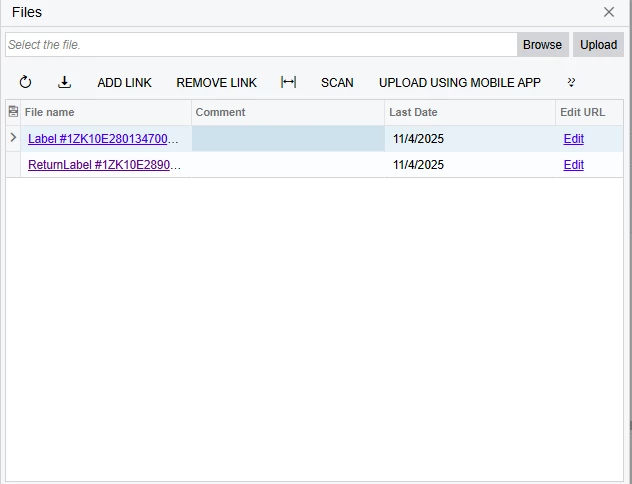
I’m trying to create a report that displays a shipment’s Return Label and I believe this is the field, however, using it produces inconsistent results. Sometimes, it produces the return label, and other times produces the shipping label. Is there a way to ensure only the return label is displayed?

Best answer by bwhite49

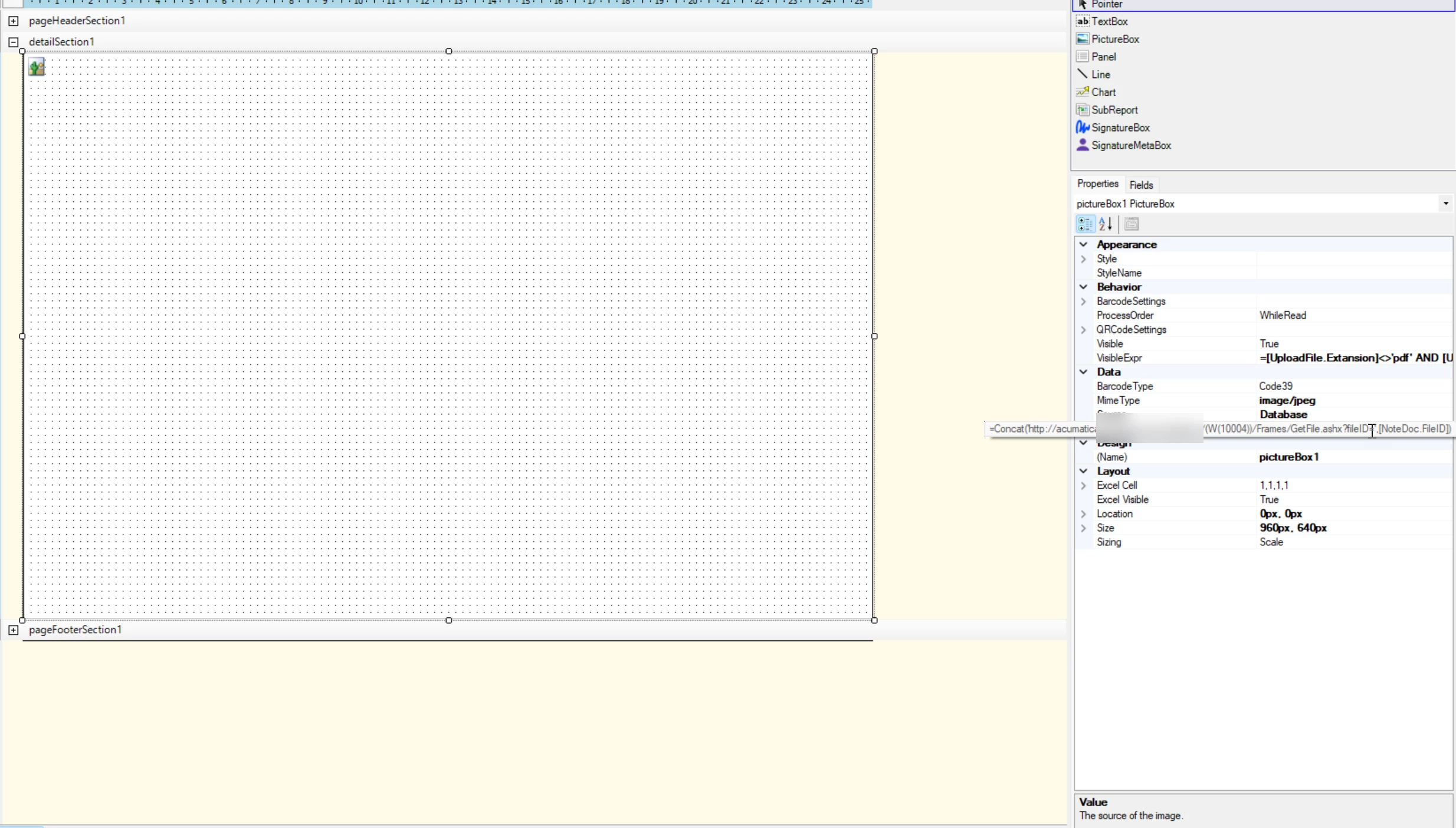
You can add a link to the file ID. Replace ((YourWebsite)) with your URL

='https://((YourWebsite)).acumatica.com/(W(5))/Frames/GetFile.ashx?fileID='+CSTR([NoteDoc.FileID])



View original

8 replies

Tony Lanzer
Captain II
Forum|alt.badge.img+3

​@kkraus , Which field specifically are you referring to?

Translate

bwhite49
Captain II
Forum|alt.badge.img+12
  • Captain II
  • November 5, 2025

Do the labels have unique formatting in the naming? You might be able to add a condition to only display images that contain certain characters,

Translate

Forum|alt.badge.img
  • Author
  • Freshman II
  • November 6, 2025

​@kkraus , Which field specifically are you referring to?

This is the field that houses the FedEx/UPS labels for shipments produced by integrated shipping.

Do the labels have unique formatting in the naming? You might be able to add a condition to only display images that contain certain characters,

I’m honestly not sure. The return labels do have return in the file name, but I’m not sure where that field is housed, since I can’t select inspect element.


Translate

bwhite49
Captain II
Forum|alt.badge.img+12
  • Captain II
  • November 6, 2025

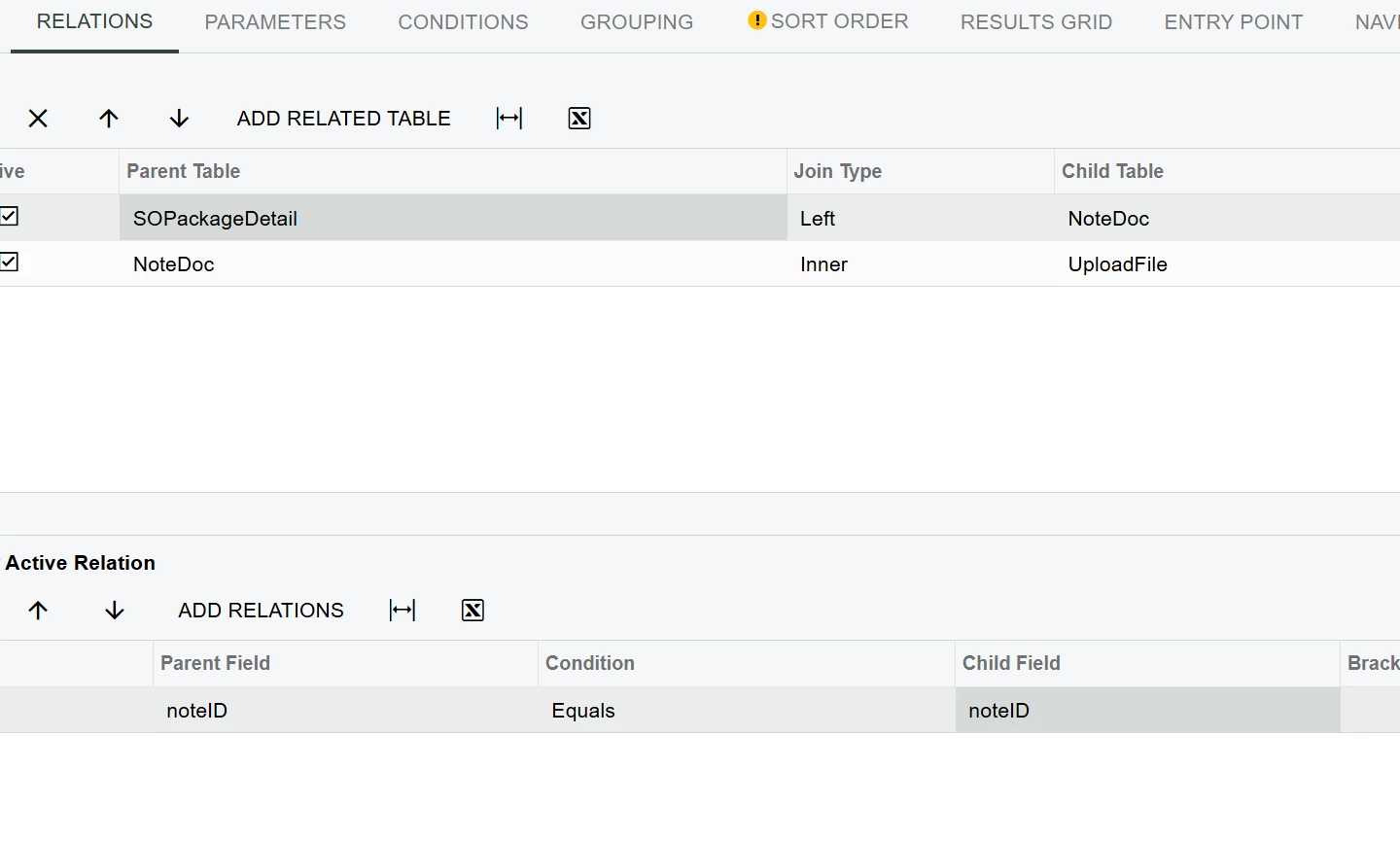
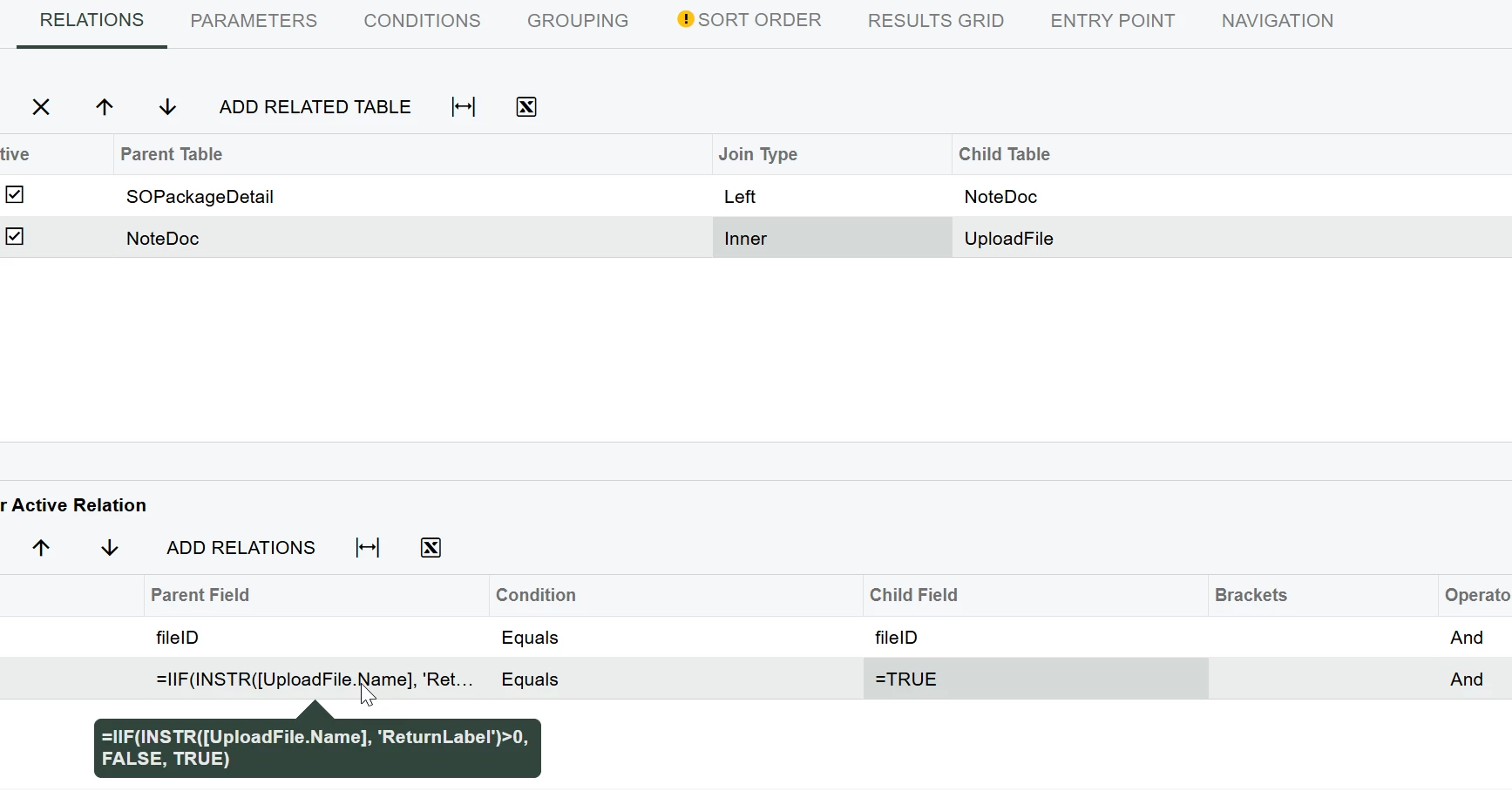
Hi ​@kkraus you can connect to the files table using the below joins and to filter to the correct label/file ID

=IIF(INSTR([UploadFile.Name], 'ReturnLabel')>0, FALSE, TRUE)

Translate

Tony Lanzer
Captain II
Forum|alt.badge.img+3

​@kkraus , As mentioned by ​@bwhite49 , you can get a file from file storage (unless you’re using external storage) through the UploadFile table. The actual image would be stored in the UploadFileRevision table.

Translate

Forum|alt.badge.img
  • Author
  • Freshman II
  • November 6, 2025

Hi ​@kkraus you can connect to the files table using the below joins and to filter to the correct label/file ID

=IIF(INSTR([UploadFile.Name], 'ReturnLabel')>0, FALSE, TRUE)

​@kkraus , As mentioned by ​@bwhite49 , you can get a file from file storage (unless you’re using external storage) through the UploadFile table. The actual image would be stored in the UploadFileRevision table.

Which field from Upload File/Upload File Revision would the image be stored in? The Note Image from Upload File produces a white box, while Revision doesn’t have a noteimage field.

Translate

bwhite49
Captain II
Forum|alt.badge.img+12
  • Captain II
  • Answer
  • November 6, 2025

You can add a link to the file ID. Replace ((YourWebsite)) with your URL

='https://((YourWebsite)).acumatica.com/(W(5))/Frames/GetFile.ashx?fileID='+CSTR([NoteDoc.FileID])


Translate

Tony Lanzer
Captain II
Forum|alt.badge.img+3

​@kkraus The UploadFileRevision.Data field should hold the binary of the image.

Translate