Answer

HH:MM Minute Display

  • October 30, 2025
  • 1 reply
  • 31 views

chrislower
Jr Varsity III
Forum|alt.badge.img

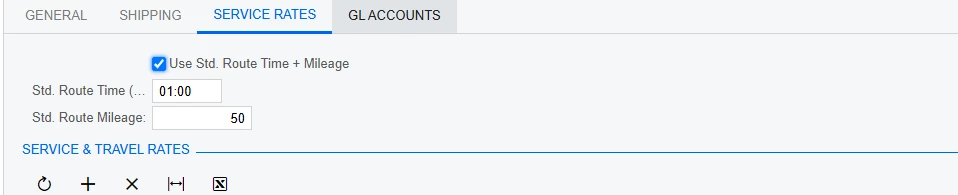
I have a field that was added to our customer locations to define their standard trip: 
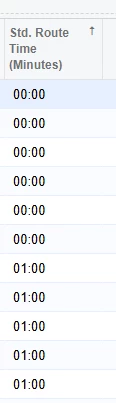
I am trying to display that field on a dashboard.  In the GI it shows correctly

But when I display in the Dash Board all i get is 100.  

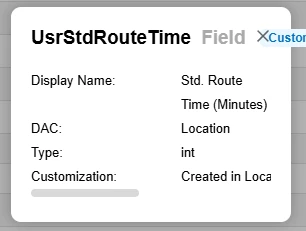
I know the description says minutes but that is not how they set it up to be entered.  

Thoughts on how i get this to display correctly in the Dashboard, even when it is already correct in the GI.  


Thanks for your help!  

23R2

Best answer by BenjaminCrisman

@chrislower Time fields are stored in the DB in minutes, so you’ll have to do a function to convert it to time, which may be complex and also the widget may not be able to handle displaying that. You might be better off just grouping on the lines to get the value you’re expecting to see in the dashboard and display this as a single line Data table.

1 reply

BenjaminCrisman
Acumatica Employee
Forum|alt.badge.img+4
  • Acumatica Support Team
  • Answer
  • October 30, 2025

@chrislower Time fields are stored in the DB in minutes, so you’ll have to do a function to convert it to time, which may be complex and also the widget may not be able to handle displaying that. You might be better off just grouping on the lines to get the value you’re expecting to see in the dashboard and display this as a single line Data table.