Answer

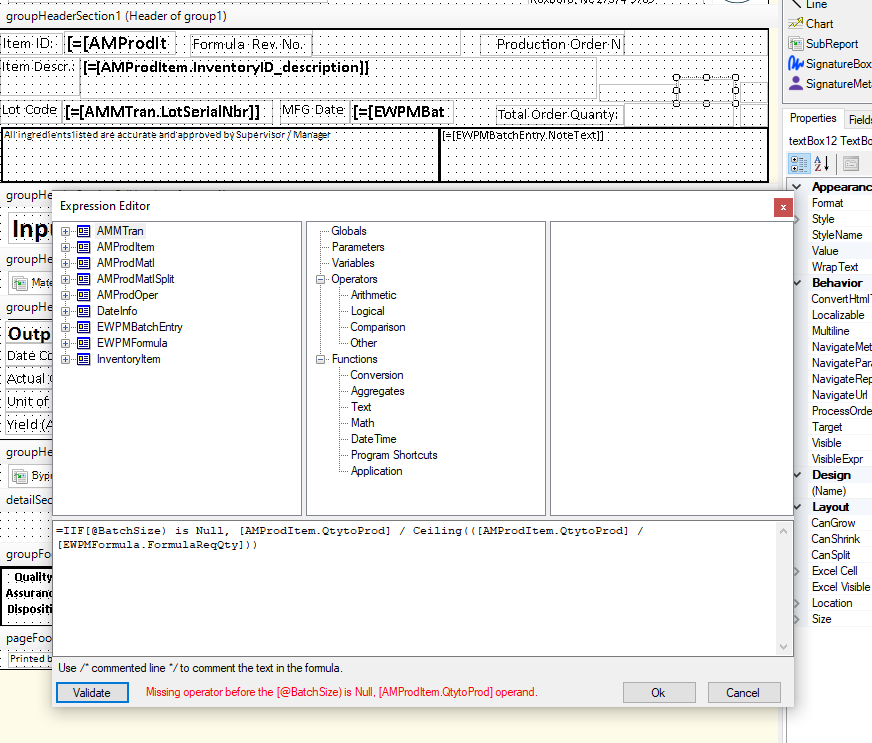
Help with =IIF[@BatchSize) is Null, expression

  • March 6, 2024
  • 5 replies
  • 175 views

mike2665
Jr Varsity III
Forum|alt.badge.img


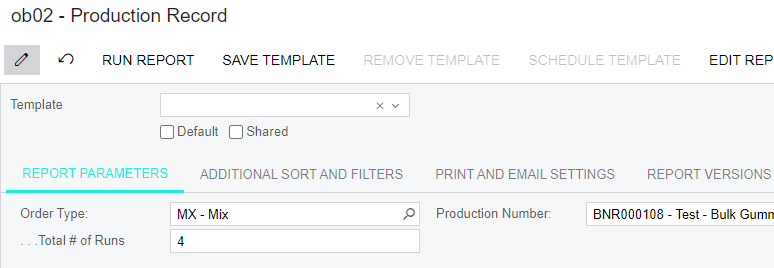
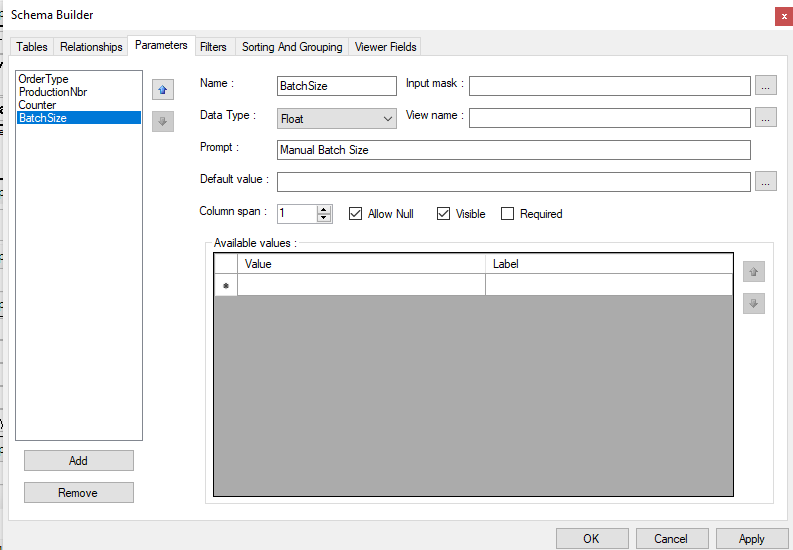
I have a Batch Size that is pulling the total order quantity and resizing calculating it down to the formula amount of 180 kg batch size. I have set up a parameter for Batch Size as an option to add a custom batch size and I need help on the logic; if no Batch Size is entered into the Run Report Page then calculate the normal formula batch size. But if we add a custom batch, let's say 160 kg, then it should calculate the ingredients based upon 160 kg. I'm having a problem finding the correct operator on the IIF expression for the custom batch size.


Best answer by mike2665

Looking at your first expression gave me an idea. I should use Is instead of IIF. this one worked. 

=IsNull([@BatchSize],[AMProdItem.QtytoProd] / Ceiling(([AMProdItem.QtytoProd] / [EWPMFormula.FormulaReqQty])))


Thank you for your help!!

5 replies

dcomerford
Captain II
Forum|alt.badge.img+15
  • Captain II
  • March 6, 2024

The IIF need a condition and then a true and false value so you just have it set to if Batch Size is Null then do the calculation but if it not null you have nothing set.

You are missing the Opening (  before [BatchSize] then at the end you need i believe the following

,[BatchSize])


If you send me the Text of your condition i can fix it.


mike2665
Jr Varsity III
Forum|alt.badge.img
  • Author
  • Jr Varsity III
  • March 6, 2024

Thank you dcomerford, here is my test.

=IIF[@BatchSize) is Null, [AMProdItem.QtytoProd] / Ceiling(([AMProdItem.QtytoProd] / [EWPMFormula.FormulaReqQty]))


dcomerford
Captain II
Forum|alt.badge.img+15
  • Captain II
  • March 6, 2024

@mike2665  I dont have your form but this should do it

=IIF([@BatchSize] is Null, [AMProdItem.QtytoProd] / Ceiling([AMProdItem.QtytoProd] / [EWPMFormula.FormulaReqQty]), [@BatchSize])


mike2665
Jr Varsity III
Forum|alt.badge.img
  • Author
  • Jr Varsity III
  • March 6, 2024

It worked if I typed in the manual batch size, but it came out blank if I did not enter a manual batch size. If I don’t type in the manual batch size then I want it to perform the standard calculation of;

=[AMProdItem.QtytoProd] / Ceiling([AMProdItem.QtytoProd] / [EWPMFormula.FormulaReqQty])

I’m trying to get an either / or answer. So if the manual batch size is blank it should do the normal calculation, but if you type in a manual batch size in the parameter it will calculate from the manual entry.


mike2665
Jr Varsity III
Forum|alt.badge.img
  • Author
  • Jr Varsity III
  • Answer
  • March 6, 2024

Looking at your first expression gave me an idea. I should use Is instead of IIF. this one worked. 

=IsNull([@BatchSize],[AMProdItem.QtytoProd] / Ceiling(([AMProdItem.QtytoProd] / [EWPMFormula.FormulaReqQty])))


Thank you for your help!!