



Our Item Class has two levels, for example: 01-01, 01-02... 10-01, 10-02, 10-03... 90-01, 90-02.In reality, there are spaces in the value, the actual format is like 01 -01, 01 -02, etc.
In the Report Designer, I want to group data by the main Item Class. I used this expression in the Group settings:=Left(Trim([InventoryItem.ItemClassID]), 2)
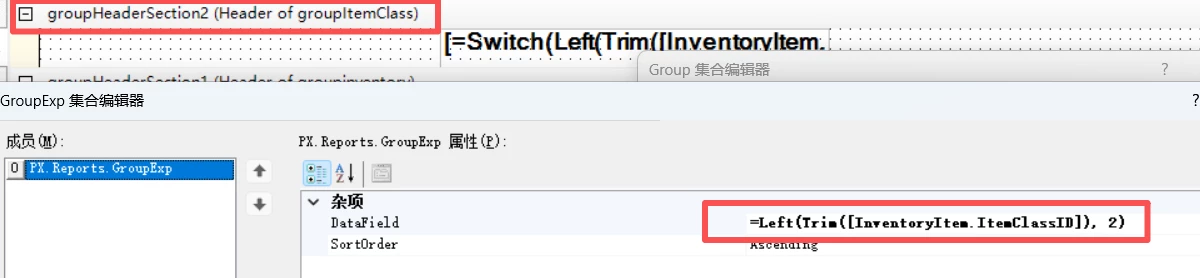
Strangely, most Item Classes are grouped correctly, but 01-01 and 01-02 are still split into two separate groups.
Moreover, I tested the condition Left(Trim([InventoryItem.ItemClassID]), 2)='01' and it returns True for both records, which is very odd.
What is the cause of this issue? Or if I need to group by the main class, what other methods can I try?



