Question

GI + Business Event to send Email with Customer's Default Recipients

  • July 13, 2026
  • 3 replies
  • 48 views

plambert
Semi-Pro III
Forum|alt.badge.img+3

We have a weekly report of order cancellations/adjustments which we send out to customers. I have been able to set up a Generic Inquiry to identify the Customers who need notifying with a scheduled Business Event to send an Email Notification with a report attached to those customers.


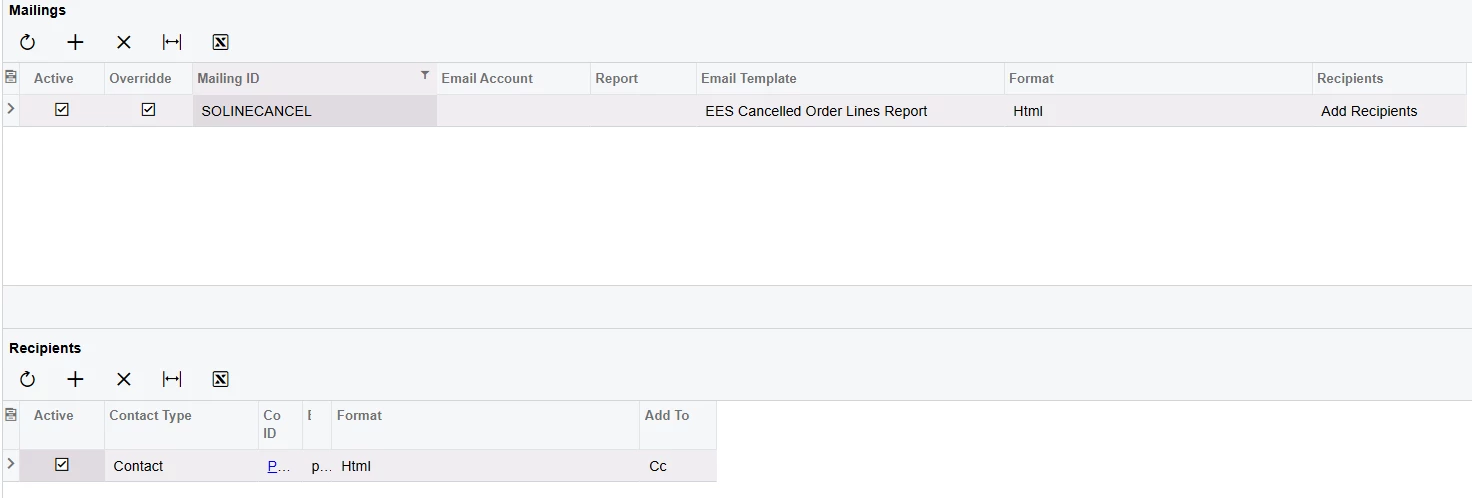
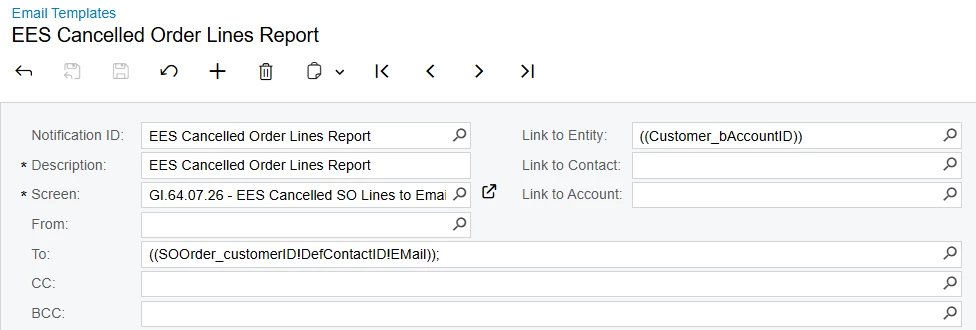
However, we have a customer that would like that report sent to multiple email addresses each week. I have set up the email template as a Mailing in the Account Receivable Preferences, added it to their Customer Class, and added the additional Recipients on the Mailing & Printing tab of that Customer record. Yet, when I generate the email via the business event, those additional recipients are not added to the email. Am I missing something in the setup, or is this functionality just not compatible with a custom GI/report like this? Is there a different way the Email Template has to be set up so it can have those additional recipients added, like a special placeholder or something?
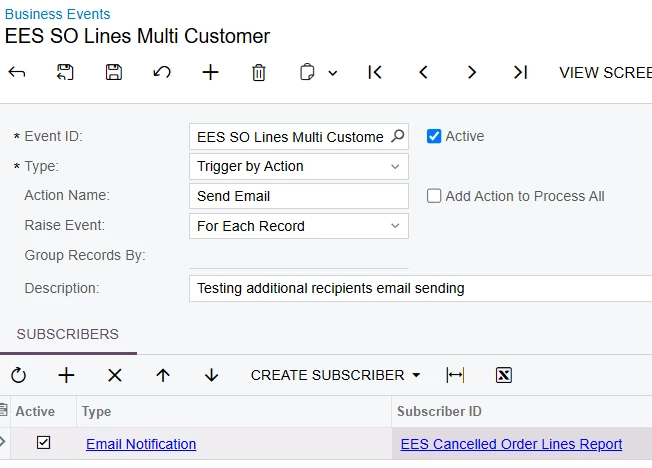
 

Testing Event Setup to create the Email
Example Customer Mailing setup
Email Template


I’m thinking that I could make this work manually, by weaving in the NotificationRecipient DAC to my GI so it would generate an additional email for each of those additional recipients. That would look a bit clunky, since the emails would be separate and wouldn’t share TO or CC info. Or join the DAC on and make the template statically add additional recipients, but that’s going to come with its own headaches and limitations. I’d prefer not to reinvent the email template wheel and use an in-the-box setup if there is one.


Thank you for any insight you can provide,

3 replies

lauraj46
Captain II
Forum|alt.badge.img+9
  • Captain II
  • July 17, 2026

Hi ​@plambert ,

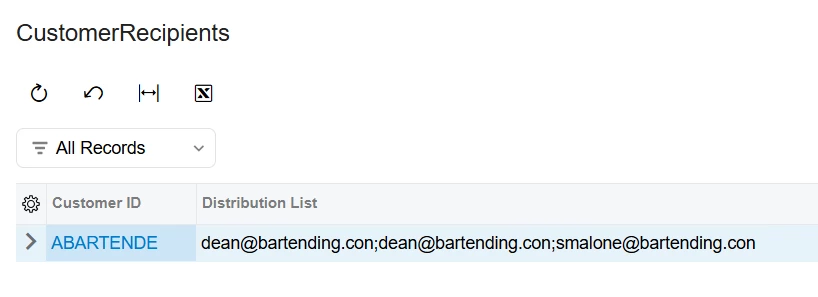
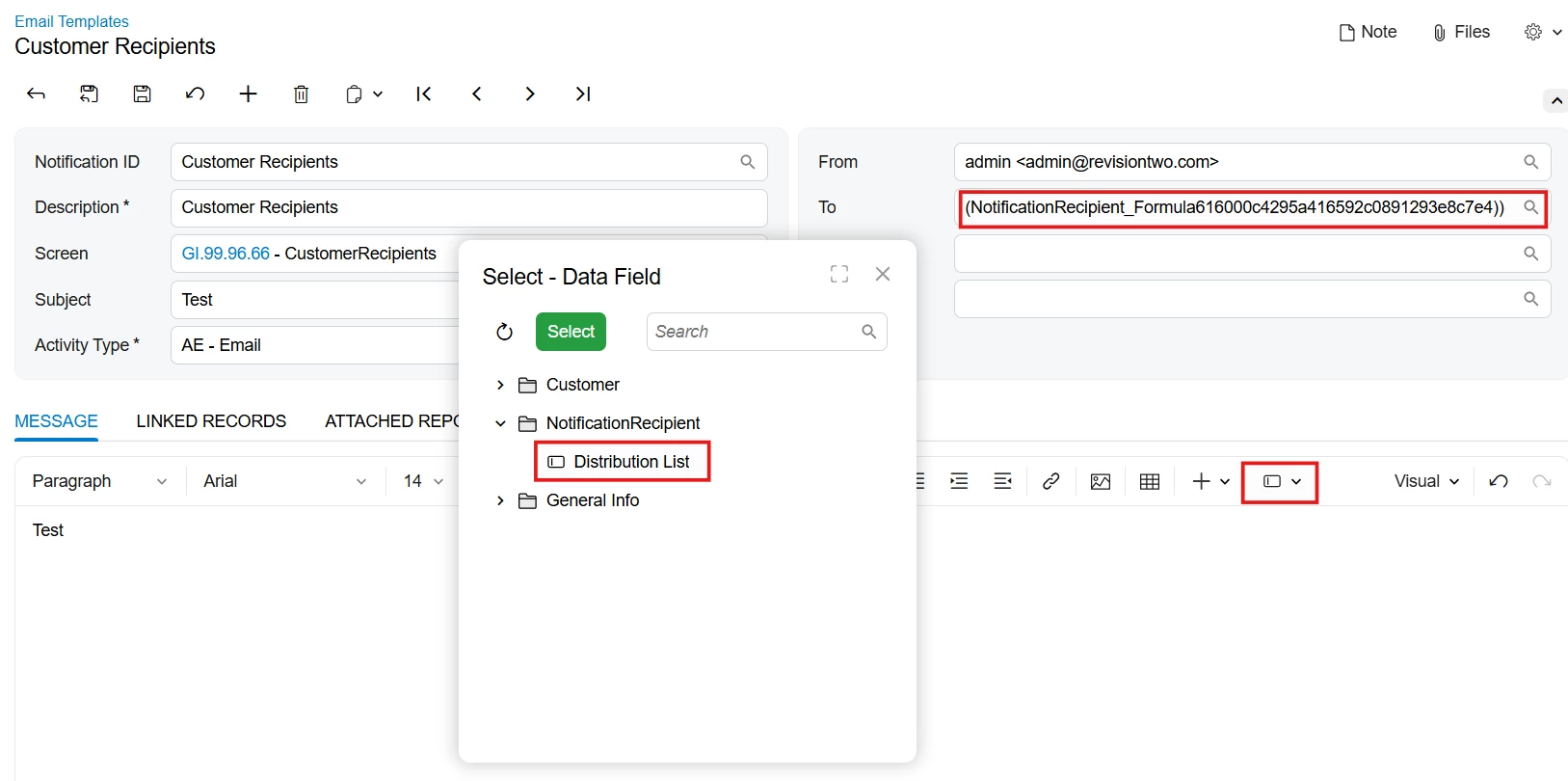
You could use the new StringAgg function to collect the email addresses into a single field, see screenshots below.  

The formula field is not available to choose on the Email Template “To” field, but you can insert the field into the body of the email and manually copy the field tag into the To field.

Hope this helps!

FROM Contact
INNER JOIN [PX.Objects.AR.Customer] AS Customer
ON Contact.BAccountID = Customer.BAccountID
INNER JOIN NotificationRecipient
ON Contact.ContactID = NotificationRecipient.ContactID
WHERE Customer.AttributeKEY = True
GROUP BY
Customer.AcctCD
SELECT
Customer.AcctCD,
{=StringAgg([Contact.EMail], ';')} SCHEMA [PX.Objects.CR.Contact].EMail AS 'Distribution List'


plambert
Semi-Pro III
Forum|alt.badge.img+3
  • Author
  • Semi-Pro III
  • July 17, 2026

While I am very excited for the string aggregation (currently in the middle of upgrading from 24R2 to 26R1), that approach is more in line with ‘reinventing email templates’ than using an existing setup. 

I feel like the issue is that I’m generating the email from the wrong place. If anyone knows how to use those add/replace recipients normally, or any limitations not related to this automated approach, that would also be appreciated. 


Forum|alt.badge.img+2
  • Jr Varsity III
  • July 18, 2026

@plambert  Hi,
Have you applied any restrictions in your GI related to Record ID or any Unique Identifier? If so, please remove them and check again. It should send emails to all available email addresses.