Question

Create a Journal Voucher Report

  • March 19, 2026
  • 7 replies
  • 55 views

sabrinarzk
Freshman I

Hi,
I am trying to create a Journal Voucher report from the Journal Voucher (GL304000) screen.

Inside the report, I wanted to see the GL Transaction, pulling it out from Journal Voucher > GL Transaction
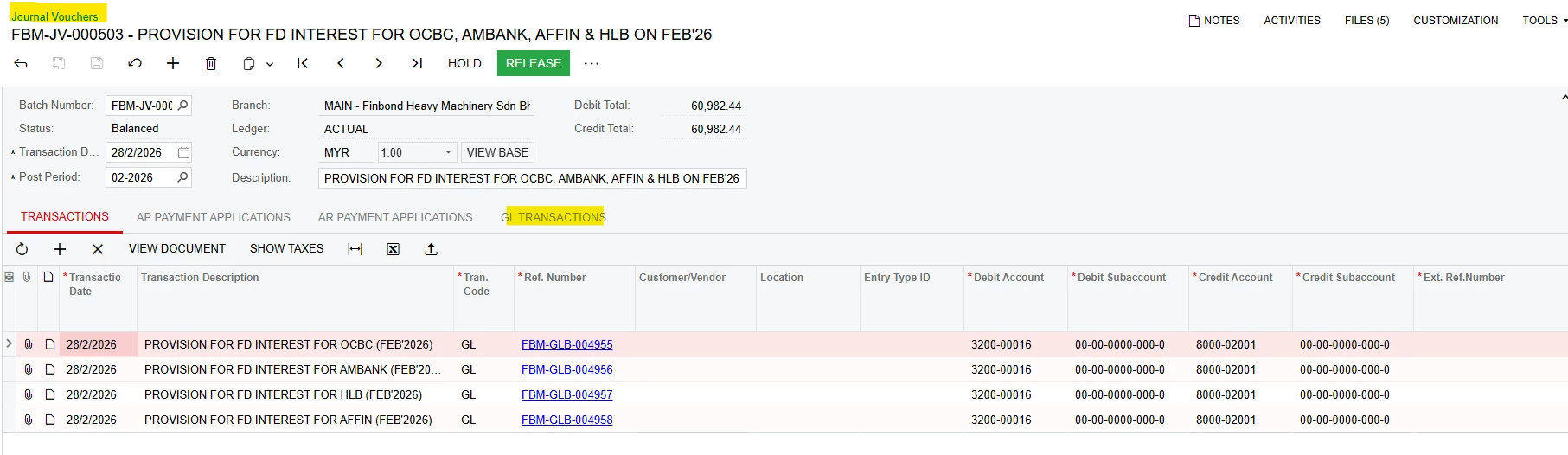
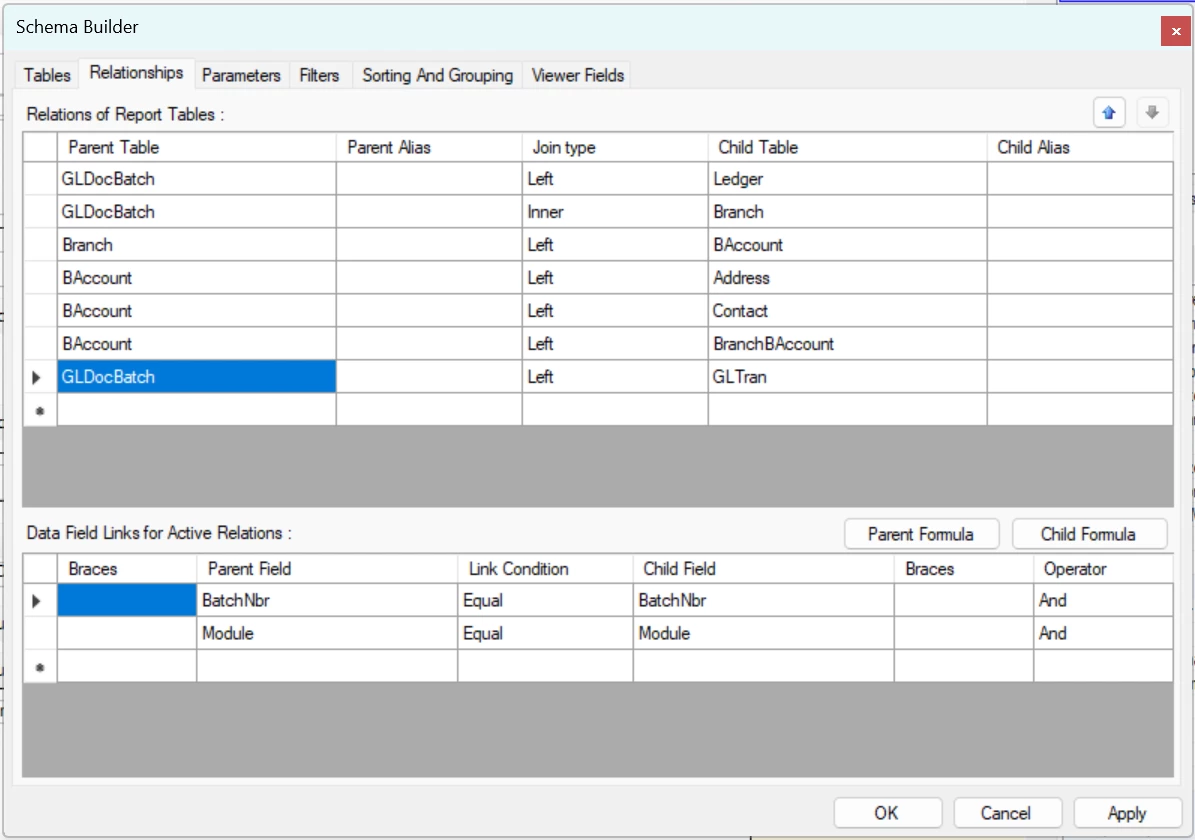


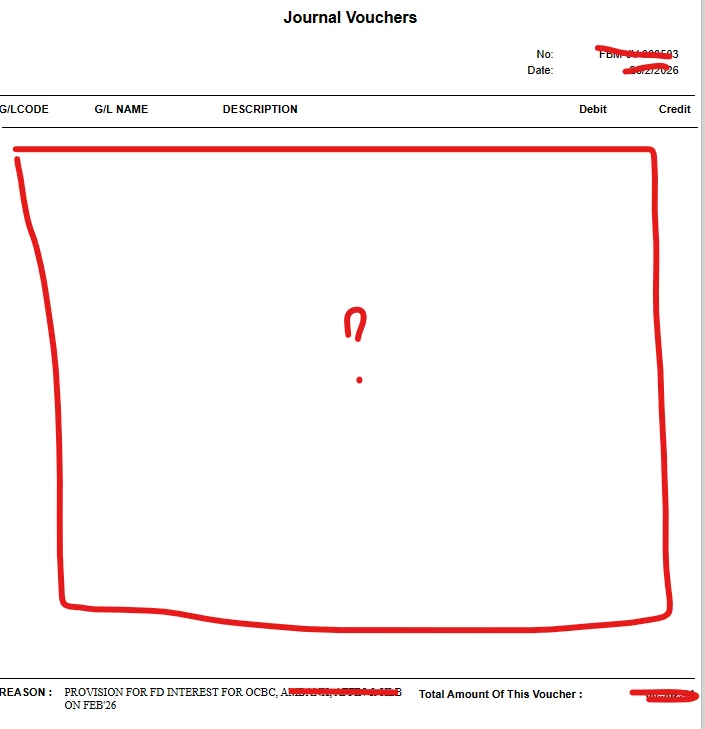
My report details missing.


7 replies

lauraj46
Captain II
Forum|alt.badge.img+9
  • Captain II
  • March 19, 2026

Hi ​@sabrinarzk ,

Can you please attach the rpx file for your report?


sabrinarzk
Freshman I
  • Author
  • Freshman I
  • March 26, 2026

Hi Laura,
Attached the rpx file.


lauraj46
Captain II
Forum|alt.badge.img+9
  • Captain II
  • March 26, 2026

Hi ​@sabrinarzk ,

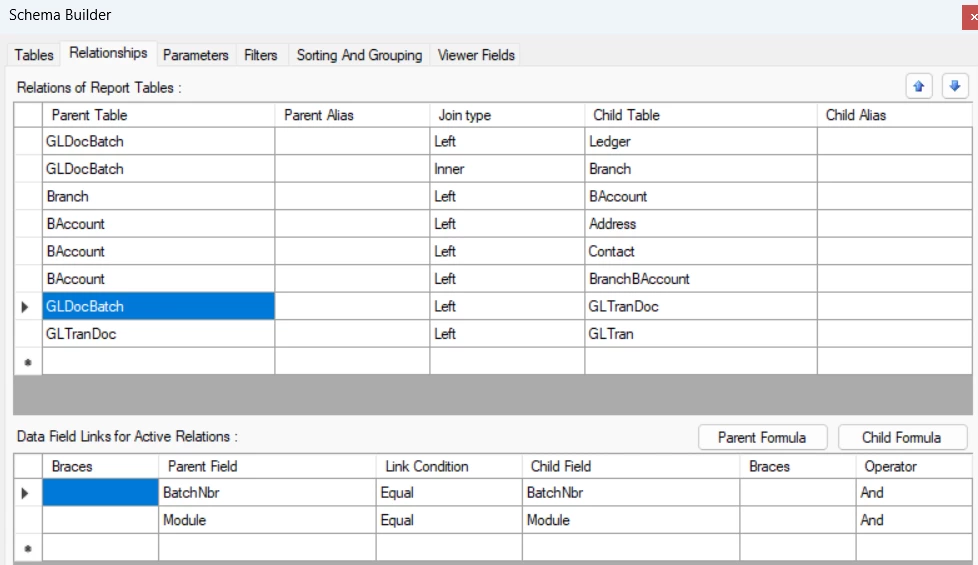
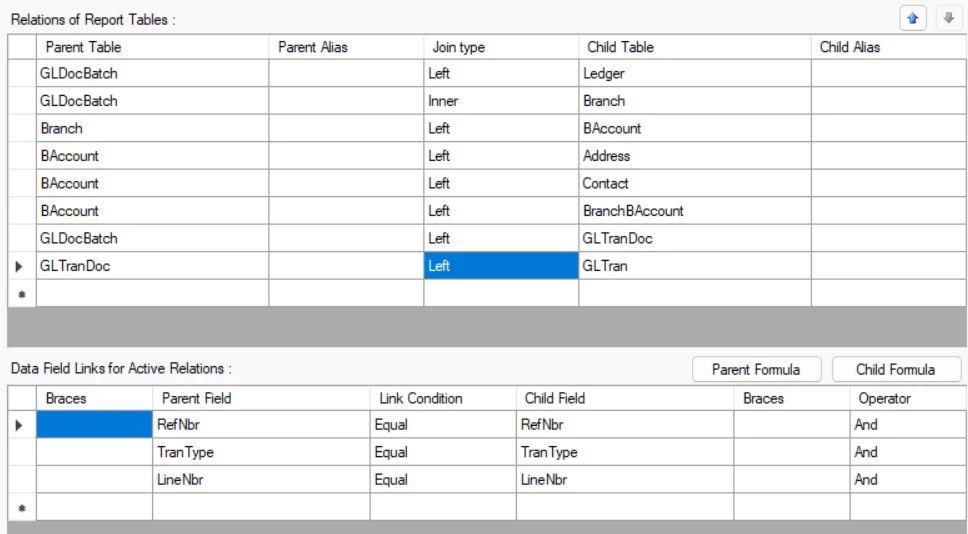
Thanks for sharing your report.  The BatchNbr field on the GLDocBatch field does not correspond to the BatchNbr on the transaction itself.  You need to use the GLTranDoc table as an intermediary table to get the correct linkages.  The revised version of the report is attached.  Hope this helps!

Laura


sabrinarzk
Freshman I
  • Author
  • Freshman I
  • March 31, 2026

Hi Laura,
I amend the report using your revised version, but the line details still do not appear on the report.


lauraj46
Captain II
Forum|alt.badge.img+9
  • Captain II
  • March 31, 2026

Hi ​@sabrinarzk ,

Do the joins match exactly, or have you tested using the version that I uploaded?  On my demo data, the report did show details.  You could also test in a GI, using only the three tables GLDocBarch, GLTranDoc and GLTran.  Give that a try and let me know how it goes.

Laura 


sabrinarzk
Freshman I
  • Author
  • Freshman I
  • April 7, 2026

Hi Laura,
I tested using the three tables GLDocBatch, GLTranDoc, and GLTran, but it failed.

The GLTran details fails to load in the form.


lauraj46
Captain II
Forum|alt.badge.img+9
  • Captain II
  • April 7, 2026

Hi ​@sabrinarzk ,

That's odd.  I tested the report that I attached with demo data and it printed the detail.  Have you tried using a GI to validate the report designer schema?  You can also use the Source Data option in the DAC Schema Browser to open GLDocBatch, GLTranDoc and GLTran and explore the data.   Choose a BatchNbr and walk it through to validate.  Note that the RefNbr on the GLDocBatch is not the same RefNbr on the GLTran itself.  That is we you need to link through GLTranDoc.

Hope this helps!

Laura