
Answer

@MyGroups for cases showing workgroups that user is not a part of?

  • February 15, 2025
  • 7 replies
  • 148 views

Keith Richardson
Semi-Pro I
Forum|alt.badge.img+2

We are running Acumatica 2023r2 23.217.0011. 


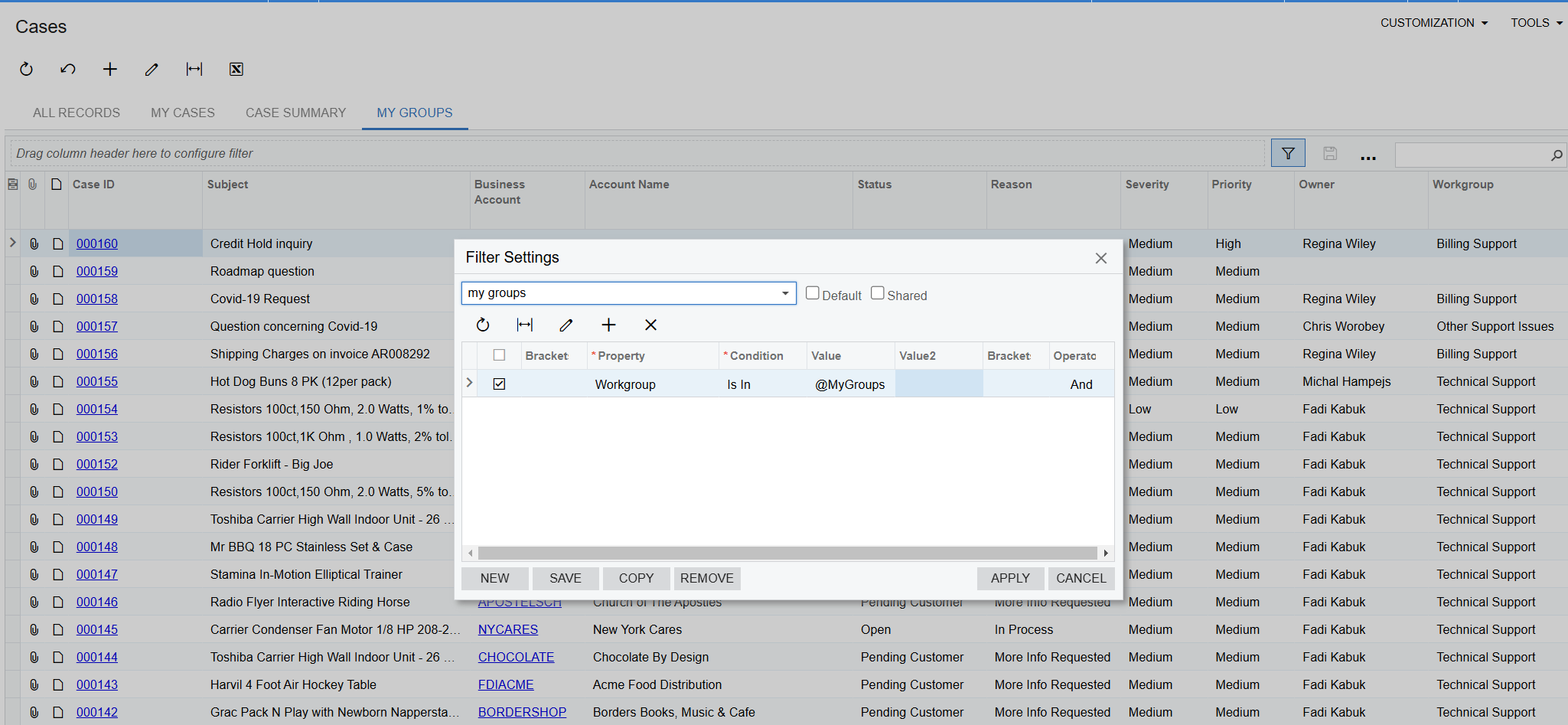
On the cases GI, we updated the conditions to only show your cases, cases assigned to you, or cases assigned to your workgroups.

This is working correctly.

Now for filtering on both a dashboard and on the GI, I want to show cases assigned to your workgroups that are opened.
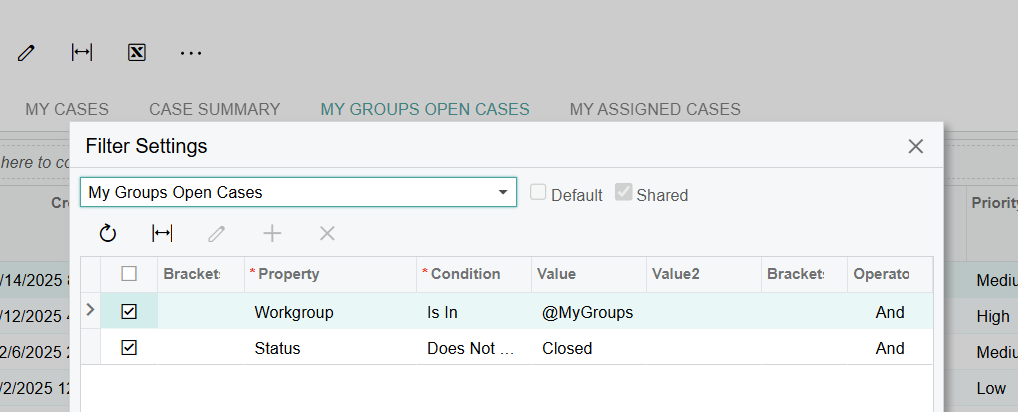
 

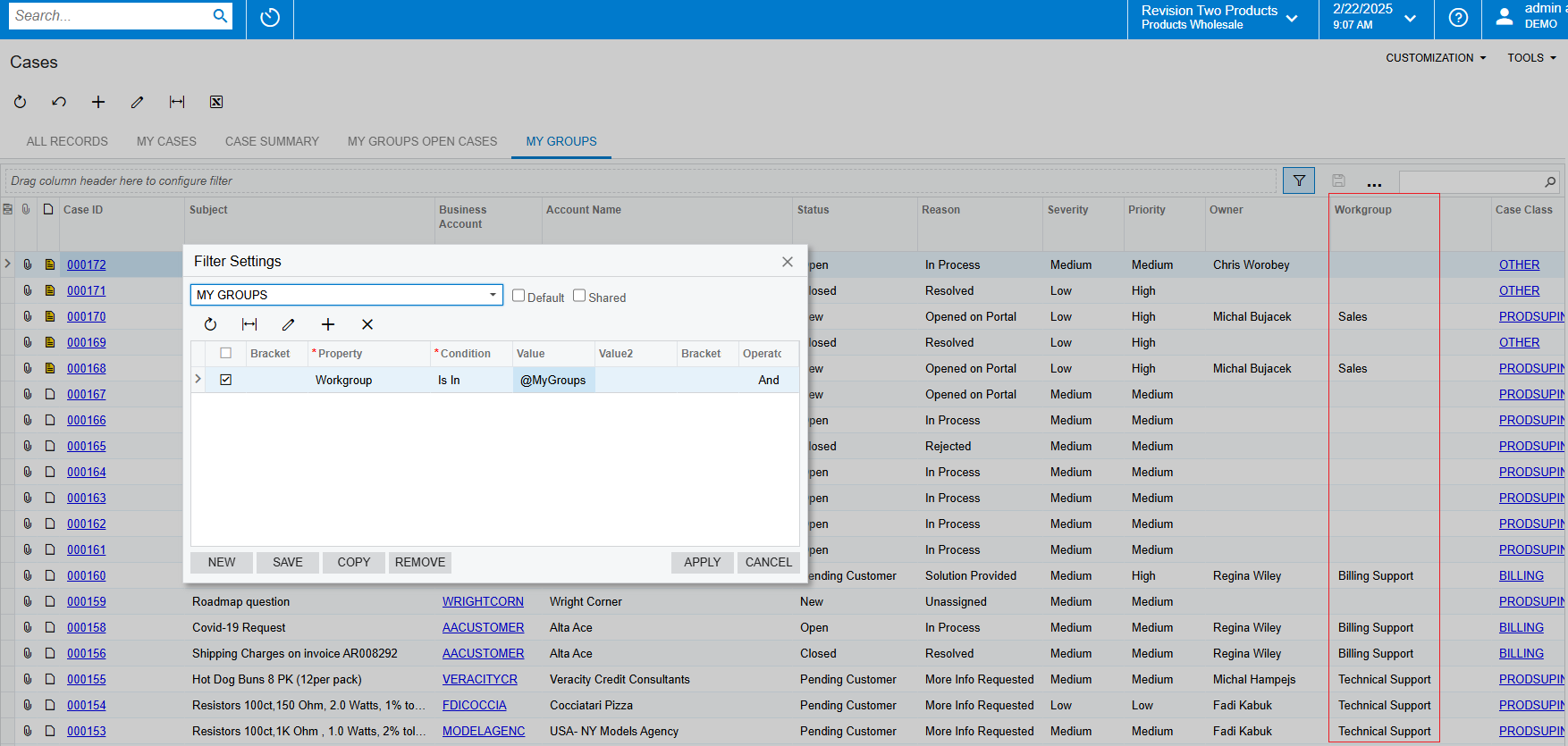
For some reason, this shows all cases that have a workgroup assigned. The one test user is not a member of the workgroup or parent workgroup, the filter shows all cases. They have 14 cases, with 9 opened, and it shows 9 on the Status does not equal closed, as well as in this filter.


Am I missing something here?

Best answer by Kyle Vanderstoep

The issue is how the Workgroup field is defined in the GI:

The GI Joins in EPCompany Tree and takes the text description value for the workgroup
 

If you change the GI to this field
 

The @MyGroups Filter will work properly

7 replies

BenjaminCrisman
Acumatica Employee
Forum|alt.badge.img+4
  • Acumatica Support Team
  • February 21, 2025

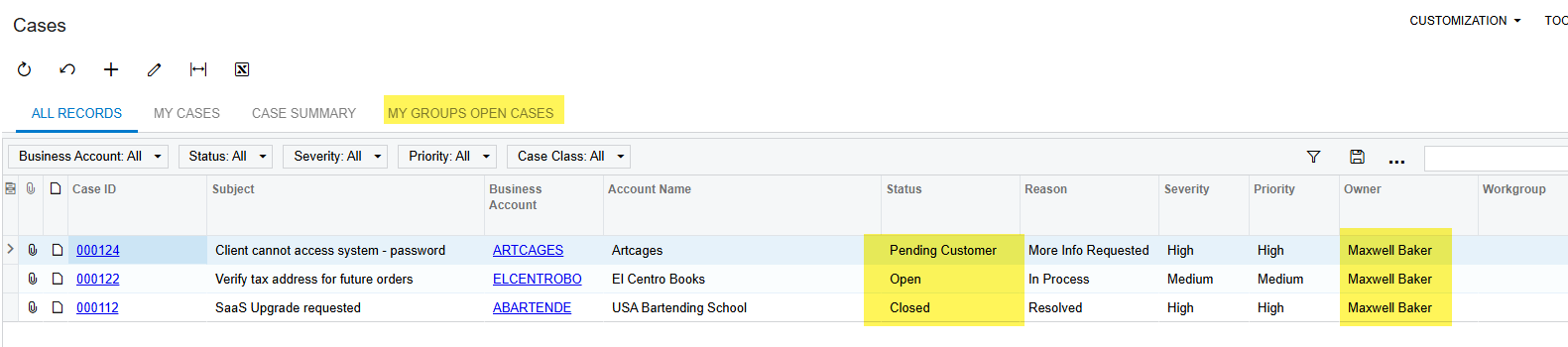
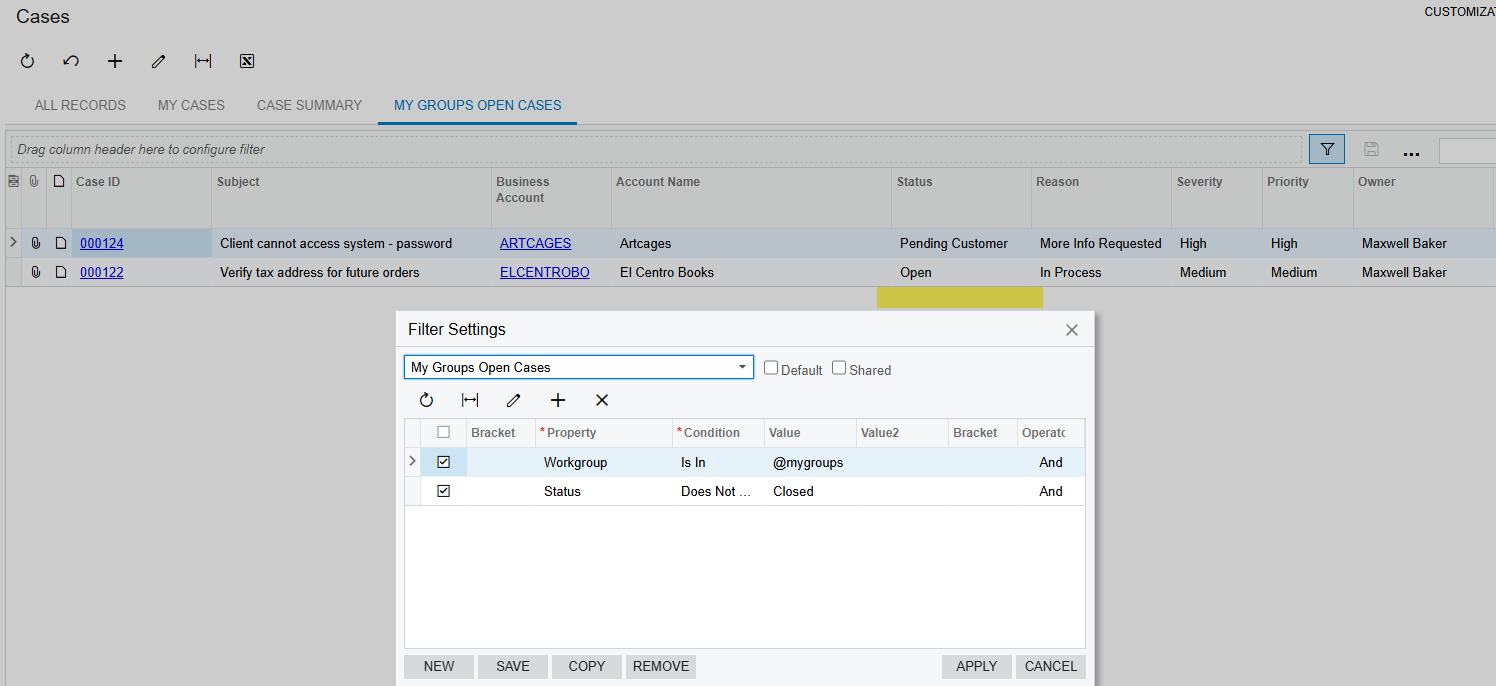
@Keith Richardson I tested this locally using the same conditions and the same filter and it works as expected for me.

Once the conditions are applied it leaves 3 cases in the results, one Open, one Pending Customer, one Closed.

Then I apply the filter and it removes the Closed line as expected.

I would recommend to apply the filter and then check the trace, I think there is something being mis-interpreted by the filter.


Keith Richardson
Semi-Pro I
Forum|alt.badge.img+2

@BenjaminCrisman  What version are you running?

I have tried resetting the GI to defaults, as there were other tables, etc, and no change. 


I have also tested from the default cases in my hackathon instance, and i am getting the same issue…

new user account, no group memberships assigned.

24.203.0023


nhatnghetinh
Captain II
Forum|alt.badge.img+11
  • Captain II
  • February 22, 2025

Hi ​@Keith Richardson 

I tested on Version 24.107.0004 and it seems to display incorrect results like yours.


Best Regards,

NNT


BenjaminCrisman
Acumatica Employee
Forum|alt.badge.img+4
  • Acumatica Support Team
  • February 24, 2025

@Keith Richardson I’m in 24.202.0026

There must be something else which is not being noticed. If you want to send me your GI then I can see if it works the same, though you’ve mentioned it’s the stock GI, just like mine is.


Chris Hackett
Community Manager
Forum|alt.badge.img
  • Acumatica Community Manager
  • May 27, 2025

Hi ​@Keith Richardson were you able to find a solution? Thank you!


Keith Richardson
Semi-Pro I
Forum|alt.badge.img+2

I just tested this after upgrading to 2025r1 over the weekend, and it is still an issue.


Kyle Vanderstoep
Varsity I
Forum|alt.badge.img+1

The issue is how the Workgroup field is defined in the GI:

The GI Joins in EPCompany Tree and takes the text description value for the workgroup
 

If you change the GI to this field
 

The @MyGroups Filter will work properly