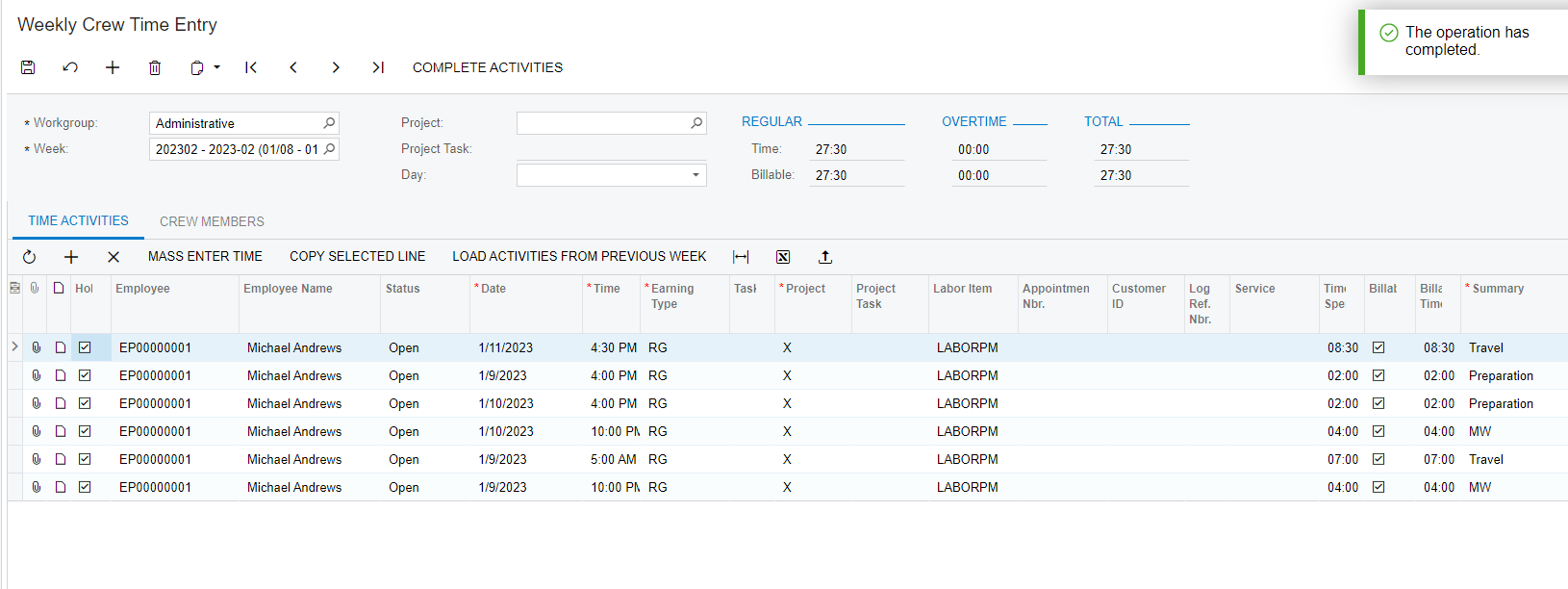
I just can’t get the upload feature work properly in the Weekly Crew Time Entry.
When it reads the upload file all fields are ok except date and time, I did numerous tests changing the format of these fields but still Acumatica can’t process it and so I have to manually enter them which is time wasting.
Are any of you successfully using this feature? Can you share a working upload file so I can test and try to figure out where my setup is wrong?
Thanks in advanced,
Abel
Best answer by DavidEichner
I was able to import the file you sent after updating the employee and removing the Project references. It might be a bug in the version/build you are on. I would start a support case with Acumatica to verify and perhaps see if they have fixed it in a more recent build of 2021R1 or if you would need to update to more recent version/build.
Also, you might try not importing Project data to see if the issue is with Project Accounting.
What version of Acumatica are you running on? I was able to import the attached file into the sales demo company. Often times, it helps to manually enter a record first and then export to Excel so you can see the way the Excel columns should be configured.
Thanks, sorry I should have included more detail here:
Acumatica release 2021 R1
Error message attached
I did the exercise export to excel and then upload, same problem. Also tried with your example and that didn’t work either. I am suspecting some other kind of setup issue, hope the error message gives a glimpse here.
I am on 2022R2 latest build. If you’d like me to try importing with your file, you can either email it to me at deichner@kensium.com or attach the Excel file to this thread.
I was able to import the file you sent after updating the employee and removing the Project references. It might be a bug in the version/build you are on. I would start a support case with Acumatica to verify and perhaps see if they have fixed it in a more recent build of 2021R1 or if you would need to update to more recent version/build.
Also, you might try not importing Project data to see if the issue is with Project Accounting.