
Solved

Payroll - Special Paycheck - Unable to "Create Payroll Payment"

  • December 28, 2023
  • 11 replies
  • 293 views
  • Translate All

bzelinski
Semi-Pro I
Forum|alt.badge.img+1

I am trying to create a special paycheck to correct a mistake that was made in the current pay period.

In the Help Screen it says:

“Special: Paychecks of this type are used for specific payments, such as bonuses. An employee may have as many special paychecks as necessary for one pay period.”

Problem: I am able to CREATE and CALCULATE the paycheck, but I am not able to “CREATE PAYROLL PAYMENT”.

The paycheck is there with an “Open” status as you can see here:


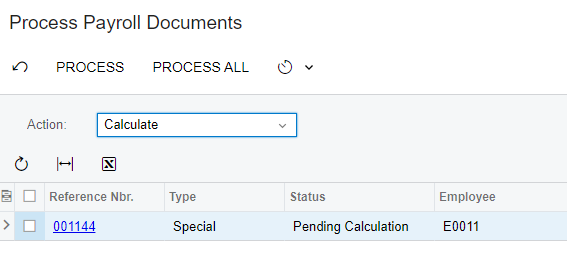
I can go into “Process Payroll Documents” and “Recalculate”. It does show up there:
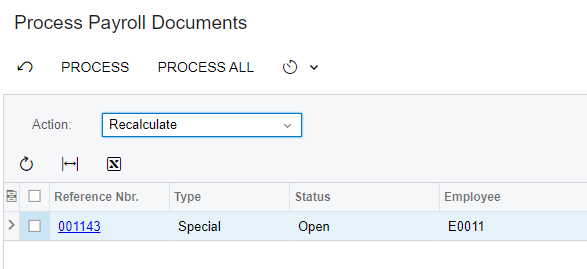
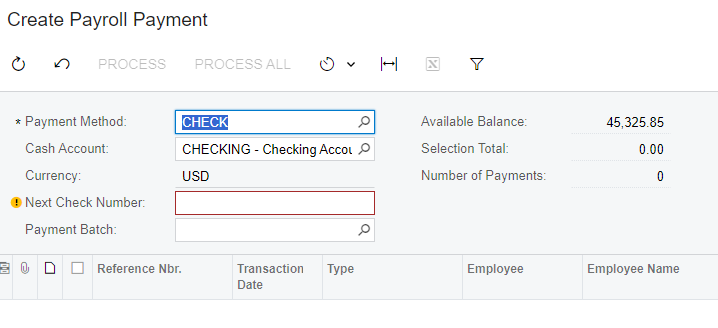
However, when I go to “Create Payroll Payment” It will not show up.

Any ideas? I’m stuck. :-)

Best answer by iqraharrison

@bzelinski are the payment method and cash accounts correct on the create payroll payment screen? it won’t show up until the paycheck is in the “pending payment” status.

if that doesn’t work, there may be a bigger issue happening in the background as i was not able to replicate this same issue in my local environment.  i would recommend creating a support ticket and provide credentials so that support can log in and take a look!

View original

11 replies

iqraharrison
Captain II
Forum|alt.badge.img+9

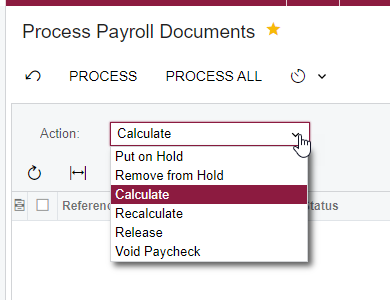
@bzelinski can you try to select “calculate” from the drop down list on the process payroll documents? i’ve noticed that sometimes it just shows up there.

please advise on the outcome!


thanks!

Translate

iqraharrison
Captain II
Forum|alt.badge.img+9

@bzelinski also, could you share a picture of the paycheck? you can blur out the name amount other sensitive info


thanks!

Translate

bzelinski
Semi-Pro I
Forum|alt.badge.img+1
  • Author
  • Semi-Pro I
  • December 28, 2023

Hi @iqraharrison48 

Yes, I can calculate the “special” paycheck:


Translate

iqraharrison
Captain II
Forum|alt.badge.img+9

@bzelinski  i would calculate it and then try to see if it shows up on the create payroll payment screen.  it looks like it needs to be calculated based off the status.  that would explain why it’s not showing up on the create payment screen.  did you already calculate it once before? 

Translate

bzelinski
Semi-Pro I
Forum|alt.badge.img+1
  • Author
  • Semi-Pro I
  • December 28, 2023

@iqraharrison48 Yes, I’ve calculated it, but it will not show up on the “create payroll payment screen”. That is my biggest issue.


Translate

iqraharrison
Captain II
Forum|alt.badge.img+9

@bzelinski are the payment method and cash accounts correct on the create payroll payment screen? it won’t show up until the paycheck is in the “pending payment” status.

if that doesn’t work, there may be a bigger issue happening in the background as i was not able to replicate this same issue in my local environment.  i would recommend creating a support ticket and provide credentials so that support can log in and take a look!

Translate

bzelinski
Semi-Pro I
Forum|alt.badge.img+1
  • Author
  • Semi-Pro I
  • December 28, 2023

@iqraharrison48 

Thanks for trying. The status remains “Open” in the “Not Paid” category. Yes, the payment method and cash accounts are correct. I just can’t get it to “Pending Payment”.


Translate

iqraharrison
Captain II
Forum|alt.badge.img+9

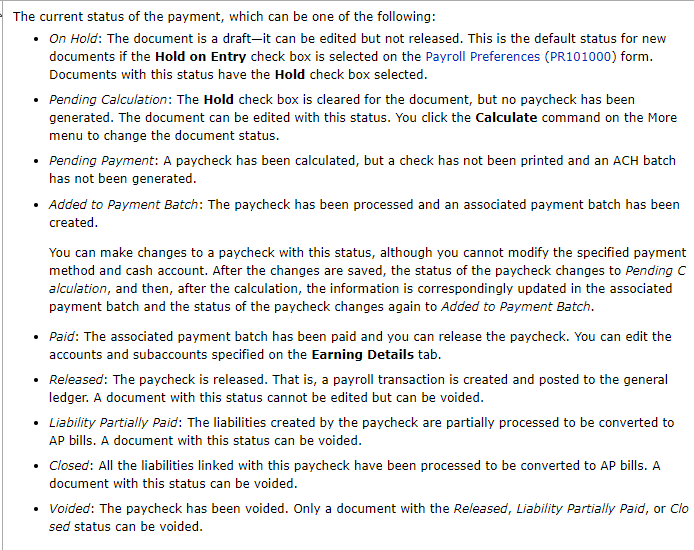
@bzelinski one more thing, i went through my local environment to see if i had any checks in the “open” status and i couldn’t even find out details on what that status means from the help icon: 

definitely worth putting a ticket in with acumatica! good luck!

Translate

bzelinski
Semi-Pro I
Forum|alt.badge.img+1
  • Author
  • Semi-Pro I
  • December 29, 2023

Good Morning @iqraharrison48,

Thanks for your effort to help with this one. Just to let you know, the Acumatica support team did an awesome job and got back to me very quickly. The solution was so simple, and I should have noticed it, but needed another set of eyes.

Problem: The regular deductions on the employee paycheck were coming in automatically and ended up being bigger than the paycheck amount. Because of this, the net pay was $0.00. That was the reason we were not able to “Create Payroll Payment”. 

Solution: We deactivated the deductions for this special paycheck, and then we were able to process it and create the payment.

Happy New Year!

Translate

Forum|alt.badge.img
  • Jr Varsity II
  • February 20, 2025

I am not sure if you ever figured this out, but an adjustment check is for corrections. A special check is like a bonus check.

Translate

I am not sure if you ever figured this out, but an adjustment check is for corrections. A special check is like a bonus check.

I have always been taught the best way to remember the difference in the 2 is Adjustment is anytime you need to adjust numbers - deductions taken that shouldn’t have been, taxes being to much that kind of thing and I use special for checks that need to be paid NOW like missing hours so you can change the dates if need be.  

Translate