Question

Local Acumatica Installation Showing HTTP 404 Error

  • January 8, 2026
  • 6 replies
  • 68 views

Hi All,

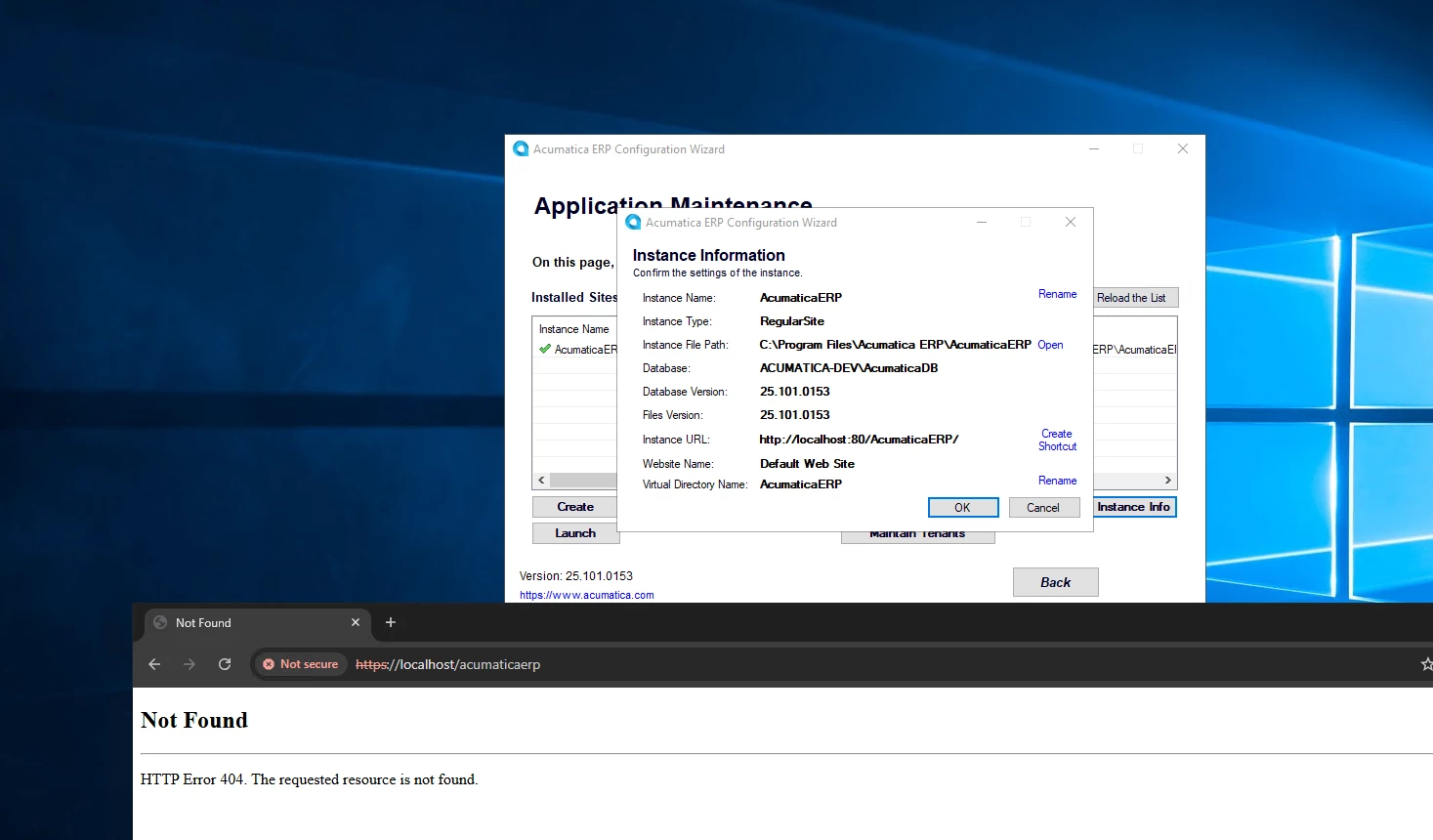
I’ve installed Acumatica multiple times, but I’m still encountering an HTTP 404 error when trying to access my local instance. Could someone please advise on how I can resolve this issue?


6 replies

palbores
Jr Varsity I
Forum|alt.badge.img+1
  • Jr Varsity I
  • January 20, 2026

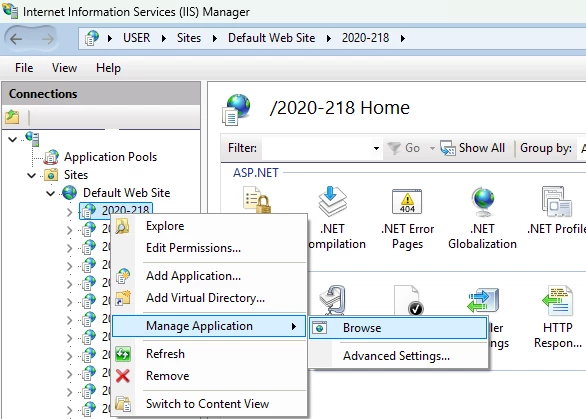
Hi ​@AKR2025, try to open/access it in Internet Information Services (IIS).


Forum|alt.badge.img+9
  • Captain II
  • January 20, 2026

@AKR2025 


try http:// not https:// 


Forum|alt.badge.img
  • Jr Varsity II
  • January 20, 2026

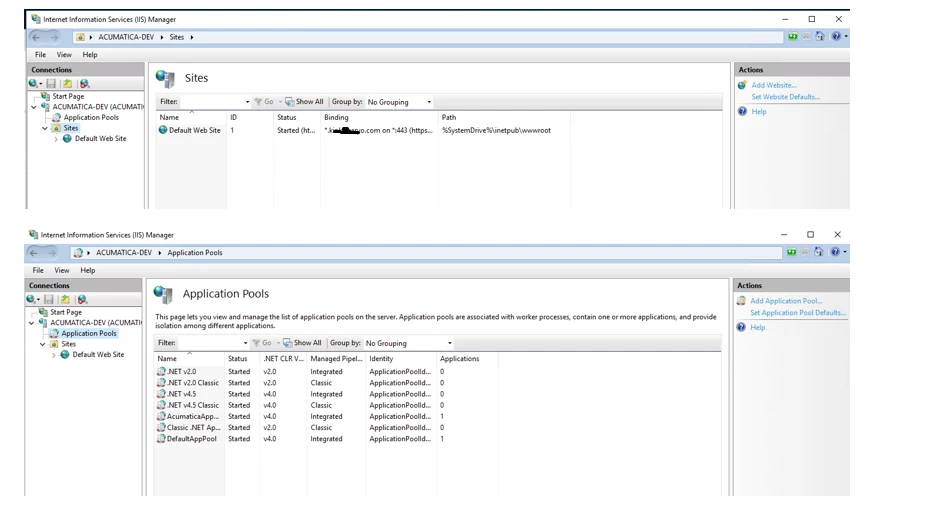
Confirm IIS site is running

Open IIS Manager

Go to Sites

Check your Acumatica site (ex: AcumaticaERP)

Make sure:

Status = Started

Application Pool = Started

If not, Start them.


Verify the URL + Virtual Directory

Most local URLs look like:

http://localhost/ERP

https://localhost/ERP

http://localhost:port/ERP

In IIS → Sites → your site, check if you actually have an app/virtual directory called:


Check if the Acumatica folder exists in the physical path


In IIS:

Right click your Acumatica site → Manage Website → Advanced Settings

Check Physical Path

Confirm the folder exists and contains:

web.config

Frames

App_Data

Bin

If those are missing → installation is incomplete.


DipakNilkanth
Pro III
Forum|alt.badge.img+14

Hi ​@AKR2025,

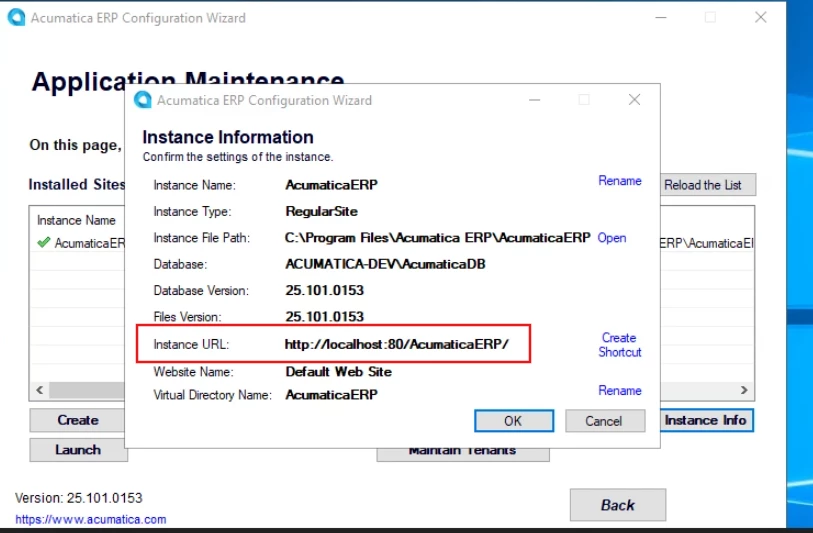
Please copy below highlighted URL and paste it into your browser. I believe the issue is related to your instance not having HTTPS configured in IIS.

You may need to access the site using HTTP instead of HTTPS, as suggested by ​@aiwan .


  • Author
  • Jr Varsity I
  • January 21, 2026

Thanks all for the reply.

Is there something wrong with our setup?


KrunalDoshi
Freshman II
Forum|alt.badge.img
  • Freshman II
  • February 20, 2026

Hi ​@AKR2025,

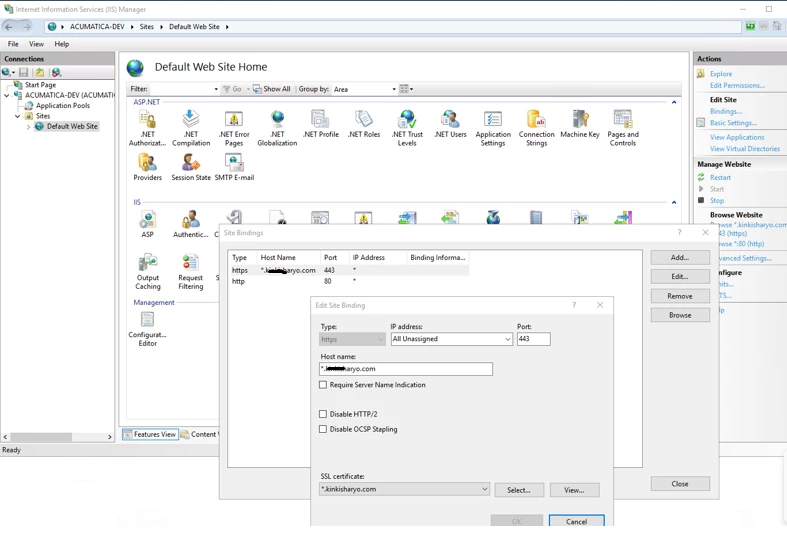
I see you have added bindings for SSL. Have you tried your local site without SSL. Local instance does not need SSL, unless you have a specific requirement. Try removing binding and run your local site with the default settings. Also, try with just a http://localhost, does it give you a local IIS or errors out. If it errors, then there is some issue with your IIS installation. Let me know if above suggestions are helpful.

Refer below link for more information for your setting up your environment for Acumatica

Preparation for the Acumatica ERP Installation