

Can the ATTRIBUTES section of the Item Classes screen be extended downwards to fill the screen.
Solved
How to extend attributes section on item class screen to show more than 5 at a time
Best answer by Leonardo Justiniano
Hi
You can customize the screen by moving the bottom part of attributes to a new tab and then adjusting the height of the grid.
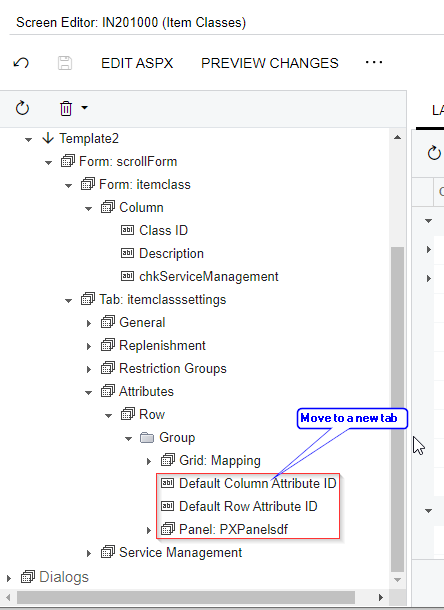
Also you could insert another split container at ASPX level like the one that already exists to separate the grid from the rest of the fields:




Enter your E-mail address. We'll send you an e-mail with instructions to reset your password.