

Solved

Visual BOM Location -24R2

  • Jun 23, 2025 3:48 PM UTC
  • 3 replies
  • 144 views
  • Translate All

Forum|alt.badge.img

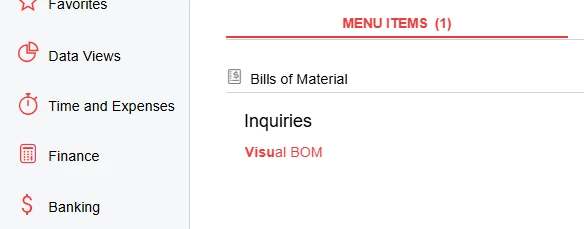
Does anyone know what happened to this on the 24R2 version? We just moved from 23R1 and its gone.


Best answer by MichaelShirk

​@JReppard  It looks like it was removed from the UI for some reason.
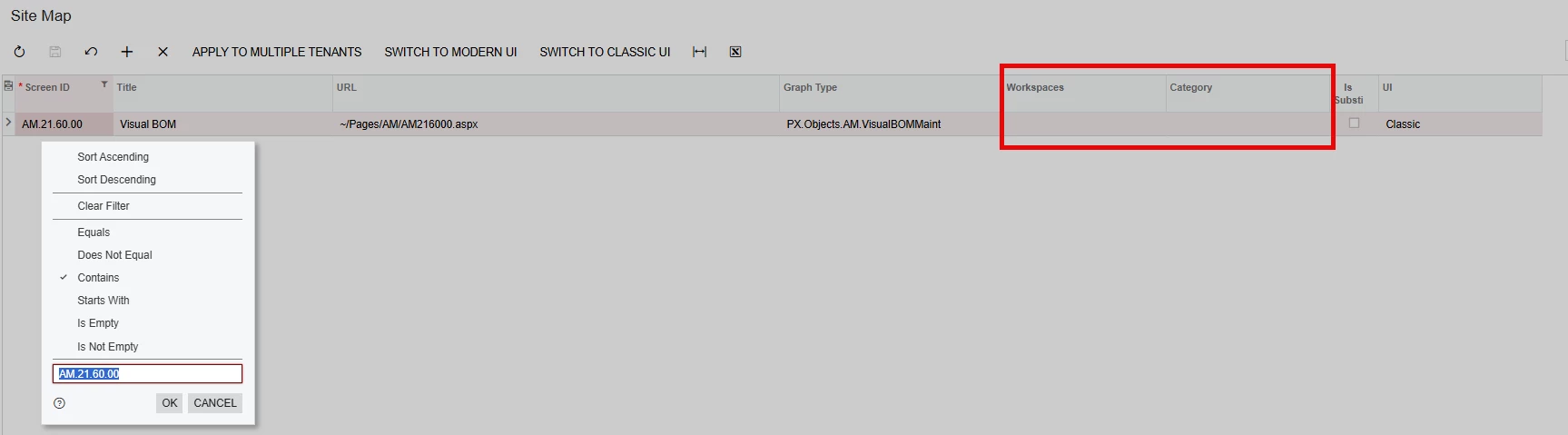
AM216000 is the screen ID, and if you search for in on the “Site Map” screen, you can should be able to select a Workspace and Category for it, which should make it visible at that location in the UI. 

Make sure you have the Administrator role, so that your user permissions (or lack thereof) aren’t causing any issues.


You can also navigate to this screen directly, by replacing the screen ID in the browser URL when you’re on a different screen, and hitting Enter on your keyboard.

View original

3 replies

MichaelShirk
Captain II
Forum|alt.badge.img+8
  • Captain II
  • Answer
  • Jun 23, 2025 8:32 PM UTC

​@JReppard  It looks like it was removed from the UI for some reason.
AM216000 is the screen ID, and if you search for in on the “Site Map” screen, you can should be able to select a Workspace and Category for it, which should make it visible at that location in the UI. 

Make sure you have the Administrator role, so that your user permissions (or lack thereof) aren’t causing any issues.


You can also navigate to this screen directly, by replacing the screen ID in the browser URL when you’re on a different screen, and hitting Enter on your keyboard.

Translate

Forum|alt.badge.img
  • Author
  • Varsity I
  • Jun 23, 2025 8:44 PM UTC

​@MichaelShirk That did it. Thanks. I forgot about looking there. 

Translate

Debbie Baldwin
Community Manager
Forum|alt.badge.img+2
  • Acumatica Product Manager
  • Jun 23, 2025 10:10 PM UTC

​@JReppard - we are planning to deprecate this screen as it is redundant information that we also provide on the Engineering Workbench. We removed it from the UI. It will be removed in a future release. 

Translate


