

I’m trying to use a third-party service (Skyvia) to sync records from Acumatica to our local SQL server. When I pull data from the Manufacturing endpoint, it cannot do incremental updates because the data does not have either a 'CreatedDateTime' or 'LastModifiedDateTime' column. Is there a way that I can get this information in the endpoint?
Solved
Last Modified DateTime on records from the MANUFACTURING endpoint
Best answer by zherring
You should be able to click “Extend Endpoint” when inside of the Manufacturing endpoint. This allows you to connect the relevant screen that you are pulling data from.
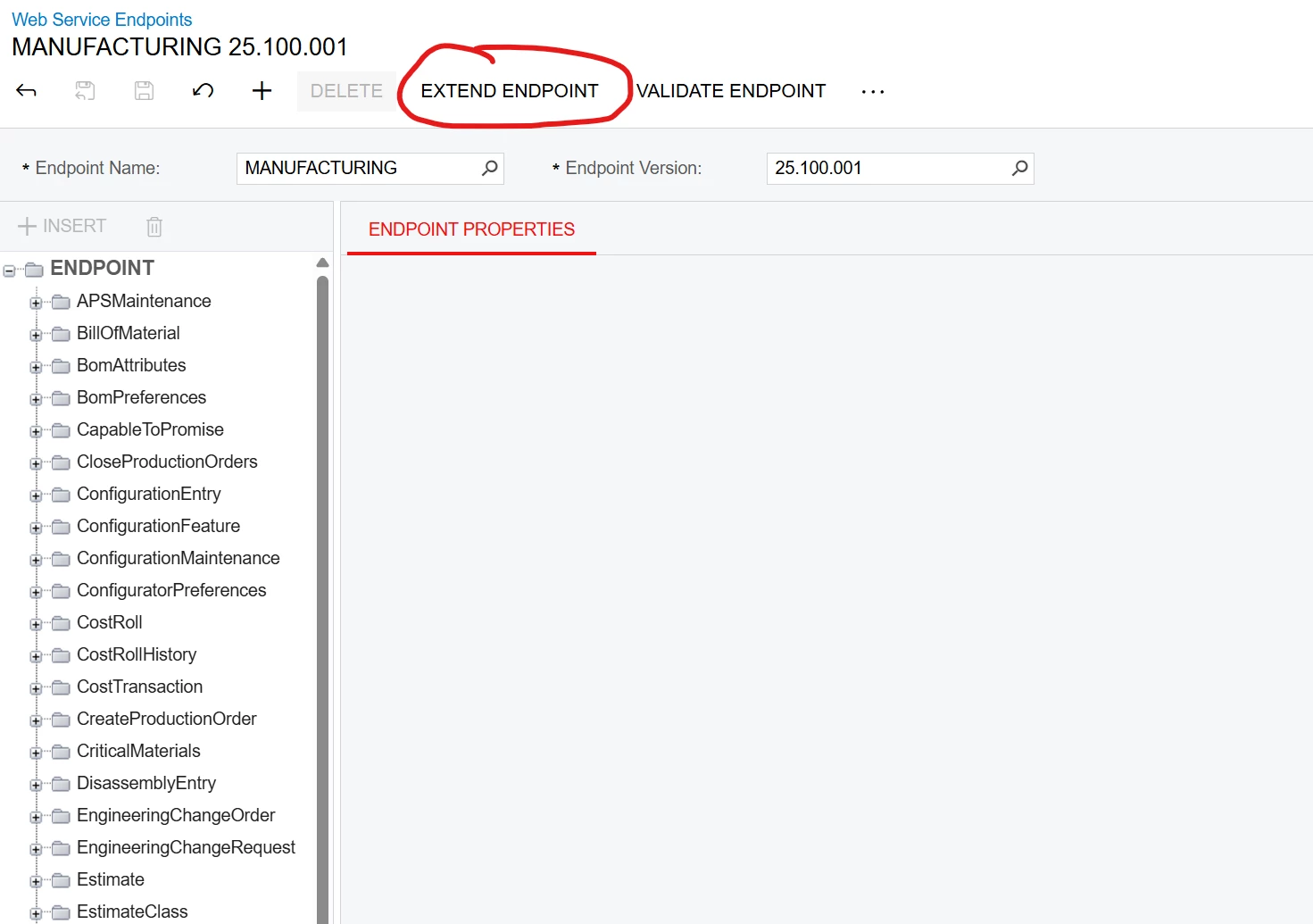
From there you create an endpoint name and version to your liking.
Once it is created click on the entity of the screen you are trying to add the columns to.
Then you click “Fields”, “Extend Entity”, “Populate”.
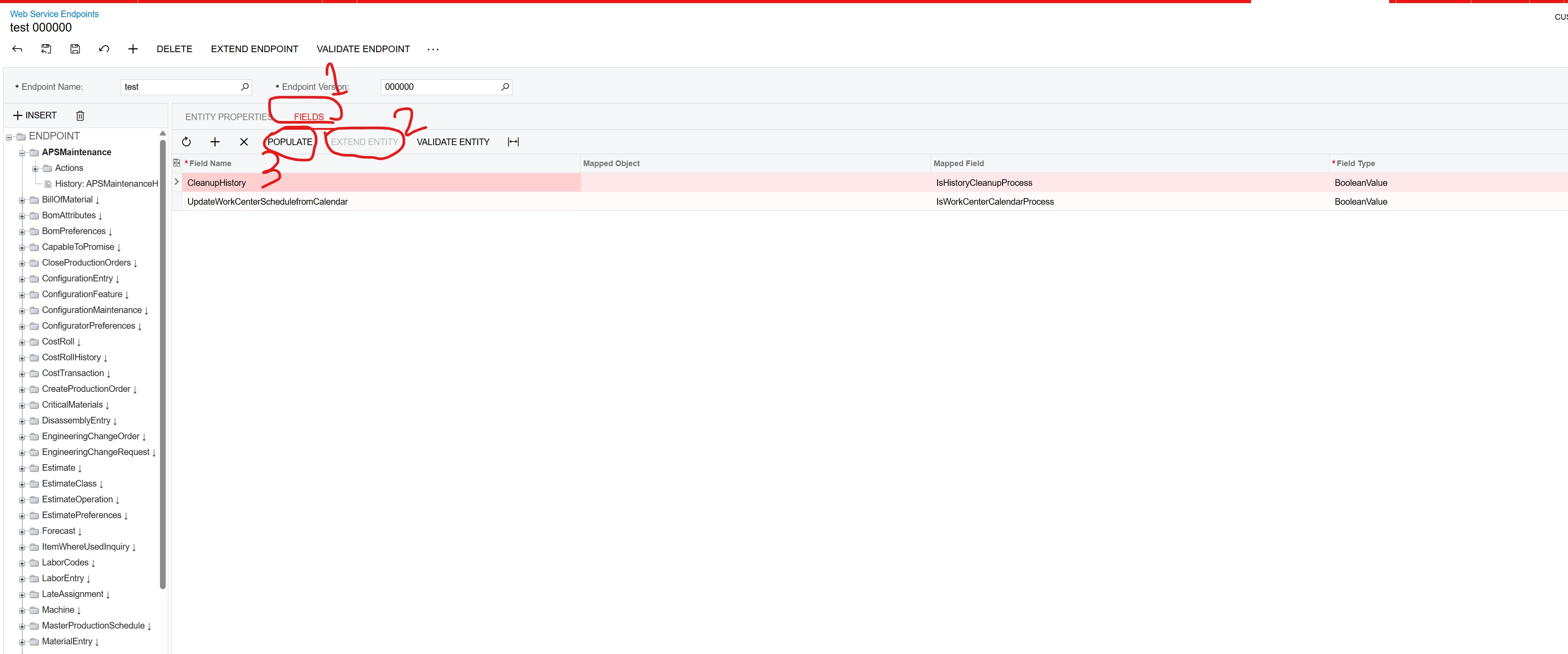
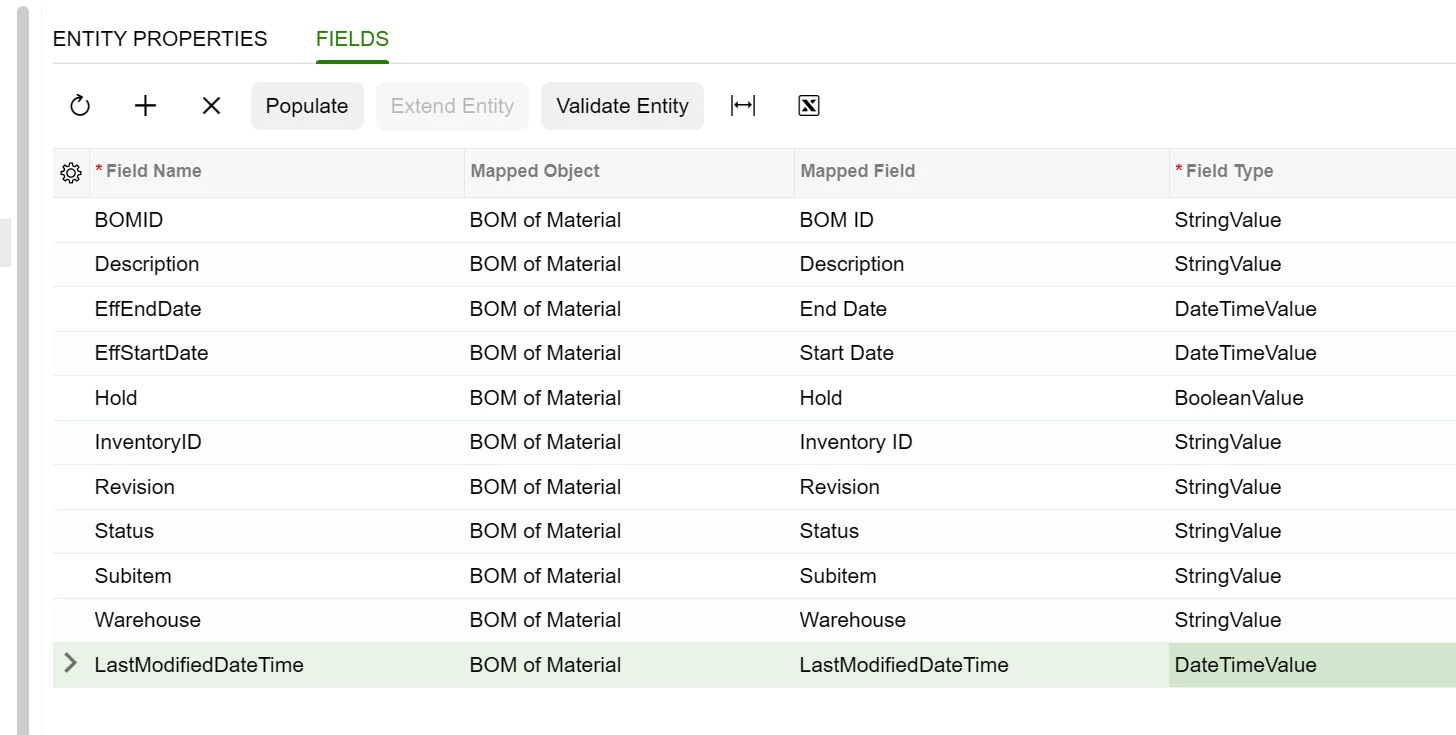
Once you are in the “Populate Fields” box you click into “Object” and navigate to the object needed and find the column you want to include in the endpoint.
If you are looking to add this to the details of a form then you just expand the entity on the left side until you can see the children in the tree and do the same for those where you click “Field”, “Extend Entity”, “Populate”.
If for some reason in the Object selector, there are no objects then you might need to just do it manually per row and type out the Mapped Field manually.
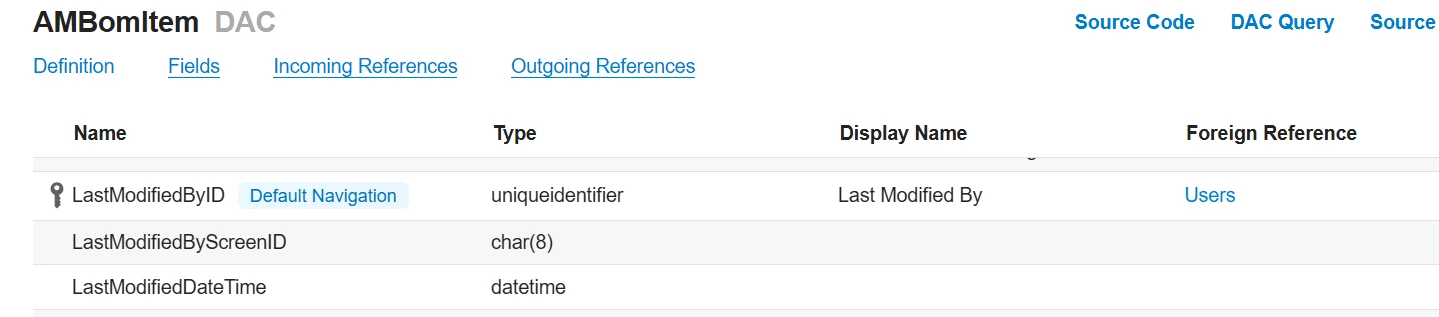
If for some reason you do not have access to the audit fields:
- Make sure the audit fields are included on your DAC.
- If they then still don’t show up, you can add those DAC fields to your .aspx (Classic UI) page and set them as Visible=”false”
If you need to know what fields are available on your screen then when on the screen click “Tools” → “Web Service” → “Service Description” and then navigate to the section that corresponds with what you want. Typically start by navigating to the section that is labeled “Content” and that usually shows you Actions, and the other form/detail/etc. that are a part of that screen.
Let me know if this helps!


Enter your E-mail address. We'll send you an e-mail with instructions to reset your password.