Solved

How to create multiple finished goods per BNR order

  • Aug 24, 2023 3:31 PM UTC
  • 6 replies
  • 134 views
  • Translate All

mike2665
Jr Varsity III
Forum|alt.badge.img

Is there a way to add multiple finished goods in 1 BNR? Example,  I have 50 KG of product that will pack out into 2 ea. 10 KG containers/lids, 4 ea. 5 KG containers/lids, 10 ea. 1 KG containers/ lids. Each container is a different size. This will come from a single sales order and I would like to only make 1 BNR for our production order. I know I can move multiple finished goods, but would like to created then in 1 BNR.

Best answer by Debbie Baldwin

@mike2665 - I see that you have Process Manufacturing - this is core functionality. I’ll reach out to your partner and maybe he can get you some help. 


Debbie

View original

6 replies

Debbie Baldwin
Community Manager
Forum|alt.badge.img+2
  • Acumatica Product Manager
  • Aug 24, 2023 5:18 PM UTC

@mike2665 - could you please explain what you mean by “BNR”? I have too many acronyms spinning in my head. 

Debbie

Translate

mike2665
Jr Varsity III
Forum|alt.badge.img
  • Author
  • Jr Varsity III
  • Aug 24, 2023 5:24 PM UTC

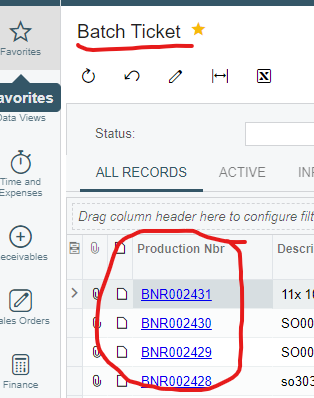
Sorry,  it’s our Batch Ticket.

Translate

mike2665
Jr Varsity III
Forum|alt.badge.img
  • Author
  • Jr Varsity III
  • Aug 24, 2023 5:27 PM UTC

Our BNR is a Batch Ticket or Production Number


Translate

Debbie Baldwin
Community Manager
Forum|alt.badge.img+2
  • Acumatica Product Manager
  • Answer
  • Aug 24, 2023 5:45 PM UTC

@mike2665 - I see that you have Process Manufacturing - this is core functionality. I’ll reach out to your partner and maybe he can get you some help. 


Debbie

Translate

Chris Hackett
Community Manager
Forum|alt.badge.img
  • Acumatica Community Manager
  • Sep 18, 2023 10:44 PM UTC

Hi @mike2665 were you able to find a solution? Thank you!

Translate

mike2665
Jr Varsity III
Forum|alt.badge.img
  • Author
  • Jr Varsity III
  • Sep 19, 2023 1:14 PM UTC

Chris, no solution at this point.

Translate