Just wondering if anyone else is experiencing this issue in Engineering Workbench and Visual BOM.
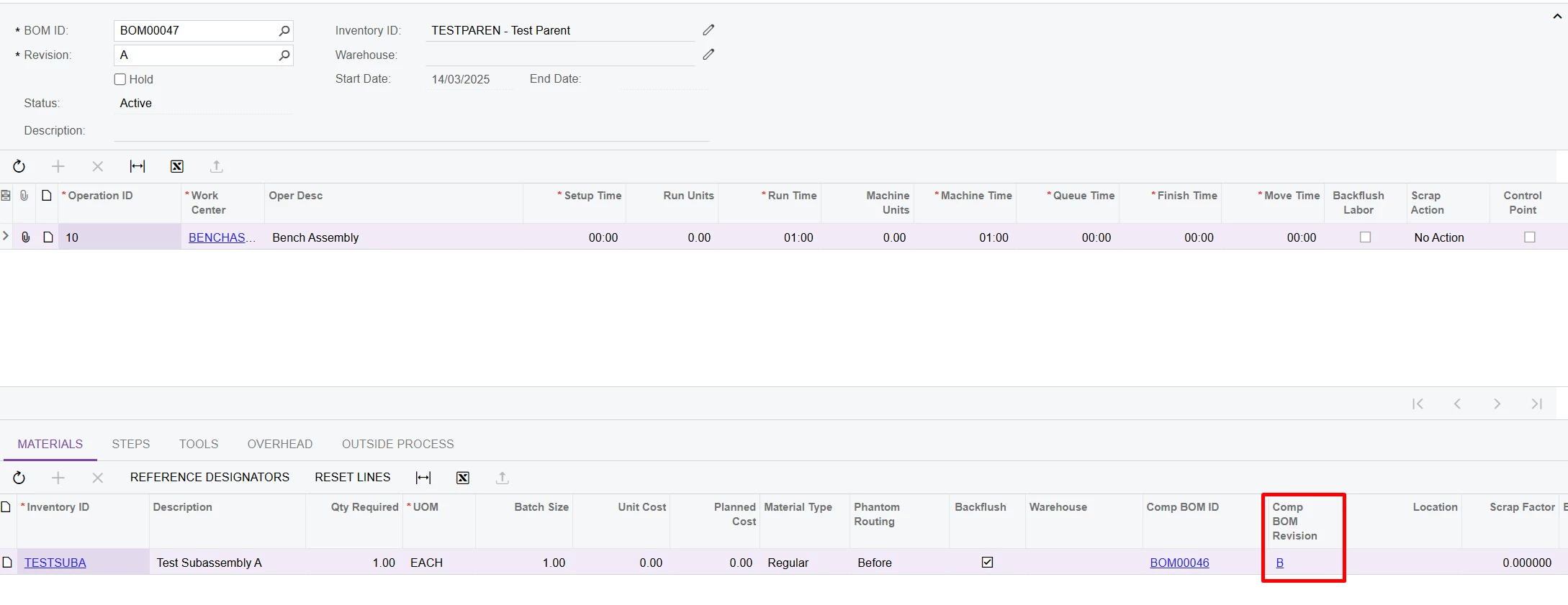
In BOM, the Subassembly Item BOM is set to Revision B.
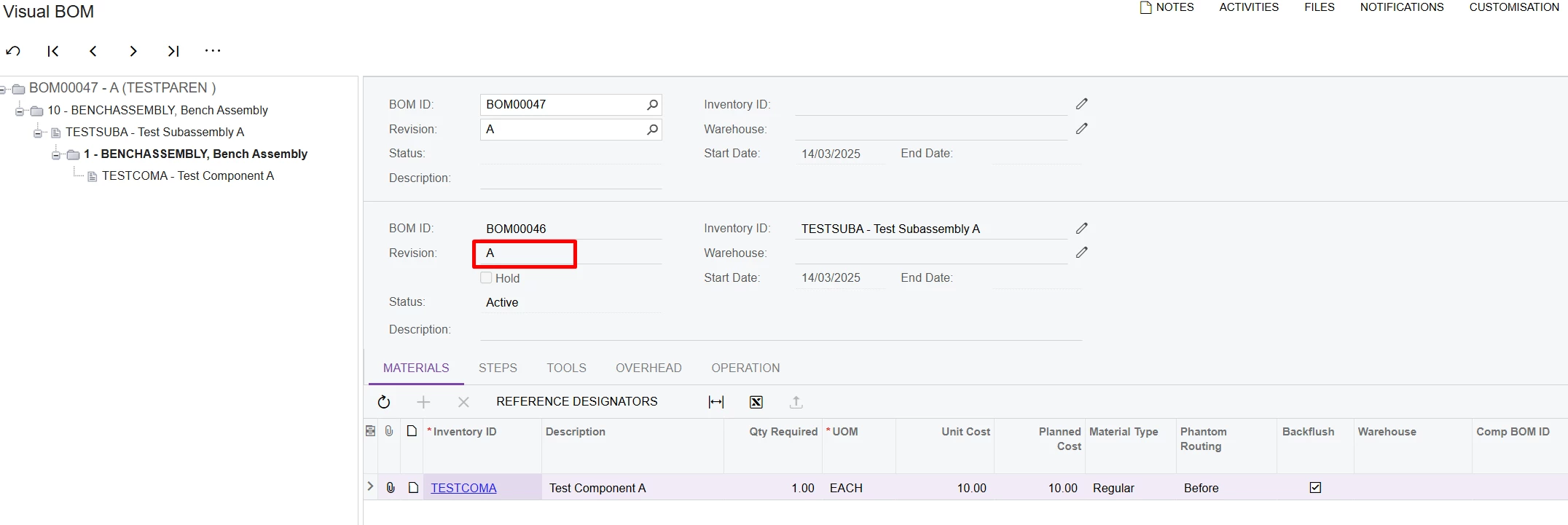
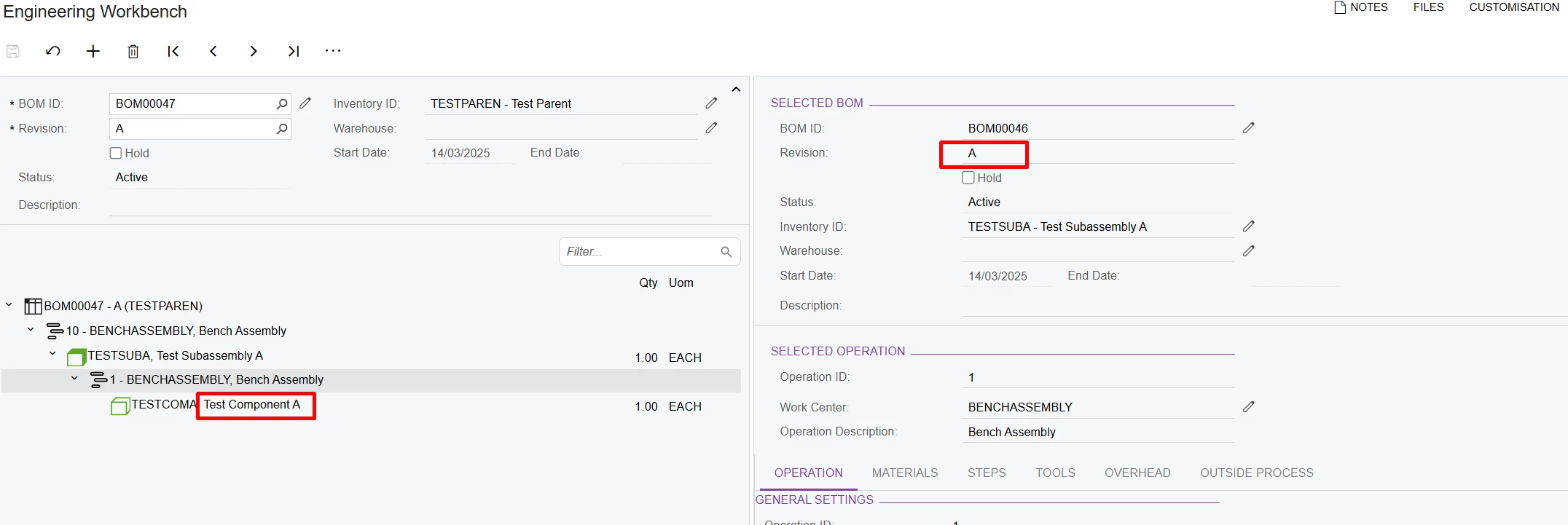
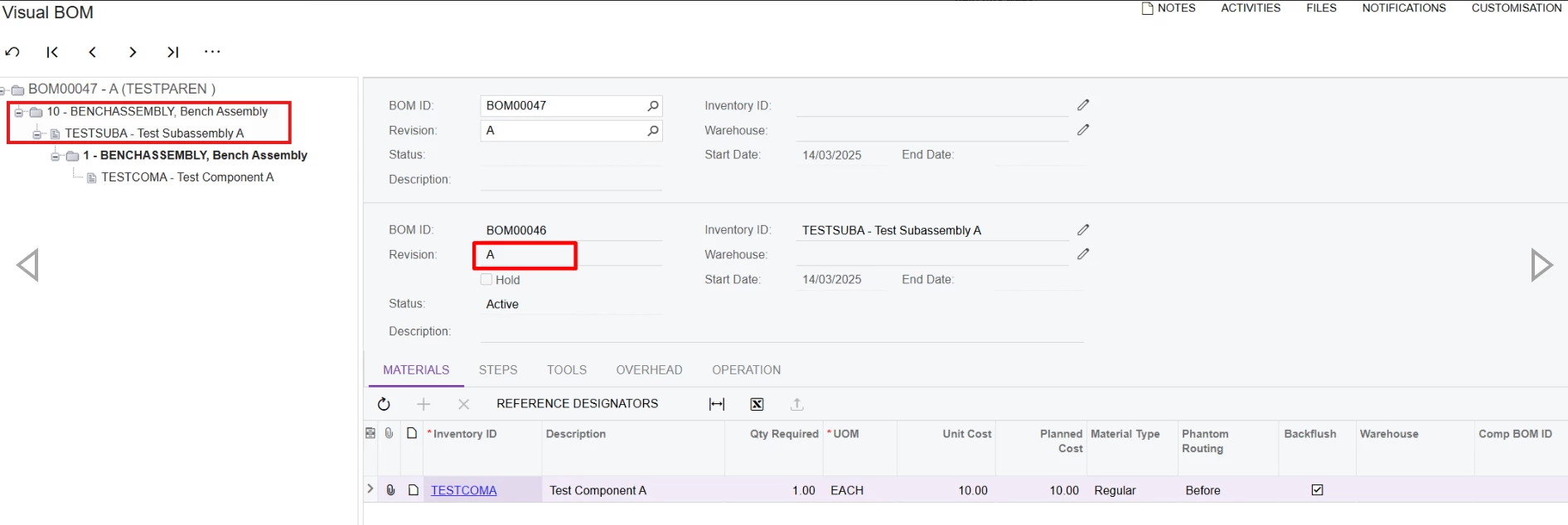
But in Visual BOM and Engineering Workbench, it pulls in BOM Revision A.
Is this intended behaviour of these two screens? Revision A is not the default BOM for the subassembly.
Thanks for your input.
Best answer by angierowley75
Engineering WB should show what revision will be used if a production order were created on the same date.
The subassembly revision should default to the most recent active revision (not on hold or past the end date) - and in the event that more than one revision is active, the revision with the most recent start date will be chosen.
@snzhang I'm encountering the same behavior. While the Comp BOM revision might work in the production order, the Visual BOM system may pick the oldest active BOM revision. You should create a support ticket and consult with Acumatica support about the behavior.
Engineering WB should show what revision will be used if a production order were created on the same date.
The subassembly revision should default to the most recent active revision (not on hold or past the end date) - and in the event that more than one revision is active, the revision with the most recent start date will be chosen.
I’m also finding that the Engineering Workbench is showing the oldest active revision for a Phantom material. Creating a production order work as expected and will use the most recent BOM revision for the phantom material (related to date or production order) that is active or the BOM revision defined on the material line. The Engineering Workbench is ignoring the material line Comp BOM ID and Comp BOM Revision.