Solved

Engineering Workbench & Visual BOM issue - showing wrong revision

  • March 14, 2025
  • 4 replies
  • 139 views

Hi everyone 

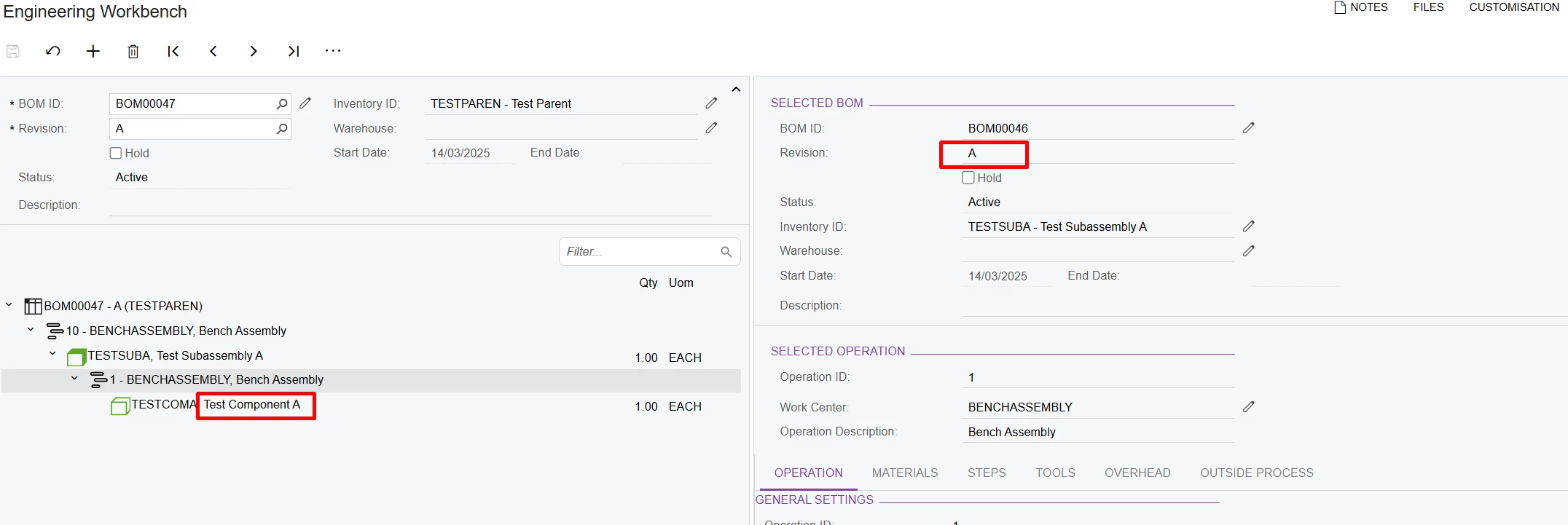
Just wondering if anyone else is experiencing this issue in Engineering Workbench and Visual BOM. 

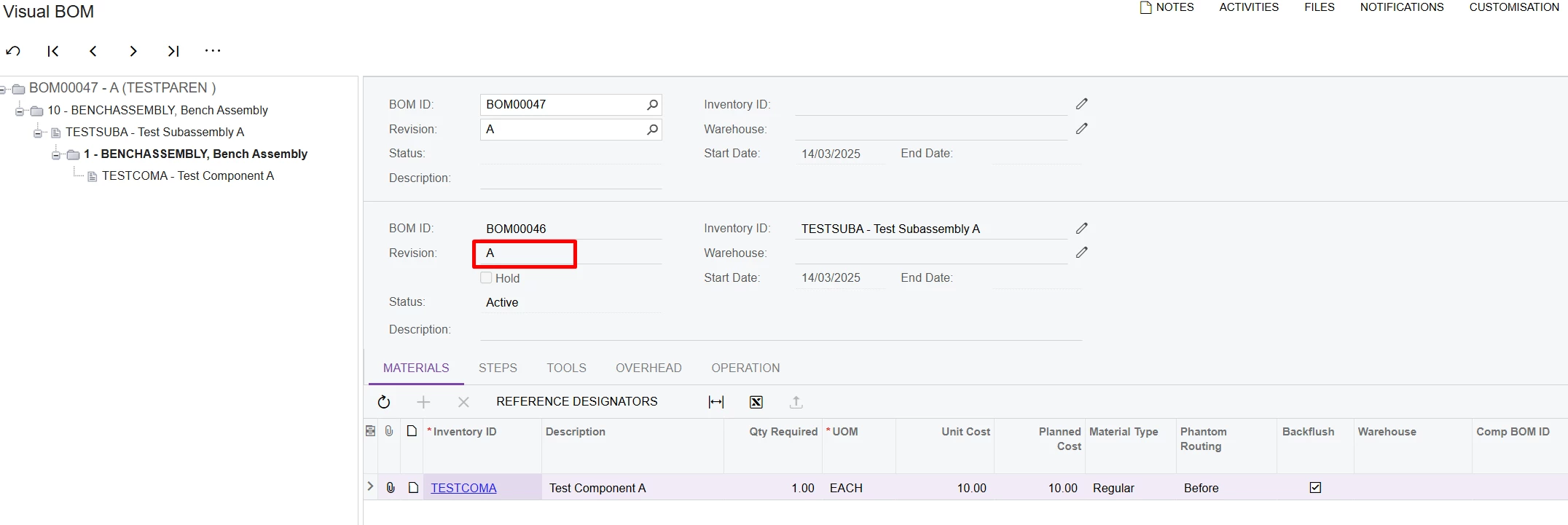
In BOM, the Subassembly Item BOM is set to Revision B.

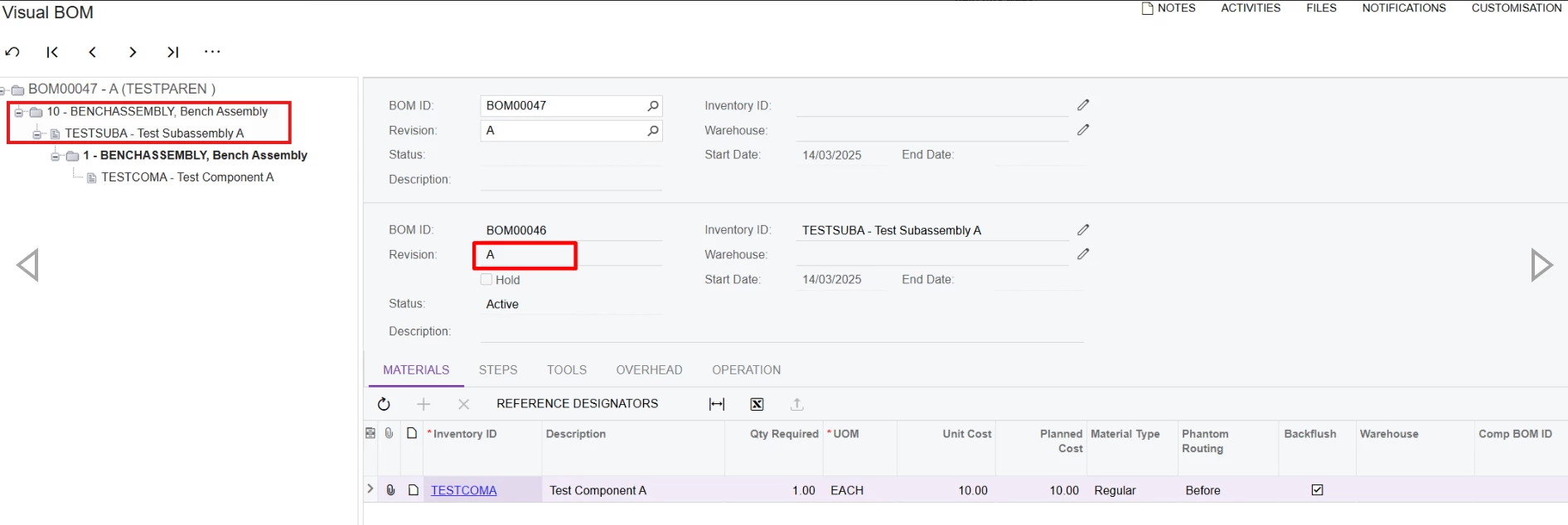
But in Visual BOM and Engineering Workbench, it pulls in BOM Revision A. 
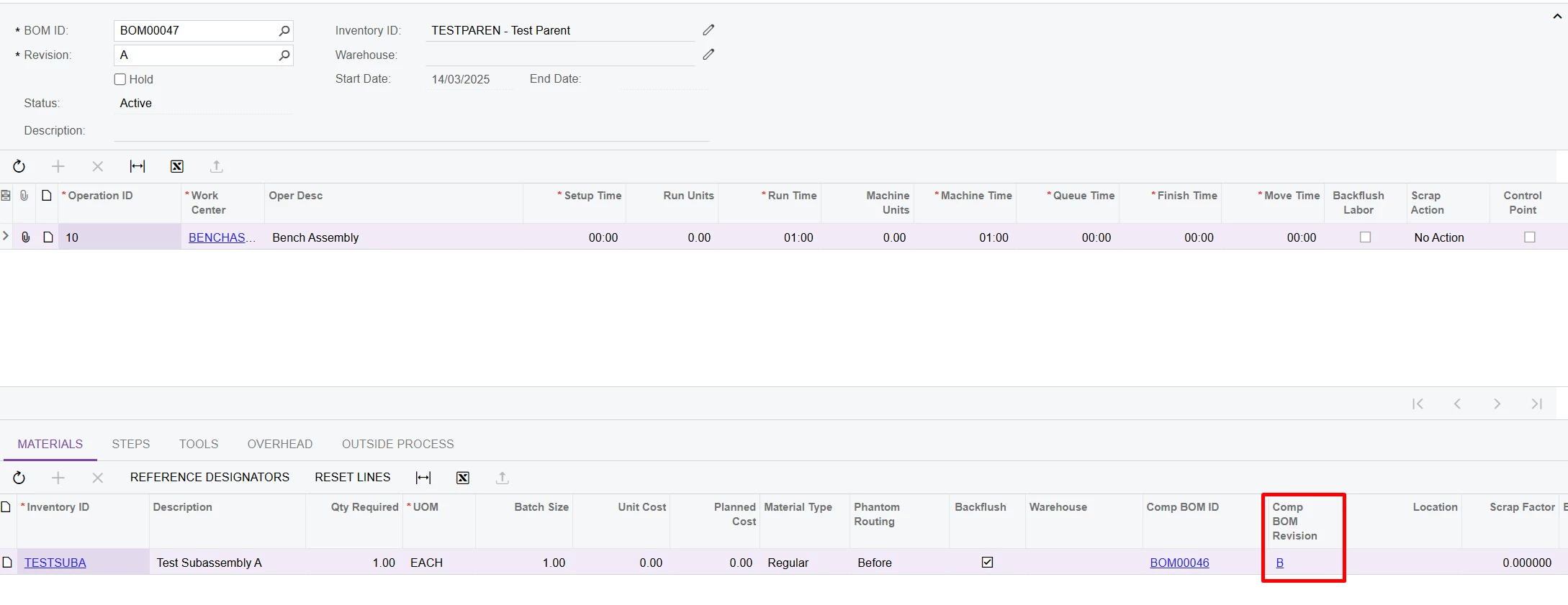
Is this intended behaviour of these two screens? Revision A is not the default BOM for the subassembly. 

Thanks for your input. 

Best answer by angierowley75

Engineering WB should show what revision will be used if a production order were created on the same date.

The subassembly revision should default to the most recent active revision (not on hold or past the end date) - and in the event that more than one revision is active, the revision with the most recent start date will be chosen.

4 replies

Forum|alt.badge.img+9
  • Captain II
  • March 14, 2025

@snzhang 


If you go into the main BOM, does the material show you comp revision id as A or B?


Forum|alt.badge.img+3

@snzhang I'm encountering the same behavior. While the Comp BOM revision might work in the production order, the Visual BOM system may pick the oldest active BOM revision. You should create a support ticket and consult with Acumatica support about the behavior.


Chris Hackett
Community Manager
Forum|alt.badge.img
  • Acumatica Community Manager
  • June 17, 2025

Hi ​@snzhang were you able to find a solution? Thank you!


angierowley75
Acumatica Moderator
Forum|alt.badge.img+3
  • Acumatica Moderator
  • Answer
  • December 31, 2025

Engineering WB should show what revision will be used if a production order were created on the same date.

The subassembly revision should default to the most recent active revision (not on hold or past the end date) - and in the event that more than one revision is active, the revision with the most recent start date will be chosen.