

Solved

Configuration Maintenance Import Scenario

  • February 10, 2026
  • 4 replies
  • 70 views

Forum|alt.badge.img

Hi All, I am struggling with an import for the configurator maintenance screen. The last topics were years ago and those xml files error when i try them.  Am I right in my understanding that you need to have an import per feature for the options. So for each feature and that features options you would need to have a separate import or is this possible on one import. Any help or examples would be appreciated

Best answer by francoisroux96

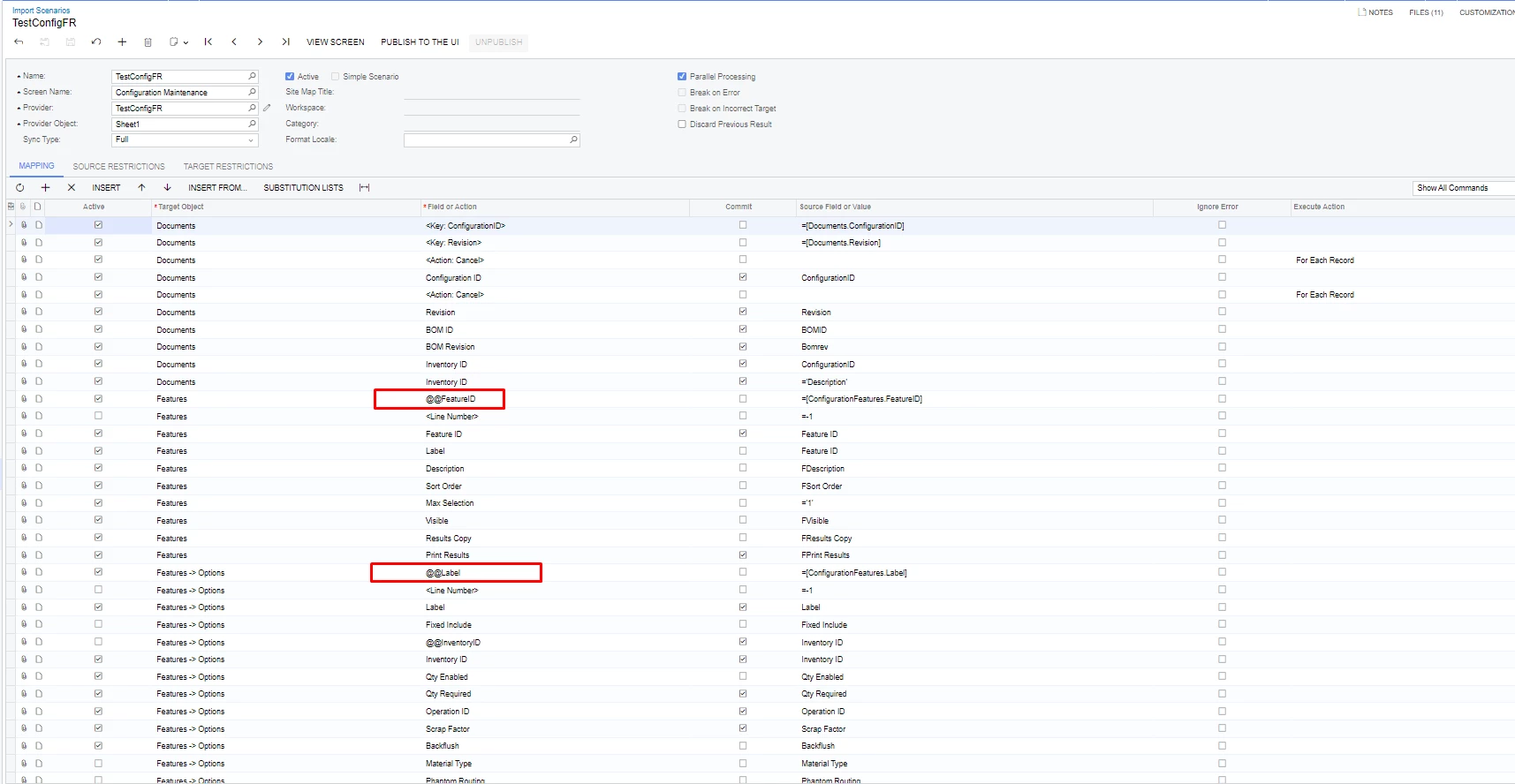
Hi All, We have figured it out. The problem we had was that if you have a feature and you try and import a new one it would override the existing one with the new feature ID and then add the new options to the existing options of the original one. Since there is no Key for the feature on the import scenario we forced it with the @@ function, see below



4 replies

MichaelShirk
Captain II
Forum|alt.badge.img+6
  • Captain II
  • February 10, 2026

Hey ​@francoisroux96 , 
If you’re creating configurations for new items, the attached import scenario works for creating those with features and options in one import. Disregard the fact that it has “2021R2” in the title. I’m currently using it on 24R2. 

Or are you needing to create a new revision from existing configuration templates? In that case you will need to use a separate import scenario to create the template header, then a separate one to upload the features and options to those. 


MichaelShirk
Captain II
Forum|alt.badge.img+6
  • Captain II
  • February 10, 2026

If you need to add a new revision, here are the import scenarios for those. 
You’ll have to tweak them a bit to do what you need, but I used to use the “Increment Revision” import to create the new headers, then the update configuration I used to add features and options. I still use this one heavily to modify pending configurations since we created a customization to handle bulk copying configurations to a new revision. 


Forum|alt.badge.img
  • Author
  • Jr Varsity II
  • February 10, 2026

Thanks Michael will check it out


Forum|alt.badge.img
  • Author
  • Jr Varsity II
  • Answer
  • June 3, 2026

Hi All, We have figured it out. The problem we had was that if you have a feature and you try and import a new one it would override the existing one with the new feature ID and then add the new options to the existing options of the original one. Since there is no Key for the feature on the import scenario we forced it with the @@ function, see below
