Solved

Can you add colour to the coloums in a data table on dashboards

  • Jun 26, 2025 1:27 AM UTC
  • 6 replies
  • 152 views
  • Translate All

Forum|alt.badge.img

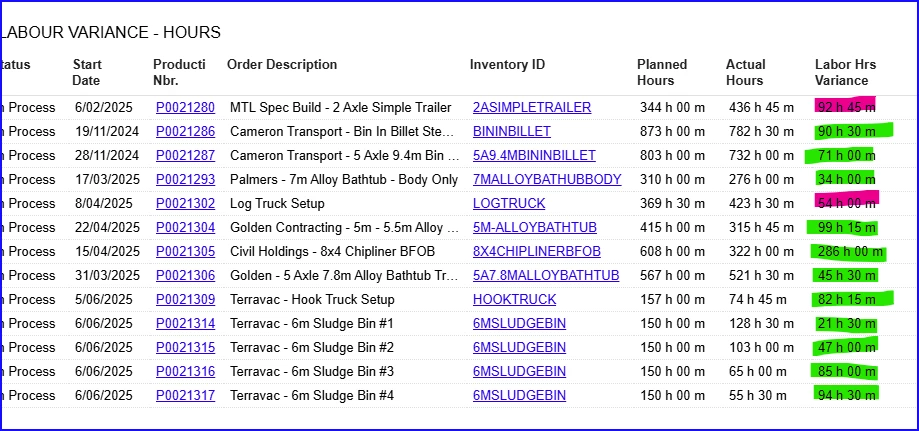
On our dashboard, we have data that shows production labour vs planned labour and a variance number - however, the number comes out as an absolute number.


To solve this, i was wondering if anyone has created a colour coding for a column for those that are over planned and those that are under planned - on the dashboard table.? 
 

Best answer by MichaelShirk

​@davidmillstui  I don’t know why, but I’ve had issues getting the GI color styles to work for me when using an IF() formula. 

Have you tried using the SWITCH() statement formula? 
Something like the fake example below from a GI I created. 
=Switch( [Totals.SomeNbr] <=2 OR [Totals.SomeNbr] = NULL, 'red60', [Totals.SomeNbr] =3, 'orange60')

View original

6 replies

Forum|alt.badge.img+11
  • Captain II
  • Jun 26, 2025 8:00 AM UTC

​@davidmillstui 


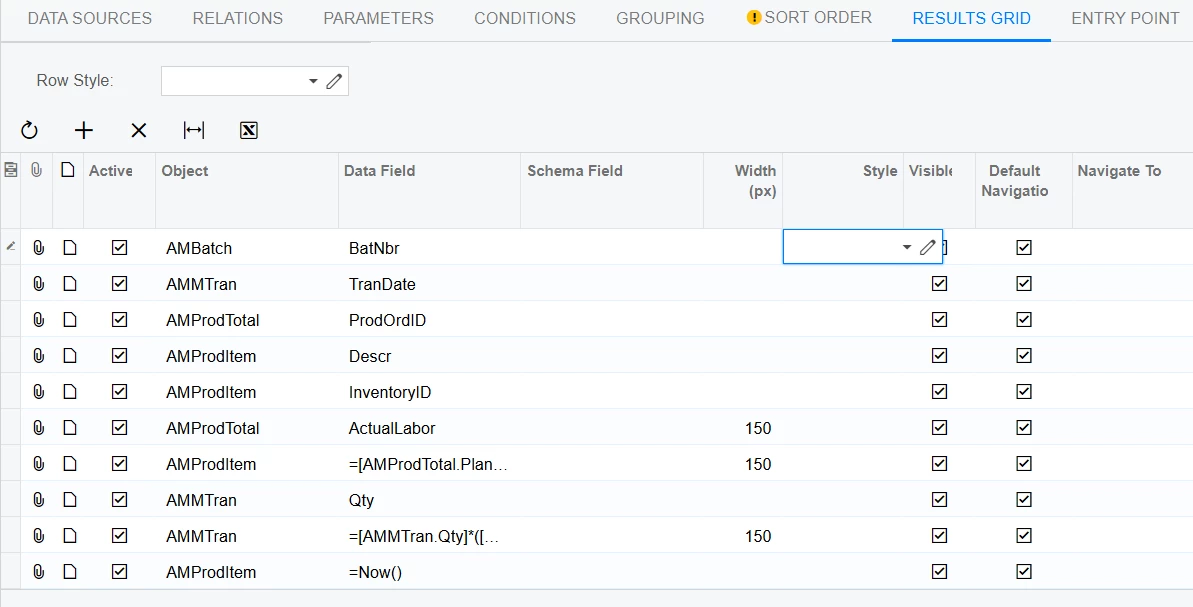
You can do this, but it is controlled by the Generic Inquiry which the dashboard displays the data from.

You can write an IIF() function which controls the colour of the cell based on certain values.

Translate

Forum|alt.badge.img
  • Author
  • Freshman I
  • Jun 30, 2025 10:13 PM UTC

Can you please give more detail? 


Example I am referring to above needs to go the green or red depending on if actual labor is greater then or less then Plan Labor.


Cheers

Translate

Forum|alt.badge.img
  • Author
  • Freshman I
  • Jun 30, 2025 10:14 PM UTC

Like the below doesnt give me any coloured outcomes on the Actual Labor field

=if([AMProdTotal.ActualLabor]>[AMProdTotal.PlanLabor],'red','default')

Translate

Forum|alt.badge.img+11
  • Captain II
  • Jul 1, 2025 6:35 AM UTC

This is something that works: 

=IIF([NPDHeader.IntroDate] < Today() AND [NPDHeader.Introductory] = False, 'bad', '') + IIF([NPDHeader.ResearchDate] < Today() AND [NPDHeader.Research] = False, 'bad', '') + IIF([NPDHeader.DesignDate] < Today() AND [NPDHeader.Design] = False, 'bad', '') + IIF([NPDHeader.FeasibilityDate] < Today() AND [NPDHeader.Feasibility] = False, 'bad', '')

The colour names aren’t their ‘names’ within Acumatica.

Translate

Forum|alt.badge.img
  • Author
  • Freshman I
  • Jul 17, 2025 3:20 AM UTC

Unfort, it didnt work for me, so its now on the back burner :-(

Translate

MichaelShirk
Captain II
Forum|alt.badge.img+8
  • Captain II
  • Answer
  • Jul 17, 2025 6:40 PM UTC

​@davidmillstui  I don’t know why, but I’ve had issues getting the GI color styles to work for me when using an IF() formula. 

Have you tried using the SWITCH() statement formula? 
Something like the fake example below from a GI I created. 
=Switch( [Totals.SomeNbr] <=2 OR [Totals.SomeNbr] = NULL, 'red60', [Totals.SomeNbr] =3, 'orange60')

Translate