Answer

Can you add colour to the coloums in a data table on dashboards

  • June 26, 2025
  • 6 replies
  • 74 views

Forum|alt.badge.img

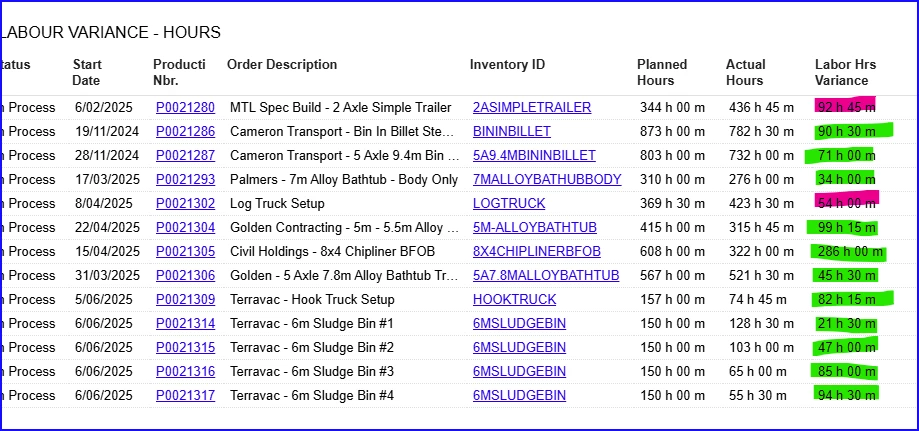
On our dashboard, we have data that shows production labour vs planned labour and a variance number - however, the number comes out as an absolute number.


To solve this, i was wondering if anyone has created a colour coding for a column for those that are over planned and those that are under planned - on the dashboard table.? 
 

Best answer by MichaelShirk

@davidmillstui  I don’t know why, but I’ve had issues getting the GI color styles to work for me when using an IF() formula. 

Have you tried using the SWITCH() statement formula? 
Something like the fake example below from a GI I created. 
=Switch( [Totals.SomeNbr] <=2 OR [Totals.SomeNbr] = NULL, 'red60', [Totals.SomeNbr] =3, 'orange60')

6 replies

Forum|alt.badge.img+8
  • Captain II
  • June 26, 2025

@davidmillstui 


You can do this, but it is controlled by the Generic Inquiry which the dashboard displays the data from.

You can write an IIF() function which controls the colour of the cell based on certain values.


Forum|alt.badge.img
  • Author
  • Freshman I
  • June 30, 2025

Can you please give more detail? 


Example I am referring to above needs to go the green or red depending on if actual labor is greater then or less then Plan Labor.


Cheers


Forum|alt.badge.img
  • Author
  • Freshman I
  • June 30, 2025

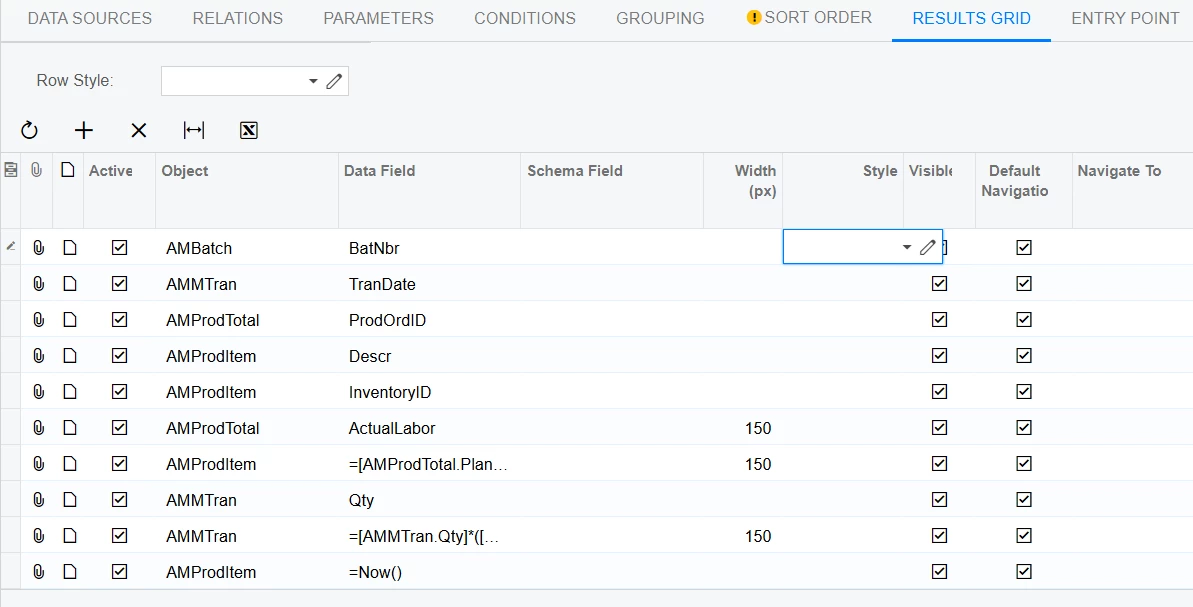
Like the below doesnt give me any coloured outcomes on the Actual Labor field

=if([AMProdTotal.ActualLabor]>[AMProdTotal.PlanLabor],'red','default')


Forum|alt.badge.img+8
  • Captain II
  • July 1, 2025

This is something that works: 

=IIF([NPDHeader.IntroDate] < Today() AND [NPDHeader.Introductory] = False, 'bad', '') + IIF([NPDHeader.ResearchDate] < Today() AND [NPDHeader.Research] = False, 'bad', '') + IIF([NPDHeader.DesignDate] < Today() AND [NPDHeader.Design] = False, 'bad', '') + IIF([NPDHeader.FeasibilityDate] < Today() AND [NPDHeader.Feasibility] = False, 'bad', '')

The colour names aren’t their ‘names’ within Acumatica.


Forum|alt.badge.img
  • Author
  • Freshman I
  • July 17, 2025

Unfort, it didnt work for me, so its now on the back burner :-(


MichaelShirk
Captain II
Forum|alt.badge.img+5
  • Captain II
  • Answer
  • July 17, 2025

@davidmillstui  I don’t know why, but I’ve had issues getting the GI color styles to work for me when using an IF() formula. 

Have you tried using the SWITCH() statement formula? 
Something like the fake example below from a GI I created. 
=Switch( [Totals.SomeNbr] <=2 OR [Totals.SomeNbr] = NULL, 'red60', [Totals.SomeNbr] =3, 'orange60')