Answer

Update BOM locations - Import Scenario

  • August 28, 2024
  • 3 replies
  • 81 views

claudematherne24
Varsity I
Forum|alt.badge.img

Working on a import scenario that will update the warehouse and location that the operation step is pulling inventory from.
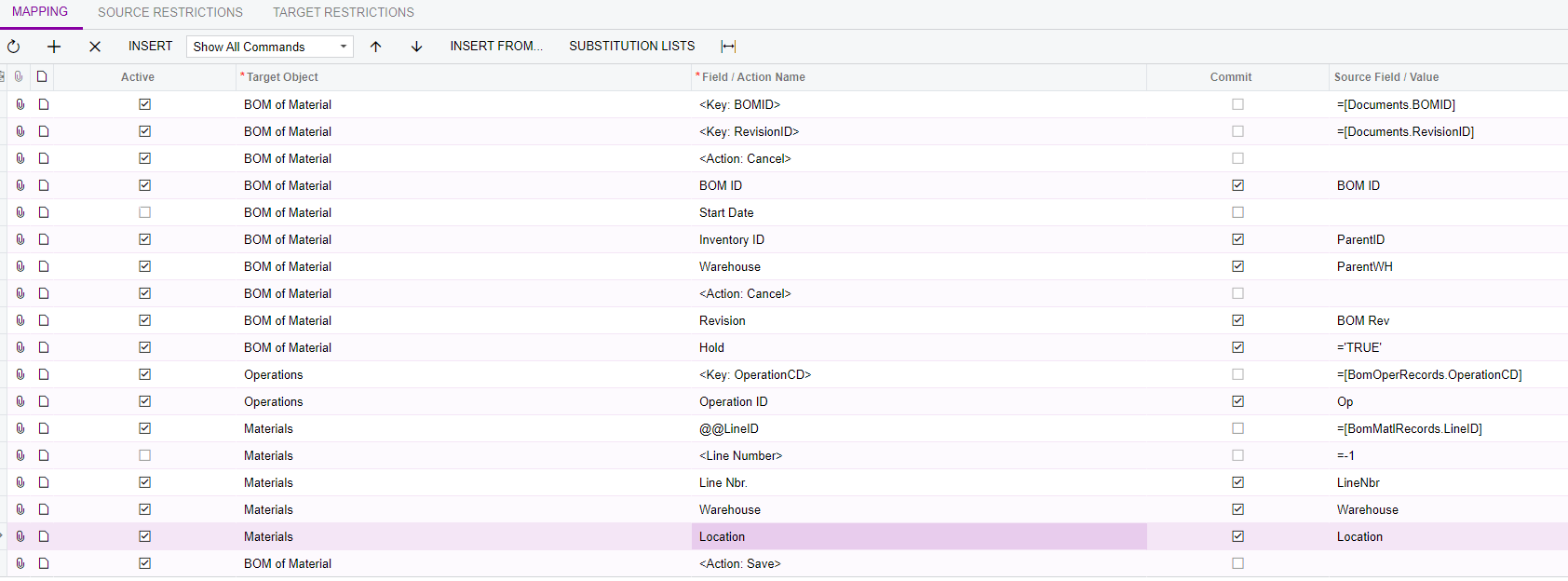
When I run the import, I get the following error:

I have confirmed the spelling and punctuation of the location is correct and in my system.  I’m assuming the error means it can’t find that reference in the system, but maybe I’m missing something else?

Best answer by claudematherne24

@Sagar Greytrix I broke it out into two different Scenarios.  It looks like, at least in my system, that when you chnage the Warehouse, if you don’t save it after, the locations won’t populate.  So I made a scenario to change the material Warehouse, then one to change the location.

Thanks for your response.

3 replies

Sagar Greytrix
Captain II
Forum|alt.badge.img+3

Hi @claudematherne24,

There are few things to check:

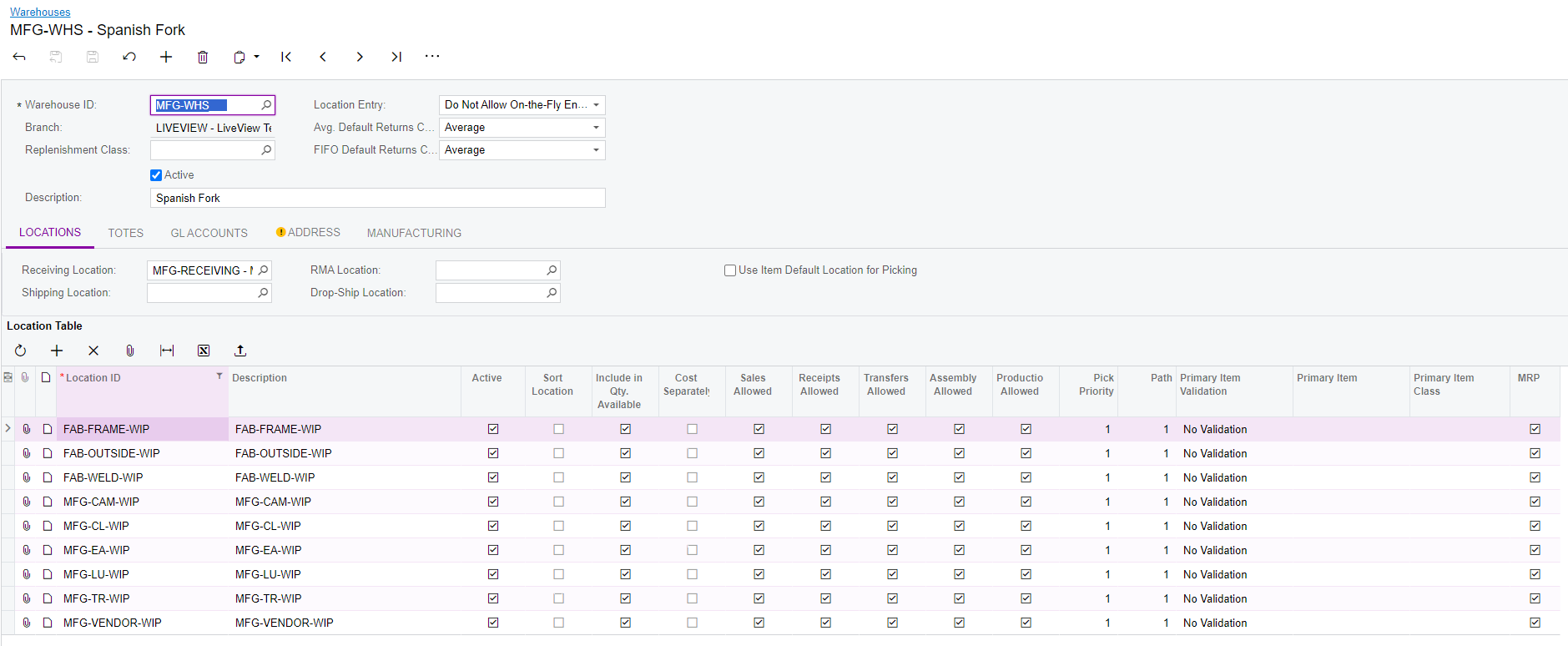
1. Check the "MFG-TR-WIP" location exists in your system.
2. Verify that the "MFG-TR-WIP" location is active. If the location is inactive, Acumatica may not recognize it during the import process.

After verifying these points, try running the import again. Your import scenario should work.

Hope this helps.


claudematherne24
Varsity I
Forum|alt.badge.img

@Sagar Greytrix 

These are my settings for the Warehouse.  Everything looks correct to me, which is why I’m confused that the Import isn’t working.  I could swear I used this import with success a year or two ago.


claudematherne24
Varsity I
Forum|alt.badge.img

@Sagar Greytrix I broke it out into two different Scenarios.  It looks like, at least in my system, that when you chnage the Warehouse, if you don’t save it after, the locations won’t populate.  So I made a scenario to change the material Warehouse, then one to change the location.

Thanks for your response.