Solved

Unable to Auto Create Purchase receipt through business event

  • January 14, 2025
  • 11 replies
  • 217 views
  • Translate All

Forum|alt.badge.img

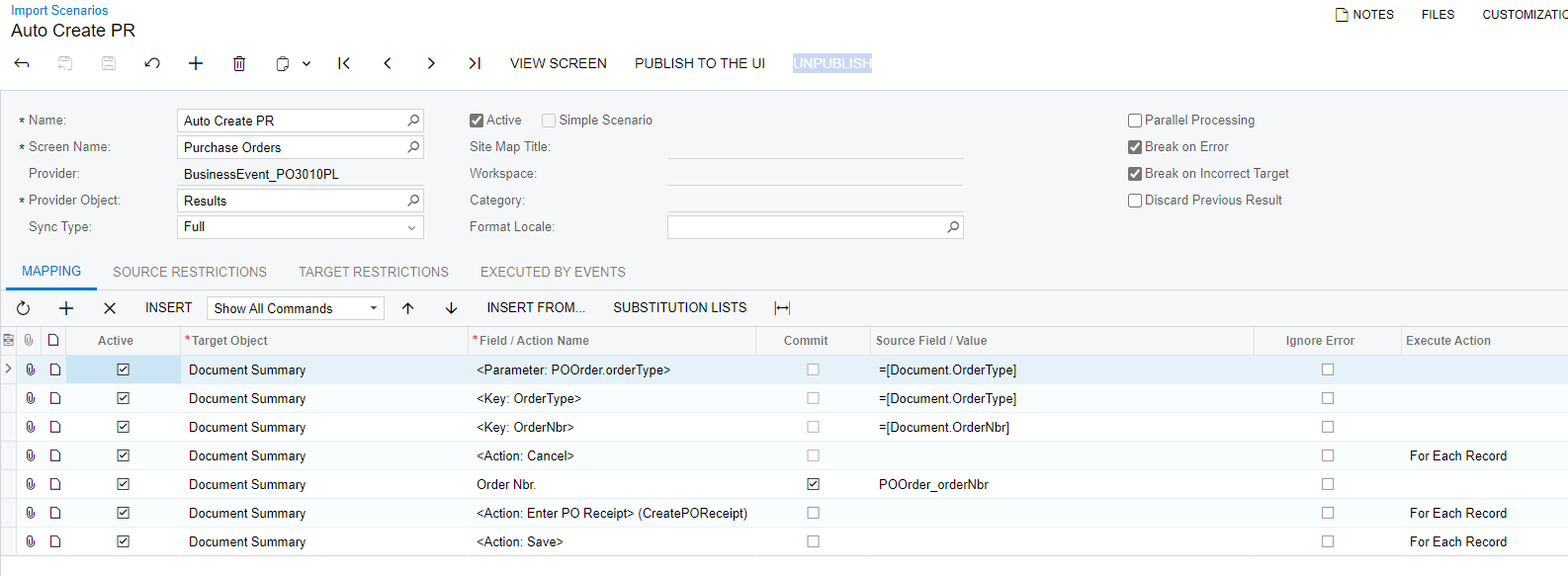
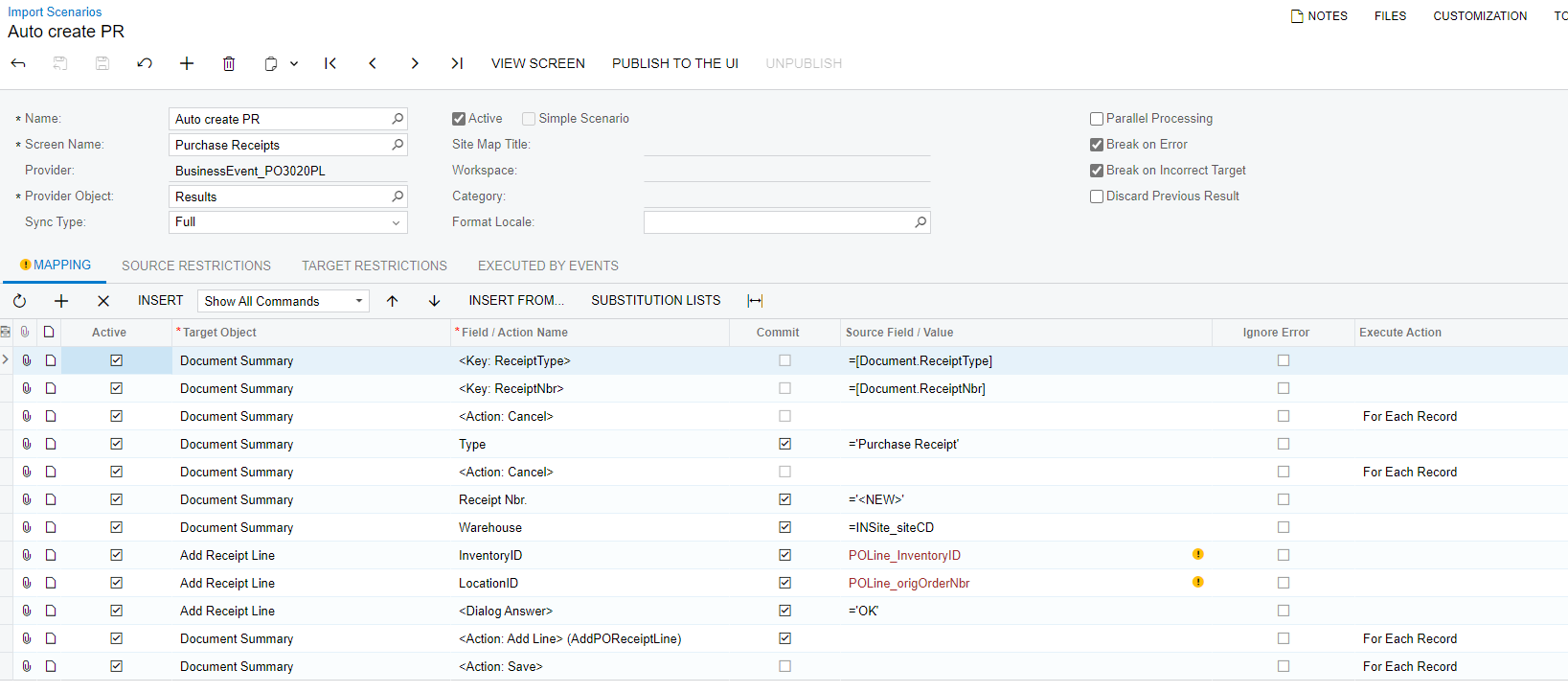
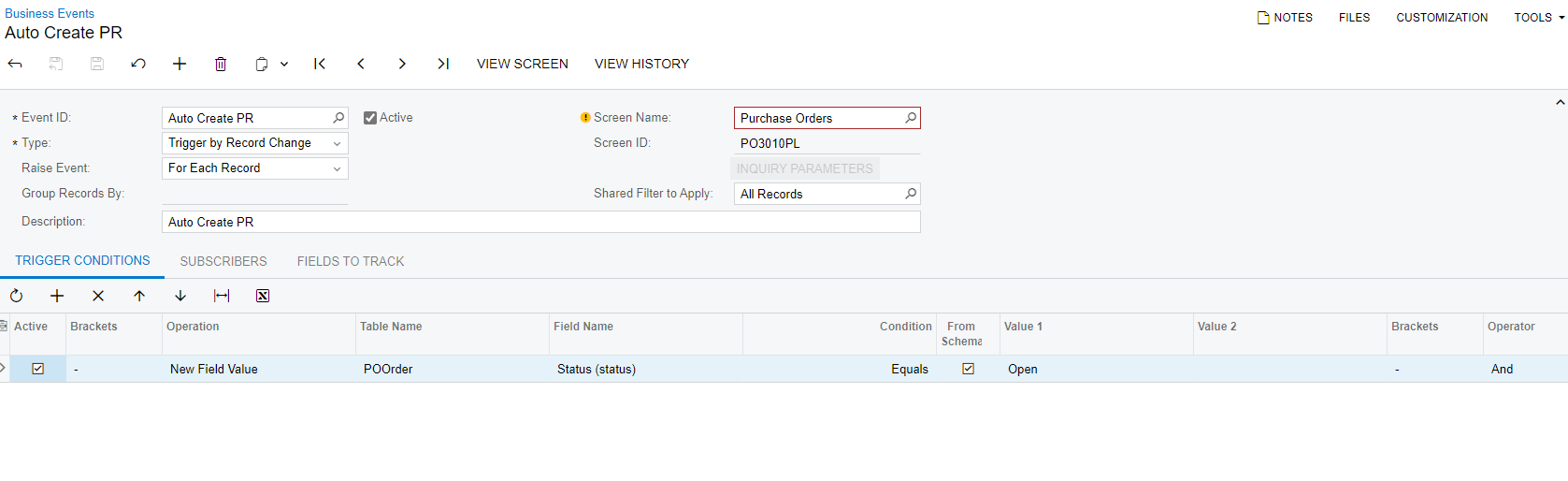
Hello , I am getting stuck in the business event which can auto create purchase receipt here is my business event and import scenario. Is i am missing out something?
 

Best answer by haarshita51

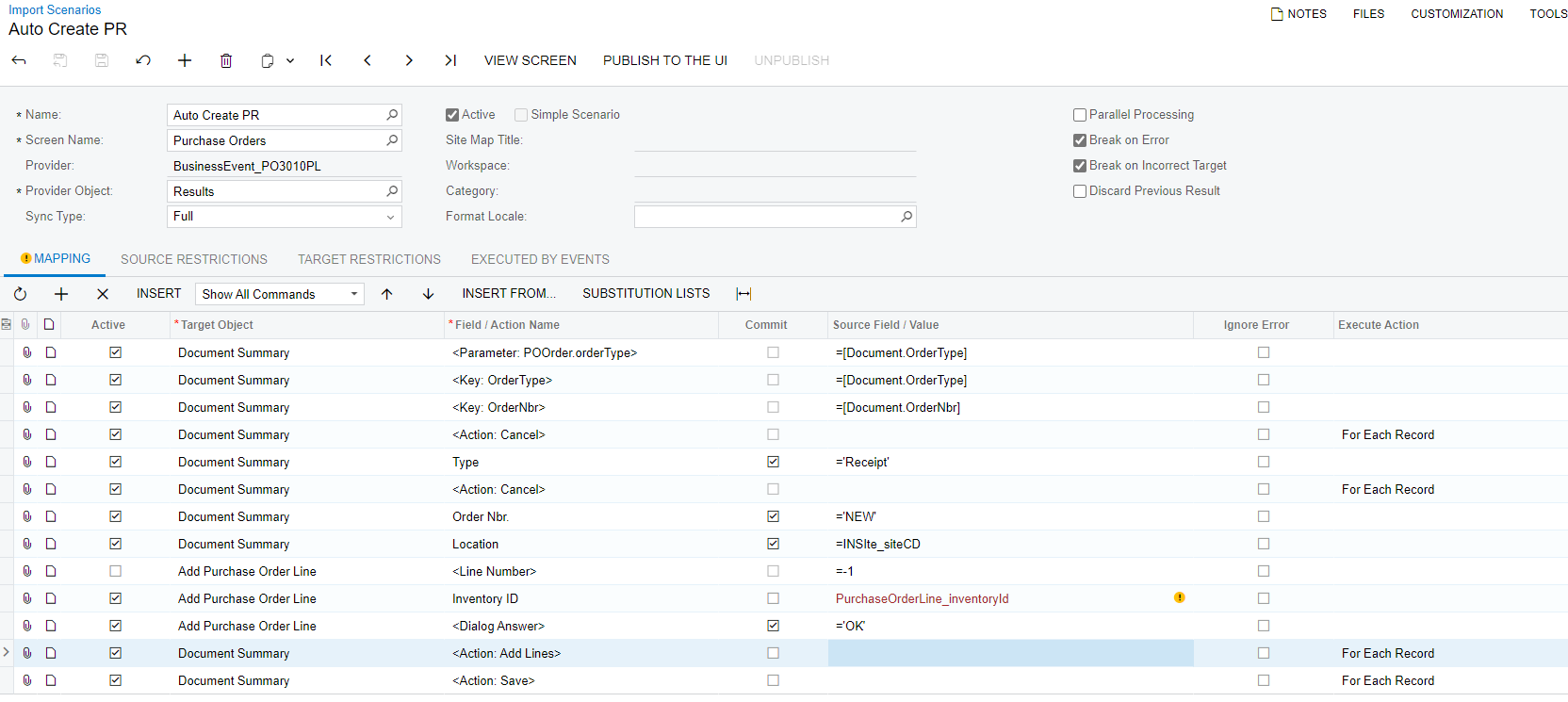
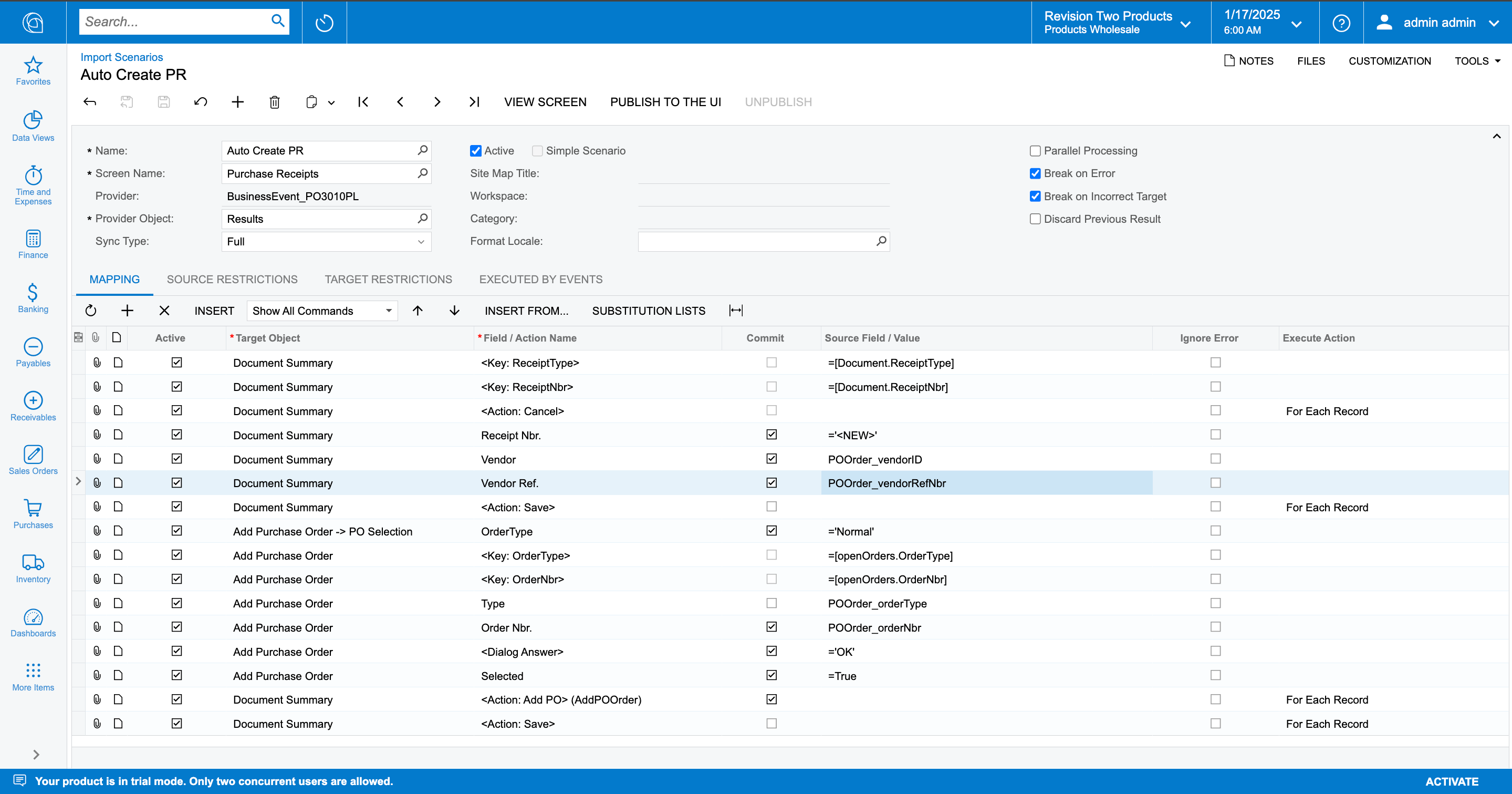
Hey ​@vishalsharma49 , you can use the following import scenario as in the below screenshot:


View original

11 replies

dcomerford
Captain II
Forum|alt.badge.img+16

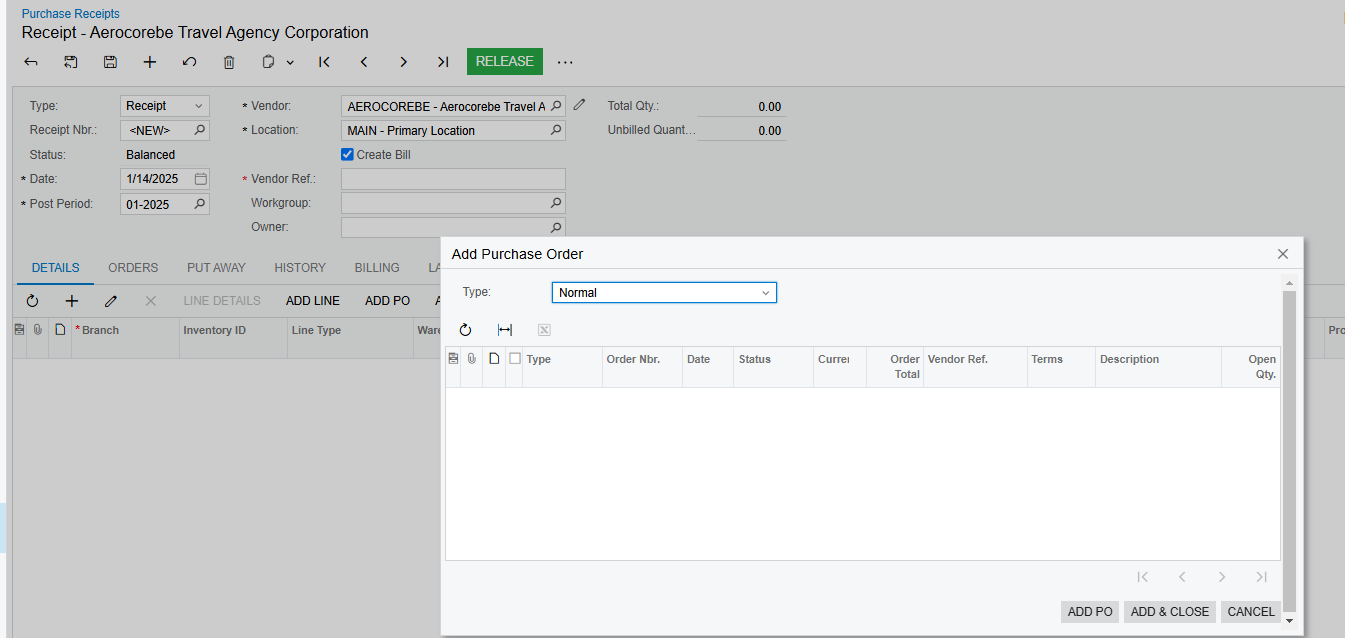
​@vishalsharma49 You cannot do it by importing to the PO as the import scenario cannot handle the opening of the Receipt form. Instead you will need to create a Purchase receipt and then add the PO to the Receipt. 

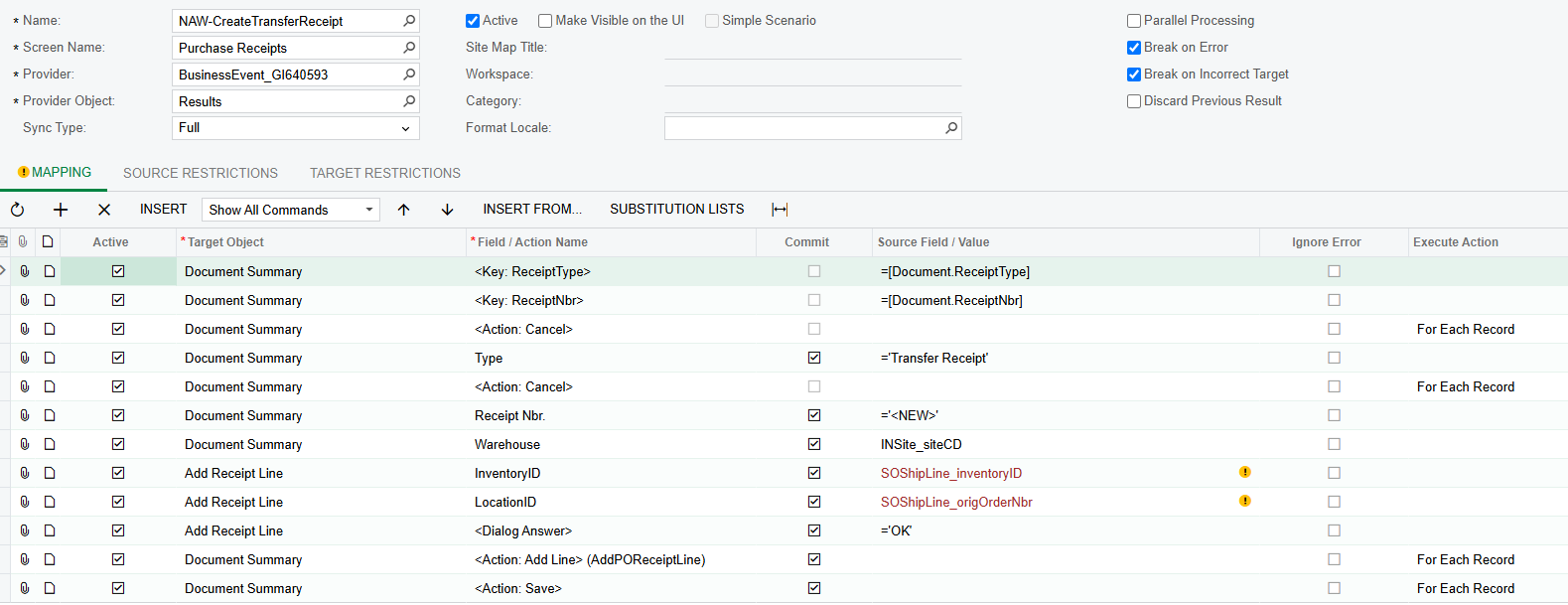
I have done something similar to import PO Lines on a Transfer Receipt see below so should give you some ideas how to build it


Translate

Forum|alt.badge.img

​@vishalsharma49 You cannot do it by importing to the PO as the import scenario cannot handle the opening of the Receipt form. Instead you will need to create a Purchase receipt and then add the PO to the Receipt. 

I have done something similar to import PO Lines on a Transfer Receipt see below so should give you some ideas how to build it


This scenario can be used for auto creation of purchase receipt ?


Translate

dcomerford
Captain II
Forum|alt.badge.img+16

​@vishalsharma49 Yes that is what i was doing but i was auto creating the Transfer Receipt one the transfer sales order was Shipped. Similar idea

Translate

Forum|alt.badge.img

​@vishalsharma49 Yes that is what i was doing but i was auto creating the Transfer Receipt one the transfer sales order was Shipped. Similar idea

I just created this scenario by your reference idea but still its not working .is my business event ok or some condition need to be applied?


Translate

dcomerford
Captain II
Forum|alt.badge.img+16

​@vishalsharma49 Your import scenario is trying to create a PO the Screen Name should be Purchase Receipt. 

Translate

Forum|alt.badge.img

​@vishalsharma49 Your import scenario is trying to create a PO the Screen Name should be Purchase Receipt. 

And is my business event is correct? or need some changes on it? 


Translate

dcomerford
Captain II
Forum|alt.badge.img+16

​@vishalsharma49 i would the Trigger condition to row inserted. One a new PO is created and meets the conditions of the GI you are using then the Business Event will see it and trigger

Translate

Forum|alt.badge.img

​@vishalsharma49 i would the Trigger condition to row inserted. One a new PO is created and meets the conditions of the GI you are using then the Business Event will see it and trigger

Hello Dcomerford, i tried with scenario its not working ,


Translate

dcomerford
Captain II
Forum|alt.badge.img+16

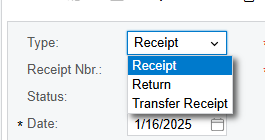
​@vishalsharma49 Your Type is not correct it must match the value on the form so should be Receipt. So try it with that also if you look at the Business Event History it can assist also.


Translate

Forum|alt.badge.img+4
  • Varsity III
  • Answer
  • January 17, 2025

Hey ​@vishalsharma49 , you can use the following import scenario as in the below screenshot:


Translate

Forum|alt.badge.img

Hey ​@vishalsharma49 , you can use the following import scenario as in the below screenshot:


Thanks Harshitha it worked.

Translate