


Solved

Shopify Removed Items Syncing to Acumatica Sales Orders

  • July 21, 2026
  • 1 reply
  • 42 views

FrankieDC
Freshman II
Forum|alt.badge.img

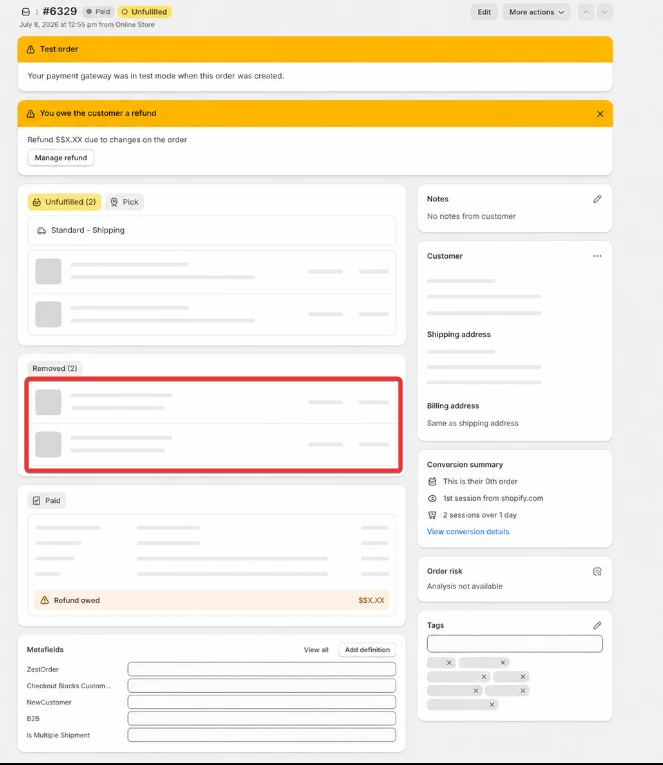
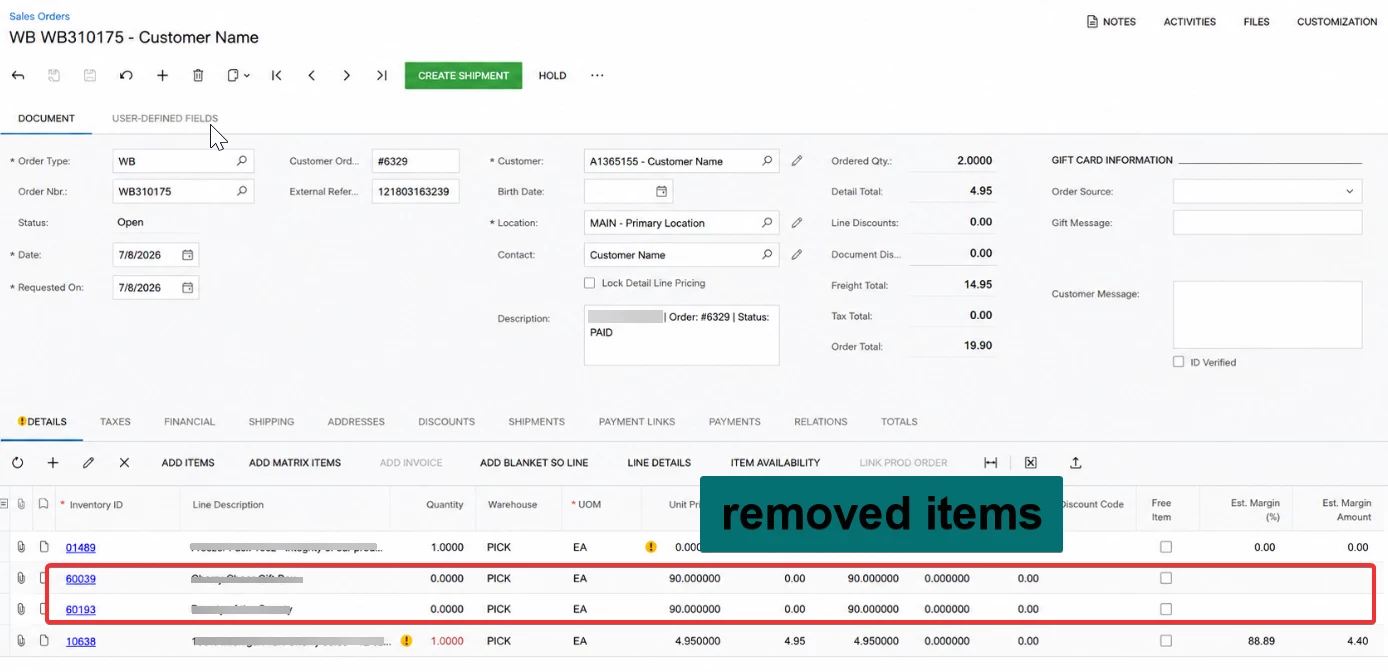
We noticed that when an item is removed from a Shopify order, the removed item is still being synced to the corresponding Sales Order in Acumatica with a quantity of 0, instead of being ignored.

Is there a way to prevent removed items from syncing to Acumatica? We also observed that this behavior occurs with the native connector.

Expected Behavior:
Items that have been removed from the Shopify order should not be synced to the Acumatica Sales Order.

Current Behavior:
Removed items are still synced to Acumatica as line items with a quantity of 0, even though they no longer exist in the Shopify order.

Question:
Is there a configuration, customization, or recommended approach to prevent removed items from being synchronized to Acumatica?


Thank you.

Best answer by jinin

Hi ​@FrankieDC ,

As per my knowledge, this is the expected behavior of both the Shopify Connector and the native connector.

When an item is removed from a Shopify order, the connector updates the corresponding Sales Order line in Acumatica by setting its quantity to 0 instead of deleting the line. This approach helps maintain document consistency and preserves the history of the synchronized order.

Currently, I believe there is no configuration available to skip or ignore removed line items during sync.

If your business process requires removed items to be excluded from the Sales Order, a customization would be required to modify the synchronization behavior.

1 reply

jinin
Pro I
Forum|alt.badge.img+12
  • Pro I
  • Answer
  • July 27, 2026

Hi ​@FrankieDC ,

As per my knowledge, this is the expected behavior of both the Shopify Connector and the native connector.

When an item is removed from a Shopify order, the connector updates the corresponding Sales Order line in Acumatica by setting its quantity to 0 instead of deleting the line. This approach helps maintain document consistency and preserves the history of the synchronized order.

Currently, I believe there is no configuration available to skip or ignore removed line items during sync.

If your business process requires removed items to be excluded from the Sales Order, a customization would be required to modify the synchronization behavior.
