Question

Print Sales Order Option with no Pricing

  • July 22, 2026
  • 1 reply
  • 31 views

Is there a way to have an option on the Sales Order screen to print a copy of a Sales Order without any pricing? There are times when we may have an order that we have to give to an employee and we do not want any pricing printed on the SO. It would be nice to have an option called “Print Order - No Prices” as a menu option from within the Sales Order screen.


Thank you!

1 reply

Forum|alt.badge.img+3

Hi ​@SmokeyDuhBear 

Yes, this can be accomplished using the Acumatica No-Code/Low-Code platform.

Please follow the steps below:

  1. Open the Acumatica Report Designer and make a copy of the existing Sales Order report.
  2. Save it as a new report (for example, a Sales Order Without Pricing report) and remove the pricing fields as needed.
  3. Open the Customization Projects screen and create a new customization project (for example, AddCustomAction). Avoid using spaces in the project name.
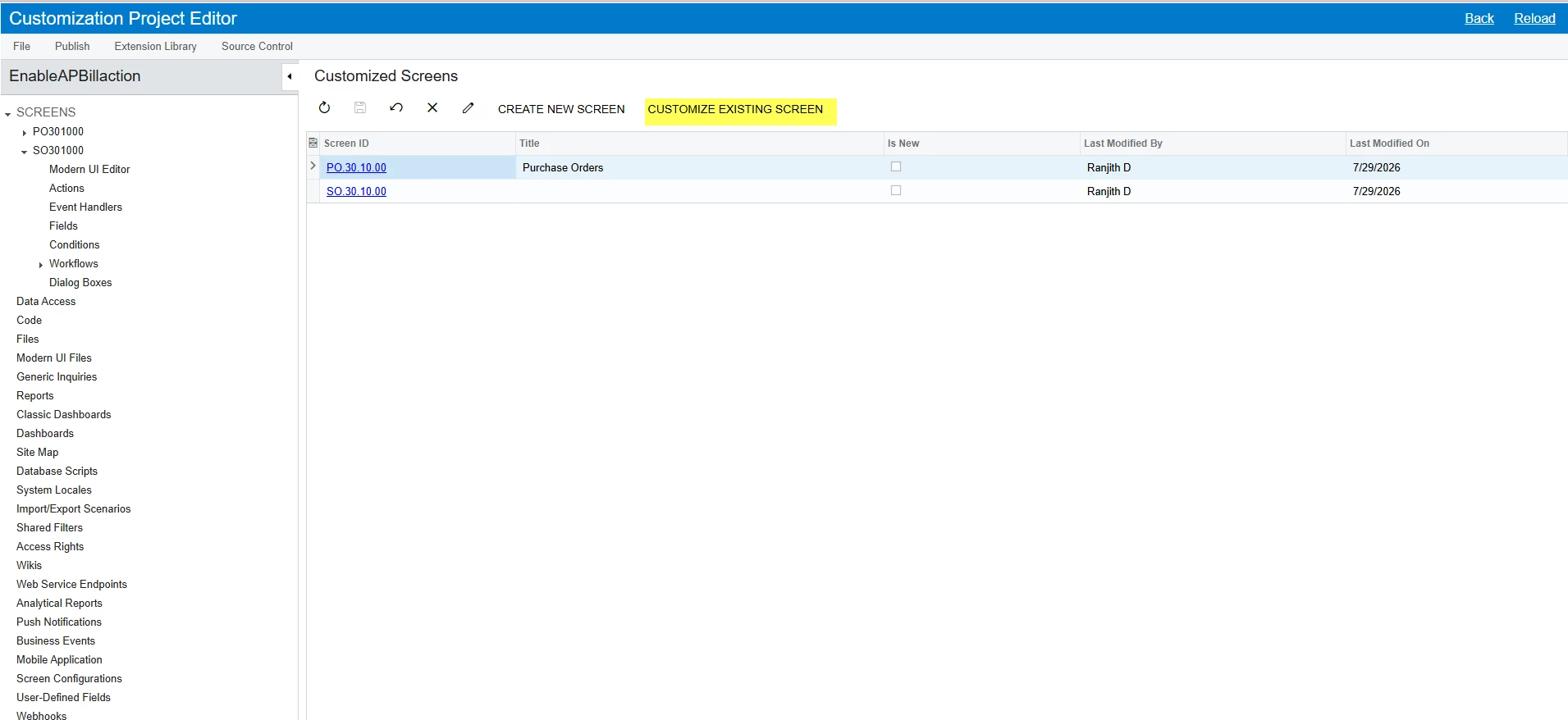
  4. Open the customization project, click Customize Existing Screen, and add the Sales Orders (SO301000) screen.


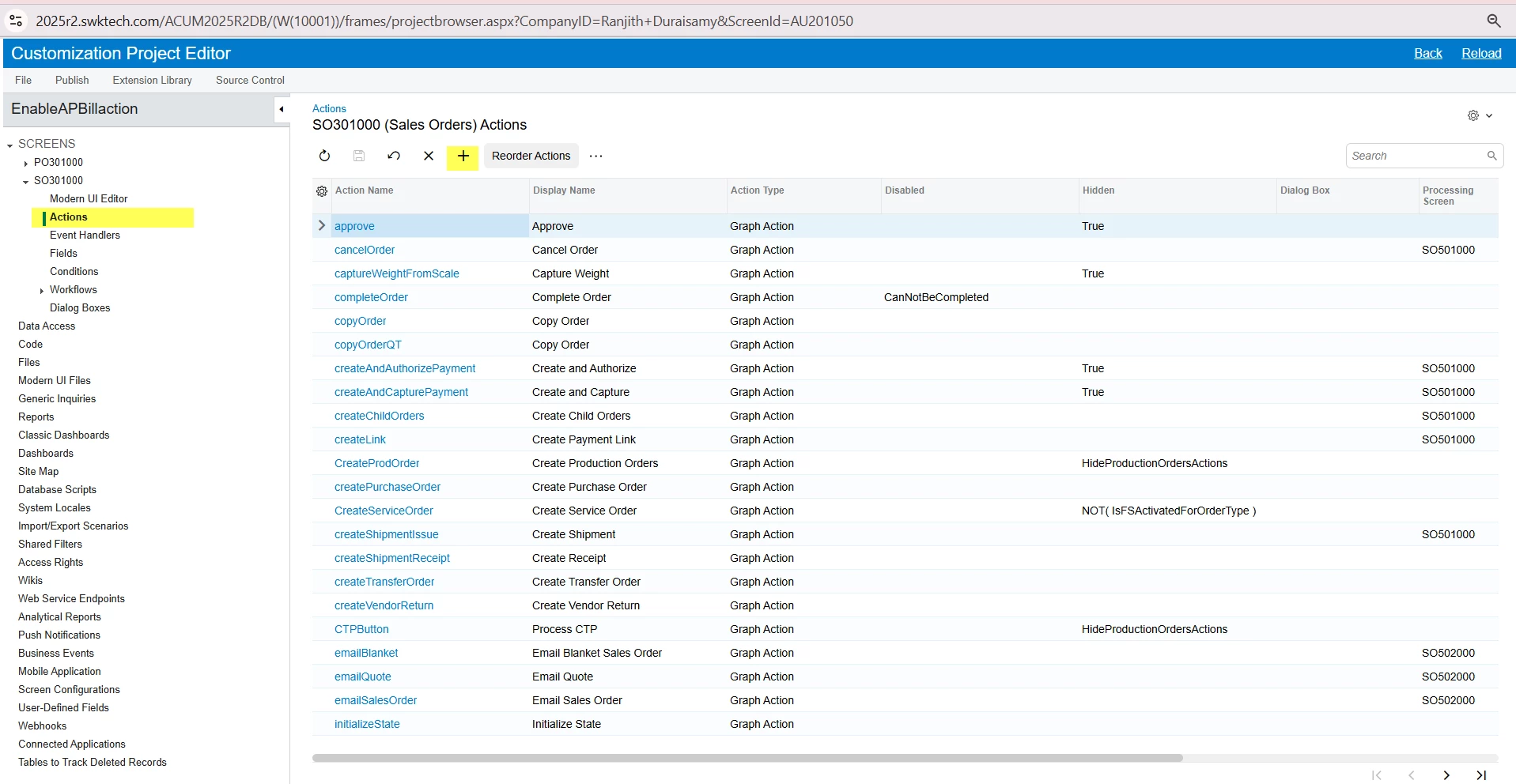
  5. In the left panel, expand the Sales Orders (SO301000) screen, select Actions, and click Add New Action, as shown in the screenshot.


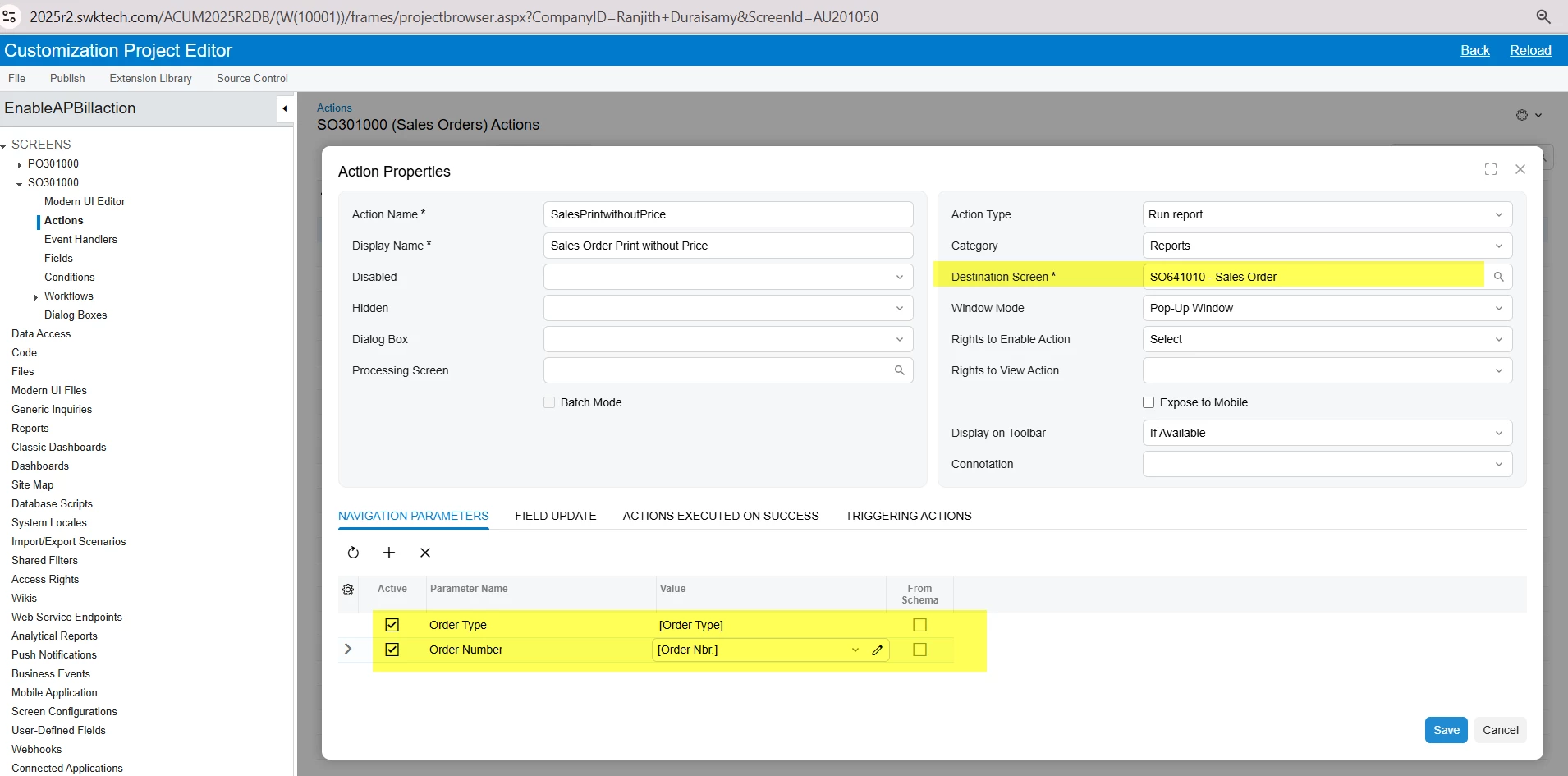
  6. In the new action window, enter the required details as shown in the screenshot. In the Destination Screen/Field, specify the custom Sales Order Without Pricing report that you created.


  7. Save your changes and publish the customization project.

After publishing, you will see a new action in the Sales Orders screen that allows users to print the Sales Order Without Pricing report directly from the Actions menu.

Please let me know if you have any questions

Thank you.