Solved

Import Scenario - Copy BOM

  • August 23, 2024
  • 12 replies
  • 257 views
  • Translate All

claudematherne24
Varsity I
Forum|alt.badge.img

Hello everyone, 

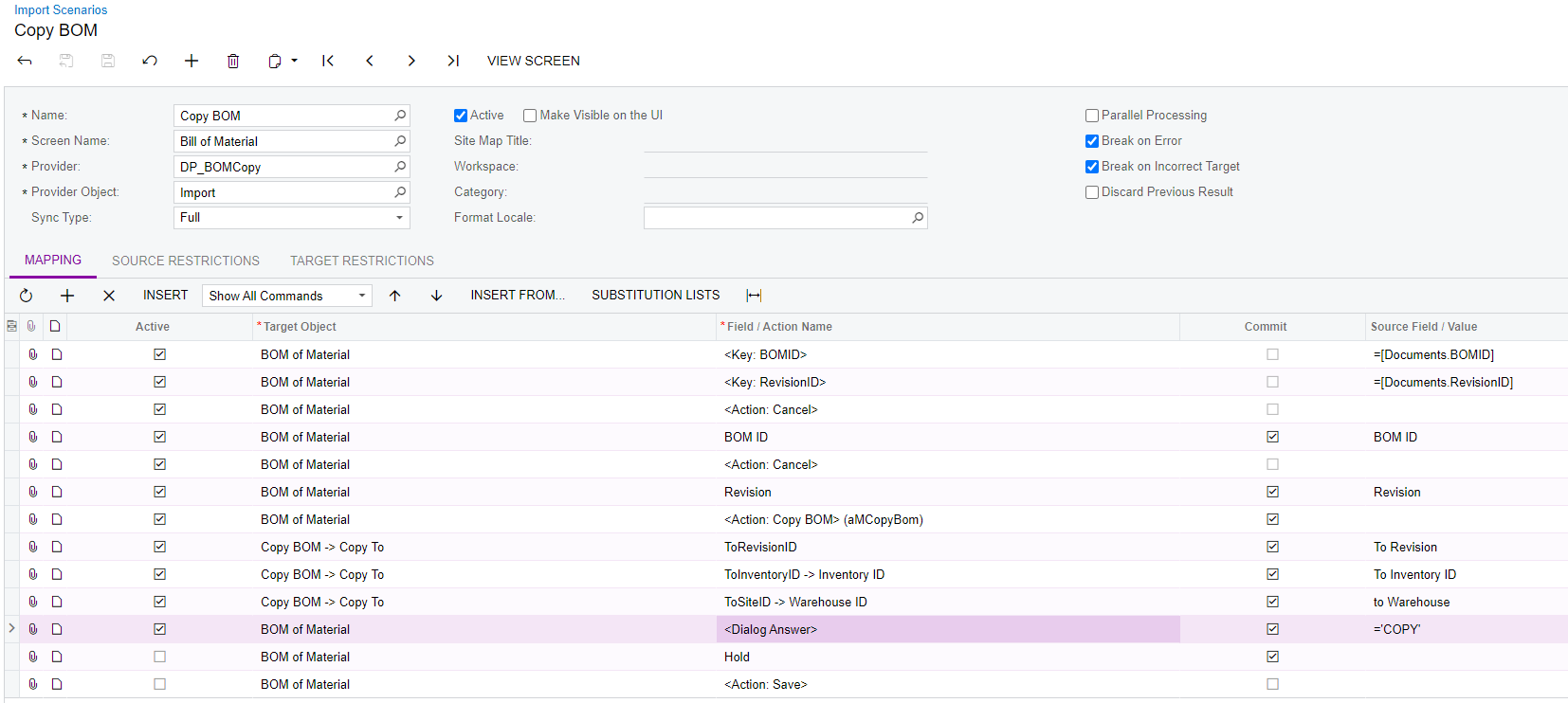
Looking to mass copy BOM to make new BOMs that have a different Warehouse.  Here is what I have so far:
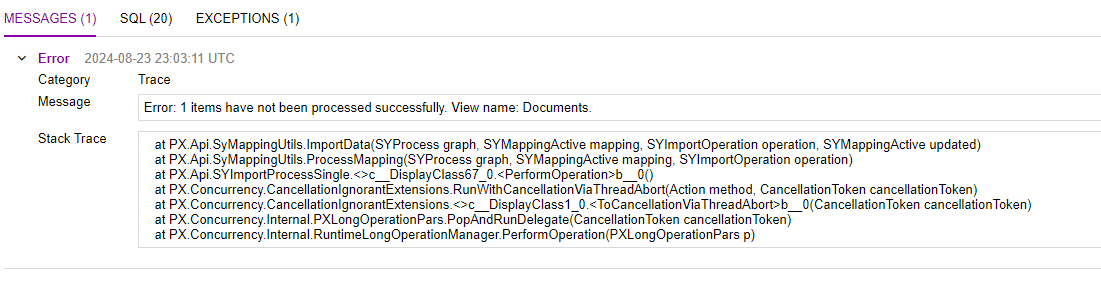
When I run the secnario, I get an error message that says the following:

View name:Documents

What does that error refer to?  What am I missing?  I know the first half of my Import works, becuase I used it to Archive BOMs, which worked as expected.  There is something I am doing wrong on the Action Copy.


Any help would be great.  Otherwise, I’ve got 733 BOMs to update!!!! :(

Best answer by darylbowman

Don’t know if this is it, but the <DialogAnswer> needs to go before the <Action> and probably all the dialog settings before that. The dialog needs to be fully ready when the action is called that will open it.

View original

12 replies

iqraharrison
Captain II
Forum|alt.badge.img+9

@claudematherne24 when you run the scenario and get that error, can you share the trace log?

Translate

claudematherne24
Varsity I
Forum|alt.badge.img

what is the best way to share the trace log?  Do I just press submit log and it gives me something to share?


Translate

iqraharrison
Captain II
Forum|alt.badge.img+9

@claudematherne24 a screenshot should be fine! 

Translate

claudematherne24
Varsity I
Forum|alt.badge.img

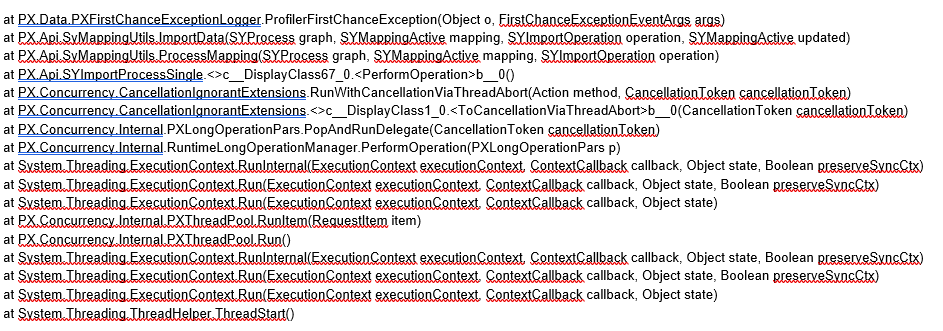
This is the list from the Exception:


Translate

claudematherne24
Varsity I
Forum|alt.badge.img

@iqraharrison have you had a chance to look at this?

Translate

iqraharrison
Captain II
Forum|alt.badge.img+9

@claudematherne24 sorry I think I missed the notification. The trace didn’t give much, can you attach the import scenario here? I can try it on my end! 

Translate

claudematherne24
Varsity I
Forum|alt.badge.img

@iqraharrison 

Here you go.


Translate

iqraharrison
Captain II
Forum|alt.badge.img+9

@darylbowman anything you are familiar with?


@claudematherne24 I tried to poke around but wasn’t able to figure anything out :(

Translate

darylbowman
Captain II
Forum|alt.badge.img+17

Don’t know if this is it, but the <DialogAnswer> needs to go before the <Action> and probably all the dialog settings before that. The dialog needs to be fully ready when the action is called that will open it.

Translate

claudematherne24
Varsity I
Forum|alt.badge.img

@darylbowman that looks like it worked!!!!!  Thanks for the help

@iqraharrison Thanks for looking at it


Side question:  Where is a good reference/training, if any, that helps explains the engine workflow?

Translate

iqraharrison
Captain II
Forum|alt.badge.img+9

@claudematherne24 do you have access to acumatica university?  you could start with I100 - Integration Scenarios (i think it falls under the technical specialist learning path).  I am not sure if partner access and customer access looks the same.  there’s also a W150 Workflows course but definitely take a look there to see what you can find!


Translate

claudematherne24
Varsity I
Forum|alt.badge.img

@iqraharrison  In my brain, I think I have completed that one, but maybe I checked I100 off of my list on accident, and didn’t actually finish it.

I’ll add it back to my list lol.

Translate