Answer

How to setup an Action button to be displaying on specific doc type condition?

  • June 4, 2025
  • 1 reply
  • 46 views

Forum|alt.badge.img

hello all,

I have added a custom button in the AR302000 screen, that redirects to a custom report. I want to display this button only for Doc Type = PPM. how can I do so in Project editor? I have successfully added the button but not able to apply the condition.

Regards.
Best answer by miguel80

Hi!


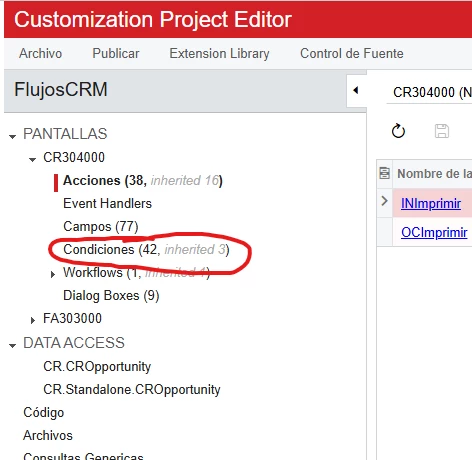
Go to the “Conditions” section of the screen:


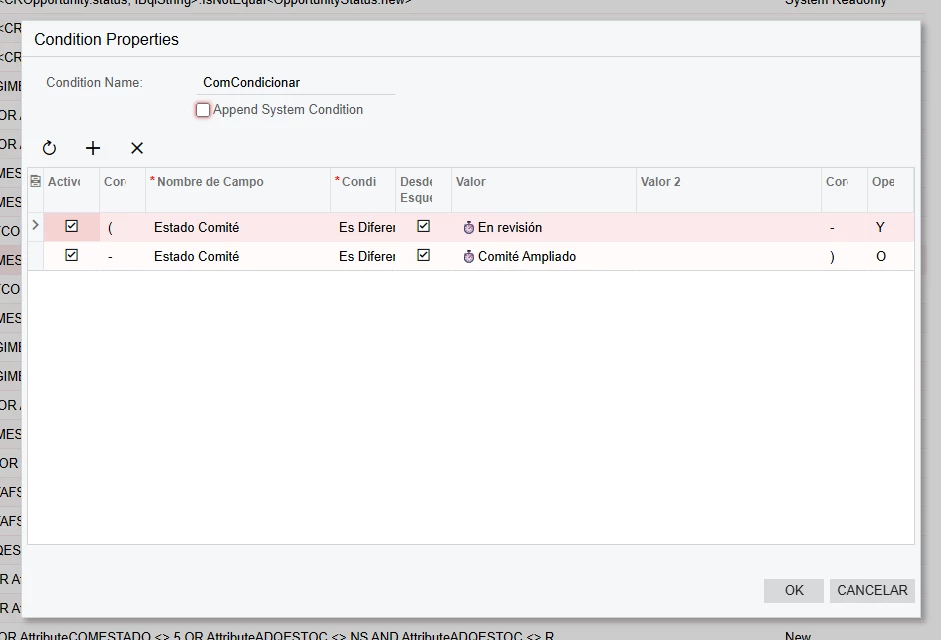
Add a new condition and set the conditions required to “NOT” see you field, for example ARPayment.DocType “is not equal” to “PPM”.

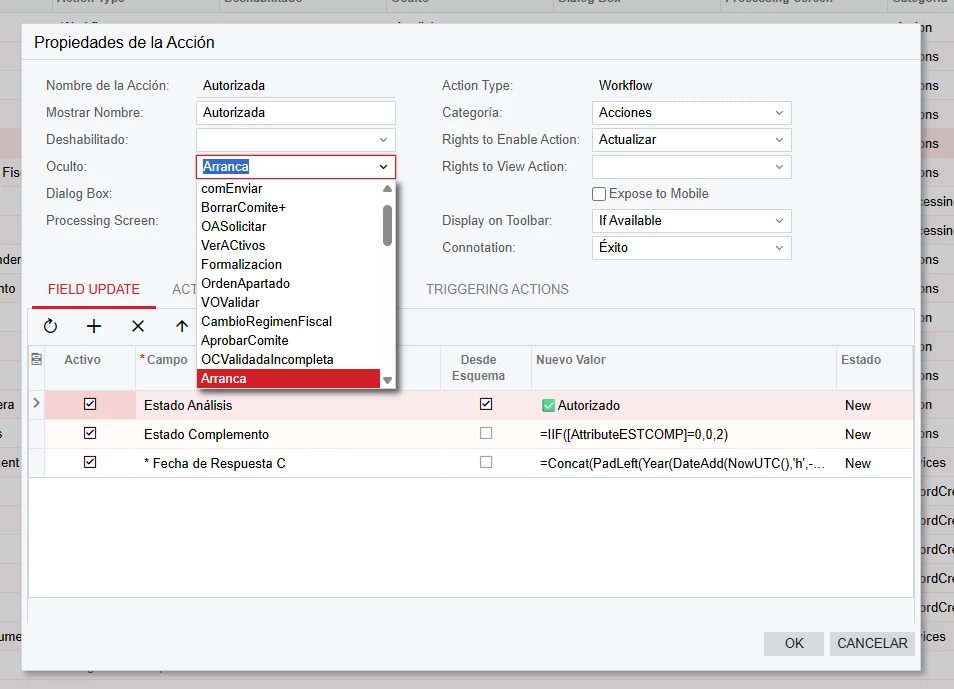
Then go to the action and select your new condition on the “Hidden” property.


This should do the trick!

1 reply

miguel80
Semi-Pro III
Forum|alt.badge.img+3
  • Semi-Pro III
  • Answer
  • June 9, 2025

Hi!


Go to the “Conditions” section of the screen:


Add a new condition and set the conditions required to “NOT” see you field, for example ARPayment.DocType “is not equal” to “PPM”.

Then go to the action and select your new condition on the “Hidden” property.


This should do the trick!