Solved

How to rename tabs in Modern UI?

  • Nov 27, 2026 8:05 AM UTC
  • 3 replies
  • 26 views
  • Translate All

Forum|alt.badge.img

Hello all,

Can anyone guide me on how to rename tabs in Modern UI? I’m currently using 26R2.

Best answer by haarshita51

Hi ​@Harry ,

The below might be helpful to you.

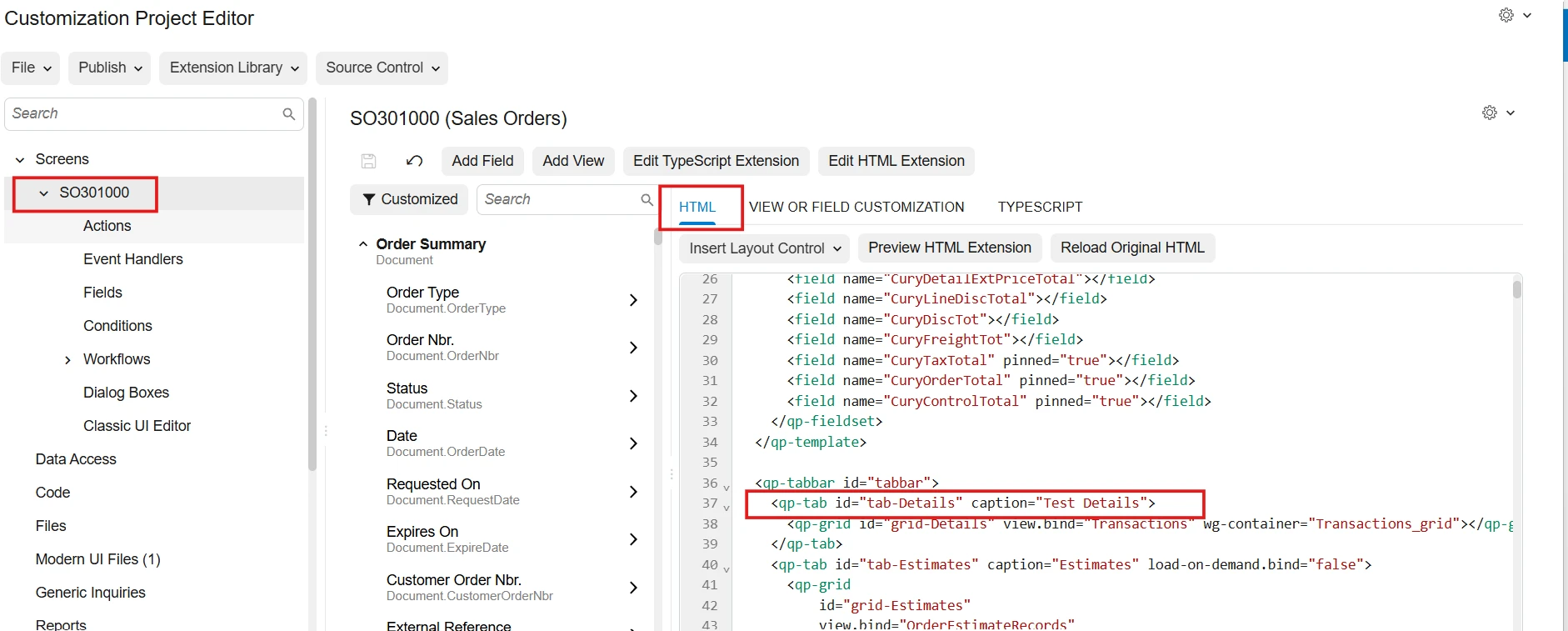
  1. Add the screen in the Project Editor in which you want to rename the tab.
  2. On the HTML tab Ctrl+F for “qp-tabbar”
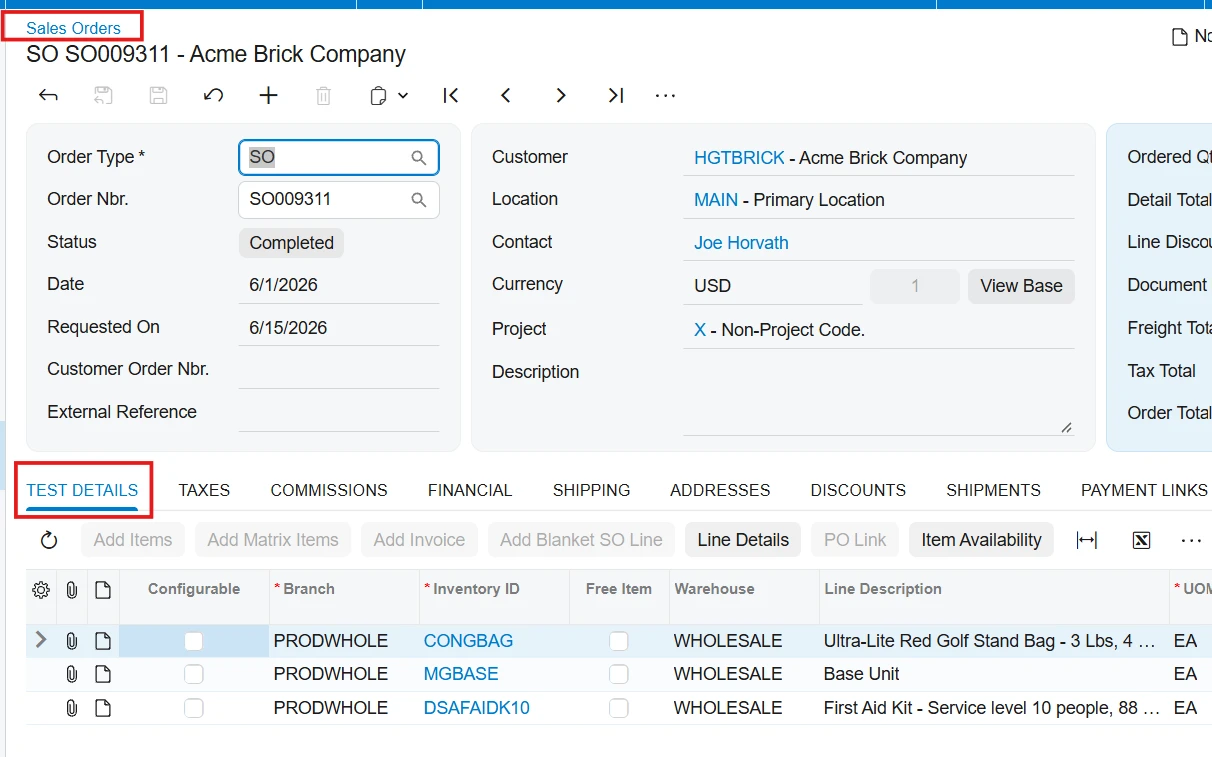
  3. And then look out for the “caption” tag of the tab for which you’re looking to rename. Replace the value with the one you want to rename the tab to & finally Save & publish the project.

Hope this helps!!

View original

3 replies

Manikanta Dhulipudi
Captain II
Forum|alt.badge.img+16

​@Harry Can you give me an example?

Translate

Dipak Nilkanth
Pro III
Forum|alt.badge.img+14

Hi ​@Harry,

You can do this through the Customization Project Editor.

Simply locate the caption attribute for the required tab in the screen's HTML definition, update it to the name you want, and publish the customization package.

This will update the tab's displayed name in the Modern UI.

Hope, it helps!

Translate

Forum|alt.badge.img+5
  • Varsity III
  • Answer
  • Nov 28, 2026 12:03 PM UTC

Hi ​@Harry ,

The below might be helpful to you.

  1. Add the screen in the Project Editor in which you want to rename the tab.
  2. On the HTML tab Ctrl+F for “qp-tabbar”
  3. And then look out for the “caption” tag of the tab for which you’re looking to rename. Replace the value with the one you want to rename the tab to & finally Save & publish the project.

Hope this helps!!

Translate