Solved

How to convert customized field type int to decimal using frontend

  • July 5, 2024
  • 5 replies
  • 239 views
  • Translate All

darshanaabeyrathne63
Freshman I

Hi All,

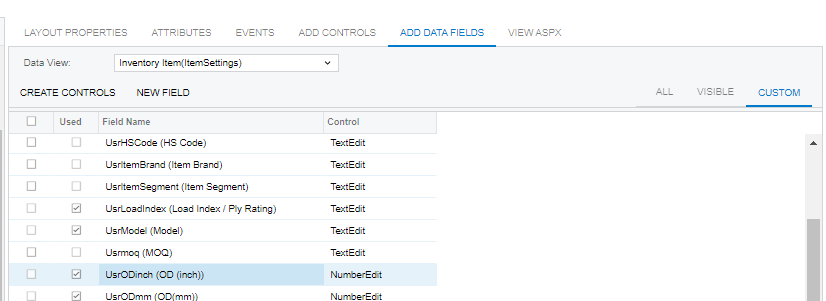
Please note I need to find way to change customized field type int to decimal. Int type doesn’t allow to enter decimal values. I have tried by changing original attribute but it’s not saving either.

 

Best answer by Naveen Boga

Here is an example @darshanaabeyrathne63 


ALTER TABLE table_name
ADD column_name datatype;


Ex: 

ALTER TABLE SOOrder
ADD UsrTestFiele decimal(19,6);

View original

5 replies

Naveen Boga
Captain II
Forum|alt.badge.img+20

@darshanaabeyrathne63  Please delete this DAC field and create the DAC field again with the same name with Decimal from the DATA ACCESS section.

If this package is already deployed in any instance then again you need to write a Alter script to modify the Type in the database in the Database scripts section.


Translate

darshanaabeyrathne63
Freshman I

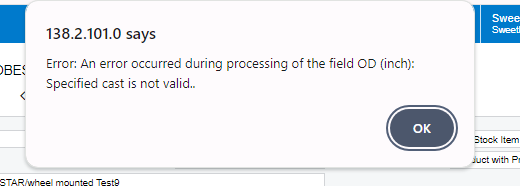
@Naveen Boga  Thank you for update! But after changing the field type below error message occurs? I have publish this project using option publish with cleanup as well.


Translate

Naveen Boga
Captain II
Forum|alt.badge.img+20

Have you deployed the script to change the data type in the database? @darshanaabeyrathne63 

Translate

darshanaabeyrathne63
Freshman I

@Naveen Boga Thank you for the response. For the time being i have managed that with different method. For future reference is it possible to get alter script for this?

Translate

Naveen Boga
Captain II
Forum|alt.badge.img+20

Here is an example @darshanaabeyrathne63 


ALTER TABLE table_name
ADD column_name datatype;


Ex: 

ALTER TABLE SOOrder
ADD UsrTestFiele decimal(19,6);

Translate